



Founded by veteran engineers, Evopow is built on precision. Every lens and thermal system is rigorously tested for stunning clarity, vibrant colors, and unwavering performance.
Loved globally from Paris to Nairobi, users praise the cinematic magic Evopow brings to their lives.
Today, Evopow continues to innovate, proving that engineering excellence meets everyday joy—turning every wall into a world of wonder.





Why is the brightness listed as 560 ANSI lumens?
Many listings use non-ANSI or inflated brightness claims. We use a real ANSI rating for a more accurate reference. At 560 ANSI lumens, this projector is among the brighter options in the under-$100 range and works best in dark rooms.
How do I mirror an Android phone to the projector?
Download the Miracast app on your Android phone, connect your phone and projector to the same WiFi, open Miracast, tap "Connect," and select the projector from the device list.
How do I mirror an iPhone to the projector?
Connect your iPhone and projector to the same WiFi, open Control Center, tap Screen Mirroring, and select the projector from the device list.
Why is there no picture or sound when I mirror Netflix, Prime Video, Hulu, or other streaming apps from my phone?
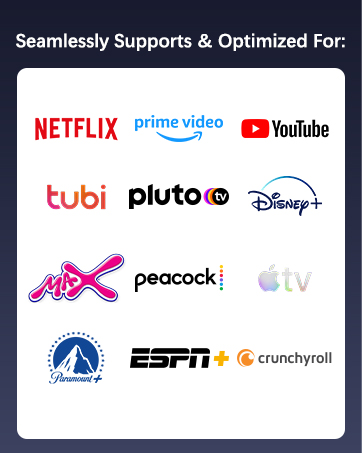
Due to HDCP copyright restrictions, some apps like Netflix or Prime Video may not show image or sound during screen mirroring. Please use the built-in app on the projector or download the app you need from the built-in app store.
Why can't my phone or computer connect to the projector via Bluetooth?
Bluetooth is for audio devices only, such as Bluetooth speakers or headphones. It does not support screen mirroring, video sync, or Bluetooth connection with phones, computers, or Alexa devices.


Bluetooth 5.4
WiFi 6





Why is the brightness listed as 560 ANSI lumens?
Many listings use non-ANSI or inflated brightness claims. We use a real ANSI rating for a more accurate reference. At 560 ANSI lumens, this projector is among the brighter options in the under-$100 range and works best in dark rooms.
How do I mirror an Android phone to the projector?
Download the Miracast app on your Android phone, connect your phone and projector to the same WiFi, open Miracast, tap "Connect," and select the projector from the device list.
How do I mirror an iPhone to the projector?
Connect your iPhone and projector to the same WiFi, open Control Center, tap Screen Mirroring, and select the projector from the device list.
Why is there no picture or sound when I mirror Netflix, Prime Video, Hulu, or other streaming apps from my phone?
Due to HDCP copyright restrictions, some apps like Netflix or Prime Video may not show image or sound during screen mirroring. Please use the built-in app on the projector or download the app you need from the built-in app store.
Why can't my phone or computer connect to the projector via Bluetooth?
Bluetooth is for audio devices only, such as Bluetooth speakers or headphones. It does not support screen mirroring, video sync, or Bluetooth connection with phones, computers, or Alexa devices.
Founded by veteran engineers, Evopow is built on precision. Every lens and thermal system is rigorously tested for stunning clarity, vibrant colors, and unwavering performance.
Loved globally from Paris to Nairobi, users praise the cinematic magic Evopow brings to their lives.
Today, Evopow continues to innovate, proving that engineering excellence meets everyday joy—turning every wall into a world of wonder.





