
Built for How Business Buys.
Your Browsing History







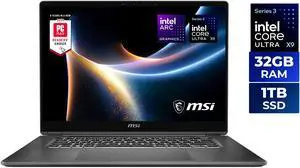
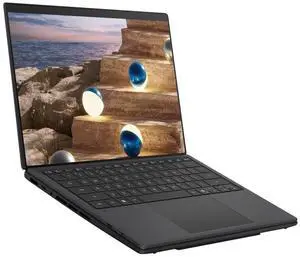
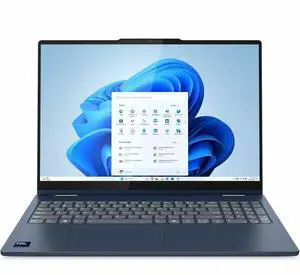
You will find that manufacturers and retailers refer to laptop-tablet hybrids in several ways—2-in-1 laptops, ultra-portables, detachables, ultrabooks (lowercased), and Ultrabooks proper. For the most part, it’s just different names for the same type of computer, with the exception of the Ultrabook (uppercased), which does follow production guidelines set by Intel, owner of the Ultrabook trademark.
A later generation of Ultrabooks required a minimum storage transfer rate of 80 MBps. Because of this, most Ultrabooks feature solid state drives (SSD) or a combination of an SSD with a hard drive. A hybrid storage drive would do the job here, but you won’t find any Ultrabooks with hybrid drives because that’s outside the specifications laid out by Intel. Solid state storage isn’t just an Ultrabook thing; all modern 2-in-1 laptops are built around solid state storage drives because they are fast, small, and reliable. They make sense considering the form factor.
You will find a lot of laptops that meet Intel’s Ultrabook classification, and some that are not classified as such, but do have similar hardware and features built in.
In the context of when you buy a 2-in-1 laptop today, not as much. When Intel first rolled out the idea of Ultrabooks in 2011, the computing landscape was very different. Solid state storage drives were considered emerging technology. Laptop battery life rarely reached over 5 hours. Tablet computers were in their infancy. 2-in-1 detachables were a curious experiment.
One thing that is certain is Intel was ahead of the curve with their Ultrabook specifications. The hardware requirements for Ultrabooks have become what consumers expect from any ultra-portable laptop they might purchase today.
The capital-U Ultrabooks are a subgenre of ultra-portable laptops, for which Intel designates specific hardware requirements. As far as what constitutes an Ultrabook, and how it’s different from a standard laptop or a 2-in-1, note the following Ultrabook specifications put forth by Intel.
As long as the build is under the requisite thickness, the screen size follows the conventional display sizes for portable 2-in-1s. You will find 13.3 inch Ultrabooks and 15.6-inch Ultrabooks, and larger just as you would laptops that aren’t technically in the Ultrabook class. Some feature convertible touch screens, which allow them to be transformed into a tablet-like computer, while others do not.
Shark Bay requires the inclusion of Intel’s Wireless Display (WiDi), a touchscreen and support for voice commands. Ultrabooks with those features can be versatile solutions to your organization’s laptop and tablet needs. Previous to Shark Bay, the only input requirement was the inclusion of either USB 3.0 or Thunderbolt connections.
All Ultrabook processors are equipped with vPro™, which is a collection of features related to security and remote access. With vPro, a laptop is protected from security threats that circumvent software protection and attacks at the hardware level. Intel vPro also allows you or your IT staff to remotely maintain and repair an Ultrabook to a certain extent by giving them remote boot/shutdown and system backup/restore abilities. In addition to features at the processor level, Shark Bay Ultrabooks are required to have antivirus and antimalware software pre-installed by the manufacturer.
If Intel’s hardware requirements mentioned above cater to your organization’s needs, an Ultrabook may be a better investment than a traditional laptop. In addition, some Ultrabooks have tablet-like functionality, which allow them to fill your organization's tablet and laptop roles. Consider purchasing an Ultrabook for your organization if it needs an ultra-portable, powerful, and secure laptop.


