- Home
- Networking
- Routers & Access Points
Routers & Access Points
Routers & Access Points Featured Items
Shop all products
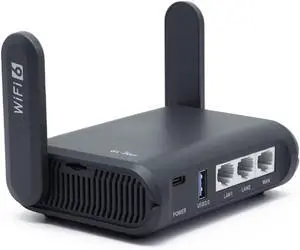
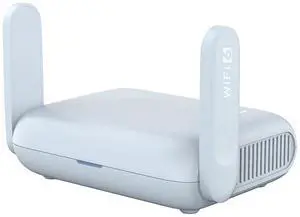
- Wireless Data Rates: 688Mbps (2.4GHz), 5764Mbps (5GHz)
- Frequency Band: 2.4 GHz / 5 GHz
- WAN Ports: 1 x 2.5G
- Interface: USB 3.0
- Model #: GL-BE6500
- Item #: 9B-33-934-006
- Return Policy: Standard Return Policy
- $179.99 –

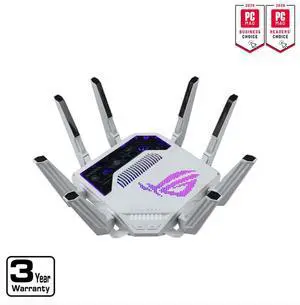
- Standards: Ultra-fast 802.11ax, 4x4:4
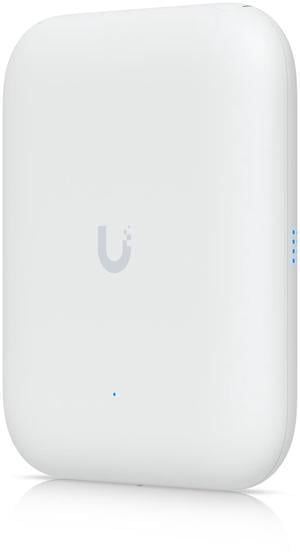
- Frequency Band: Dual radio for simultaneous dual-band operation 5 GHz 802.11ax 4x4 MIMO for up to 4.8 Gbps wireless data rate, with Multi User MIMO support (Wi-Fi 6) 2.4 GHz 802.11ax 2x2 MIMO for up to 574 Mbps wireless data rate (Wi-Fi 6)
- Antenna: Down-tilt omni-directional antennas for 2x2 MIMO with peak antenna gain of 3.77 dBi in 2.4GHz and 4x4 MIMO with peak antenna gain of 4.55 dBi in 5GHz (of the effective, combined pattern for both antennas in each band)
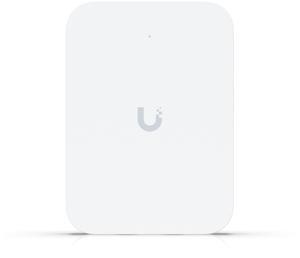
- LAN Ports: Uplink 2.5 Gigabit Ethernet port, with PoE-in support (802.3at) DC power connector (12V) Bluetooth Low Energy (BLE) radio LED status indicators Reset/LED control button Kensington security slot...
- Model #: R9B32A
- Item #: 9B-0ED-004D-002X5
- Return Policy: 15-Day Return Policy
- $279.99 –
- More options from $279.99 - $348.95

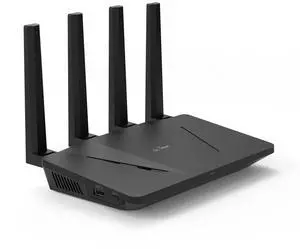
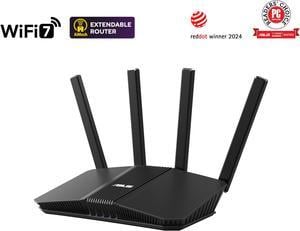
- Wireless Data Rates: BE3600 / Up to 3.6Gbps
- Frequency Band: 2.4 GHz / 5 GHz
- WAN Ports: 1 x 2.5G
- Interface: 1 x USB-A for mobile tethering 1 x USB-C for power
- Model #: RT-BE58 GO
- Item #: 9B-33-320-630
- Return Policy: Standard Return Policy
- $159.99
- $129.99 –
- Save: 18%
- More options from $129.99 - $174.47

- Wireless Data Rates: 688Mbps (2.4GHz), 2882Mbps (5GHz)
- Frequency Band: 2.4 GHz / 5 GHz
- WAN Ports: 1 x 2.5G
- Interface: USB 3.0
- Model #: GL-MT3600BE
- Item #: 9B-0XK-04TF-00001
- Return Policy: Standard Return Policy
- $129.99 –

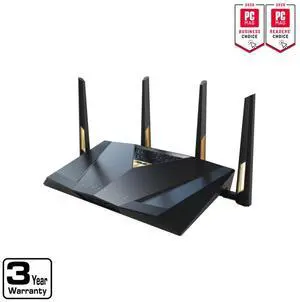
- Wireless Data Rates: BE19000 ultimate BE performance: 1376+5764+11529 Mbps
- Frequency Band: 2.4 GHz / 5 GHz / 6 GHz
- WAN Ports: 1 x 2.5G + 1 x 10G
- Interface: 1 x USB 3.2 Gen1 1 x USB 2.0
- Model #: GT-BE19000AI
- Item #: 9B-33-320-628
- Return Policy: Standard Return Policy
- $899.99
- $799.99 –
- Save: 11%
- More options from $799.99 - $1,014.67

- Wireless Data Rates: BE6500 / Up to 5.7Gbps
- Frequency Band: 2.4 GHz / 5 GHz
- WAN Ports: 1 x 2.5G
- Brand: ASUS
- Model #: RT-BE82U
- Item #: 9B-33-320-619
- Return Policy: Standard Return Policy
- $219.99
- $169.99 –
- Save: 22%
- More options from $169.99 - $287.76

- Wireless Data Rates: MU-MIMO UTF-8 SSID WiFi MAC Address Filter • Maximum MAC Filters : 64 Wireless Scheduler Airtime Fairness RADIUS Client Universal Beamforming Explicit Beamforming
- Frequency Band: 2.4 GHz 5 GHz 6 GHz
- WAN Ports: 1 x 10Gbps for WAN/LAN 1 x 2.5Gbps for WAN/LANInternet Connection Type : • PPPoE • PPTP • L2TP • Automatic IP • Static IP • IPSec Dual WAN 3G / 4G LTE dongle 4G / 5G Auto Mobile Tethering Port forwarding • Maximum Port Forwarding Rule : 64 Port triggering • Maximum Port Triggering Rule : 32 DMZ DDNS NAT Passthrough : • PPTP Pass-Through • L2TP Pass-Through • IPSec Pass-Through • RTSP Pass-Through • H.323 Pass-Through • SIP Pass-Through • PPPoE Relay
- Brand: ASUS
- Model #: RT-BE92U
- Item #: 9B-33-320-608
- Return Policy: Standard Return Policy
- $289.99
- $219.99 –
- Save: 24%
- More options from $219.99 - $355.34

- Wireless Data Rates: AX3000 / Up to 3.0Gbps
- Frequency Band: 2.4 GHz / 5 GHz
- WAN Ports: 1 x 10/100/1000M
- Brand: ASUS
- Model #: RT-AX3000S
- Item #: 9B-33-320-636
- Return Policy: Standard Return Policy
- $89.99
- $79.99 –
- Save: 11%

- Wireless Data Rates: 574Mbps (2.4GHz), 2402Mbps (5GHz)
- Frequency Band: 2.4 GHz / 5 GHz
- WAN Ports: 1 x 2.5G
- Interface: USB 3.0
- Model #: GL-MT3000
- Item #: 9B-33-934-002
- Return Policy: Standard Return Policy
- $98.90 –

- Wireless Data Rates: BE12000 / Up to 12Gbps
- Frequency Band: 2.4 GHz / 5 GHz / 6 GHz
- WAN Ports: 1 x 2.5G
- Interface: 1 x USB 3.2 Gen 1
- Model #: GS-BE12000
- Item #: 9B-33-320-632
- Return Policy: Standard Return Policy
- $399.99
- $299.99 –
- Save: 25%
- More options from $299.99 - $559.99

- Wireless Data Rates: 2.4GHz BE: 4x4 (Tx/Rx) 4096 QAM 20/40MHz, up to 1376Mbps 5GHz BE: 4x4 (Tx/Rx) 4096 QAM 20/40/80/160MHz, up to 5764Mbp 6G-1Hz BE: 4x4 (Tx/Rx) 4096 QAM 20/40/80/160/320MHz, up to 11529Mbp 6G-2Hz BE: 4x4 (Tx/Rx) 4096 QAM 20/40/80/160/320MHz, up to 11529Mbp
- Frequency Band: 2.4 GHz / 5 GHz / 6 GHz / 6 GHz
- WAN Ports: 1 x 2.5G + 1 x 10G
- Interface: 1 x USB 3.2 Gen1 1 x USB 2.0
- Model #: GT-BE98 PRO
- Item #: 9B-33-320-588
- Return Policy: Standard Return Policy
- $699.99
- $629.99 –
- Save: 10%
- More options from $629.99 - $769.24

OUT OF STOCK
- WiFi Generation: Wi-Fi 6
- Wireless Data Rates: 802.11a: 6, 9, 12, 18, 24, 36, 48, and 54 Mbps 802.11b/g: 1, 2, 5.5, 6, 9, 11, 12, 18, 24, 36, 48, and 54 Mbps 802.11n data rates on 2.4 GHz: 6.5 to 300 Mbps (MCS0-MCS15, HT 20/40) 802.11ac data rates on 5 GHz: 6.5 to 867 Mbps (MCS0-MCS9) 802.11ax data rates on 2.4 & 5GHz: 6.5 to 1200 Mbps (MCS0-MCS11)
- Frequency Band: 2.4 GHz / 5 GHz
- WAN Ports: 1 x 10/100/1000M
- Model #: CBW150AX-B-NA
- Item #: 9B-33-960-781
- Return Policy: 15-Day Return Policy
- $144.99 –
Related searches
Common Questions about Wireless Routers and Wireless Access Points
Introduction
A wireless router and wireless access point (WAP) are both fairly common networking devices, but people often mistake one for the other. It is an understandable mix up, as they can look very similar and have comparable functionality. Below, you will find out what makes them different and get answers to other common questions about routers and access points.
What is a router?
A router allows your organization’s network to connect to the internet and can route information between multiple local area networks (LAN). A router also analyzes inbound data packets from the internet and directs the data to the correct computer. For organizations with large networks, routers can have extra features such as protection against distributed denial-of-service (DDoS) attacks, remote-access virtual private network (VPN) operation, virtual local area network (vLAN) creation, and content filtering.
What is a wireless access point?
A wireless access point connects to an existing network and broadcasts it for wireless devices. What a wireless access point doesn’t do is create the network. In fact, the difference between a wired router and a wireless router is that a wireless router has a built-in wireless access point. Standalone wireless access points connect to wired switches and routers to add wireless coverage.
What are wireless standards?
Wireless networks are created through Wi-FiTM standards, which are rules that govern what radio frequencies must be used, how many antennas a device must have, and how the data must be encoded among other details. The two most recent standards are 802.11n and 802.11ac, with 802.11ac being the newer and faster of the two. 802.11ac is backwards compatible, so 802.11n devices are able to connect to 802.11ac routers. However, an 802.11n device connected to an 802.11ac wireless router or WAP will only be capable of 802.11n network speeds. So while you can use a wireless n router with a wireless ac device, it will not be operating at ac speeds.
How do I add wireless coverage to my wired network?
It depends on the size of your organization’s network and the amount of networking equipment. For smaller organizations that only utilize one wired router, replacing it with a wireless router is all that is required. However, for larger organizations that have enterprise-grade routers and network switches, utilizing wireless routers to add Wi-Fi coverage is not the best solution. Deploying wireless access points is a better alternative because WAPs cost less than wireless routers and adding Wi-Fi coverage to a network does not require all the functionalities that a wireless router is capable of. While it is possible to use a wireless router to add Wi-Fi coverage to a wired network, it can be done at lower cost with a wireless access point.
What if I already have a wireless network but want to extend its coverage?
To extend the coverage of a wireless network, you have several options. You can use Wi-Fi extenders, wireless access points, or wireless routers. A Wi-Fi extender is a device that is designed specifically to extend the coverage of a wireless network and eliminate dead zones. To use a wireless access point or wireless router to extend the coverage of your network, you will need to put them into repeater mode.