• AMD EPYC 4005 Series
  • Free HPE Server Webinar - Register Now!
  • Free HPE Server Webinar - Register Now!
  • Featured Brands

    See Deals from SonicWallSee Deals from Netgear Inc.

Switches & Hubs Featured Items

See All Featured Shop all products
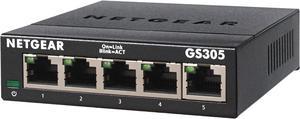
Netgear GS305 5-Port Gigabit Ethernet SOHO Unmanaged Essentials Switch, GS305-300PAS
  • Brand: NETGEAR
  • Part Number: GS305-300PAS
  • Format: Desktop Wall mountable
  • Standards: IEEE 802.3ab 1000BASE-T Gigabit Ethernet IEEE 802.3u 100BASE-TX Fast Ethernet IEEE 802.3i 10BASE-T Ethernet IEEE 802.3x Flow Control IEEE 802.1p Priority QoS IEEE 802.1p Priority QoS and DSCP IEEE 802.3 CSMA/CD 802.3az Energy Efficient Ethernet
  • Model #: GS305-300PAS
  • Item #: 9B-33-222-039
  • Return Policy: 15-Day Return Policy
  • $19.99
  •  
  • $13.49 
  • Save: 32%
  • $13.22
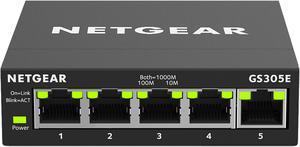
Netgear GS305E 5-Port Gigabit Ethernet SOHO Plus Easy Smart Managed Essentials Switch, GS305E-100NAS
  • Brand: NETGEAR
  • Part Number: GS305E-100NAS
  • Standards: IEEE 802.3 Ethernet IEEE 802.3ab 1000BASE-T IEEE 802.3u 100BASE-T IEEE 802.3ab 1000BASE-T IEEE 802.1p Class of Service IEEE 802.1Q VLAN Tagging IEEE 802.3x Full-duplex Flow Control
  • Network Management Type: Smart
  • Model #: GS305E-100NAS
  • Item #: 9B-33-222-022
  • Return Policy: 15-Day Return Policy
  • $29.99
  •  
  • $18.99 
  • Save: 36%
Ubiquiti Flex Mini, 5-Port PoE Layer 2 Switch (USW-Flex-Mini)
  • Brand: Ubiquiti Networks
  • Series: Network Switch
  • Part Number: USW-Flex-Mini
  • Format: Desktop
  • Model #: USW-Flex-Mini
  • Item #: 9B-0XP-0068-00024
  • Return Policy: 15-Day Return Policy
  • $21.00 - $35.90
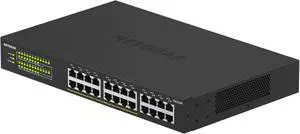
Netgear GS324P 24-Port Gigabit Ethernet Unmanaged PoE+ Essentials Switch with 16-Ports PoE+ (190W), GS324P-100NAS
  • Brand: NETGEAR
  • Part Number: GS324P-100NAS
  • Format: Rack-mountable Desktop
  • Network Media: Media Type Supported: Twisted Pair Ethernet Technology: Gigabit Ethernet Network Technology: 10/100/1000Base-T
  • Model #: GS324P-100NAS
  • Item #: 9B-33-222-057
  • Return Policy: 15-Day Return Policy
  •  
  • $179.99 
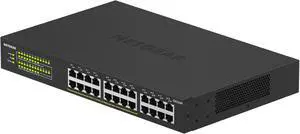
Netgear GS324 24-Port Gigabit Ethernet Unmanaged Essentials Switch, GS324-200NAS
  • Brand: NETGEAR
  • Part Number: GS324-200NAS
  • Format: Desktop Wall Mountable Rack-mountable
  • Network Media: Media Type Supported: Twisted Pair Ethernet Technology: Gigabit Ethernet Network Technology: 10/100/1000Base-T
  • Model #: GS324-200NAS
  • Item #: 9B-33-222-153
  • Return Policy: 15-Day Return Policy
  • $109.99
  •  
  • $69.99 
  • Save: 36%
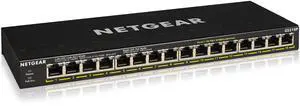
Netgear GS316P 16-Port Gigabit Ethernet Unmanaged PoE+ Switch with FlexPoE (115W), GS316P-100NAS
  • Brand: NETGEAR
  • Part Number: GS316P-100NAS
  • Format: Desktop Wall Mountable Rack-mountable
  • Standards: IEEE 802.3 CSMA/CD 802.3az Energy Efficient Ethernet
  • Model #: GS316P-100NAS
  • Item #: 9B-33-222-062
  • Return Policy: 15-Day Return Policy
  • $209.99
  •  
  • $139.99 
  • Save: 33%
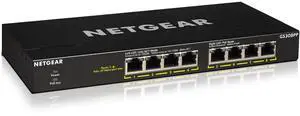
Netgear GS308PP 8-Port Gigabit Ethernet Unmanaged PoE+ Essentials Switch with 8-Ports PoE+ (83W), GS308PP-100NAS
  • Brand: NETGEAR
  • Part Number: GS308PP-100NAS
  • Format: Desktop Wall Mountable Rack-mountable
  • Standards: IEEE 802.3 CSMA/CD 802.3az Energy Efficient Ethernet
  • Model #: GS308PP-100NAS
  • Item #: 9B-33-222-061
  • Return Policy: 15-Day Return Policy
  • $129.99
  •  
  • $69.99 
  • Save: 46%
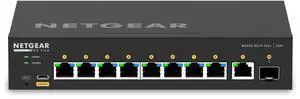
Netgear AV Line M4250-9G1F-PoE+ 8x1G PoE+ 110W 1x1G and 1xSFP Managed Switch, GSM4210PD-100NAS
Netgear Inc.
Netgear AV Line M4250-9G1F-PoE+ 8x1G PoE+ 110W 1x1G and 1xSFP Managed Switch, GSM4210PD-100NAS
  • Brand: NETGEAR
  • Series: AV Line M4250
  • Part Number: GSM4210PD-100NAS
  • Format: Desktop
  • Model #: GSM4210PD-100NAS
  • Item #: 9B-0XP-001M-00GV9
  • Return Policy: 15-Day Return Policy
  •  
  • $659.99 
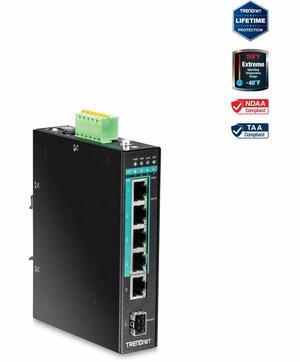
TRENDnet 5-Port Hardened Industrial Gigabit PoE+ DIN-Rail Unmanaged Switch, TI-PG541
  • Brand: TRENDnet
  • Model: TI-PG541
  • Part Number: TI-PG541
  • Format: DIN Rail Mount
  • Model #: TI-PG541
  • Item #: 9SIV61JJM55139
  • Return Policy: View Return Policy
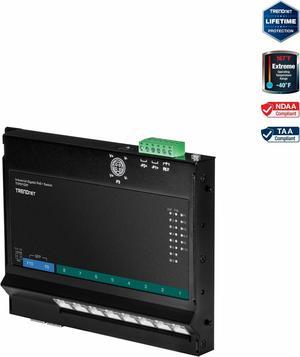
TRENDnet 10-Port Industrial Gigabit PoE+ Wall-Mounted Front Access Switch, TI-PG102F, 8x Gigabit PoE+ Ports, 2 x Gigabit SFP Slots, 240W PoE Budget, DIN-Rail & Wall Mount Brackets Included, IP30 Rated
  • $294.49 - $309.99
TP-Link 5 Port Fast Ethernet 10/100Mbps PoE Switch | 4 PoE Ports @58W | Desktop | Plug & Play | Sturdy Metal w/ Shielded Ports | Fanless | Limited Lifetime Protection | Unmanaged (TL-SF1005P)

OUT OF STOCK

  • Brand: TP-Link
  • Switch Type: Others
  • Format: Desktop
  • Network Management Type: Managed
  • Model #: TL-SF1005P
  • Item #: 9B-2WG-002T-000D5
  • Return Policy: 15-Day Return Policy
TP-Link 28-Port Gigabit Easy Smart Switch with 24-Port PoE+

OUT OF STOCK

  • Format: 19" 1U rack mountable
  • Standards: IEEE 802.3, IEEE 802.3u, IEEE 802.3ab, IEEE 802.3x IEEE 802.3af, IEEE 802.3at, IEEE 802.1q, IEEE 802.1p
  • Uplink Interface: 26 10/100/1000 Mbps RJ45 Ports 2 Gigabit SFP Ports
  • Primary Ports: 24 x RJ45
  • Model #: TL-SG1428PE
  • Item #: 9B-1DJ-00YF-00001
  • Return Policy: 15-Day Return Policy

What are Ethernet Switches and Hubs?

Introduction

An Ethernet switch and hub are two very important parts of a network that can determine how many computers the network can support and how it routes data. Before purchasing a switch or a hub, it is crucial to understand how they differ from each other. The following information will detail how hubs and switches route network traffic, as well as common types of switches.

Hubs

Ethernet hubs can be used to create a network and expand the number of connections a network can support, but hubs are basic units that repeat incoming data to all ports and cannot route network traffic. So when one computer sends data to another through a hub, that data is sent to all connected computers. The computers then read the address information of incoming data to know whether or not it is intended for them.

Ethernet Switches

Network switches can also create and expand networks but do so more intelligently than hubs. Whereas a hub is a repeater that sends data received to all connected computers, a switch inspects the data for address information and routes it to the intended computer. A network switch does not create as much unnecessary traffic and can support more simultaneous data transfers between computers.

Modular Switches

For large organizations, an Ethernet switch is slightly more complex than the average desktop network switch. Enterprise-grade networks use modular switches that are installed into network switch chassis. One chassis can hold many switch modules, and each module can have several Ethernet ports. Modular network switches have several benefits, including scalability, configurability, and easy expansion.

Power over Ethernet (PoE) Switches

Some switches, known as PoE switches, are able to deliver both data and power over Ethernet cables. It is similar to how a USB hubcan be used to power devices connected to it. A PoE network setup can reduce the need for power cables and is easy to expand. For example, adding wireless functionality to a PoE network only requires a PoE compatible wireless access point (WAP) to be connected to a PoE switch via network cable.

An added benefit of PoE is that it can allow you to install network equipment at lower cost. For instance, if you need to install a wireless access point at a location with no electrical outlets, you would normally need to have a certified electrician install power outlets in addition to network cables. With a PoE system, you will just need to run network cables to the location. Other than being able to supply power through network cables, a PoE switch functions like any standard Ethernet switch.