


 All Categories
Built for How Business Buys.
All Categories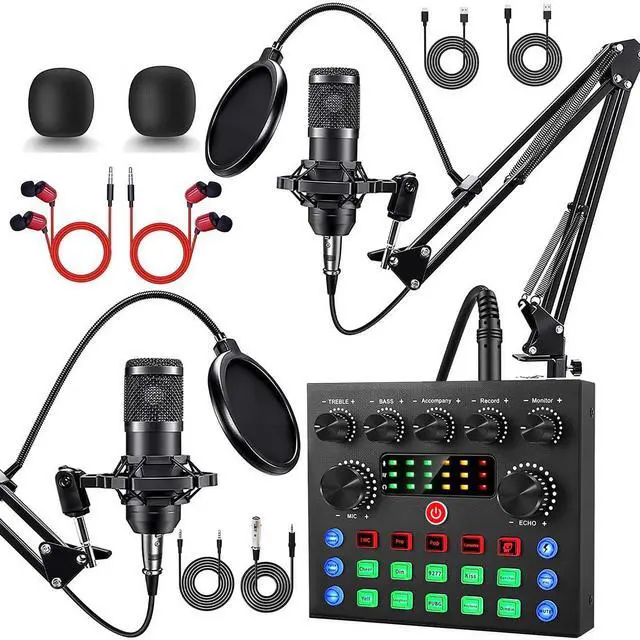


ALSO GO - A Place Where Functionality Meets Serenity
Thoughtful Design, Real Solutions
At ALSO GO, we craft experiences that simplify your life.
? User-First Approach – Every design starts with real home needs, not just trends
? Quiet Quality – No flashy gimmicks, just reliable performance that lasts
While others mass-produce, we meticulously craft. Every ALSO GO product is:
? Human-Centered Designed - Tested by real families for real-life use
? Ethically Priced - Premium quality without the luxury markup







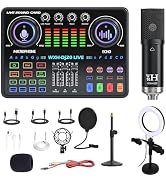


 MC-88 Mic+P99 SoundCard |  BM800 Mic+V8S SoundCard |  BM800 Mic+F998 SoundCard |  BM800 Mic+V8S SoundCard |  WXH520+Dj20 Sound Card |  BM800 Mic+V8K SoundCard |  BM800 Mic+V8K SoundCard | |
|---|---|---|---|---|---|---|---|
Customer Reviews | — | — | — | — | — | — | — |
Price | — | — | — | — | — | — | — |
Microphone Quantity | 2 | 2 | 1 | 1 | 1 | 2 | 2 |
Microphone | MC-88 | BM800(Black) | BM800(Gold ) | BM800(Black) | WXH520 | BM800(Gold ) | BM800(Black) |
Sound Card | P99 SoundCard | V8S SoundCard | F998 SoundCard | V8S SoundCard | Dj20 Sound Card | V8K SoundCard | V8K SoundCard |
Bracket Type | Desktop Adjustable Stand | Desktop Vertical Stand | Desktop Vertical Stand | Desktop Vertical Stand | Desktop Adjustable Stand | Desktop Adjustable Stand | Desktop Adjustable Stand |
Abundant lighting effects | ? | ? | ? | ? | ? | ? | ? |
Why can't I connect the sound card to my iPhone/computer/iPad?
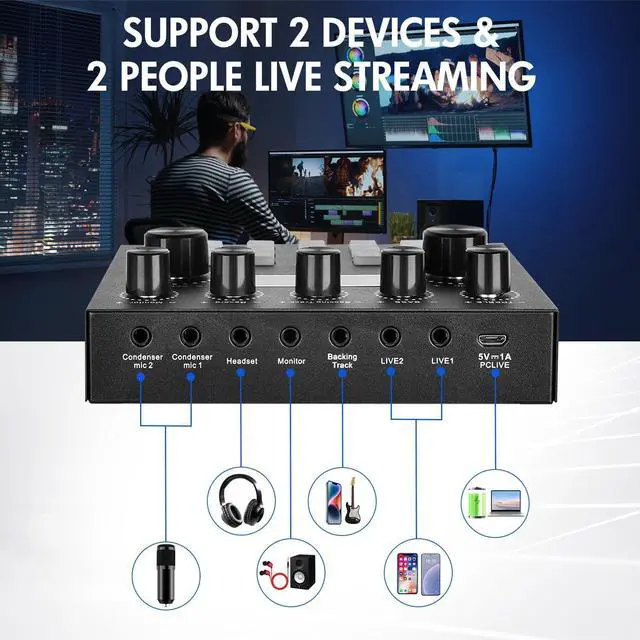
The bundle includes 3.5mm audio cable (phones) and USB data cable (computers). If they don't fit, use your own USB-C to USB-C cable or adapters: 3.5mm jack to Type-C, USB-C to Type-C.
Condenser Microphone doesn't work
1. Check all connections are firm.
2. Make sure the sound card is not muted and the volume is up.
3. Unplug and re-plug the mic and sound card.
4. Plug earphones into the earphone jack and test.
Why can't I hear the background music or my partner's voice during live streaming?
1. Check the sound card is not muted and the volume is up.
2. Check if ducking is on: music lowers when the mic picks up sound, returns to normal when it doesn't.
3. Check the vocal removal feature.
Why can't I hear any sound when recording?
1. Check the mic is not muted and the playback mic volume is not at minimum.
2. In meetings or live calls, check the vocal removal feature.
3. On a computer, select the sound card as the input device in the system settings.
The sound card cannot be opened
1. Before first use, charge the sound card for about 4 hours.
2. Press and hold the power button for more than 3 seconds until the indicator in the upper right corner lights up.
3. After long storage, charge 4+ hours first.


 MC-88 Mic+P99 SoundCard | BM800 Mic+V8S SoundCard | BM800 Mic+F998 SoundCard | BM800 Mic+V8S SoundCard | WXH520+Dj20 Sound Card | BM800 Mic+V8K SoundCard | BM800 Mic+V8K SoundCard |
|---|---|---|---|---|---|---|
| Customer Reviews | ||||||
| — | — | — | — | — | — | — |
| Price | ||||||
| — | — | — | — | — | — | — |
| Microphone Quantity | ||||||
| 2 | 2 | 1 | 1 | 1 | 2 | 2 |
| Microphone | ||||||
| MC-88 | BM800(Black) | BM800(Gold ) | BM800(Black) | WXH520 | BM800(Gold ) | BM800(Black) |
| Sound Card | ||||||
| P99 SoundCard | V8S SoundCard | F998 SoundCard | V8S SoundCard | Dj20 Sound Card | V8K SoundCard | V8K SoundCard |
| Bracket Type | ||||||
| Desktop Adjustable Stand | Desktop Vertical Stand | Desktop Vertical Stand | Desktop Vertical Stand | Desktop Adjustable Stand | Desktop Adjustable Stand | Desktop Adjustable Stand |
| Abundant lighting effects | ||||||
| ? | ? | ? | ? | ? | ? | ? |
Why can't I connect the sound card to my iPhone/computer/iPad?
The bundle includes 3.5mm audio cable (phones) and USB data cable (computers). If they don't fit, use your own USB-C to USB-C cable or adapters: 3.5mm jack to Type-C, USB-C to Type-C.
Condenser Microphone doesn't work
1. Check all connections are firm.
2. Make sure the sound card is not muted and the volume is up.
3. Unplug and re-plug the mic and sound card.
4. Plug earphones into the earphone jack and test.
Why can't I hear the background music or my partner's voice during live streaming?
1. Check the sound card is not muted and the volume is up.
2. Check if ducking is on: music lowers when the mic picks up sound, returns to normal when it doesn't.
3. Check the vocal removal feature.
Why can't I hear any sound when recording?
1. Check the mic is not muted and the playback mic volume is not at minimum.
2. In meetings or live calls, check the vocal removal feature.
3. On a computer, select the sound card as the input device in the system settings.
The sound card cannot be opened
1. Before first use, charge the sound card for about 4 hours.
2. Press and hold the power button for more than 3 seconds until the indicator in the upper right corner lights up.
3. After long storage, charge 4+ hours first.
ALSO GO - A Place Where Functionality Meets Serenity
Thoughtful Design, Real Solutions
At ALSO GO, we craft experiences that simplify your life.
? User-First Approach – Every design starts with real home needs, not just trends
? Quiet Quality – No flashy gimmicks, just reliable performance that lasts
While others mass-produce, we meticulously craft. Every ALSO GO product is:
? Human-Centered Designed - Tested by real families for real-life use
? Ethically Priced - Premium quality without the luxury markup



Specification:
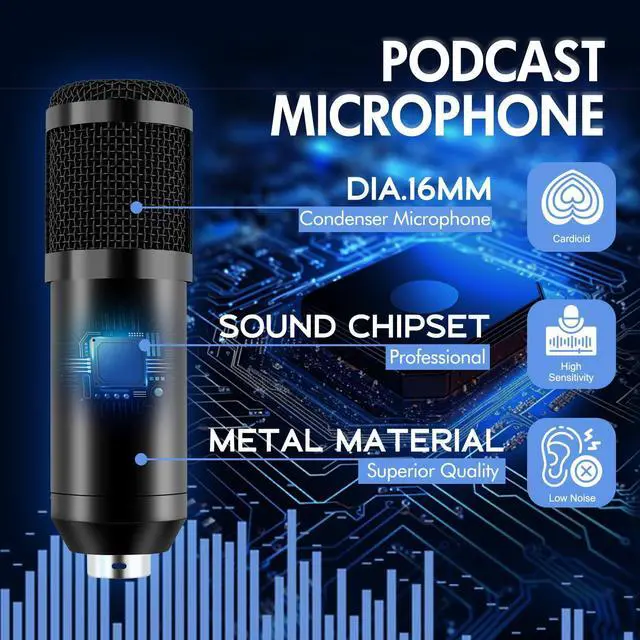
Type: Podcast Microphone Kit
Recommended Uses: Streaming, Singing, Recording, Video Production, Gaming
Product Dimensions: 9*16*4.7 inches
Connection Technology: USB Interface
Compatible Devices: Laptops, PCs
Color: Black
Material: Plastic, Metal
Package Contents:
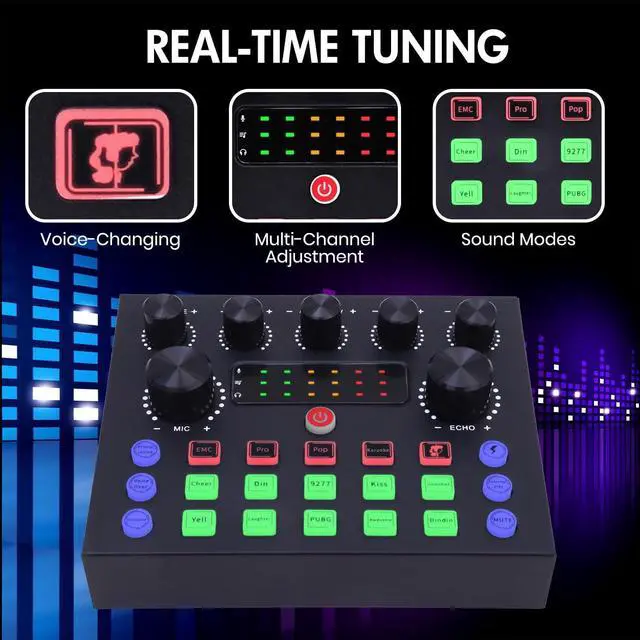
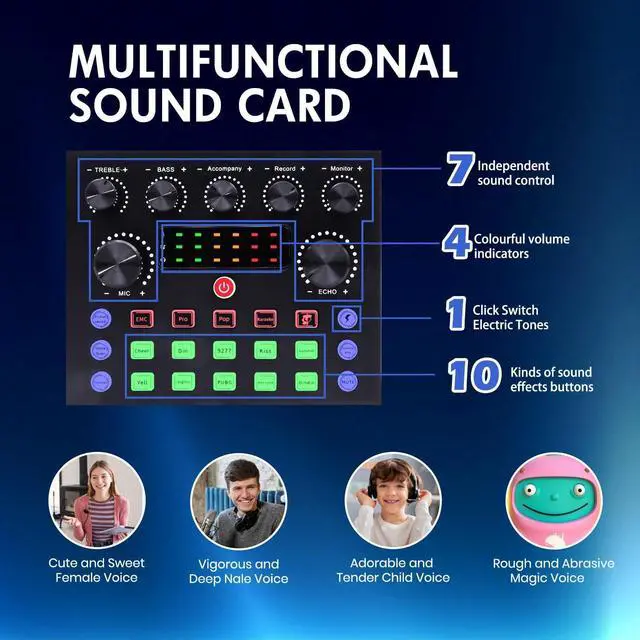
1x DJ Mixer
2x Condenser Microphones
2x Microphone Boom Arms
1x 3.5mm Earphone
2x Microphone Shock Holders
2x Microphone Pop Filters
2x Microphone Foam Covers
2x XLR Cables
1x USB Cable
2x 3.5mm Audio Cables
4x Hoop Rings
1x User Manual
The podcast kit is friendly for beginners!


