




Computer checks on top designed for fast, accurate business payments
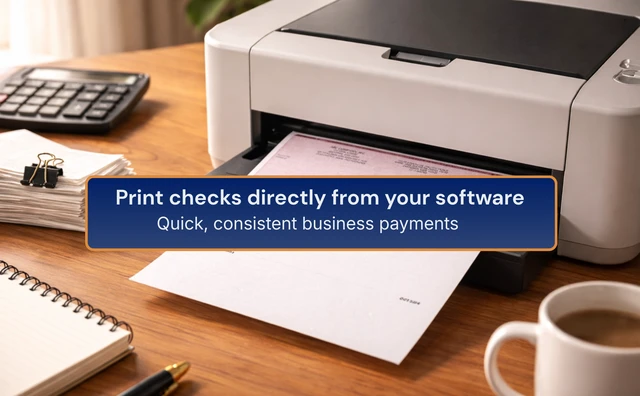
Print professional-looking checks directly from your accounting software. Our computer checks on top are designed to help you pay vendors, employees, and expenses quickly while keeping your records consistent and easy to reconcile. When ordering our products, you can choose between custom computer checks or blank computer check stock for a complete DIY option.

Why choose computer checks on top for your business?
Computer checks on top let you print checks and stubs directly from your accounting system, so records match. This format is ideal for businesses that want consistent layouts, fewer manual steps, and easier reconciliation.
- Print checks and stubs from your accounting software in one step.
- Aligned with your digital records.
- Reduce handwriting and manual entry errors in your check process.

Clear, consistent layout for checks and stubs
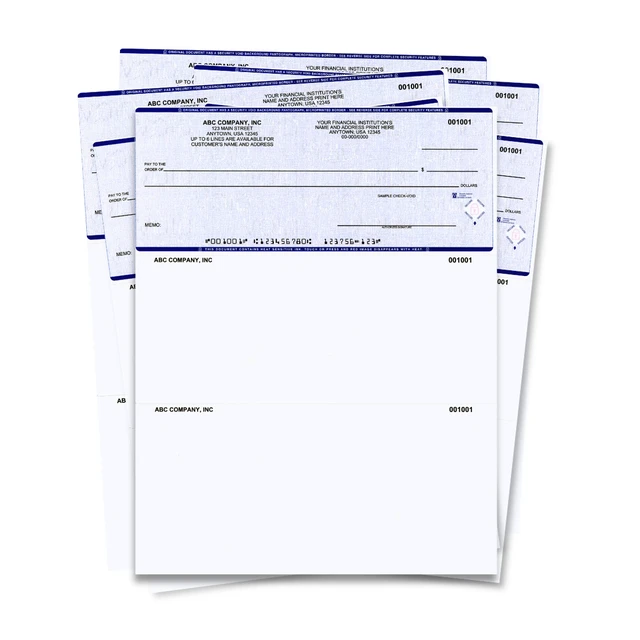
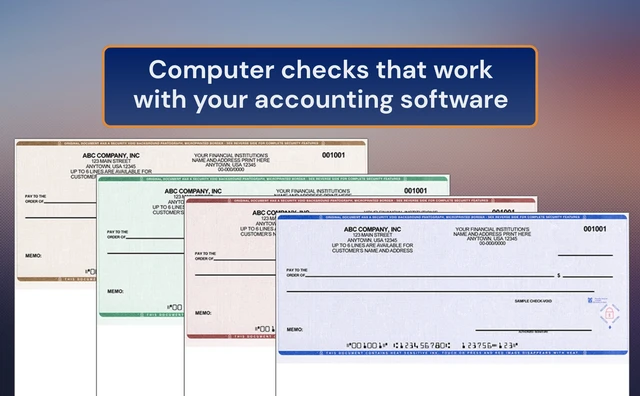
Our computer checks feature the check on top, with one or two stubs below for record keeping. This layout makes it easy to see what was paid, when, and to whom, while keeping your stubs aligned with each printed check.
- Check prints at the top of the sheet for easy handling.
- Layout designed to stay consistent from check to check.
- Stubs for accurate record keeping.

Compatibility and security you can rely on
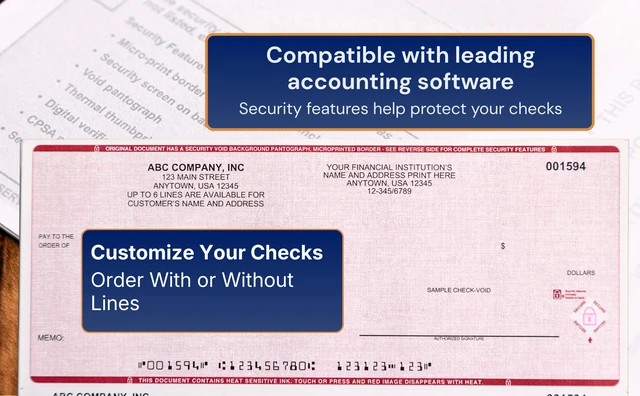
These computer checks on top are formatted to work with many versions of popular QB's accounting software that support check-on-top layouts. Built-in security features help protect your business by making checks harder to alter or duplicate.
- Security background and micro-printing help deter tampering.
- Clear layout makes it easy to verify payee and amount at a glance.
- Perforations make checks and stubs easy to separate and file.
Security Features for Checks

Security Feature Descriptions
CPSA Padlock: The Enhanced Check Security Features Padlock Icon denotes incorporation of enhanced security features in checks.
Security Screen: The words "Original Document" are offset against a grey background. This offset print makes it harder to copy your checks
Thermal Thumbprint: A red padlock image is printed on the checks with special ink, and disappears with heat
Microprinted Borders: Borders printed by repeating "Original Document" in tiny letters are very difficult to reproduce
Void Pantograph: The word "VOID" appears when checks are photographed or photocopied
These checks include MICR encoding for your bank with additional security features for fraud prevention that may not be listed here.
Computer checks on top designed for fast, accurate business payments
Print professional-looking checks directly from your accounting software. Our computer checks on top are designed to help you pay vendors, employees, and expenses quickly while keeping your records consistent and easy to reconcile. When ordering our products, you can choose between custom computer checks or blank computer check stock for a complete DIY option.
Why choose computer checks on top for your business?
Computer checks on top let you print checks and stubs directly from your accounting system, so records match. This format is ideal for businesses that want consistent layouts, fewer manual steps, and easier reconciliation.
- Print checks and stubs from your accounting software in one step.
- Aligned with your digital records.
- Reduce handwriting and manual entry errors in your check process.
Clear, consistent layout for checks and stubs
Our computer checks feature the check on top, with one or two stubs below for record keeping. This layout makes it easy to see what was paid, when, and to whom, while keeping your stubs aligned with each printed check.
- Check prints at the top of the sheet for easy handling.
- Layout designed to stay consistent from check to check.
- Stubs for accurate record keeping.
Compatibility and security you can rely on
These computer checks on top are formatted to work with many versions of popular QB's accounting software that support check-on-top layouts. Built-in security features help protect your business by making checks harder to alter or duplicate.
- Security background and micro-printing help deter tampering.
- Clear layout makes it easy to verify payee and amount at a glance.
- Perforations make checks and stubs easy to separate and file.
Security Features for Checks
Security Feature Descriptions
CPSA Padlock: The Enhanced Check Security Features Padlock Icon denotes incorporation of enhanced security features in checks.
Security Screen: The words "Original Document" are offset against a grey background. This offset print makes it harder to copy your checks
Thermal Thumbprint: A red padlock image is printed on the checks with special ink, and disappears with heat
Microprinted Borders: Borders printed by repeating "Original Document" in tiny letters are very difficult to reproduce
Void Pantograph: The word "VOID" appears when checks are photographed or photocopied
These checks include MICR encoding for your bank with additional security features for fraud prevention that may not be listed here.
