


 All Categories
Built for How Business Buys.
All CategoriesShipped by NeweggBusiness
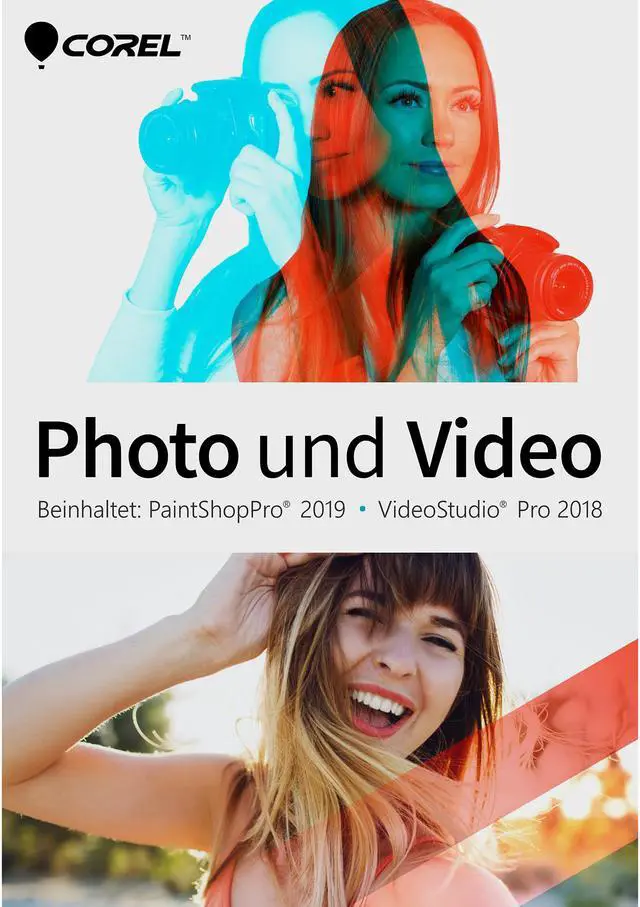
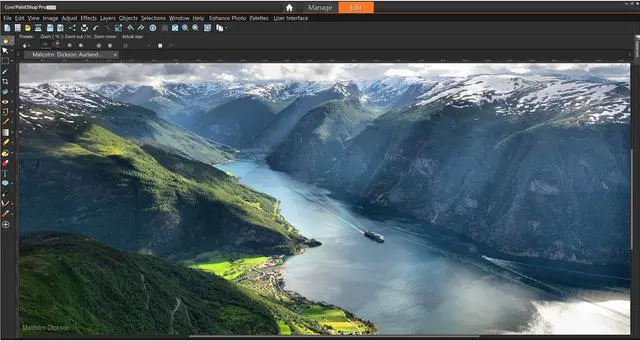
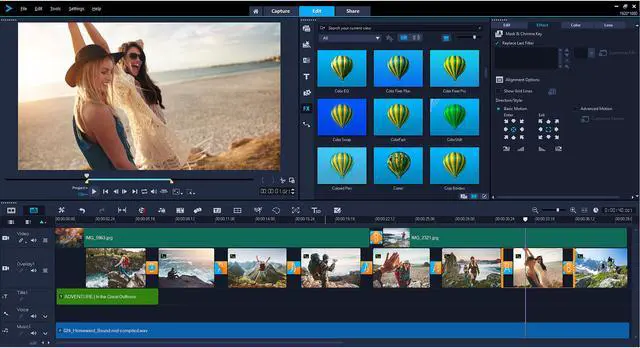
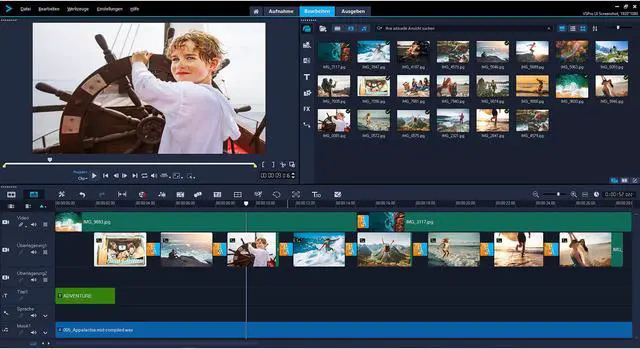
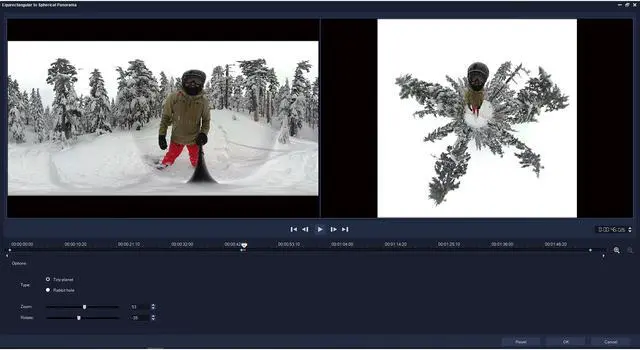
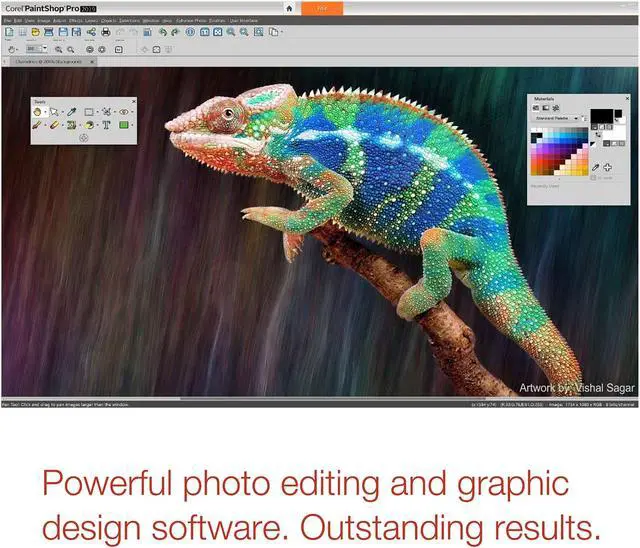


Combine the power of photo editing with the fun of movie making to create stunning visuals and entertaining videos.
This expansive Photo Video Bundle, featuring PaintShop Pro 2019 and VideoStudio Pro 2018, delivers all the tools you need to create striking photos, captivating movies and compelling design projects—all subscription-free.

With creativity at its core, PaintShop Pro 2019 offers impressive new creative content and applies Artificial Intelligence and Deep Learning to deliver innovative new artistic presets. Thanks to community input, we’ve made over 50 performance improvements for faster photo editing, quicker cropping and better support, and we’ve focused on simplifying PaintShop Pro for the best possible user experience. Your ideas and feedback, combined with our development expertise, make PaintShop Pro 2019 the best version yet.

In response to user feedback, we’ve radically transformed the Crop tool to take advantage of your computer's GPU for a more responsive experience. Rotating and positioning PaintShop Pro's Crop tool is now 5x faster.

We listen to what you have to say. And we’ve made over 50 improvements to PaintShop Pro’s performance, stability and features, based on requests from you—our loyal users. From adding text to cropping, erasing, painting and working with brushes, our many revamps will make your editing experience smoother than ever.

One-Step Photo Fix just got faster. Now you can automatically apply several corrections to your photo at once, in much less time!

Enjoy ultra high definition resolution with 4K. PaintShop Pro 2019's support for high DPI monitors means user interface text will appear larger on screen, making it easier to see and work with.

Combine PaintShop Pro with a graphics tablet for more expressive results. PaintShop Pro 2019 supports all of the latest mainstream and WinTab-aware graphics tablets, as well as Windows Ink, so whether you’re drawing, painting, applying adjustments or effects, you can use a pen for more control.

Enjoy a more subtle Autosave. Work with more momentum and less interruptions, thanks to enhancements to the Autosave process. Now you have more control over the frequency of autosaving, and by default, you'll experience less disruptions.

PaintShop Pro 2019 easily migrates your content from previous versions, for a seamless upgrade experience. Plugins, scripts, brush tips, color palettes, gradients, patterns, textures, and effects that you've previously installed can be brought forward by going to File>Import>Content from Previous Versions.

We’ve extended the power of our Crop tool—a favorite tool amongst photo editors —to include PaintShop Pro’s most used enhancement features, including Instant Effects, One-Step Photo Fix, and Depth of Field. Bringing these popular tools to the front of your crop workflow saves you time and effort in achieving a perfect photo.

Increase PaintShop Pro 2019's text size for better visibility. Choose Small or Large text from the User Interface menu, to tailor your UI to you.

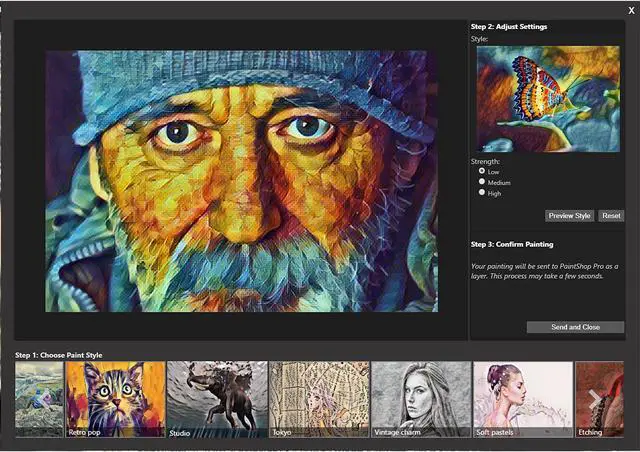
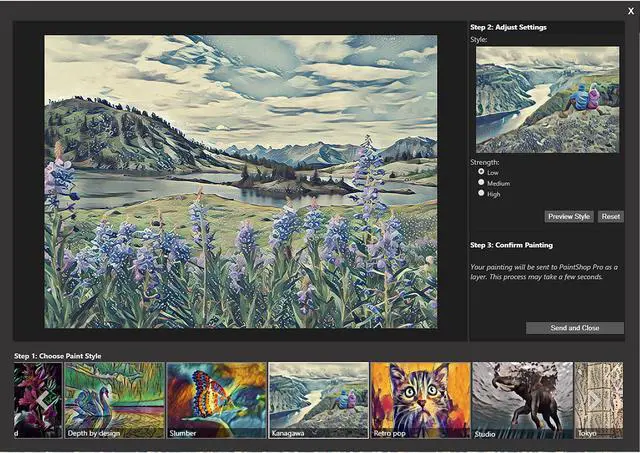
PaintShop Pro’s new Pic-to-Painting presets apply Deep Neural Networks to analyze your photo and turn it into a work of art that replicates the style of iconic artists. Choose from a number of creative presets to achieve the look of a famous painting.

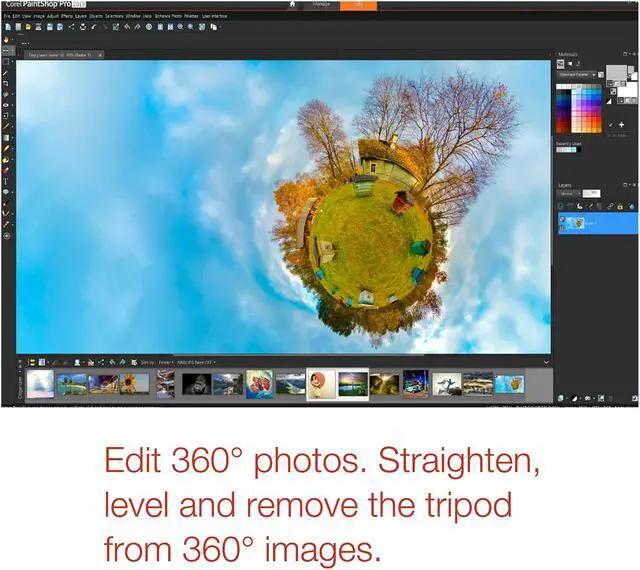
Edit photographs taken with a 360° degree camera. Straighten a 360° photo with rotation or make it appear levelled. Remove and automatically replace the tripod in the image with PaintShop Pro's Magic Fill, or produce an interesting ‘planet-like’ effect.

At the very core of PaintShop Pro is creativity. Which is why we’ve added new brushes, color palettes, gradients, patterns and picture tubes. Download the new patterns from the Welcome Book, and find the rest of the new content already built into PaintShop Pro.

Enhance photos with a complete set of professional image editing tools for photo adjustment and composition. Enjoy the powerful, layer-based editing capabilities you’ll find in Photoshop—only more affordable and subscription free.

Enjoy complete control over your RAW images with PaintShop Pro's Camera RAW Lab, including before and after views, and a large preview option.

Combine multiple exposures of the same scene to create a single, stunning, HDR photo with intense visual contrast.

Apply Lens Correction tools automatically to correct the distortions, vignetting and chromatic aberrations that are commonly introduced by most camera lenses.

Speed up common and repetitive tasks by scripting almost any action with the full-featured scripting engine and scripting guide.

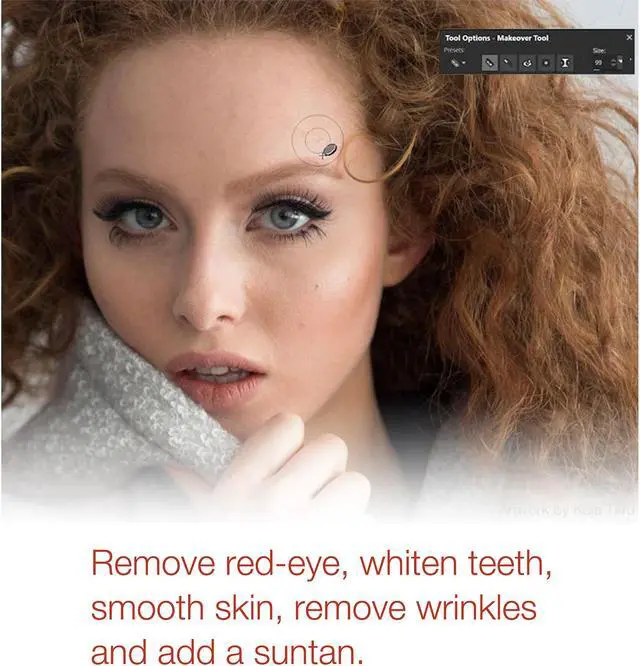
Eliminate red-eye, blemishes and unwanted lines, or smooth wrinkles, whiten teeth and even out skin tones.

Increase productivity by applying adjustments to many photos at once.

If you’re not sure what adjustments to make, use the One Step Photo Fix and see if you like the results, or try the Smart Photo Fix to fine-tune the suggested settings for a perfect photo.

Crop photos for stronger compositions using Grid, Diagonal, Golden Ratio and Golden Spiral composition guides. Fix a crooked image or a learning object within an image.

Choose from a variety of artistic, film, black & white, and landscape preset effects. Or try PaintShop Pro 2019’s new Pic-to-Painting presets to watch Artificial Intelligence turn your photo into a work of art.

Recreate vintage photographic styles, from the 40’s to the 80’s with PaintShop Pro’s Time Machine. Or try the Retro Lab to apply fun retro effects.

Quickly and easily add unique color gradient effects to your images to simulate a graduated filter effect.

Play with depth of field in your photos or apply bokeh effects to keep parts of the image in focus and the rest blurred.

Enjoy several handy selection tools that make it fast and easy to adjust or retouch one area of a photo, or to copy a portion of a photo and paste it onto another image.

Use content-aware editing tools, like Magic Move and Magic Fill, to automatically fill the empty area when you move or remove an object from your image, so it matches the surrounding background. Try the Object Remover or Clone Brush to get rid of imperfections.

Use the Fade Correction tool to restore the color and contrast of faded photos and the Scratch Remover to repair unsightly cracks in tattered photos to make them look new again.

Use the Red Eye tool to quickly and easily replace the red color in your model’s pupil with a dark gray color, restoring a natural look.

Whether you’re creating collages, designing banners and graphics, or adding creative touches to photo projects, PaintShop Pro is packed with creative tools for creative people. Find everything you need to produce a variety of impactful graphic design projects.

Paint even more possibilities with new built-in brushes, or import Adobe Photoshop brushes to bring your digital designs to life. Draw with vector illustration tools, and use new color palettes, gradients, patterns and picture tubes to take your designs to the next level.

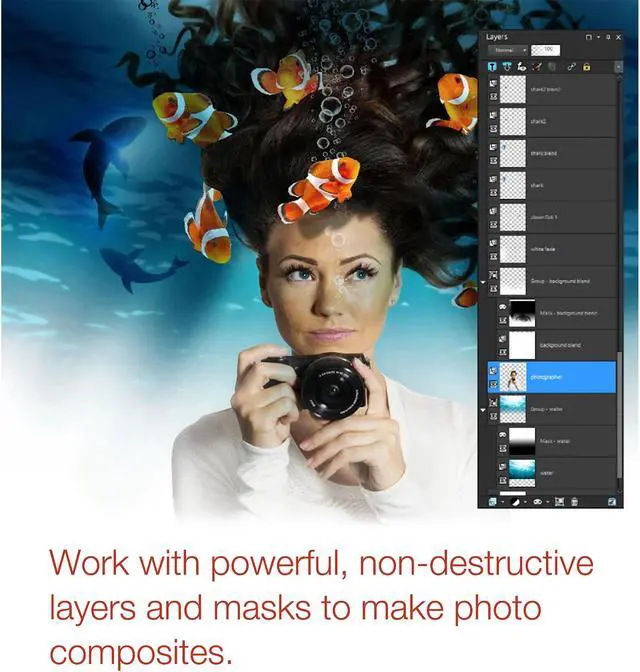
Layers and masks are essential for advanced image editing and graphic design. Use non-destructive layers to create composites with ease. Create masks to hide or show parts of a layer, fade between layers, and to create special effects with precision.

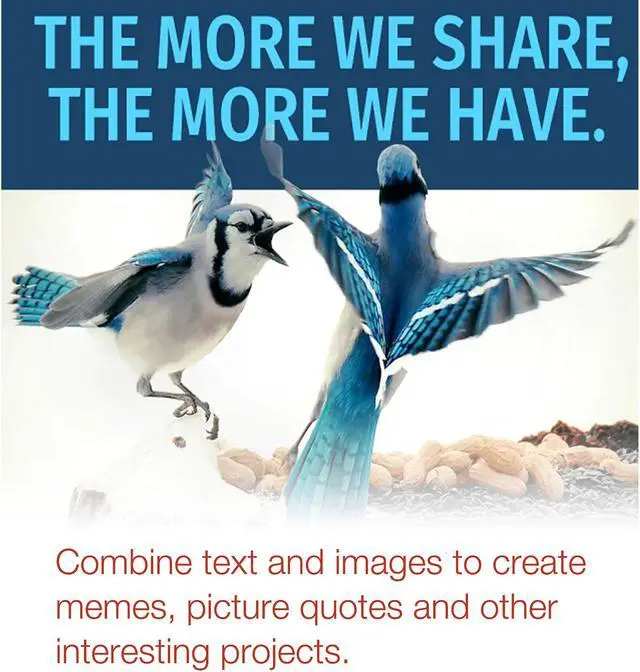
Add text to images to create interesting projects, like a meme or a picture quote. Adjust fonts, size, style, alignment, leading and kerning, with a complete set of typography tools.

Drop gradients directly onto an image, shape, or canvas, then drag and drop colors to create a transitioning color effect.

PaintShop Pro includes all the tools you need to get started quickly and increase your skills with every project.

Open the Welcome tab to find tutorial videos, keyboard shortcuts, recent files, a gallery of user artwork, and more to get you started. It’s updated dynamically so you'll never run out of learning and creative content to discover.

Get to know PaintShop Pro even better with a step-by-step virtual tour that will help you confidently find your way around the interface and have you mastering new features in record time.

Choose from a library of helpful video tutorials in the Welcome tab, or visit PaintShop Pro's learning page for even more assistance. Get extra tips and tricks from PaintShop Pro's award-winning Learning Center.

Connect by sharing your photos with loved ones or the world using PaintShop Pro’s built-in social media features.

Use face recognition technology to identify and tag individuals for easier photo management.

Map your photos to real-world locations and share them online.

Share your photos and designs instantly with a quick upload to your Facebook, Flickr, SmugMug and Google+ accounts.

Show multiple video streams simultaneously with new Split Screen video templates. Easily drag and drop to create impressive promotional videos or share the highlights from your latest trip! Looking to do even more? Create your own custom split screen layouts with the Template Creator in VideoStudio Ultimate.

Tell your story from multiple angles. Easily combine, sync, and edit footage from multiple cameras and select the angle you want to show as your video plays. Combine up to 4 camera angles with VideoStudio Pro and up to 6 angles with VideoStudio Ultimate.

Plug in your camera and create a stop motion animation, frame by frame. Now with expanded support for Canon and Nikon cameras, auto capture settings, and new grid tools to help make it easy to make controlled motions.

Easily adjust the opacity of your tracks directly in the timeline to show multiple clips at once. Create custom fade in, fade out, or superimposed effects. The creative possibilities are unlimited with this fun effect.

Create and customize the movement of graphics, titles, and more along a defined path. It’s the perfect way to introduce or emphasize elements in your video.

Get the right look with hundreds of drag-and-drop effects, animated titles, and transitions. Create picture-in-picture effects, overlays, and more video effects and filters!

Track an object and add moving text, graphics, or blur faces, logos or license plates in your video with accurate Motion Tracking tools.

Adjust how overlay objects blend with the background with the Green Screen effect. Use a video mask, set transparent color, and easily swap out backgrounds and add fun effects.

Remove the distortion or fisheye effect captured by wide angle or action cameras. Start with presets for GoPro cameras and then fine-tune adjustments with correction tools.

Play with speed with Time Remapping and easily add slow motion or high-speed effects, freeze the action, or reverse and replay scenes.

Dive into hands-on editing and edit virtually any type of media. Import your video from cameras or mobile devices, and edit freely in VideoStudio.

Enjoy a smooth and fast editing experience when working with large, high resolution video files. Smart Proxy creates low res working files to edit with, then reverts to the original high-res files when you render out your video.

Editing a mix of audio from different sources? Easily balance audio levels among selected clips or the entire track to keep audio at a consistent level.

Working with music and dialog? Automatically lower background sound to make narration and dialog clear, and make adjustments with audio controls.

Access royalty-free soundtracks in the ScoreFitter music library. Easily add them to your timeline and have them automatically adjust to the length of your movie.

Crop and resize your media directly in the preview window. Make quick edits, create picture in pictures, or straighten your media clicks.

Zoom into action or pan across the scene with new tools that enable you to make adjustments to your pan and zoom motions as the video plays.

Quickly reference points of interest and drop cue points or set DVD chapter points directly in the timeline with new hotkeys to edit on the fly.

Snap your media into place with new Smart Guide alignment tools. Drag your media around in the preview window and with markers to help you align it perfectly.

Dramatically speed up your video rendering with new optimizations for the latest video hardware acceleration technologies from Intel and nVidia.
Adjust the height of each track to maximize your editing space and focus on the details to trim or edit videos. Even mute the entire track in a single click.
Now you’re in control of the icons you display in the middle toolbar. Customize your workspace and set quick access points to the tools you use most.
View the library, preview pane, and editor mode simultaneously with new dual window controls. Even detach windows to work seamlessly across multiple screens.
Export your video for playback directly on your camera with new XAVC-s authoring to SD card support.
Preview the effects as you adjust the transparency. In this version, Track Transparency is easier to access and make fine adjustments.
New scalable windows allow you to work freely in a larger space. Expand the Customize Motion window and get closer to your edits with a full screen view.

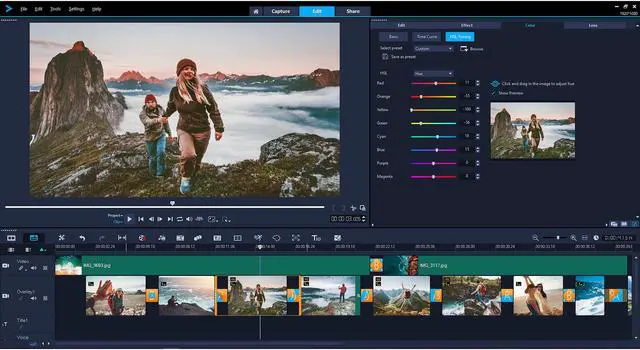
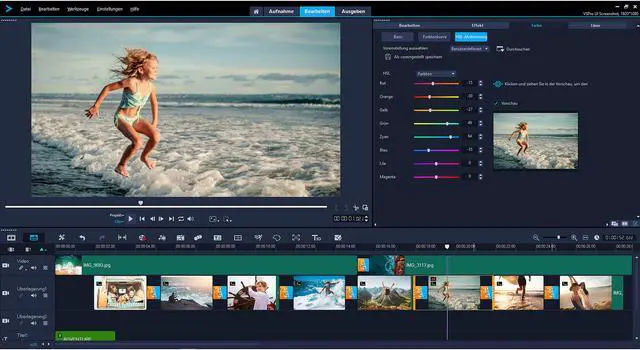
Get started quickly with the intuitive editing workspace. Create your videos and combine photos and videos in Storyboard or Timeline editing modes. Add subtitles, graphic overlays and more!

Start from scratch or drag and drop your media into a range of customizable templates to match your style. Even save your own projects as templates to fast-track future projects.

Add filters and enhance color, or create that old film effect with drag and drop filters. Fine-tune adjustments in the options panel to get the exact look you want.

Go full circle with the full suite of 360 degree video editing tools to trim, enhance, add titles or graphics and edit your 360 video. Even preview your 360 video in the new VideoStudio 360 video player before you export.

Import your video and start editing! Now with support for all popular 360 cameras. VideoStudio supports 360 spherical video formats - equirectangular, fisheye, and dual fisheye.

Set the viewing angle and convert 360 video to standard video for playback on TVs and standard video players. You control the view the audience sees.

Export your video to view on your VR headset or 360 player. Even upload your 360 video directly to YouTube, Facebook, or Vimeo 360.

Upload your video to YouTube, Facebook, Vimeo and Flickr directly from VideoStudio.
Author DVDs complete with themed templates to add chapters and menus. Now add chapter cues directly in the VideoStudio timeline as you edit!
Share movies anywhere with full support for Apple and Android devices, game consoles, and more. Now with support for exporting vertical/portrait video.

Record your screen and capture system and microphone audio to create training videos, content for presentations, and more.

Make movies and slideshows in 3 easy steps. Select a template, add your media, and export to share your movie.

Burn your video projects to DVD and AVCHD with 100+ customizable menus, submenus, chapters, and music.

For beginner editors to advanced users, get the most out of VideoStudio with new learning content from both Corel, and our friends at StudioBacklot.tv. Includes new content for VideoStudio 2018.

Expand the power of your video editing software and purchase additional premium effects, templates, overlays, royalty-free music, and more from within the VideoStudio Home tab.

Record multi-camera videos with MultiCam Capture or import multi-layer graphics from PaintShop Pro. Give your old videos new life with Roxio Easy VHS to DVD. There’s no limit to what you can create with Corel!


