• $37.99
  • Free 30-day Returns
  • Ships from United States.
    Sold by jesnion shop

    Shipped by jesnion shop

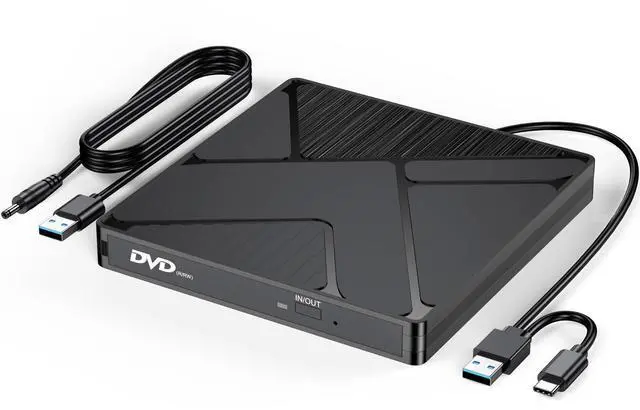
    DVD Burner for Laptop, External USB 3.0 & USB C CD/DVD Drive Player Reader

    • Item #: 9SIVU70M3F9733
    • Mfr. Part #: 714810421847
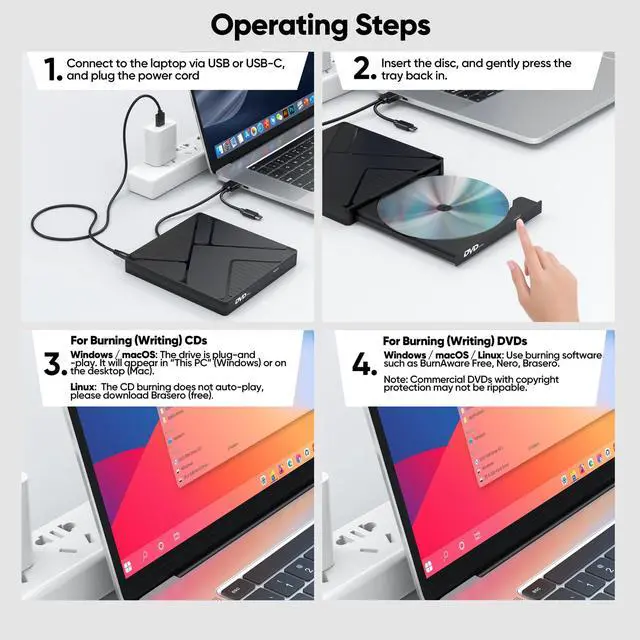
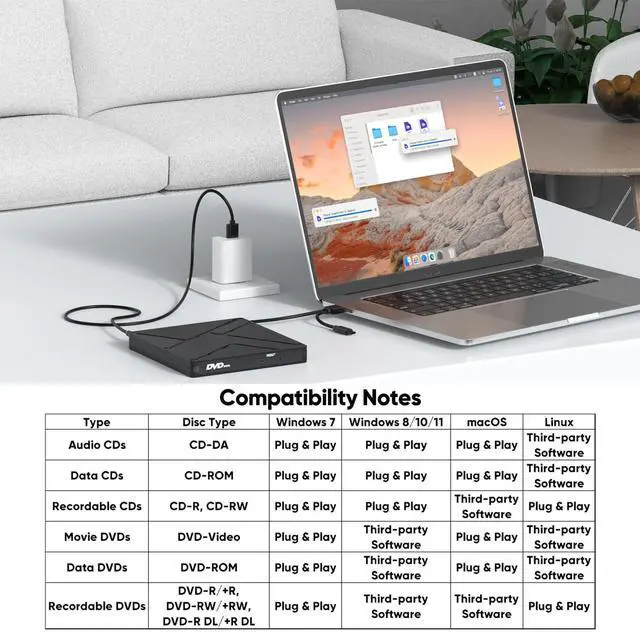
    • Windows 11/10/8 cannot play/burn DVDs by default. Download VLC (free) from videolan.org. macOS cannot burn CDs and DVDs, and please download third-party software.
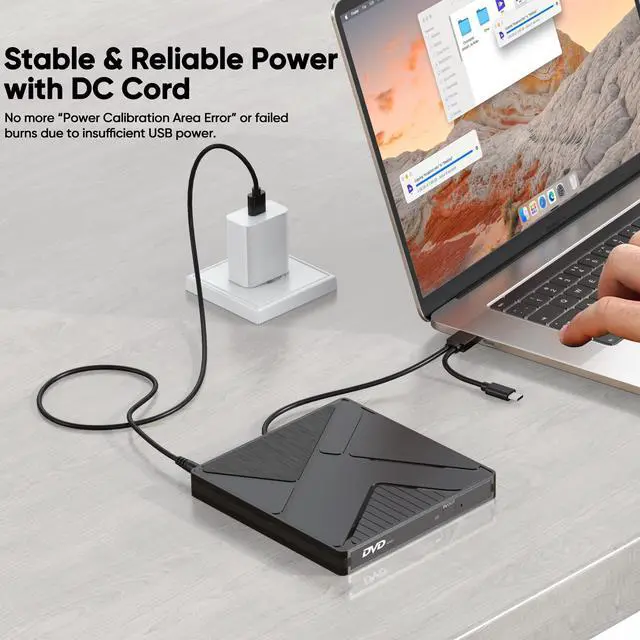
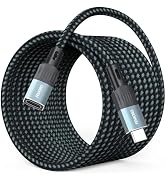
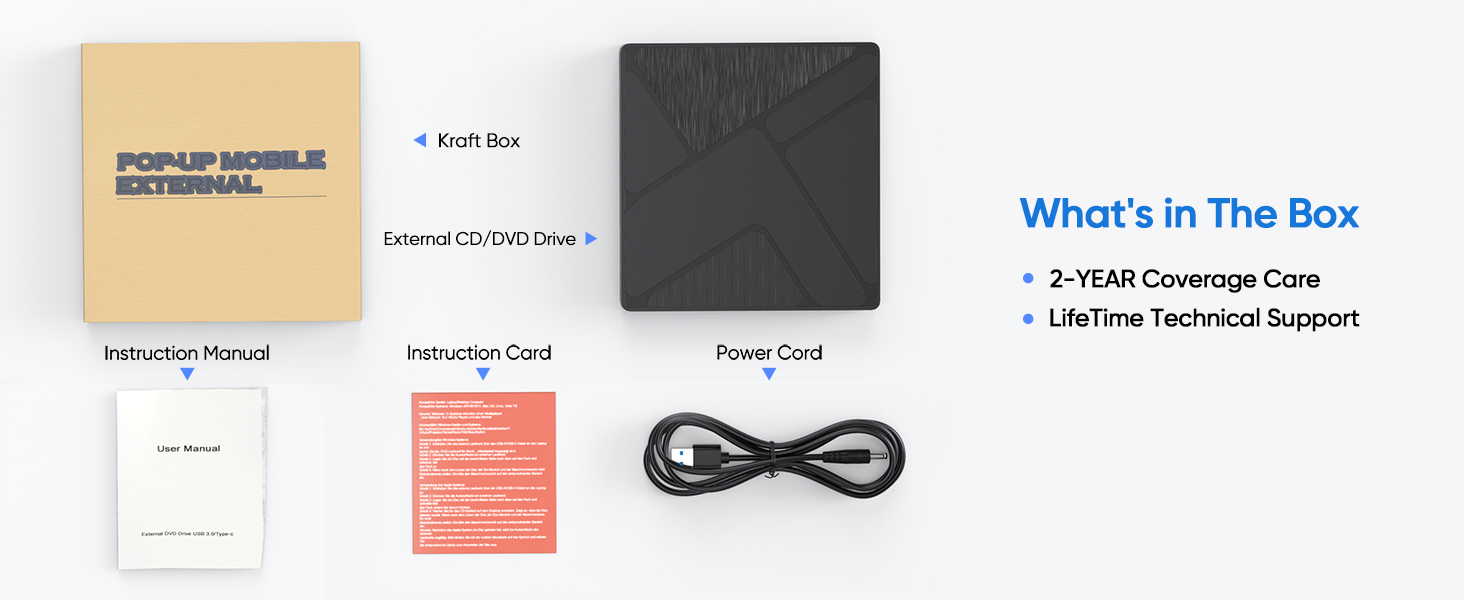
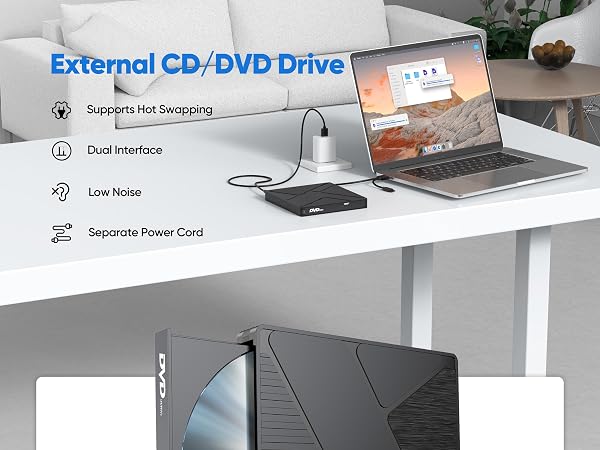
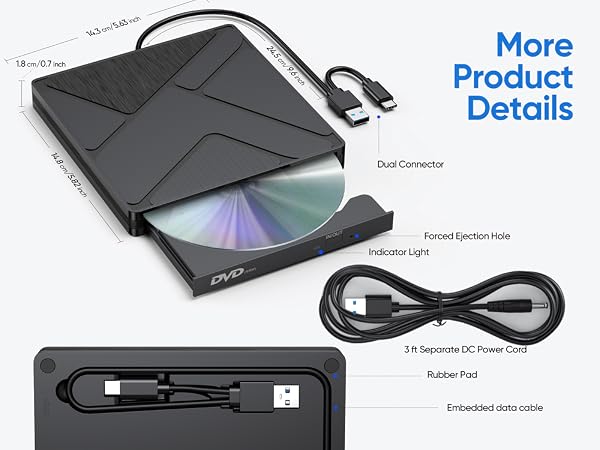
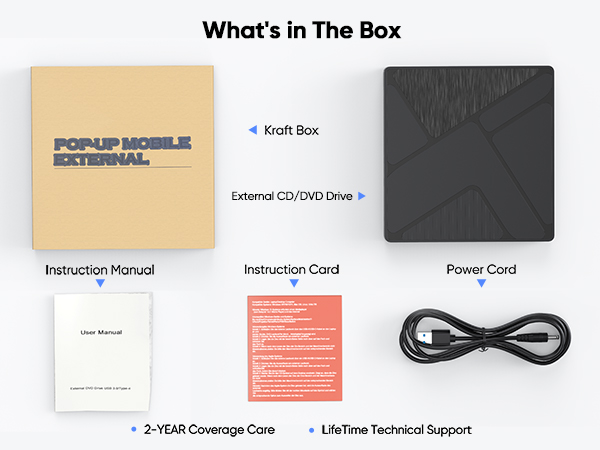
    • Independent 5V Power Cable: Compared to those without a power cable, a DVD drive with a power cable is more suitable for high - power operations and has better compatibility. The DVD drive features a 2-in-1 data cable (USB 3.0 + Type C), adapting to devices with different ports for reading/burning your CDs/DVDs.
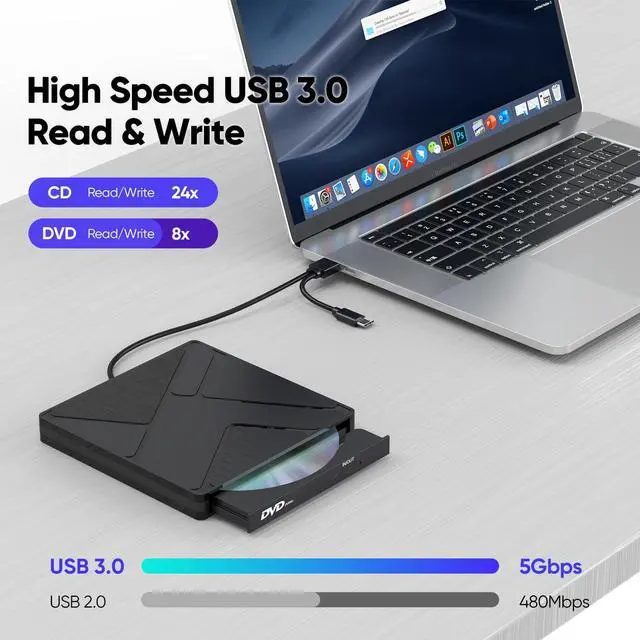
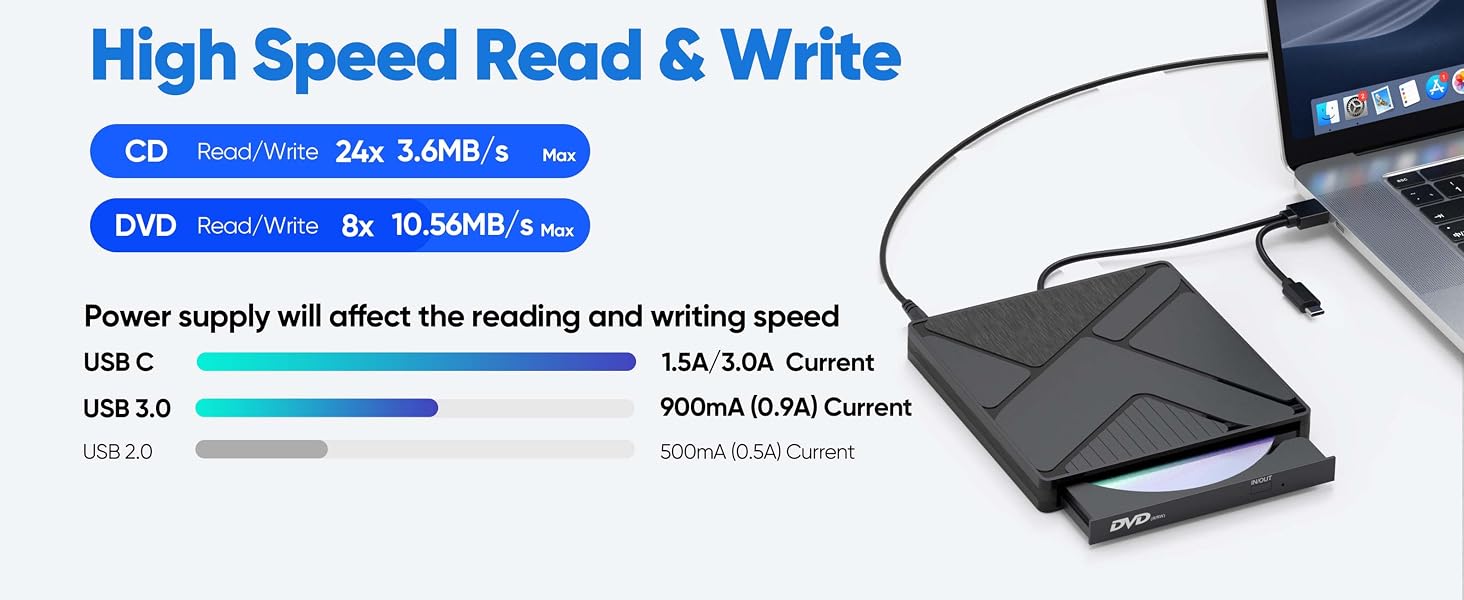
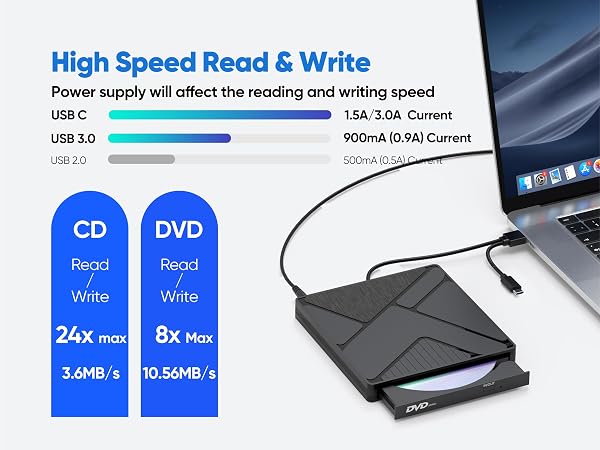
    • High Speed Read/Write: Up to 8x DVD and 24x CD read/write speeds. Lag-free playback, software installation, and disc burning. Anti-interference core ensures error-free operation.
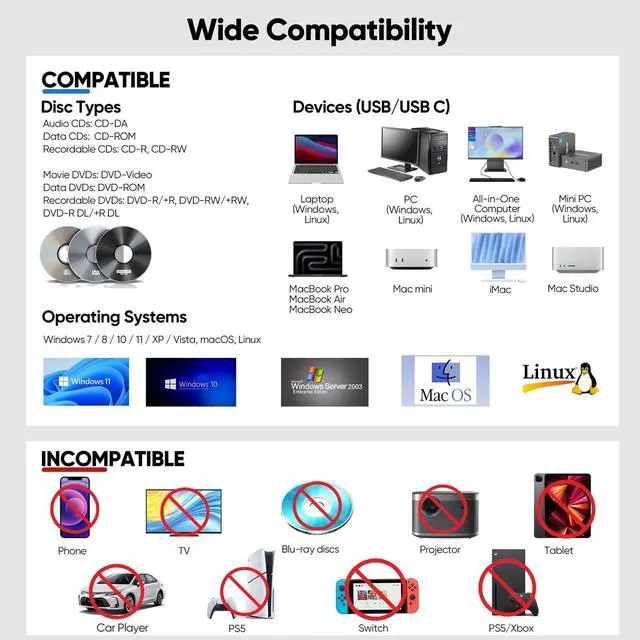
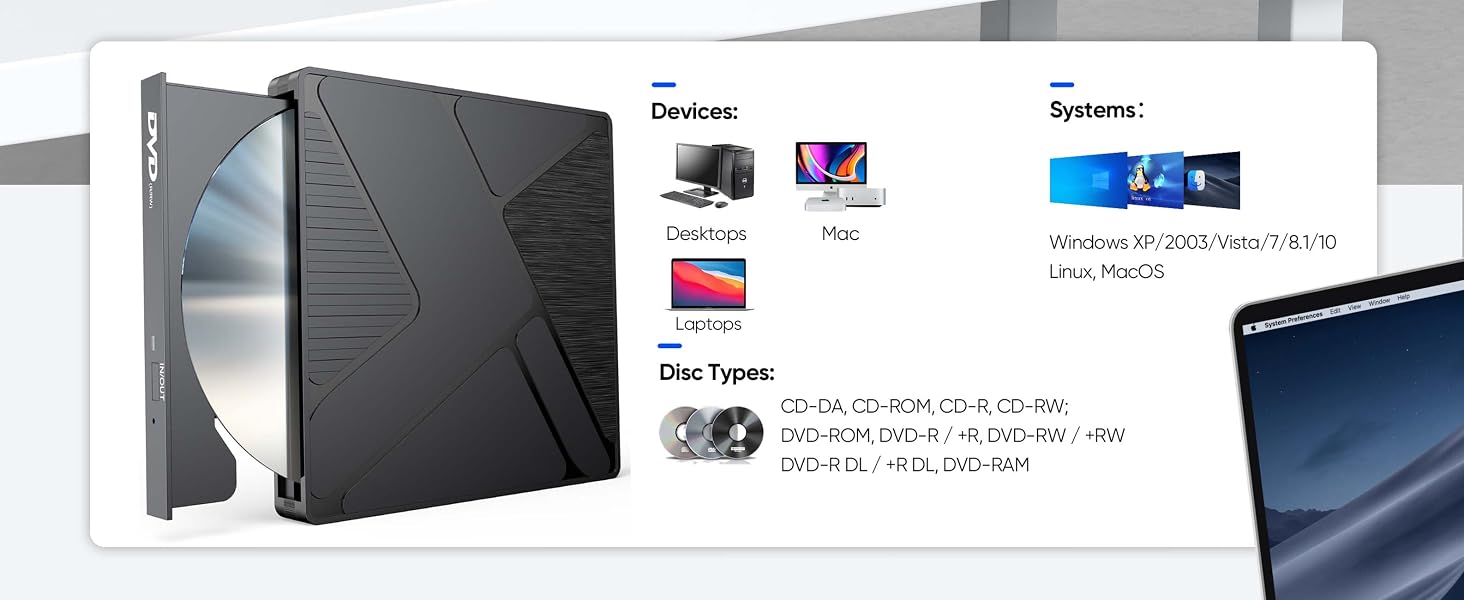
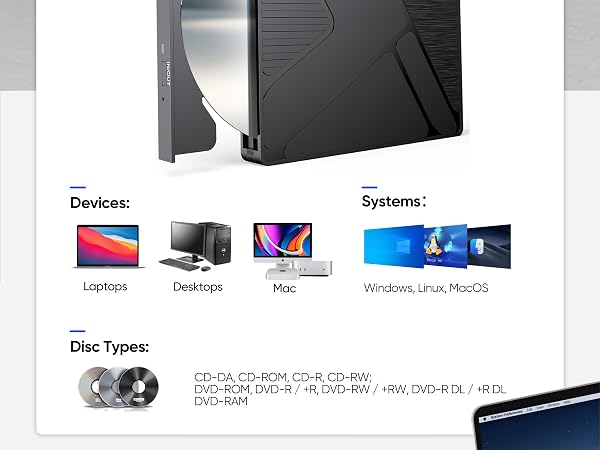
    • Compatible with Laptop and Various Devices: Supported devices include: PC: Mac Pro/Studio, HP, Dell, Lenovo...All-in-One Computer: iMac, Lenovo, HP... Mini PC: Mac Mini, KAMRUI, GMKtec, BOSGAME...Laptops: Macbook pro, Dell and more
    • Multi-Format & Systerm: The compatibility of different operating systems with various CD/DVD formats varies. Please refer to the compatibility chart in the picture.
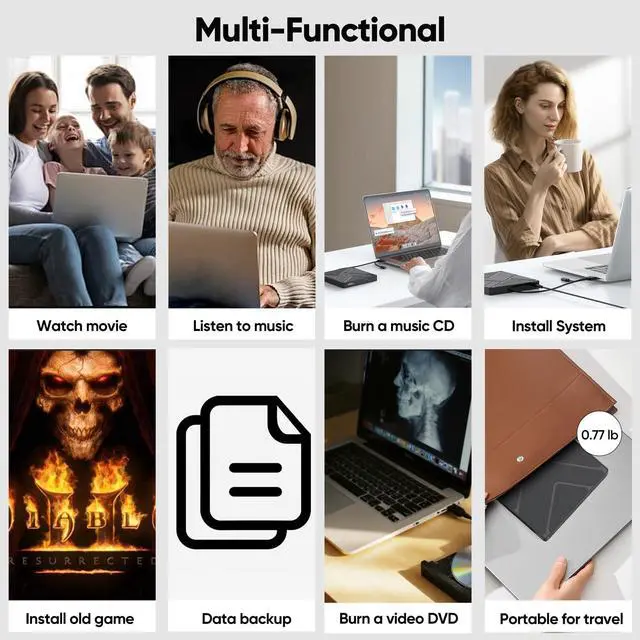
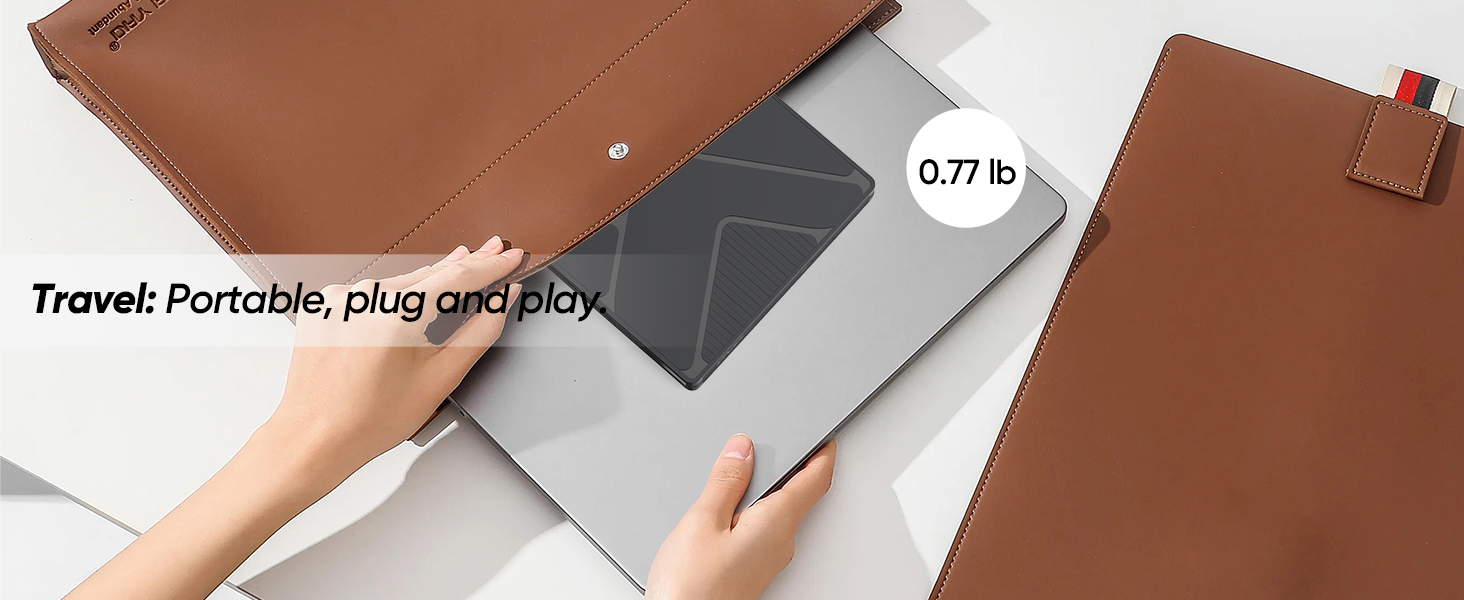
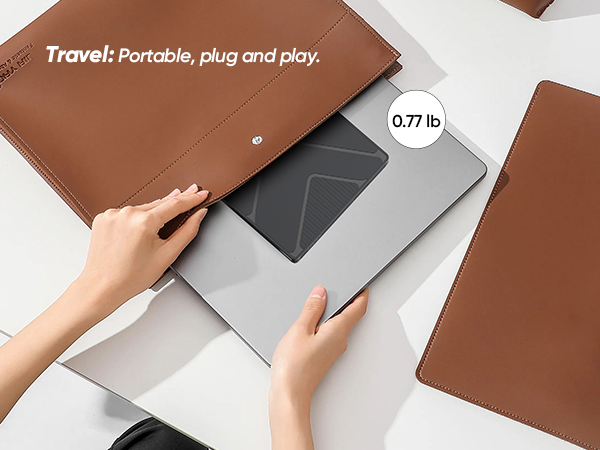
    • Ultra-Slim & Durable Design: Only 0.7inch thick and 0.77lb lightweight. Embedded cable slot for portability, Flame-retardant PC material, anti-skid base, and scratch-resistant shell for long-lasting use.
    • More Details: If your needs aren't met, feel free to contact us. We offer 24/7 customer service and a 24 - month after - sales warranty.
    +
    +
    Overview
    Specs
    Reviews
    External CD/DVD Drive
    External CD/DVD Drive
    External CD/DVD Drive

    Warm Tips for Optimal Use

    Software & Playback Before using, ensure your computer has the necessary software installed. Media Players: VLC Media Player, KMPlayer (VLC is recommended for DVD playback) Burning Software: BurnAware Free, Nero, or your system’s built-in tool
    DVD Region Code Your drive supports region codes. You can change the region code up to 5 times (the limit is set by the drive firmware). After that, it will lock to the last region. If you only play discs from one region, this won’t affect you.
    Disc Condition Do not insert scratched, cracked, or warped discs into the drive to avoid damage.
    Safe Usage Keep the drive away from magnetic objects. Do not look directly into the laser lens — the internal laser light may be harmful to eyes.
    Speed & Performance Actual data transfer speed may vary depending on your computer’s performance, USB port type (externel power cord recommended), and system environment.
    DVD Copy Protection Some commercially purchased DVDs have copyright protection. If you are unable to rip or copy such a disc, this is due to the disc’s protection, not a drive issue. You may use software like HandBrake to handle protected DVDs where legally permitted.
    External CD/DVD Drive
    External CD/DVD Drive
    External CD/DVD Drive

    Warm Tips for Optimal Use

    Software & Playback Before using, ensure your computer has the necessary software installed. Media Players: VLC Media Player, KMPlayer (VLC is recommended for DVD playback) Burning Software: BurnAware Free, Nero, or your system’s built-in tool
    DVD Region Code Your drive supports region codes. You can change the region code up to 5 times (the limit is set by the drive firmware). After that, it will lock to the last region. If you only play discs from one region, this won’t affect you.
    Disc Condition Do not insert scratched, cracked, or warped discs into the drive to avoid damage.
    Safe Usage Keep the drive away from magnetic objects. Do not look directly into the laser lens — the internal laser light may be harmful to eyes.
    Speed & Performance Actual data transfer speed may vary depending on your computer’s performance, USB port type (externel power cord recommended), and system environment.
    DVD Copy Protection Some commercially purchased DVDs have copyright protection. If you are unable to rip or copy such a disc, this is due to the disc’s protection, not a drive issue. You may use software like HandBrake to handle protected DVDs where legally permitted.
    DVD Burner for Laptop, External USB 3.0 & USB C CD/DVD Drive Player Reader

    Warranty & Returns

    Warranty, Returns, And Additional Information

    Warranty

    • Please contact the Seller directly for warranty information. Warranty information may also be found on the Manufacturer's website.
    • CONTACT

    Return Policies

    Manufacturer Contact Info

    LOADING...