




At Leviton, we build what’s next to light, power, and connect everyday spaces, encompassing electrical, lighting, data networks, and energy management. With a rich history spanning over 120 years, Leviton develops thoughtful solutions that streamline processes, elevate safety standards, increase efficiency, and enhance productivity.


Decora Smart


USB


Lighting Controls


AFCI/GFCI


EV Chargers


Load Center
Surge



Convenient
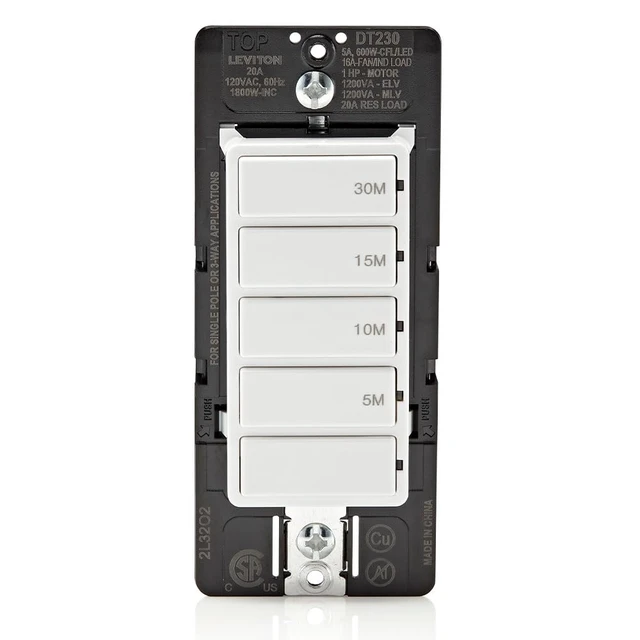
Replace your current wall switch with a countdown timer to automate fans, motor loads and lights. Four preset time buttons, press to turn on and automatically turns off when time expires.

Energy Saving
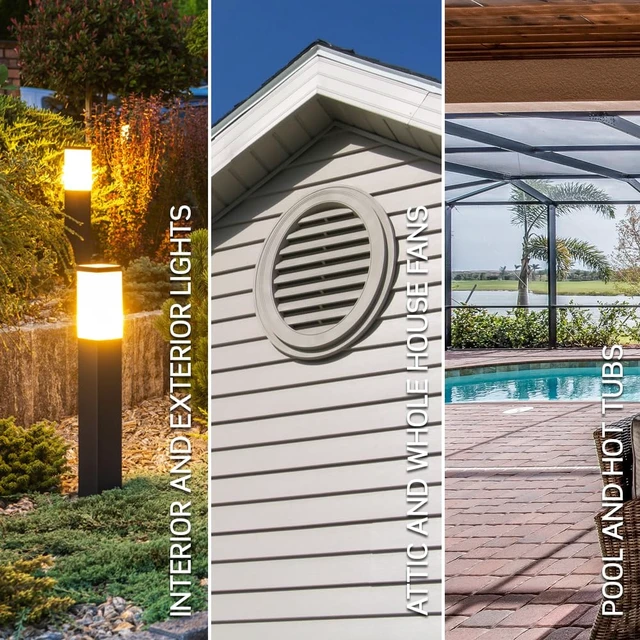
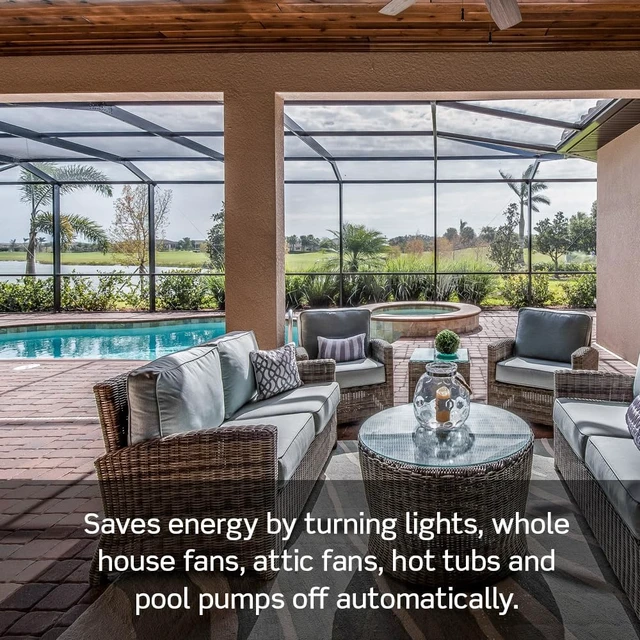
Saves energy by turning lights, fans, hot tubs, and pool pumps off automatically.
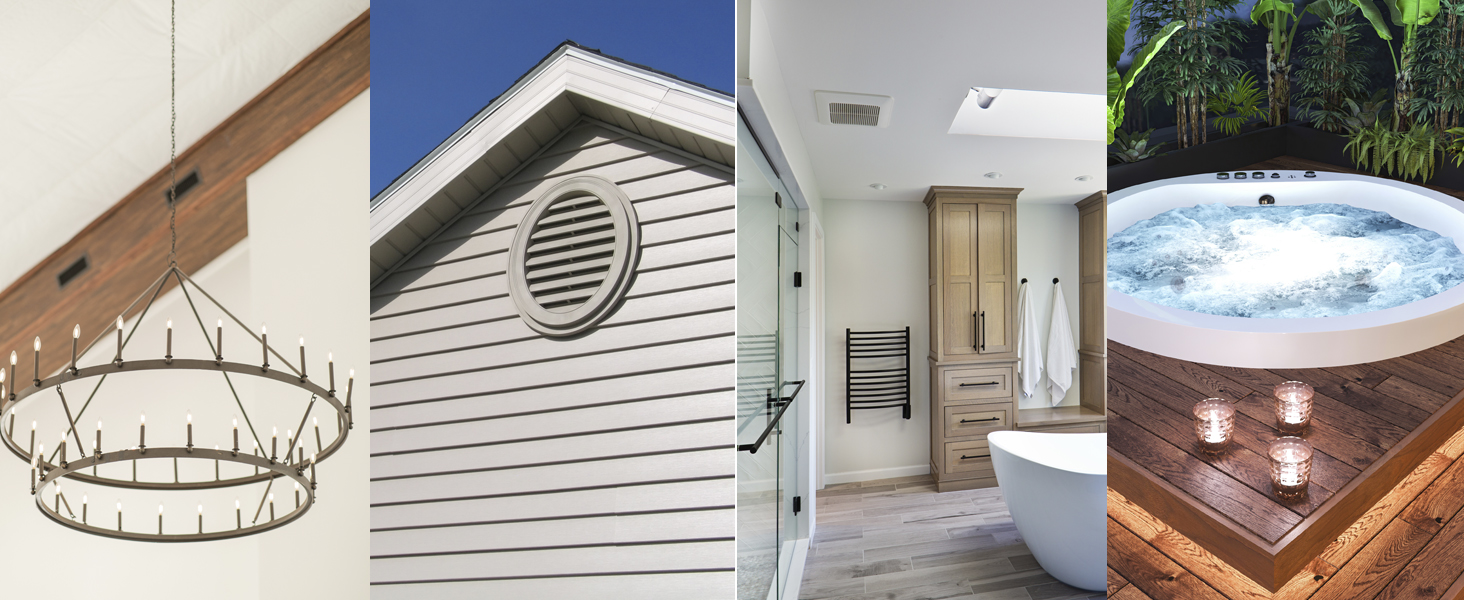
Recommended Rooms and Applications
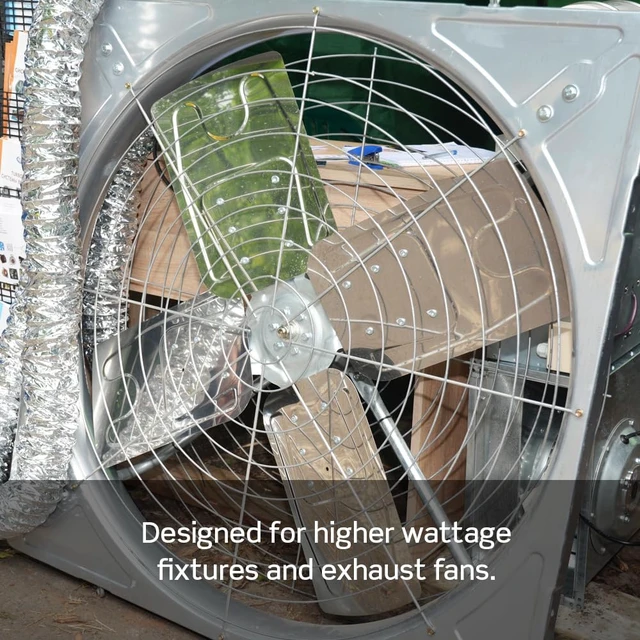
The 30-Minute countdown timer is a practical solution for large lighting fixtures, attic fans, exhaust fans and hot tubs.

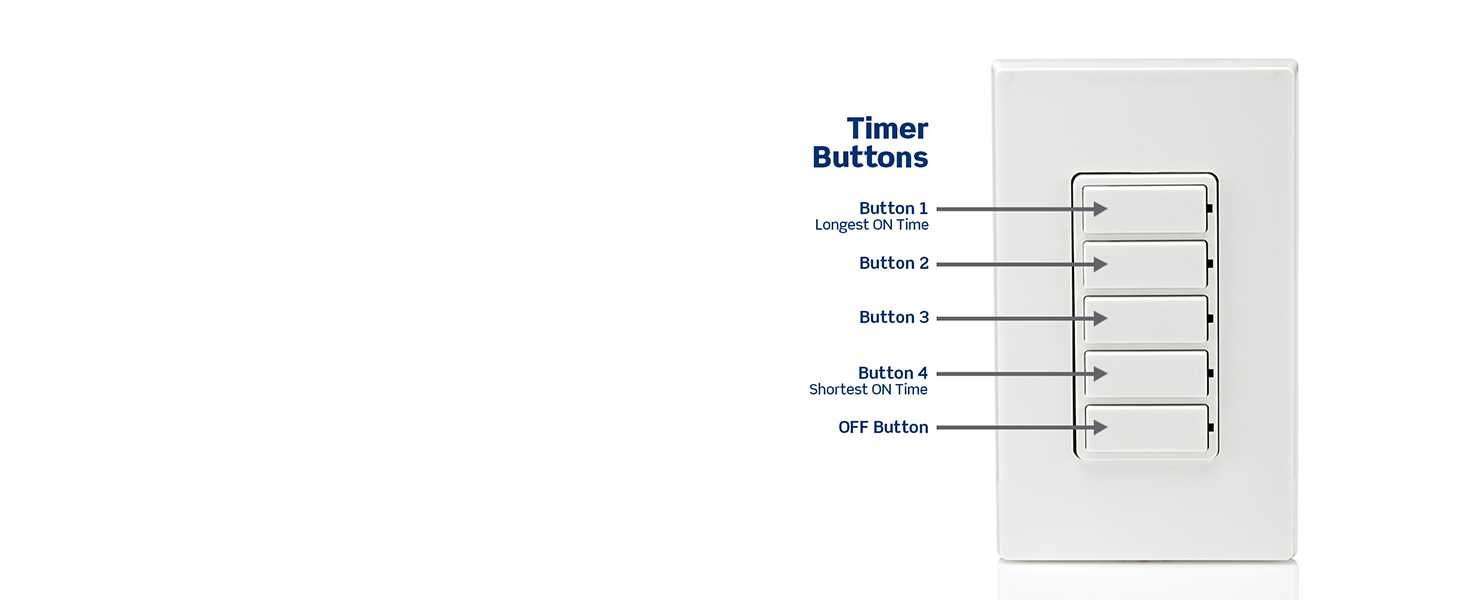
Timer Buttons
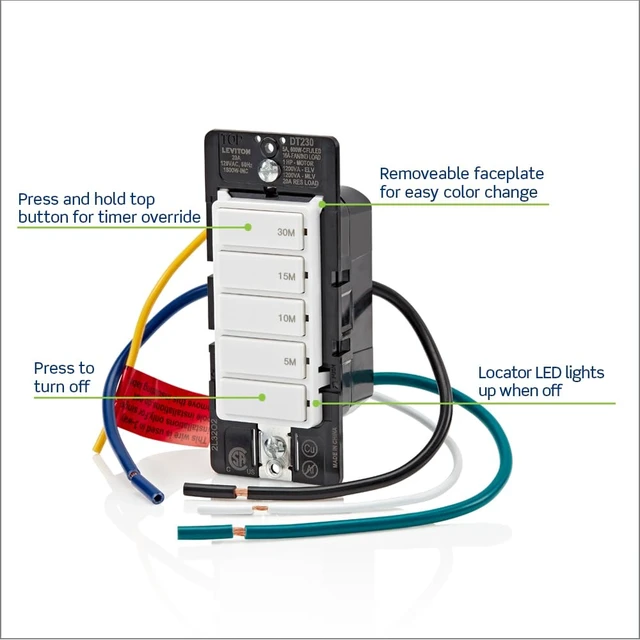
Each button has a preset time with the top button being the longest time ON. Press to choose time ON and will turn OFF automatically when the time expires or press OFF button to turn OFF at any time.
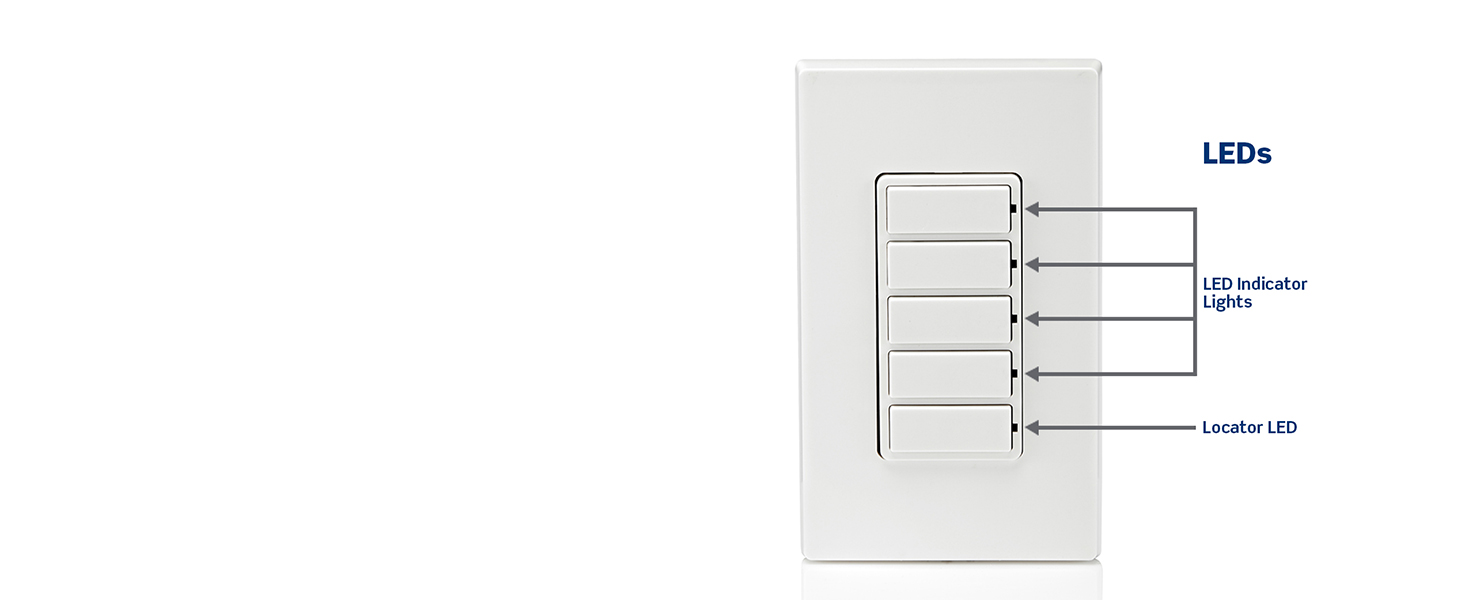
LEDs
Each timer button has an adjacent LED that will illuminate green to indicate the current countdown time. The locator LED on the bottom button will be ON when the timer is OFF.
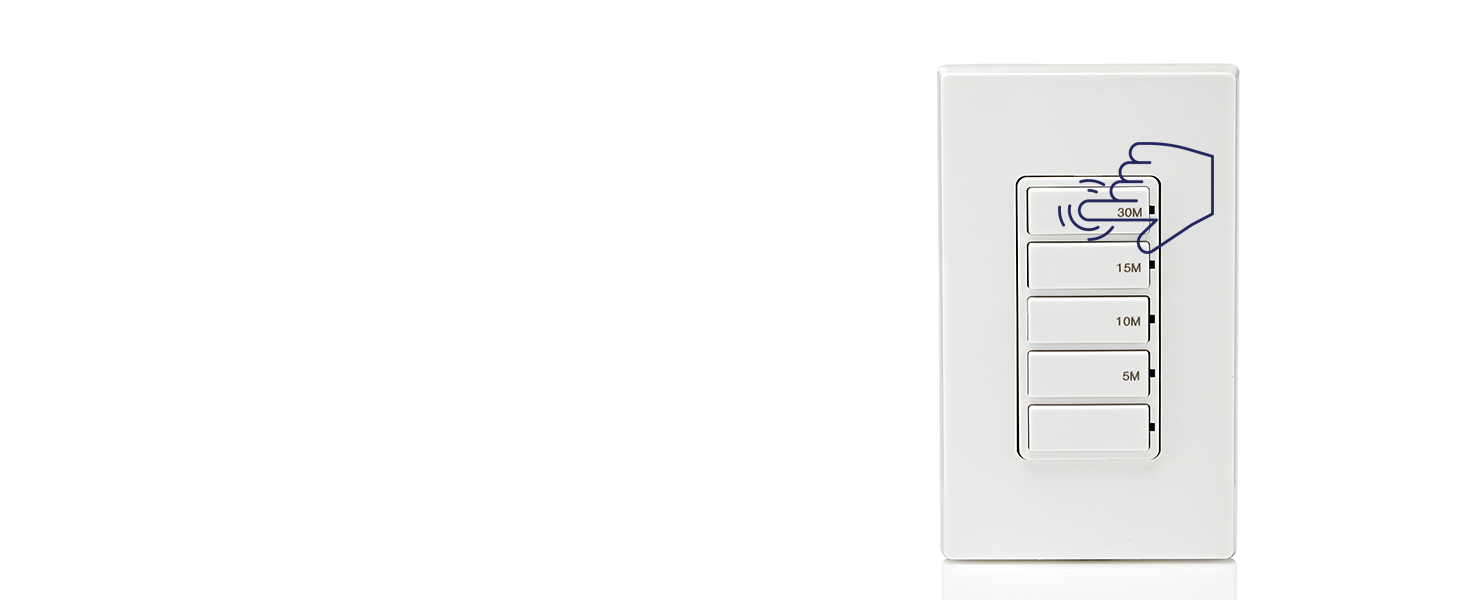
Extended ON Setting
Override preset times to keep load ON by pressing and holding the top button for 5 seconds. Exit at any time by pressing any button. The timer will automatically turn OFF after 24 hours.
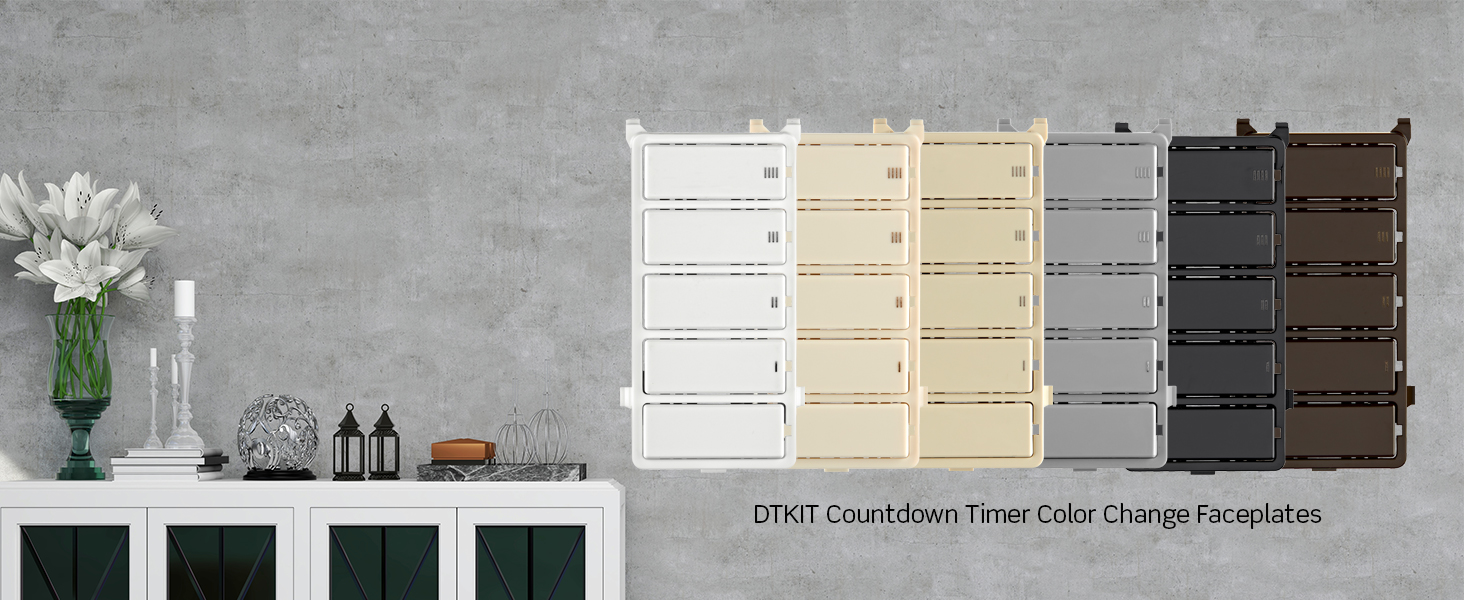
Color Options
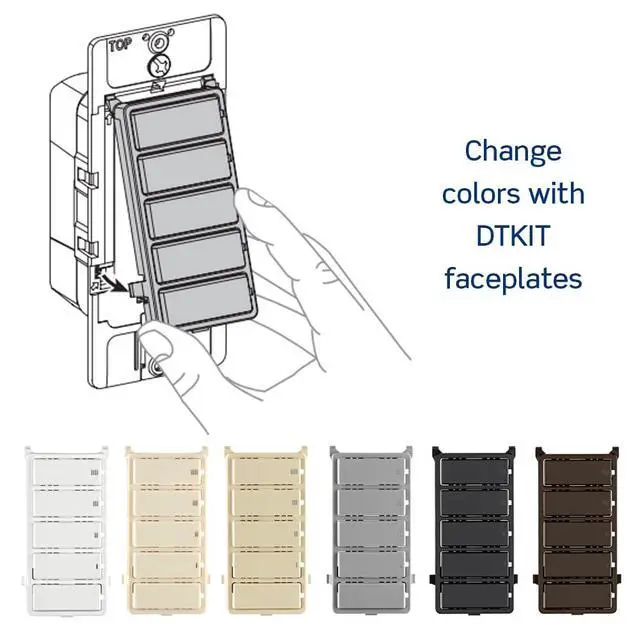
Easily change the color of the countdown timer switch by removing the faceplate and snapping on a new color.
Only Countdown Timer on the Market that is 20A, Multi-Location and Multi-Timer
 Single Pole |  Multi-Location |  Multi-Timer |
|---|---|---|
One location One countdown timer controlling a light or fan | Two or more locations Countdown timer and max nine DD0SR Switch Companions controlling same light/fan | Two locations Two countdown timers controlling same light or fan |
Application Larger wattage ventilation fans or light fixtures | Application Large areas where a timer and on/off switch control the same fan or light | Application Areas where two countdown timers control the same fan or light |
Compare Leviton Timer Switches
 DT230 |  DT260 |  DT115 |  DT130 |  DT160 |  VPT24 | |
|---|---|---|---|---|---|---|
Customer Reviews | — | — | — | — | — | — |
Price | — | — | — | — | — | — |
Timer Button Options | 5-10-15-30 Minutes | 10-20-30-60 Minutes | 2-5-10-15 Minutes | 5-10-15-30 Minutes | 10-20-30-60 Minutes | 24-Hour Programmable |
Amperage | 20A | 20A | 15A | 15A | 15A | 15A |
Motor | 1 HP | 1 HP | ½ HP | ½ HP | ½ HP | 1 HP |
Single Pole or Multi-way | SP/multi-way/multi-timer | SP/multi-way/multi-timer | Single pole | Single pole | Single pole | Single pole/multi-way |
Faceplates | DTKIT | DTKIT | DTKIT | DTKIT | DTKIT | VPTKT |
Neutral Wire Required | Yes | Yes | Optional | Optional | Optional | Yes |
Ground Wire Required | Yes | Yes | Optional | Optional | Optional | Yes |
What is the difference between the DT130 and DT230 Countdown Timer Switches?
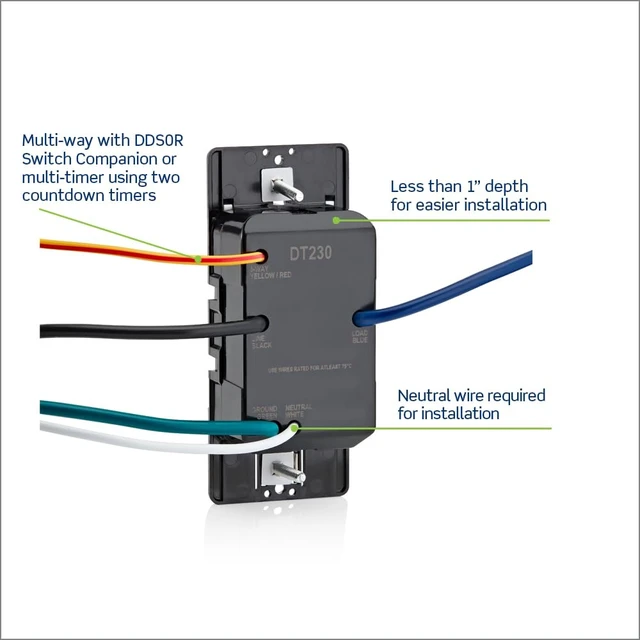
Although they are both 30-minute timers, the DT230 is 20 amps, so it is designed for higher wattage lighting and fans. It can also be used in multi-way applications with the DD0SR switch companion and multi-timer using two DT230 timers.
Can a countdown timer switch be used for a ceiling fan?
Yes, press to turn the fan on for the specified time and it will turn off automatically. Note that using a countdown timer will only turn fan on and off, not variate the speed.
Can I use a countdown timer switch with lights?
Yes, a countdown timer can be used to control lighting, however, do not use to control lighting if it is the only light source in the area.
Does the DT230 countdown timer require a neutral wire for installation?
Yes, the DT230 does require a neutral wire for installation.
Is there a way I can keep the fan or light on longer than the set times?
Yes, press and hold the top button for 5 seconds to override and keep the timer in an EXTENDED ON state. The timer will automatically turn OFF after 24 hours. To exit the EXTENDED ON state at any time, press any timer button or OFF button.

Convenient
Energy Saving
Recommended Rooms and Applications


Replace your current wall switch with a countdown timer to automate fans, motor loads and lights. Four preset time buttons, press to turn on and automatically turns off when time expires.
Saves energy by turning lights, fans, hot tubs, and pool pumps off automatically.
The 30-Minute countdown timer is a practical solution for large lighting fixtures, attic fans, exhaust fans and hot tubs.
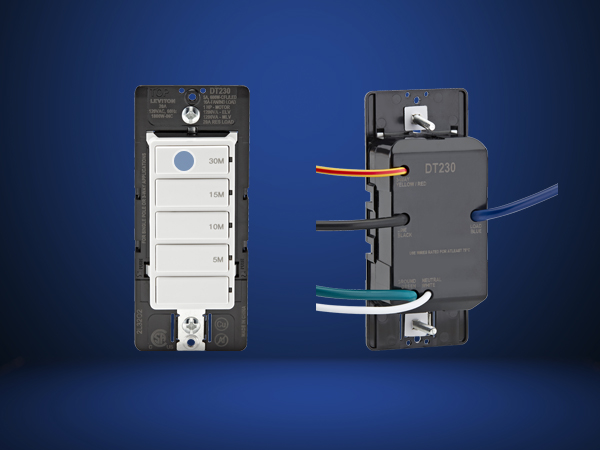
Timer Buttons
Press any of the top four timer buttons to turn on for designated time. The adjacent green LED will be lit to indicate the current countdown time.
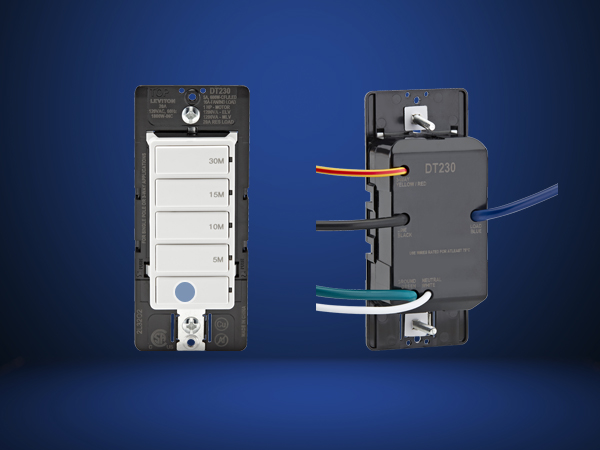
Off Button
Press to manually turn the timer off. LED locator light will illuminate when timer is off, making it easier to locate in the dark.
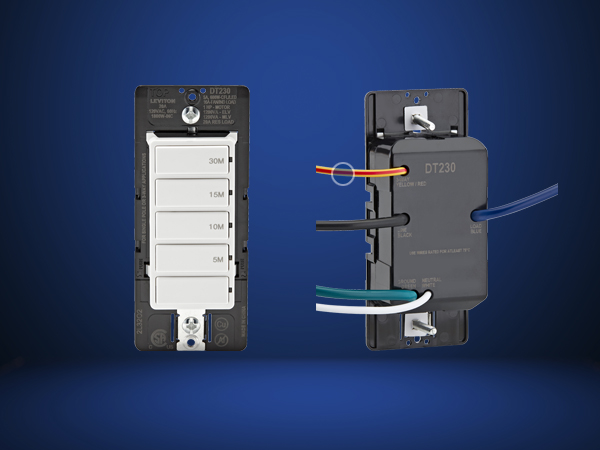
Multi-Location Control
Only countdown timer on the market that is 3-way, multi-way, and multi-timer.
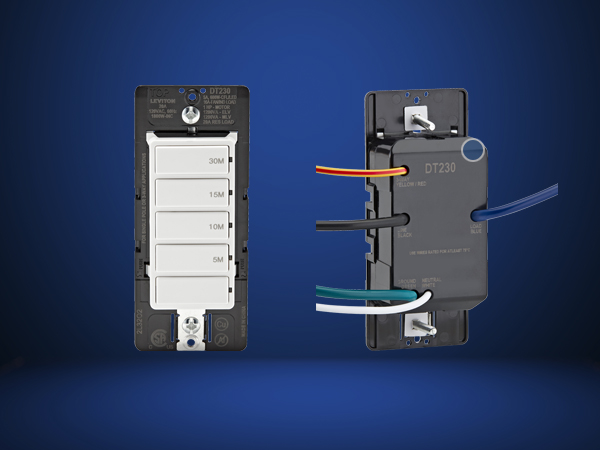
Shallow Design
0.96” depth makes it easier to install in smaller wallboxes.
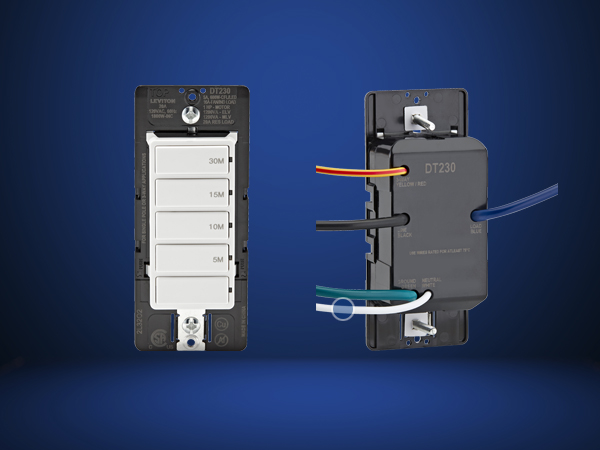
Designed for High Wattage Fixtures and Fans
Requires a neutral wire for installation.
Timer Buttons
LEDs
Extended ON Setting
Color Options


Each button has a preset time with the top button being the longest time ON. Press to choose time ON and will turn OFF automatically when the time expires or press OFF button to turn OFF at any time.
Each timer button has an adjacent LED that will illuminate green to indicate the current countdown time. The locator LED on the bottom button will be ON when the timer is OFF.
Override preset times to keep load ON by pressing and holding the top button for 5 seconds. Exit at any time by pressing any button. The timer will automatically turn OFF after 24 hours.
Easily change the color of the countdown timer switch by removing the faceplate and snapping on a new color.
Only Countdown Timer on the Market that is 20A, Multi-Location and Multi-Timer
Compare Leviton Timer Switches
DT230 | DT260 | DT115 | DT130 | DT160 | VPT24 |
|---|---|---|---|---|---|
| Customer Reviews | |||||
| — | — | — | — | — | — |
| Price | |||||
| — | — | — | — | — | — |
| Timer Button Options | |||||
| 5-10-15-30 Minutes | 10-20-30-60 Minutes | 2-5-10-15 Minutes | 5-10-15-30 Minutes | 10-20-30-60 Minutes | 24-Hour Programmable |
| Amperage | |||||
| 20A | 20A | 15A | 15A | 15A | 15A |
| Motor | |||||
| 1 HP | 1 HP | ½ HP | ½ HP | ½ HP | 1 HP |
| Single Pole or Multi-way | |||||
| SP/multi-way/multi-timer | SP/multi-way/multi-timer | Single pole | Single pole | Single pole | Single pole/multi-way |
| Faceplates | |||||
| DTKIT | DTKIT | DTKIT | DTKIT | DTKIT | VPTKT |
| Neutral Wire Required | |||||
| Yes | Yes | Optional | Optional | Optional | Yes |
| Ground Wire Required | |||||
| Yes | Yes | Optional | Optional | Optional | Yes |
What is the difference between the DT130 and DT230 Countdown Timer Switches?
Although they are both 30-minute timers, the DT230 is 20 amps, so it is designed for higher wattage lighting and fans. It can also be used in multi-way applications with the DD0SR switch companion and multi-timer using two DT230 timers.
Can a countdown timer switch be used for a ceiling fan?
Yes, press to turn the fan on for the specified time and it will turn off automatically. Note that using a countdown timer will only turn fan on and off, not variate the speed.
Can I use a countdown timer switch with lights?
Yes, a countdown timer can be used to control lighting, however, do not use to control lighting if it is the only light source in the area.
Does the DT230 countdown timer require a neutral wire for installation?
Yes, the DT230 does require a neutral wire for installation.
Is there a way I can keep the fan or light on longer than the set times?
Yes, press and hold the top button for 5 seconds to override and keep the timer in an EXTENDED ON state. The timer will automatically turn OFF after 24 hours. To exit the EXTENDED ON state at any time, press any timer button or OFF button.
At Leviton, we build what’s next to light, power, and connect everyday spaces, encompassing electrical, lighting, data networks, and energy management. With a rich history spanning over 120 years, Leviton develops thoughtful solutions that streamline processes, elevate safety standards, increase efficiency, and enhance productivity.
Decora Smart
USB
Lighting Controls
AFCI/GFCI
EV Chargers
Load Center
Surge
