• $59.95
  • This item is not returnable
  • Sold by NeweggBusiness

    Shipped by NeweggBusiness

    Movavi Picverse for Mac Personal License - Download

    • Business PC
    • Personal PC
    • Personal Mac
    • Business Mac
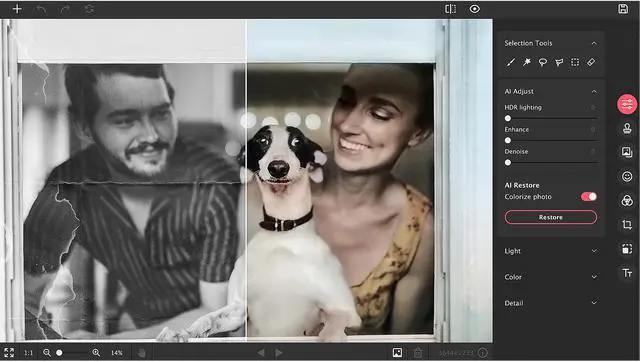
    • Restore photos from your family archive
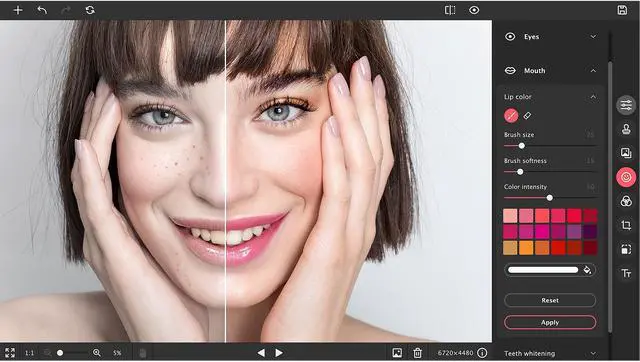
    • Retouch portraits, smooth skin tone, and apply makeup
    • Enhance your pictures with the HDR lighting
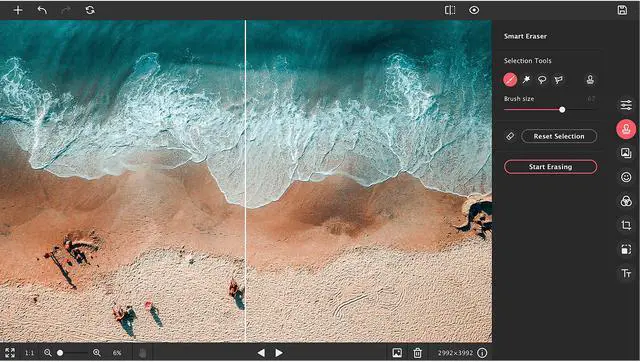
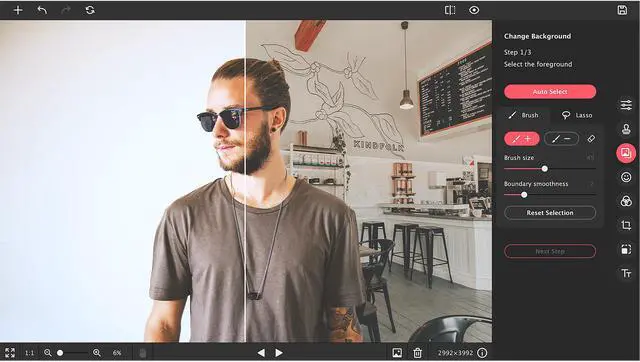
    • Delete unwanted objects and swap out backgrounds
    Please note that this product is non-returnable and non-refundable.
    +
    +
    Overview
    Specs
    Reviews
    movavi logo
    A man is taking a picture of the ocean.

    Movavi Picverse

    A Mac photo editor for photographers made easy.

    Intelligent Photo-Editing Software for Mac

    Movavi Picverse Photo Editor for Mac is designed to match the needs of both beginning and professional photographers. The application gives you AI-based tools that will enable you to experiment with images and achieve stunning results in a snap. Picverse is your go-to photo-editing software for Mac if you want to spend more time shooting and less time retouching.

    A couple are posing on a boulder

    AI Auto Adjust

    Instantly refine the colors and contrast in an image thanks to artificial intelligence technology.

    Easy Photo Background Removal

    Replace or remove image backgrounds in just a few clicks.

    The original picture of a woman leaning against a rail and looking down

    View the original image

    A silhouette is selected from a picture of the woman leaning against a rail and looking down

    Automatically select a silhouette

    Background is turned transparent

    Make a transparent background

    The woman leaning against a rail and looking down is set against a different background.

    Set a new background


    AI Old Photo Repair

    Restore photos taken decades ago. Get rid of fold lines, stains, and other small defects. Remove image noise from scans. Automatically colorize black-and-white photos.

    An old photo of a boy carrying a cassette player on his right shoulder.

    Original Photo

    A restored color photo of a boy carrying a cassette player on his right shoulder.

    Restored Photo


    A woman is posing while holding a post.

    100+ Inspiring Filters

    Apply filters as a creative touch to set the right mood.

    The picture of a woman posing while holding a post is in original mode

    Original

    The picture of a woman posing while holding a post has lomo effect applied

    Lomo

    The picture of a woman posing while holding a post has Bonnard effect applied

    Bonnard

    The picture of a woman posing while holding a post has Wood effect applied

    Wood

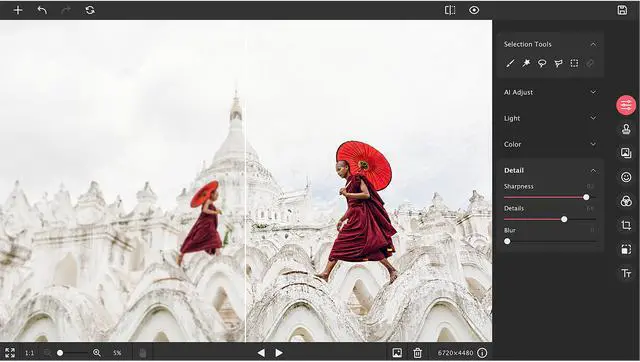
    Picture quality comparion between with custom sharpness adjustment and without

    Quality Sharpness Adjustment

    Recover details to make a whole picture ready to pop out of the screen. Add sharpness to remove blur. Get precise control over the image with our Mac photo editor.

    Two pictures with one having obejsts and the othe having objects removed

    Robust Object Removal

    Erase unwanted objects and get flawless photographs, no matter the state of the original. Picverse takes great care to cover any imperfections in just a couple of clicks.

    Picture quality comparion between with Impeccable Photo Retouching and without

    Advanced Photo Retouching

    Improve portraits in an instant. Remove skin blemishes, apply cool makeup, create a picture-perfect smile. Unleash your inner artist with the Picverse photo software for Mac.

    More Features to Boost Your Photos

    Icon for Light and Color Correction

    Light and Color Correction

    Highlight what’s important and hide distractions with HDR lighting, white balance, and other tools.

    Icon for Noise Reduction

    Noise Reduction

    Smart-fix grainy photographs and crisp up low-light images. Our picture editor for Mac will leave you amazed..

    Icon for Text Insertion

    Text Insertion

    Choose a font, size, and color. Twist captions. Set a background color and add decorations.

    Icon for RAW Image Support

    RAW Support

    Work with RAW images: our Mac image editor will automatically convert them to JPEG after uploading.

    Icon for Basic Editing Tools

    Basic Adjustment Tools

    Rotate, crop, flip, and resize photos.

    Icon for Export Settings

    Export Settings

    Set the desired file format and size when saving a photo. Delete the metadata and add comments to images.

    Multi-Platform Image Editor

    Animated mobile app being used

    Mobile

    Movavi Picverse is a brand-new mobile photo editor that gives you all the tools you need to enhance any image. Download our photo editor app for your Android or iOS device and try it for free.

    Animated web app being used

    Online

    Now you can enhance pics right in your web browser—using Movavi Picverse free online photo editor. Use basic editing tools and adjust colors in a flash wherever you are. The image editor works whenever you have access to the internet, no registration required.

    Note:

    There are two types of license available: Personal license and Business license. Personal license allows you to use the program for non-commercial purposes in non-business, non-commercial environment (e.g. at home). To use the program in corporate, government, or business environment, you will have to purchase a Business license.

    Warranty & Returns

    Warranty, Returns, And Additional Information

    Return Policies

    • Return for refund within: non-refundable
    • Return for replacement within: non-replaceable
    • This item is covered by NeweggBusiness.com's Consumable Product Return Policy.
    • Read full return policy for details.
    LOADING...