


 All Categories
Built for How Business Buys.
All CategoriesShipped by NeweggBusiness
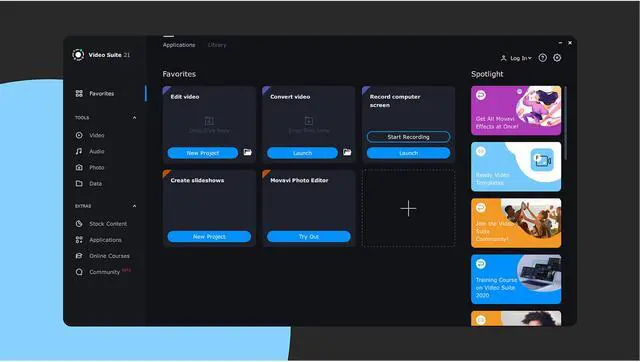


All-in-one video creator for Mac: an editor, converter, screen recorder, and more. Perfect for remote work and distance learning.
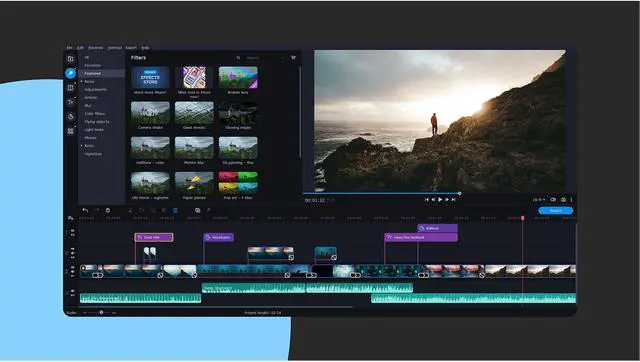
Edit Video and Audio
Use our restyled flexible and feature packed video editor to create a video on Mac. Explore the wide variety of special effects, filters and editing tools.

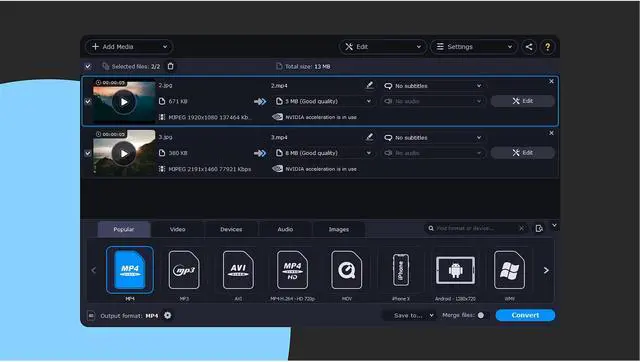
Convert Media Files
Convert between 180+ different formats with our redesigned and improved media converter. Use the handy presets or set the parameters by hand. Convert multiple files at one time, add subtitles, use built-in editing tools and much more.

Record Your Screen
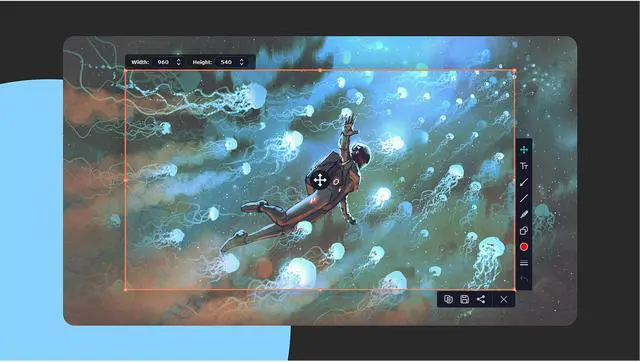
Capture any screen activity on your computer with sound and in high-quality. Record video calls, websites, programs, and more. Add voice over and use mouse cursor effects to highlight important points.

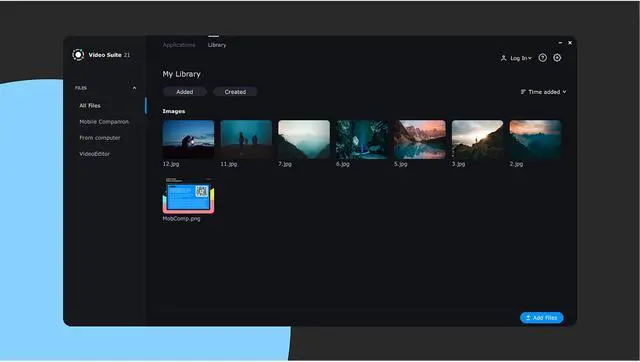
Use Mobile Companion and Media Library
Forget about inconvenient cables – transfer your files wirelessly to the program’s media library to access them anytime.

Try Other Features
Our versatile program also features a user-friendly media player and exclusive copyright-free stock content. Get the most out of Movavi Video Suite!


We want to make video blogging as easy and affordable as possible. That’s why our video app for Mac brings together all the tools you might need in one user-friendly program!
Create intros, use chroma key, add transitions and special effects, record your screen, and much more. Vlogs, tutorials, reviews...whatever direction you choose, our Mac video creator will be the perfect companion.

Keep your memories fresh and alive: sort out your VHS tapes and printed photographs and turn them into rich digital videos and lovely slideshows.
Create beautiful anniversary or wedding videos. Compress your family multimedia library to save disk space and convert vulnerable material memories into robust digital ones!

Movavi Video Suite is designed to be an invaluable part of any educational activity. Create engaging video presentations with stylish transitions and callouts using your Apple MacBook Air or MacBook Pro.
Use the screen recording tool to create tutorials and download webinars for later viewing. Keep up with today’s tech-friendly approach to education with our video-making program.
The latest version of our film maker for Mac delivers an enhanced experience on every level. We never stop improving our software, as you can see from this list of newly added and coming soon features.

Movavi Account NEW
All your purchases are available in one place, and the preferences are saved even after the program is uninstalled.

Media Library NEW
All the media files used in your projects can be now found in the Media Library tab.

Latest Projects NEW
Quickly access all the projects you worked on right from the home screen.

Mobile Companion (beta) NEW
No more cables – transfer your files wirelessly to the program’s media library.

Video Suite Community (beta) NEW
Join our media space for creators: share your content, discuss topics, and make friends

Preference-based Adaptation NEW
The program interface and its content adapt to your personal preferences.

Quick Conversion COMING SOON
Conversion has never been that easy – drop your files right in the launcher and get quick results.