


Meet Your Seller



Pet Automatic Feeder Dog Cat Food Dispenser Smart App WiFi Camera
- Item #: 9SIVB0EJ2B0993
- Mfr. Part #: BEH065ZC21
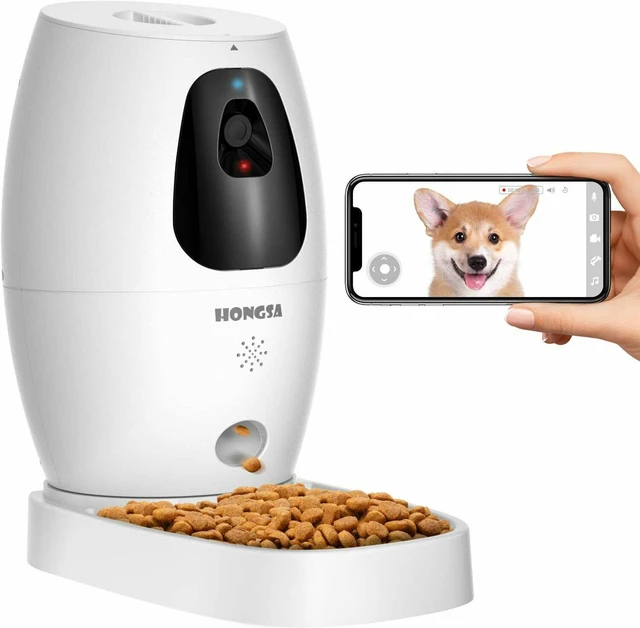
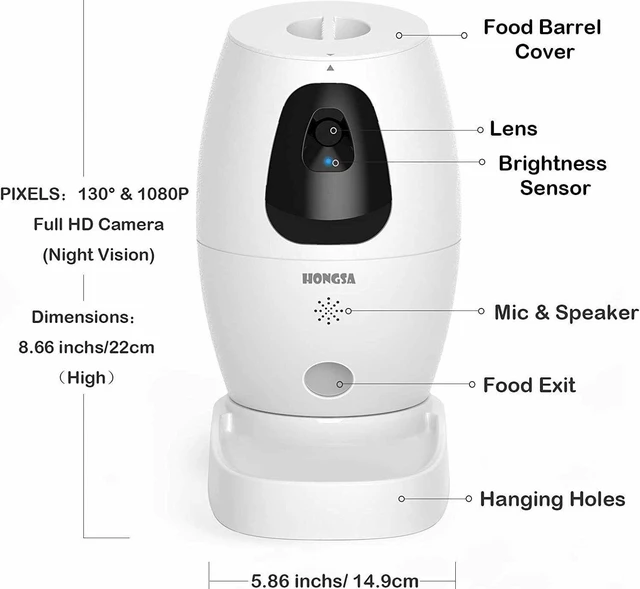
- This treat dispenser is equipped with 1080P HD video, with infrared night vision that can reach up to 26 feet. You can record videos and even take pictures of your pets. Micro SD card not included.
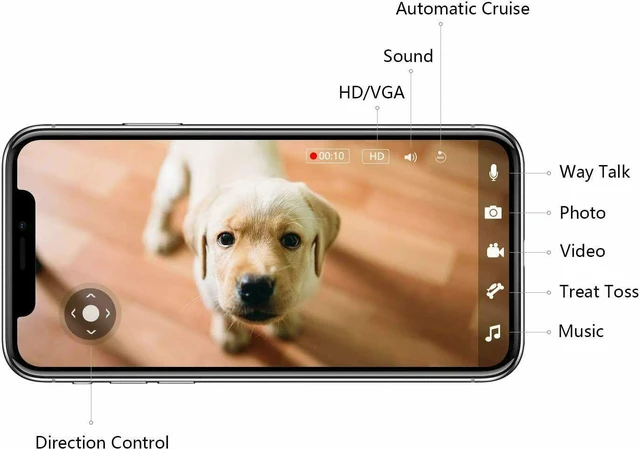
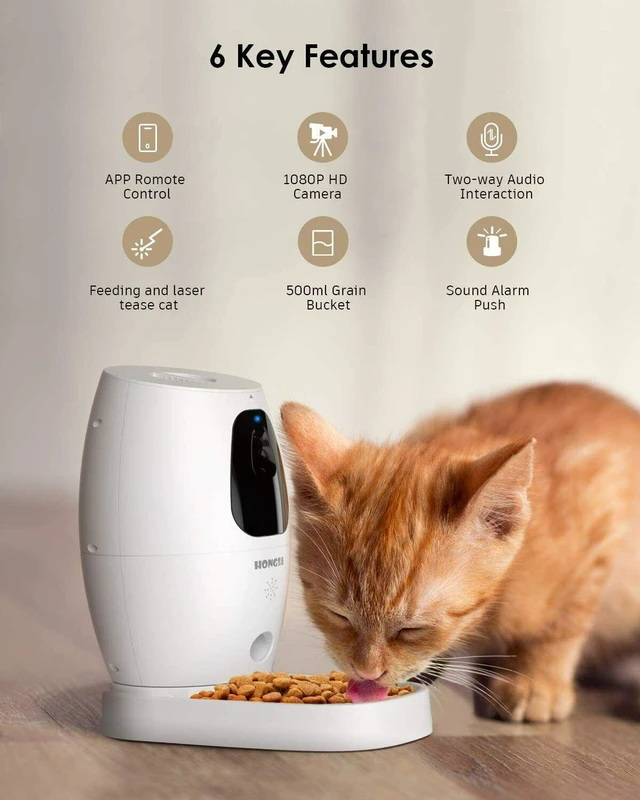
- Give treats to your pets using the app on your phone. The HONGSA Smart Pet Camera supports both cat and dog treats. You can set to manual or auto feed; Built in Laser- Play with your pet using a laser right from your phone! This laser can move up and down, as well as left to right.
- Take pictures or videos and share with family and friends on social media platforms like facebook, twitter, and Instagram. Share the QR code with family and friends so they can play with your pets from their phone, from anywhere in the world!
- With built in speakers and a 2-way microphone, you can talk to and hear from your pet! An app is also available for download, with updates to give you access to the most up date technology and support. A QR code is included to help you find the app quickly and easily.
+
+
Overview
Specs
Reviews
EASY TO SET UP AND USE: Set up your smart camera quickly and easily! All that is needed is a wifi connection, a smart phone, and the app. You can find it by searching inch smart pets inch in the app store. Be notified when your pet is active! Any time this product detects motion or sound, it will record a real-time video and notify you via the app. (Make sure your notifications are turned on! )
connect the power supply, long press card slot beside the button until a blue lights flashing.
open the APP "Smart Pets" click the "+" icon in the upper right corner, select "device not connected routers".
screen will turn to a list of WiFi, connect the WiFi account "PET - 1680 * * * *", initial password "12345678".
Then go back to the APP interface and input the family WiFi account and password according to the prompts.
the connection is successful.
Warranty & Returns
Warranty, Returns, And Additional Information
Warranty
- Please contact the Seller directly for warranty information. Warranty information may also be found on the Manufacturer's website.
- CONTACT
Return Policies
- Return for refund within: 30 days
- Return for replacement within: 30 days
- This item is covered by B-IN Electronics Return Policy
Manufacturer Contact Info
- For a directory of all our manufacturers, please click below.
- Manufacturers Directory
LOADING...