


Meet Your Seller





Stud Finder Wall Scanner - 5 in 1 Electronic Stud Sensor Beam Finders Wall Detector Center Finding with LCD Display for Wood AC Wire Metal Studs Joist Detection Orange BLACK
- Item #: 9SIV36AKE32566
- Mfr. Part #: ID-SNX8821
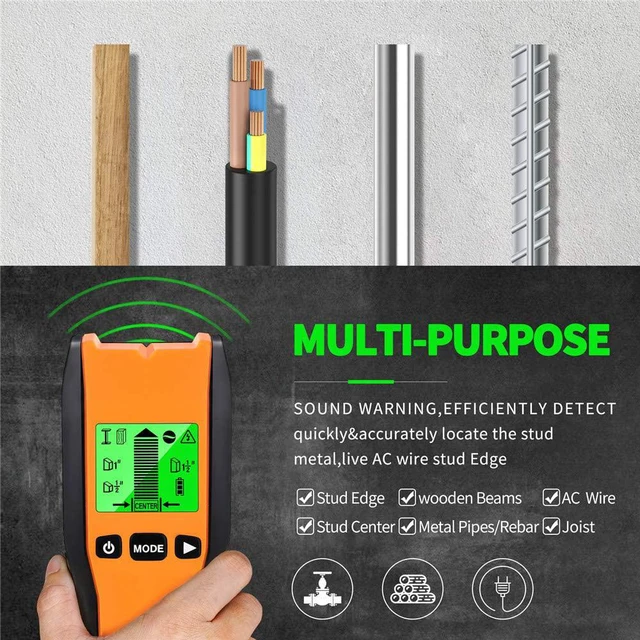
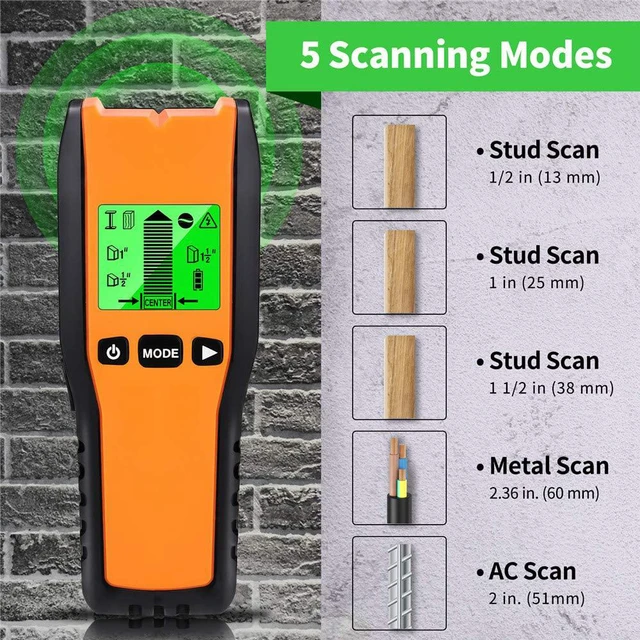
- 5 in 1 Deep Scan stud finder wall scanner -- This wall scanner wood stud finder features 5 scanning modes respectively. Includes 1/2 stud scan, 1 stud scan, 1.5 stud scan, metal scan & AC scan. Helps you quickly easily locate wood, metal studs, joists, beams, metal pipes, rebar & live AC wire behind walls, floors, ceilings
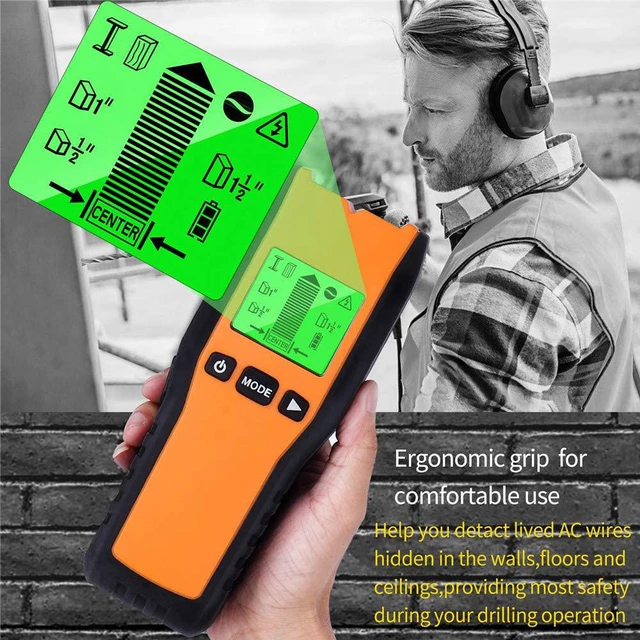
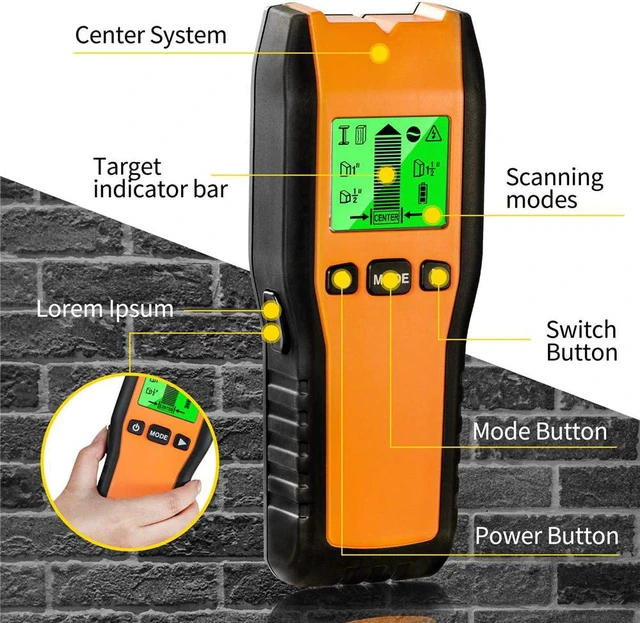
- LCD Display & Sound Warning -- magnetic stud finder wall detector features a large LCD display and sound warning to help detect the accurate location of the objects. Saves your time by displaying the desired stud center and the precise position
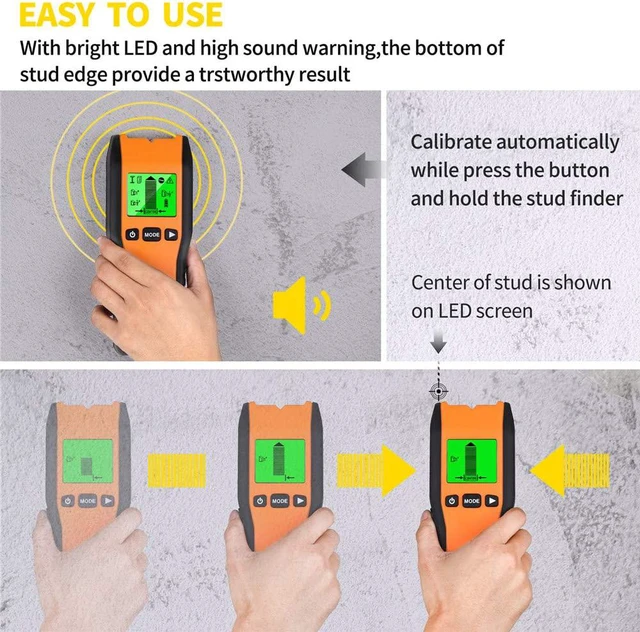
- Automatic Calibration and Simple Use -- turn on the stud finder and complete calibration by placing it on the wall. The stud finder with laser level will flash and beep once it has picked up the edge of a stud. Automatic calibration before using provides you with maximum reliability & accuracy
- Highly Compatible -- This craftsman stud finder sensor is lightweight, long-lasting and convenient to use.
+
+
Overview
Specs
Reviews
ATOBART TH1903 5-IN-1 Stud Finder
Meet the New Bigger Generation of ATOBART TH1903 Stud Finder
ATOBART Stud Finder adopt the upgrade sensors with Great Accuracy. ATOBART stud finder is the best choice for locating the studs/metal/ac wires preciously and quickly!
When you are hanging pictures, mounting a TV , hammering or screwing things for home decoration,renovating part of your home, or working as a professional contractor.
Are you still anxious with no way to find a suitable location for drilling holes?
Are you afraid of leaving irreparable damage on the wall or ceiling and make a loss?
Do you feel it difficult to avoid touching the hidden water pipes or AC wires under the wall?
ATOBART TH1903 stud finder, will help you solve troubles,
no worries about these annoying little things in home decoration.
ATOBART stud beam finder is a device that is used to determine exact location of framing studs that are located behind the drywall.
This Multi-scanner stud finder can quickly locate metal, studs, joists, pipes, live AC wire behind can work on popcorn ceilings,
plaster walls, textured surfaces, drywall, but except the cement board wall and brick wall.
ATOBART stud finder wall scanner provides 5 scan modes which suits most need of home decoration project, you can switch to the desired mode according to different scenes.
1.Great accuracy/reliability/consistency
2.Identifies the width of stud as well as the location
3.Easy to read screen and the quick identifiers when you hit a stud
4.Increases the sensitivity to more than 2 inches
5.Upgrade model with 5 scanning modes to meet different needs
6.The wall detector fits ergonomic design and multi-sense technology
Stud Scan Detection
This stud locator has 3 stud scan modes. Deep Scan Mode scans through 2 layers of drywall up to 1.5 in. (38 mm) deep. DeepScan Mode is a higher sensitivity scanning mode that should be used when there are extra layers of wallboard or paneling. To minimize false positives and/or finding other objects further behind the wall that may not be a stud, always start scanning at a resolution of 0.5 inches(12.7 mm).Second 1 inch(25.4 mm). The last use of 1.5 inches(38 mm) scanning mode.
Metal Scan Detection
ATOBART wall canner will locate metal studs in StudScan, DeepScan, and Metal Scan Modes. Since stud finders are looking for a change in density behind drywall, not a particular material, in StudScan and DeepScan Modes the detector will react to metal studs the same as it would for wooden studs.
After you detect the center of a object, Please Use Metal Scan to determine if the previous reading in Stud scan was a wood stud, metal stud, or pipe.
Wire Warning Detection
Wire Warning detection indicates the presence of live, unshielded electrical wiring up to 2 inches (51 mm) deep. For Safety, in all modes, this wall scanner always detects and indicates the Live AC Wire
Note: WireWarning Detection works in both StudScan / DeepScan / MetalScan Modes. The WireWarning Detection Icon will flash when live, unshielded wires are detected.
Step 1- Calibrate Before Scanning
After choose the mode, press and hold the scan button( on the side of the tool) to calibrate this tool. Wait for the reducing bars disappeared and beep to confirm calibration has completed.
In stud/deep mode, put it on the wall where you want to detect to calibrate it ;In AC/Metal mode, put it in the air to calibrate it.
Note: It is important to wait for calibration to complete(2-3 seconds)
Step 2: Move It to Scan the Wall
Hold down the button, then move the stud finder along the wall slowly, if you shake or lift the scanner accidently, you will need to recalibrate the device.
The progressing bar on the screen togather with the beep signal alter, guides you to find the location of the stud.
Warranty & Returns
Warranty, Returns, And Additional Information
Warranty
- Please contact the Seller directly for warranty information. Warranty information may also be found on the Manufacturer's website.
- CONTACT
Return Policies
- Return for refund within: 30 days
- Return for replacement within: 30 days
- This item is covered by Electronics World Return Policy
Manufacturer Contact Info
- For a directory of all our manufacturers, please click below.
- Manufacturers Directory
LOADING...