Q&A
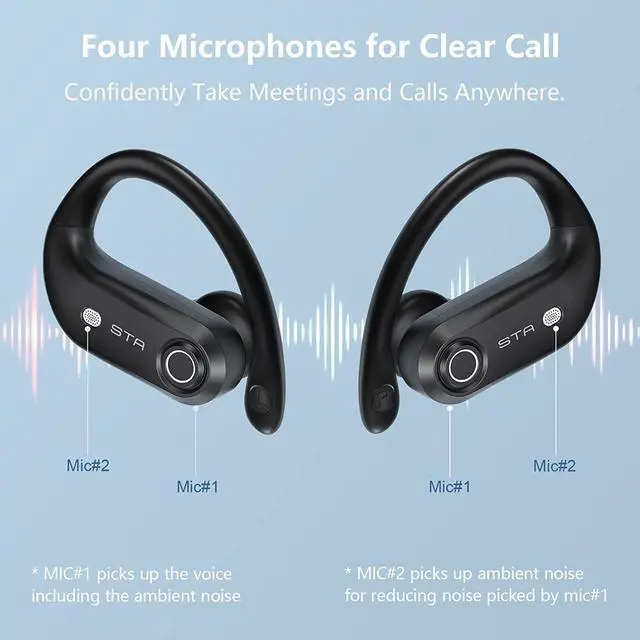
4-mic help clarity call conversations no matter where you are. Two of the four microphones are dedicated to filter some most destructive ambient sound while the rest microphones are focused on picking up your voice.
When should I reset?
When only one side plays music.
When you can' t use the two earbuds together.
When both earbuds fail to pair with each other or occur connection related issues.
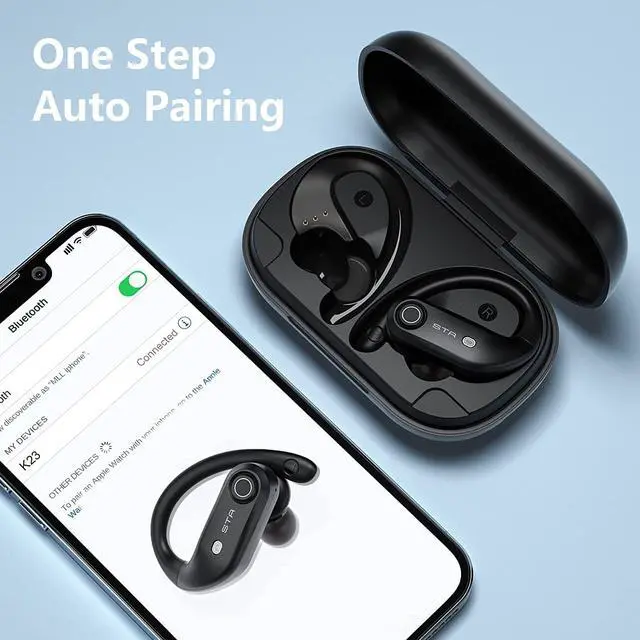
Usually you just need put both earbuds into charging case, then take them out, both earbuds will automatically get paired with each other successfully, if still not workable for you ,please kindly reset them.
How to reset the earbuds?
Step 1: Deactivate the bluetoth setting of all devices nearby the earbuds.
Step 2: Pick up two earbuds from charging case, the earbuds will power on automatically.
Step 3: Turn off both earbuds manually.
Step 4: Long-press 10 seconds on the button of one earbud until the earbud led indicator flash
5 times quickly (If you wear the earbud, you will hear voice prompt "DI DI DI" ), then the earbud will power off, that means resetting finished.
Step 5: Repeat step 4 to reset another earbud.
Friendly Reminder : Please Charge the charging case at least one time every week. If the charging case is excessive discharged, when we plug the charging cable, we find the led display won't show immediately. Please keep waiting 15 minutes , the led display will show later.
Q&A
4-mic help clarity call conversations no matter where you are. Two of the four microphones are dedicated to filter some most destructive ambient sound while the rest microphones are focused on picking up your voice.
When should I reset?
When only one side plays music.
When you can' t use the two earbuds together.
When both earbuds fail to pair with each other or occur connection related issues.
Usually you just need put both earbuds into charging case, then take them out, both earbuds will automatically get paired with each other successfully, if still not workable for you ,please kindly reset them.
How to reset the earbuds?
Step 1: Deactivate the Bluetooth setting of all devices nearby the earbuds.
Step 2: Pick up two earbuds from charging case, the earbuds will power on automatically.
Step 3: Turn off both earbuds manually.
Step 4: Long-press 10 seconds on the button of one earbud until the earbud led indicator flash
5 times quickly (If you wear the earbud, you will hear voice prompt "DI DI DI" ), then the earbud will power off, that means resetting finished.
Step 5: Repeat step 4 to reset another earbud.
Friendly Reminder : Please Charge the charging case at least one time every week. If the charging case over-release power, when we plug the charging cable, we find the led display won't show immediately. Please keep waiting 15 minutes , the led display will show later.
After using a period of time, the earbuds don't charge or even can't turn on because of oxidized magnet connector, you can handle this problem by using alcohol rag to clean the magnet connector on earbuds and charging case.



 All Categories