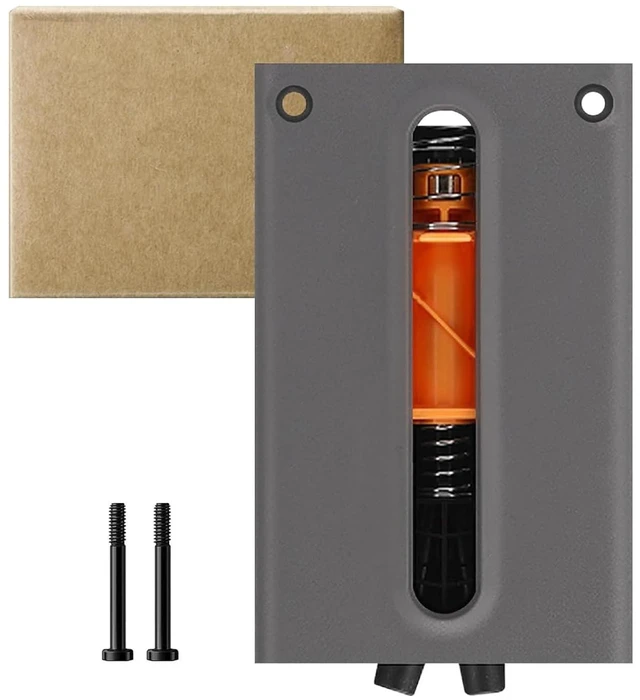
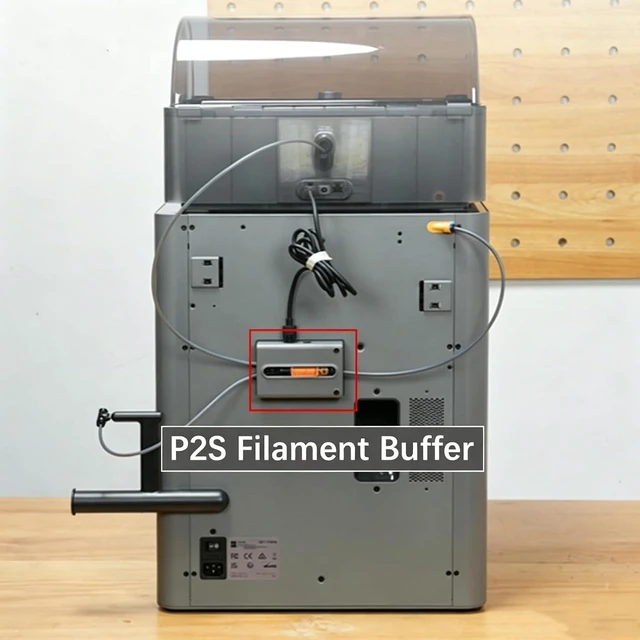
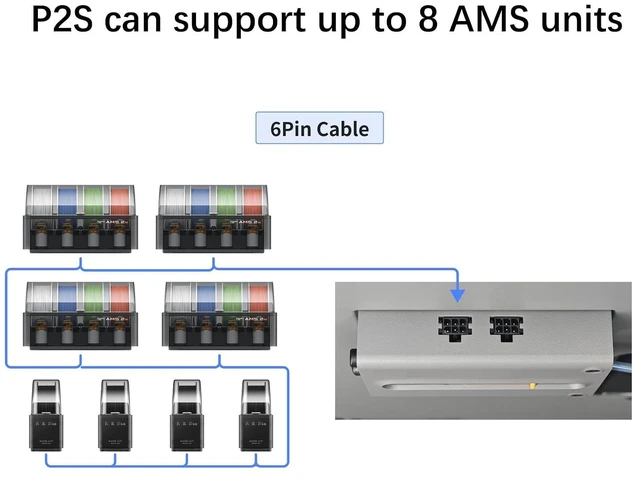
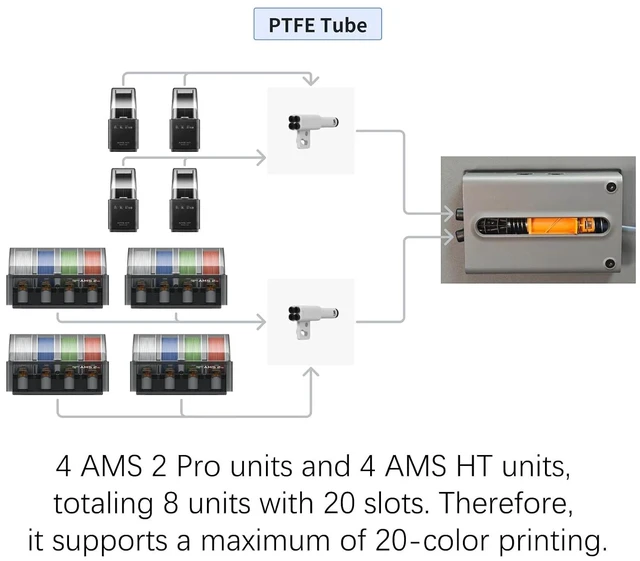
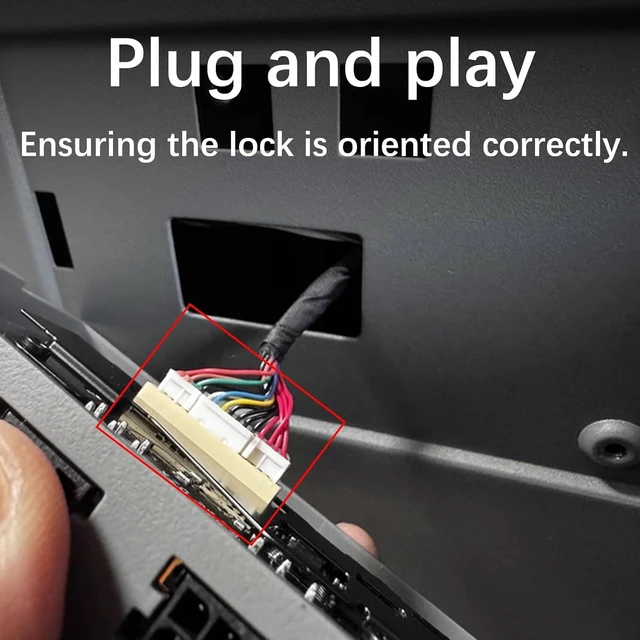
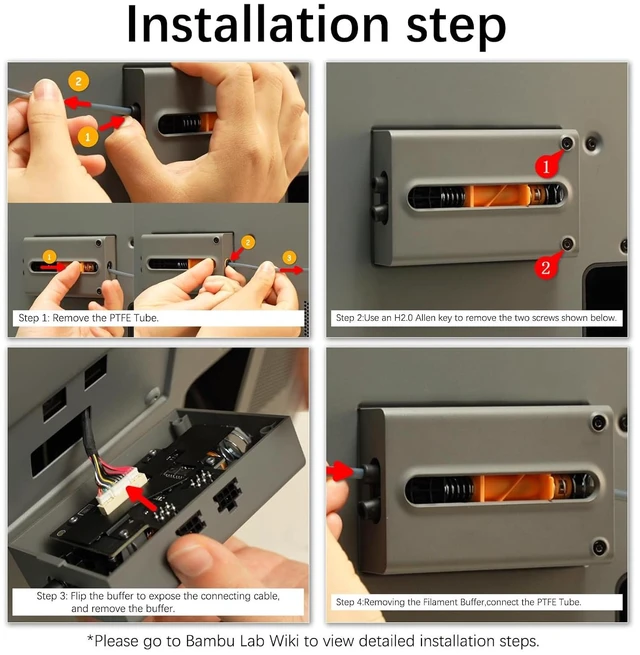
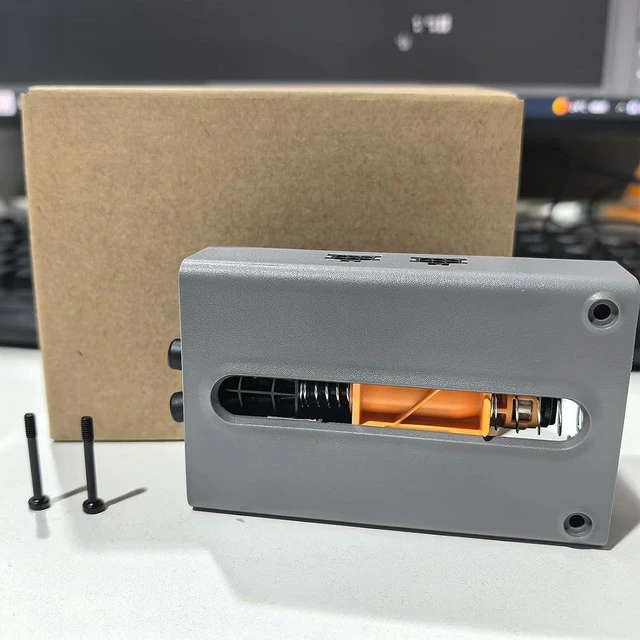
When to Replace: Ideal replacement when your P2S feed buffer is visibly damaged or Bamboo Lab technical support confirms it needs replacement; Core function: This P2S AMS feed buffer Minimizes tension fluctuations during filament feeding to maintain consistent, smooth material delivery for 3D printing; Simple Removal & Installation: Remove the existing buffer by unplugging the cable lock, removing two screws with an H2.0 Allen key, and disconnecting the PTFE tubing then reverse the steps to install the new buffer; Verifying Functionality: After installation, initiate AMS loading operation to confirm success; If loading completes normally, the replacement is successful. If not,check that the buffers connection cable and the PTFE tube are properly connected, then try again; Direct Fit for P2S: Designed specifically for Bambu Lab P2S printer, this filament buffer unit replaces the OEMSpec component and restores optimum feeding performance with minimal effort
+
+
Overview
Specs
Reviews
The filament buffer is a special component installed on the back of the printer to reduce tension fluctuations during the feeding process and ensure smooth filament feeding.
Learn more about the Detailed Specifications
Additional Information
First Listed on Newegg
November 03, 2026
There are no reviews yet.
Do you own this product?
Warranty & Returns
Warranty, Returns, And Additional Information
Warranty
Please contact the Seller directly for warranty information. Warranty information may also be found on the Manufacturer's website.



 All Categories