


Meet Your Seller

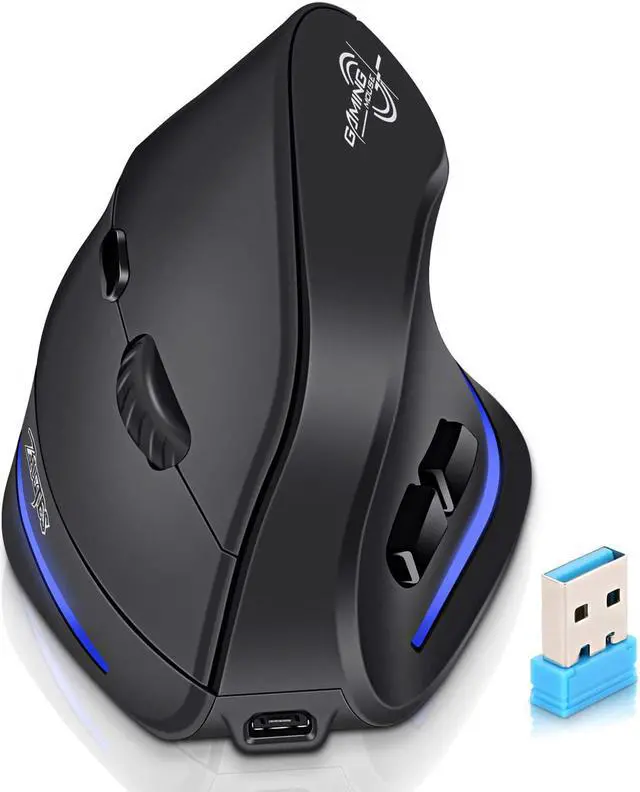
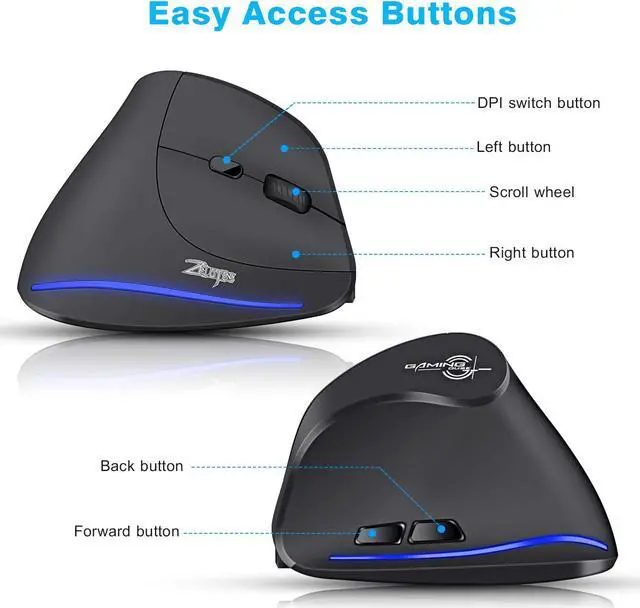


Rechargeable Ergonomic Mouse, 2.4G Wireless Vertical Mouse-Reduce Wrist Pain, 3 Adjustable DPI 2400/1600/1000, 6 Button, LED Wireless Mouse for Laptop, Computer, Desktop, Windows, Mac OS
- Item #: 9SIV36AKE33174
- Mfr. Part #: GU-QSGFS35
- UNSPSC: 43211708
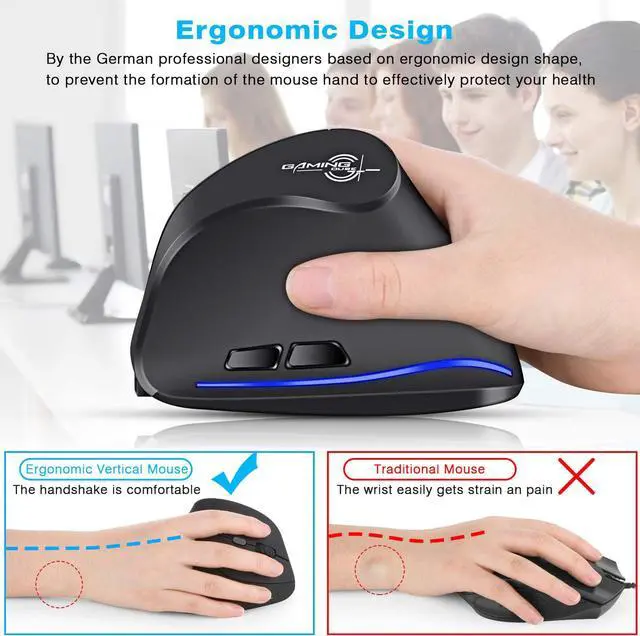
- Ergonomic Design ECHTPower vertical ergonomic mouse is dedicated to improving and reducing hand fatigue. The vertical mouse can keep the wrist and forearm in a healthy posture, reduce muscle strain, and effectively improve the wrist pain caused by using the mouse for a long time. Reject the "mouse hand"!
- Long Battery Life This vertical mouse is equipped with a 1200 mAh large-capacity rechargeable battery. It can be used continuously for up to 120 hours on a single charge. When the computer mouse is charging, you can use the wireless mouse by plugging the USB receiver into the device. So you can use the laptop mouse even if it is charging. Save you the trouble of frequent battery replacement.
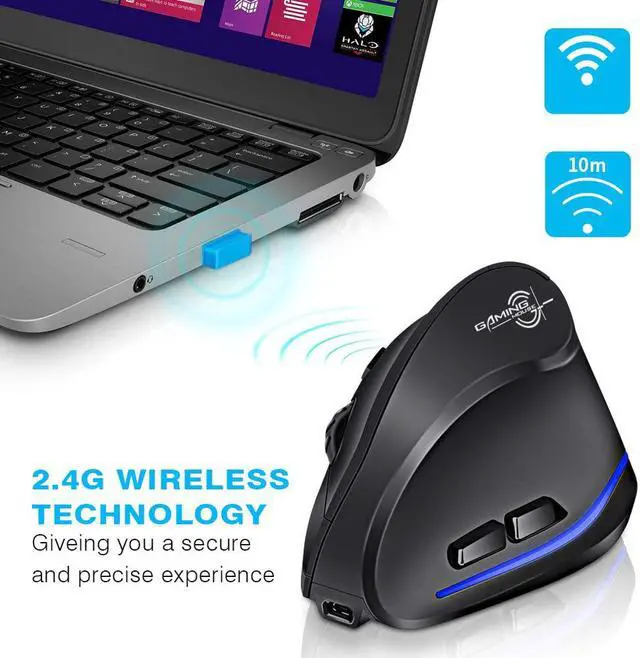
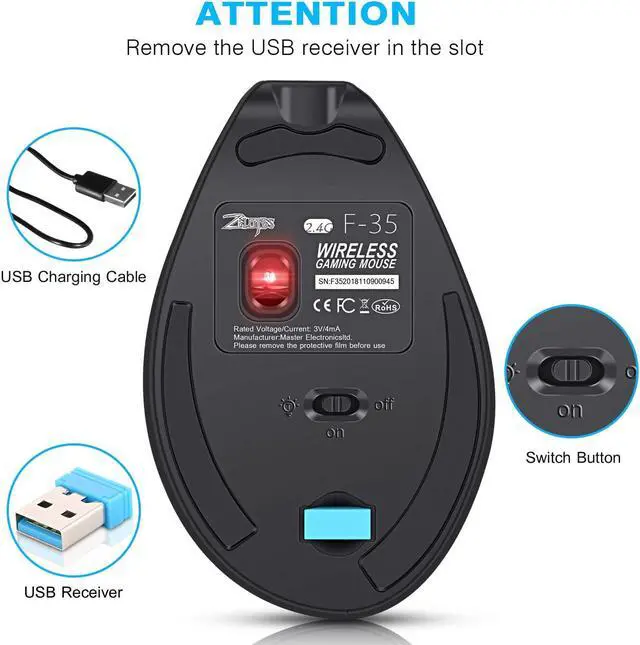
- "Plug and Play There is a Nano USB receiver at the bottom of the mouse. No need to install any drivers, just plug and play! This vertical mouse can be used for Windows XP / Vista / 7/8/10 / Linux and Mac OS X.
+
+
Overview
Specs
Reviews
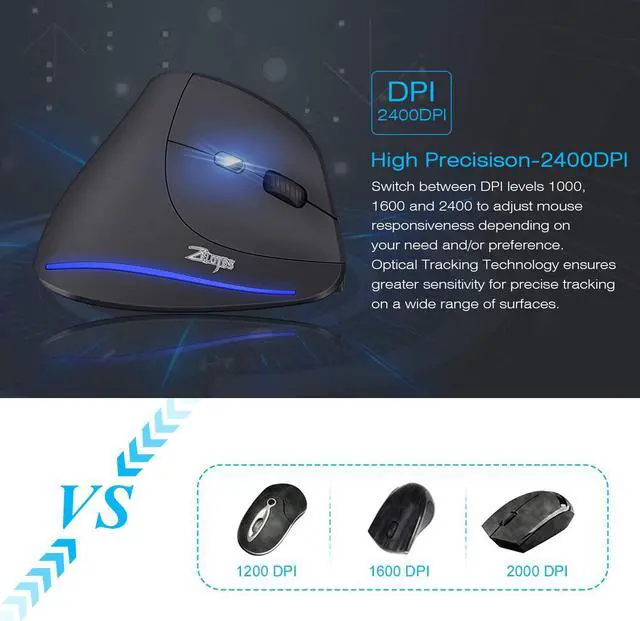
Adjustable 3-Level DPI
You can switch the DPI level-1000-1600-2400 by clicking the DPI button. Different DPI level supports different usage scenarios, so can provide you with responsive cursor control to achieve precise tracking.
USB Rechargeable Port
You can plug the USB cable into the mouse charging port for charging. The charging time is about hours, which can provide you with 120H continuous use time.
Wireless Vertical Mouse
There is a USB receiver on the bottom of the mouse, please take it out and insert the USB device. Plug and play without any driver.
Specification
Button number: 6 buttons
Tracking System: optical
Frequency: 2405MHz-2476MHz
Effective distance: 10m
Working voltage/current: 3V/4mA
Button life: 5 million times
Roller life: 1.2 million turn
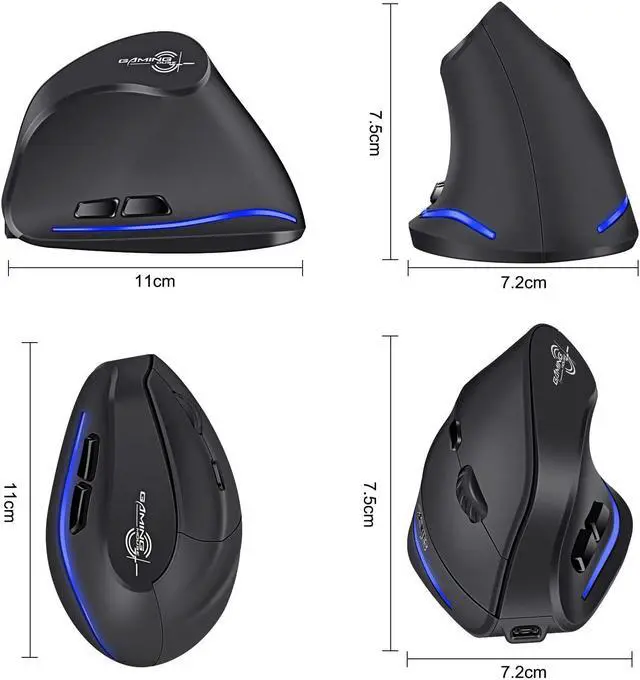
Product dimensions: 110*72*75mm
Product weight: 130±5g
Resolution: 1000-1600-2400DPI
Rate of return: 250Hz
Charging State:
When the vertical mouse cursor moves slowly, the mouse needs to be charged. When charging, the scroll wheel will light up in green. When charging is complete, the green light goes out.
Sleep Mode:
The ergonomic mouse will automatically enter the sleep state after 8 minutes of inactivity. At this time, the blue light will not go out. You can wake up the mouse by clicking any button or scroll wheel.
What to do if the mouse has no response?
1.Please charge the mouse with a USB cable.
2.Please try to replace the receiver with a USB interface.
3.Make sure the power switch on the bottom of the mouse is “on”.
4.Try to restart the computer.
5.Re-plug the USB receiver directly or turn on the mouse again, and then you could rematch code successfully.
6.If it is still unsuccessful, please email to us.
Package included:
Mouse x1
Receiver x1
Instructions x1
Warranty & Returns
Warranty, Returns, And Additional Information
Warranty
- Please contact the Seller directly for warranty information. Warranty information may also be found on the Manufacturer's website.
- CONTACT
Return Policies
- Return for refund within: 30 days
- Return for replacement within: 30 days
- This item is covered by Electronics World Return Policy
Manufacturer Contact Info
- For a directory of all our manufacturers, please click below.
- Manufacturers Directory
LOADING...