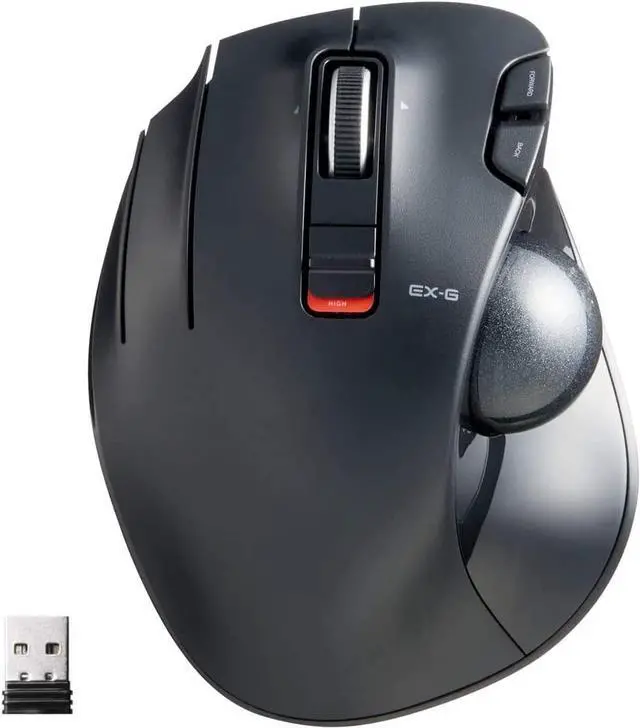
ELECOM Left-Handed Thumb-operated Trackball Mouse "EX-G" Series (M-XT4 Series)
-The ELECOM "EX-G" trackball provides precise cursor movement for superior accuracy. Help improving productivity and efficiency of your work.
-Optical Tracking Technology : Optical Sensor can read your accurate movement.
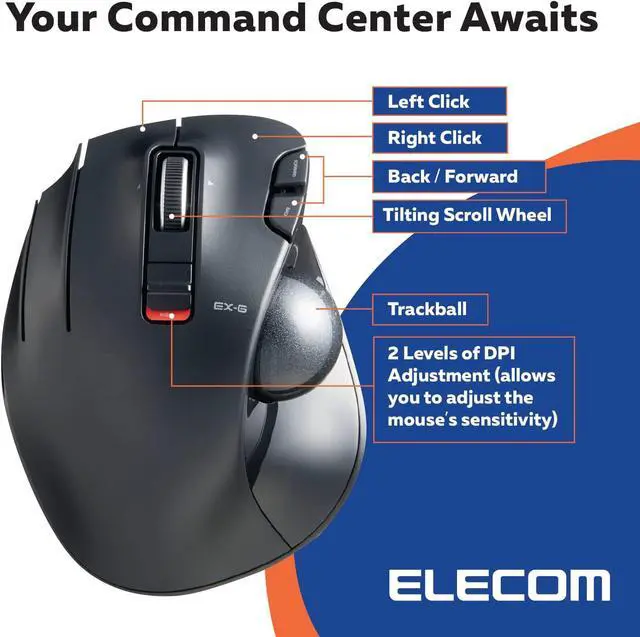
-Control and Do More with the functional 6 customizable button.
-DPI can be switched to 2 different speed.
-Support Windows and Mac OS.
Specification
Wireless Model
ELECOM Mouse Assistance software
Windows Vista,7,8.1,RT8.1,10 (Horizontal scroll doesn't work for Windows RT8.1), macOS 10.10 later
DPI: 750/1500 count
6 Buttons with Tilt Wheel
Low Energy Mode / High Speed Mode
Size: W3.7"(94.7mm) X L4.9"(124.4mm) X H1.9"(47.9mm)
Weight: 128g/4.5oz
Functional 6 Buttons
Assign up each buttons with functions to fit your work or gaming needs with 6 built-in mouse keys and a left/right scrolling tilt wheel that provides limitless clicking combinations.
Customizable Buttons
You can assign favorite function to each button by using "ELECOM Mouse Assistant" ELECOM Mouse Assistant Software will be available to download from ELECOM NET website.
Recommend for PC Gaming Control: Customize each button function to enhance your gaming experience.
DPI Switch
The cursor movement speed can be switched two levels; 750/1500 counts. Get your computer set just the way you like.
Battery level indicator lamp
When the battery level gets low, battery indicator lamp will glow. Once the indicator lamp turns on please change the battery from the back side of the body.
Maintenance : Easy to Clean
Push the ball out from behind with your finger or a pen.
Remove dust from the areas where the three red support balls contact the trackball using a cotton swab.
As dirt and grime builds up around the trackball, the mouse cursor may jerk around the screen erratically or refuse to move at all. Keep your trackball clean all the time.
USB Receiver Storage
For USB connection type trackball mouse, it is designed with a space where you can store the USB receiver. When you're not using the mouse, you can store the receiver inside of it. If you have an extra receiver from any ELECOM device you aren't currently using, this is a good place to store it.
Power Off When You Don't Need It
Power button is in the backside of the mouse. Prevents battery consumption when not in use.
Low Energy Mode : Battery will last longer. Low energy consumption.
High Speed Mode : Sensor will track accurate movement but the battery will run out faster than low energy mode.
HOW TO CUSTOMIZE ELECOM MOUSE BUTTONS?
With "Mouse Assistant" you are enable to assign mouse buttons to any functions as you like to customize your mouse.
Access to ELECOMUS dot com to download "Mouse Assistant".
Click "Mouse Assistant" from the top menu.
Select either Windows or MacOS version.
Select "Download" tab and click the zip file to download and proceed to install "Mouse Assistant".For more information, please click "How To Install" tab.
After the installation, restart your computer.



 All Categories