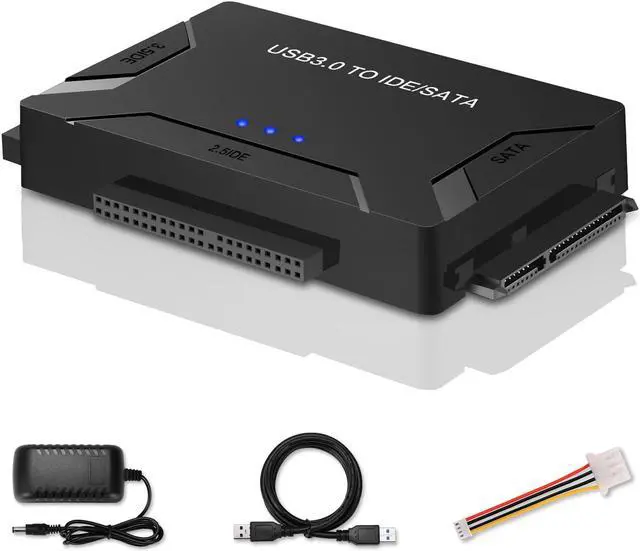
All in One solution to connect to different type of interface's hard drive
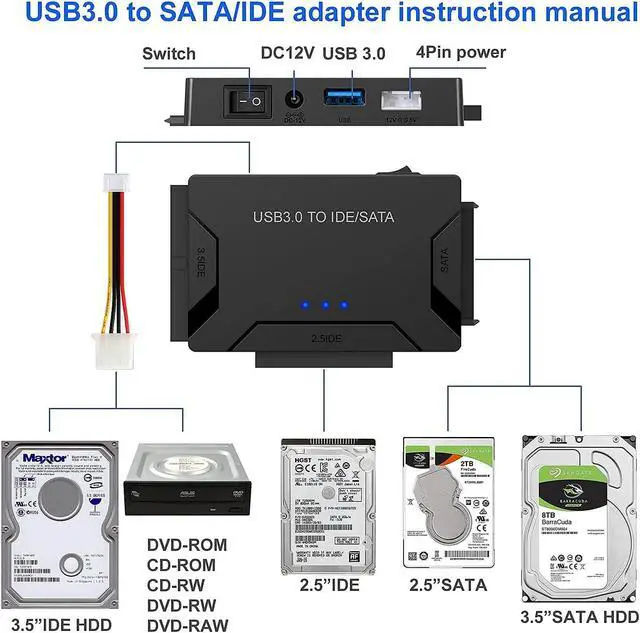
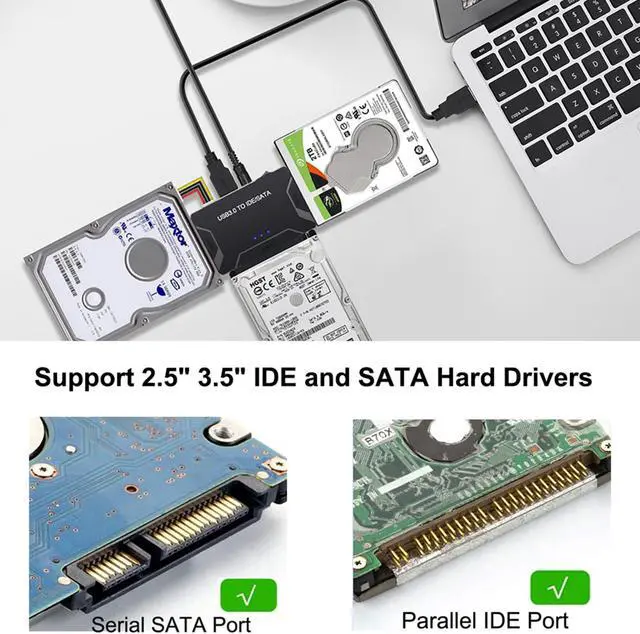
Supports 2.5" 3.5" IDE & SATA I/II/III, SSDs, Hard Drives, CD/DVD/Blu-ray Drives
Universal SATA IDE Hard Drive Adapter
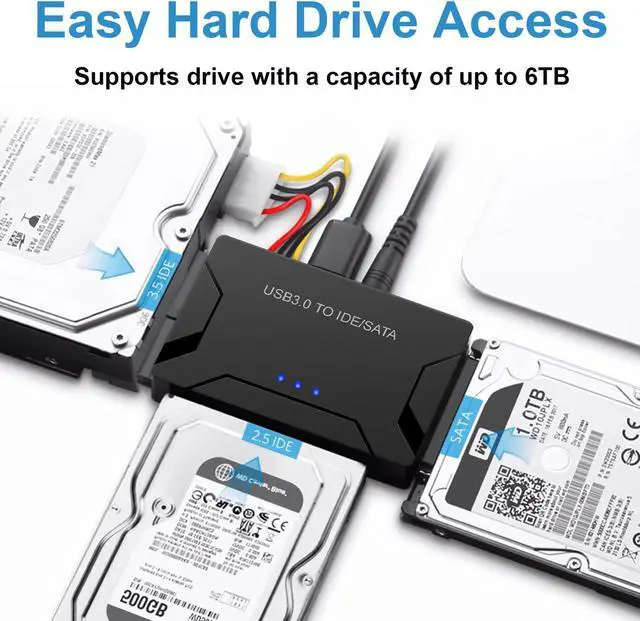
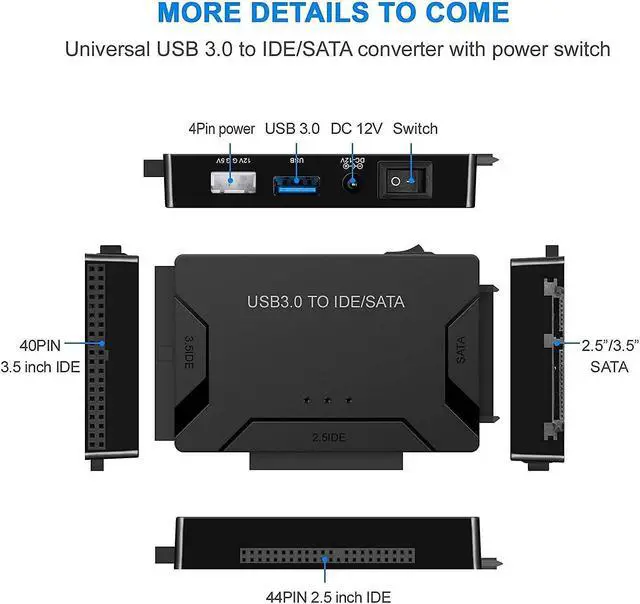
Hard drive adapter Support SATA 2.5"/3.5" HDD; 2.5"/3.5" IDE HDD, 5.25 external CD DVD optical drive; is able to retrieve old data from a hard drive with ease, with 2 IDE Connectors (40-pin and 44-pin) plus one SATA III Connector
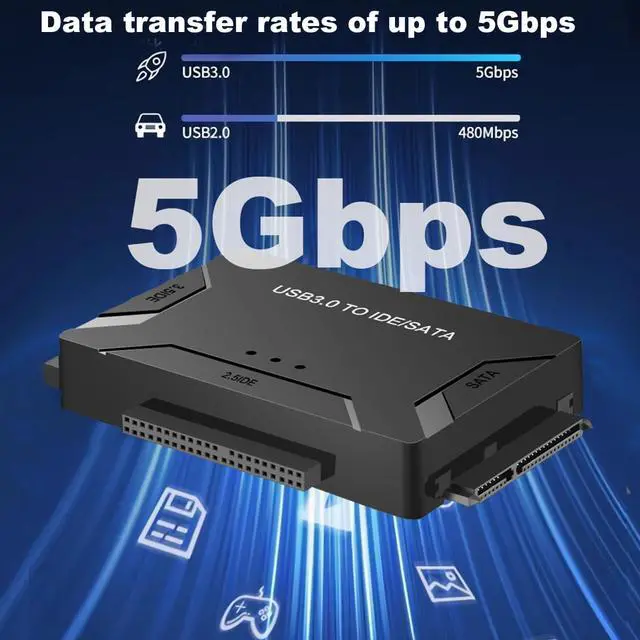
SuperSpeed Performance up to 5Gbps
IDE hard drive reader supports a data transfer rate of up to 5 Gbps and supports UASP. which is 70% Faster than traditional USB 3.0 and 40% reduction in required processor resources, Backward compatible with USB 2.0 / 1.1
Huge 6TB Capacity Supportive
Designed to be lightweight and compact. hard drive recovery converter supports a hard drive capacity of Up to 6TB capacity, Tips: Some IDE hard drive is old, In order for you to use a "single" 3.5" IDE hard drive, you will need to set the jumper to "slave" before turn on the disk
Broad Compatibility
You can use IDE drives, standard SATA drives, The USB to IDE SATA adapter compatible with Windows 10/ 8.1/ 8/ 7/Vista/XP, Mac IOS, and LINUX; Plug and play; support hot swap
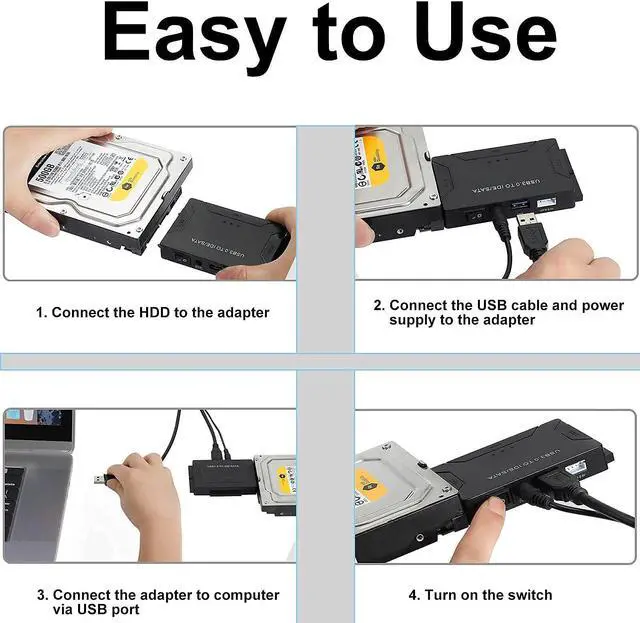
Additional Functions& Easy to Use
This tool made data recovery a breeze, on/off switch for HDD protection. LED light shows power and activity status. comes with a 12V 2A power supply, so you can power larger form-factor SATA or IDE drives, 4PIN Power Cable is designed for 3.5 IDE drive
Note: 4PIN Power Cable is designed for 3.5 IDE drive, SATA drives are not applicable and unnecessary.
Q&A
Q: Why my hard drive is not recognised?
1. Recommended formatting the hard disk in exFAT format and can be used under Windows, MacOS systems.
2. Check the disk manager whether the hard disk has been assigned a drive letter, right-click - change the drive name and path - add - add a lette
Q: For new drive, why cant find it on My chosen the folder for backup. Mode: Original PC. Then, click to start Computer?
You must do partition (format) for hard disk before using it.
Q: How do I fix Windows not recognizing my external hard drive?
#Ensure that youve connected the device to the USB port properly.
#Use Disk Management to check the Drive.
#Create a Partition or Assign a new Drive Letter.
#Troubleshoot Devices and Hardware.
#Format the Hard Drive.
Q: How do I get Windows 10 to read my external hard drive?
Right-click Start, open Disk Management;
Check if the external hard drive. if it doesnt appear in This PC window, it should appear here as a Removable volume;
Click drives partition, select Change Drive Letter and Paths, to change the drive letter
Q: I set my IDE drive's jumper to the master set, but it still doesn't show up on my computer
Usually, you will have to set the jumper to master, but depending on the specific drive and the specific setting of the computer, you may have to set it to cable select



 All Categories