• $109.99
  • Free 30-day Returns
  • Ships from China.

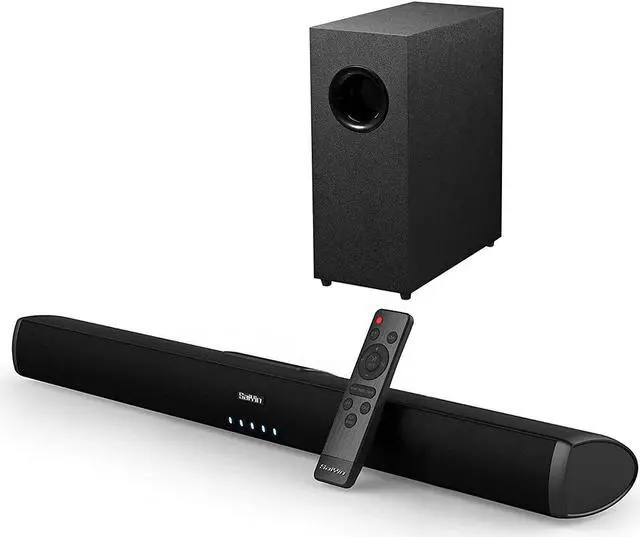
    Soundbar, Sound Bars for TV with Subwoofer, Ultra Slim 24 Inch Bluetooth, 2.1 Channel TV Speakers Surround Sound System Opt/AUX Connectivity.

    • Item #: 9SIV36AKE33757
    • Mfr. Part #: KE-AGHJ293
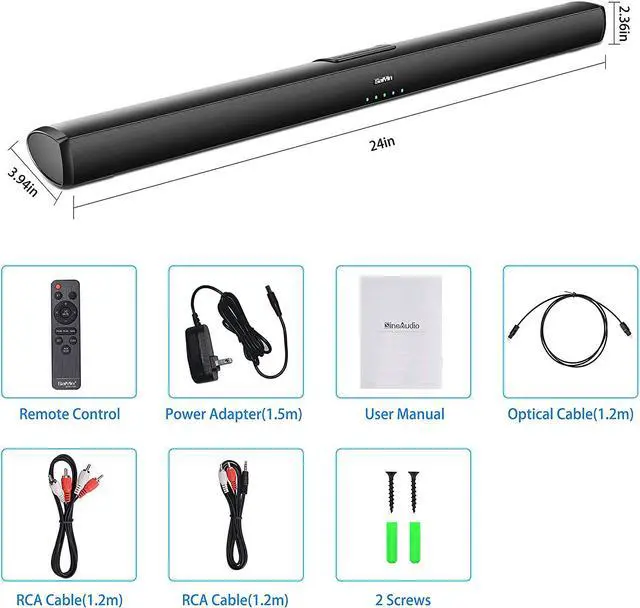
    • 2.1 CHANNEL SPEAKER SYSTEM : Sound bar with wired subwoofer delivers powerful bass and surround sound, letting you enjoy an immersive sound experience. The 24 inch sound bar is built with 2 full range speakers, allowing you enjoy all details of music and movies. Total harmonic distortion is about 0.5% even at the highest volume.
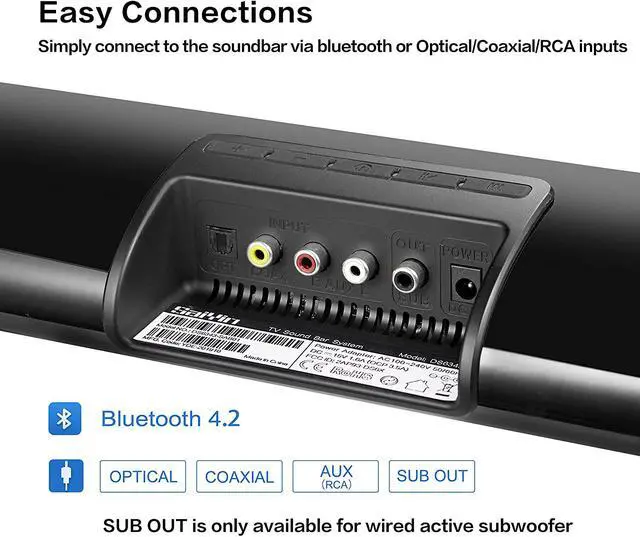
    • MULTIPLE INPUT OPTIONS:The sound bar for TV supports advanced Bluetooth 5.0 wireless connection, with which you can connect easily with iphones, ipads, tablets, PC and other Bluetooth enabled devices to stream music; and also wired connection including optical, coaxial, RCA inputs (all cables included).
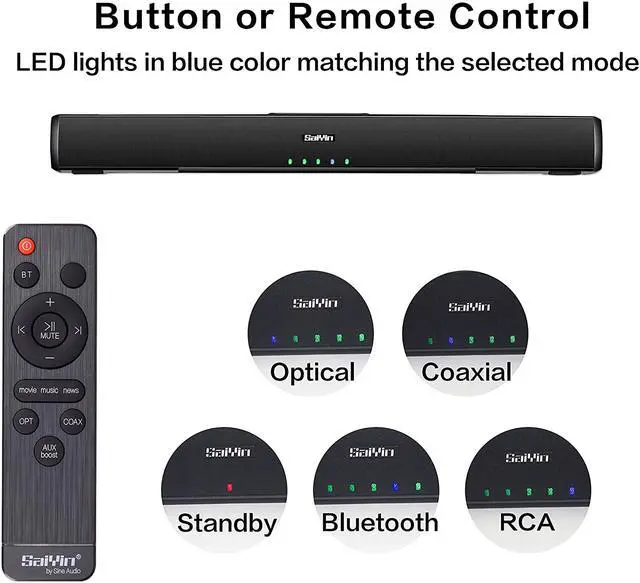
    • THREE DISTINCT SOUND MODES: Music, Movie and TV shows modes adjusted by using the remote control included, catering to different needs of sound bar users. You can also control the volume, switch between different modes with buttons on sound bar. Remote control is not compatible with universal or TV remotes
    +
    +
    Overview
    Specs
    Reviews
    2.1 Channel Speaker System

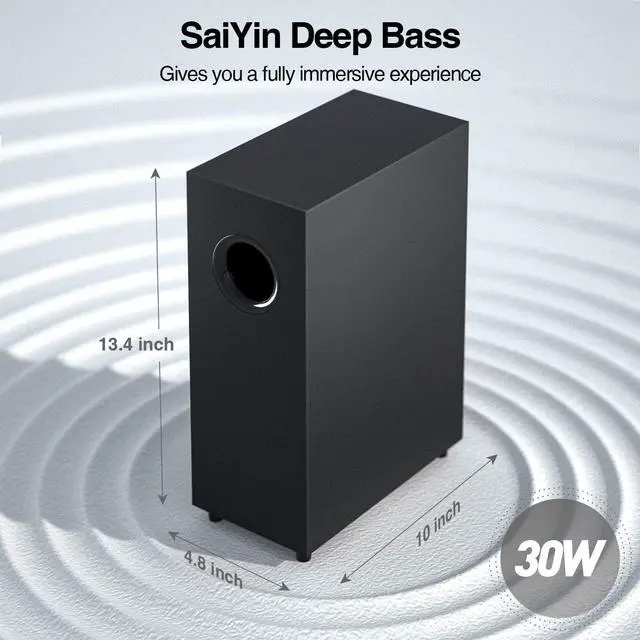
    Coming with 2x 15w full-range speakers and 1x 20w subwoofer, output surround sound for all your movies, music and TV shows, powerful, crystal clear sound with less than 1% total harmonic distortion.


    How to set up with RCA or audio cable?

    Universal audio inputs: Working with most brands of TVs . There is also a "SUB OUT" port for connecting with your subwoofer.


    How to set up with optical cable?

    All cables for wired connection are included: optical, coaxial, RCA cables.Power adapter, user manual, mounting kits, sound bar with a subwoofer coming in the package, which allow for easy installation and set up.


    How to connect with your TV with cables?

    1. Optical Mode Setup

    *Connect the soundbar with your TV via optical cable(Please remove the protective caps from the ends of optical cable before inserting).

    * Press optical button/mode selection on soundbar to choose optical mode(The first LED lights in blue).

    *Turn on the digital output and set your TV output format to PCM.

    *Enjoy your soundbar.

    2.Audio Mode

    *Choose the right audio output on TV

    *Press the aux button/mode selection on soundbar to choose the audio mode(the last LED lights in blue)

    Note:Connect the audio cable with TV audio outputs and soundbar audio inputs.

    Disable the TV speaker for AUX connection.

    NOTE:

    1. If the soundbar has delayed audio, this can be fixed via the audio settings on your TV.

    2.Does not support Dolby and DTS, please kindly disable the Dolby and DTS on your TVs, Netflix, Amazon Prime Video, HBO, Hulu, Youtube, and other streaming video APPs.

    Warranty & Returns

    Warranty, Returns, And Additional Information

    Warranty

    • Please contact the Seller directly for warranty information. Warranty information may also be found on the Manufacturer's website.
    • CONTACT

    Return Policies

    Manufacturer Contact Info

    LOADING...