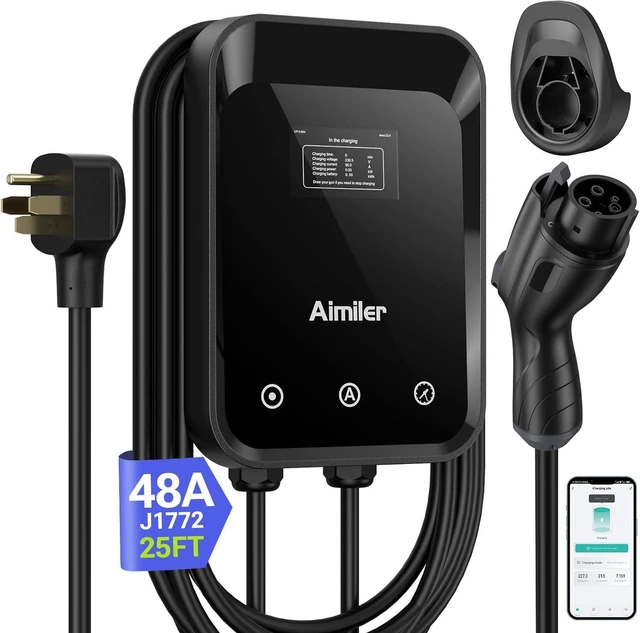
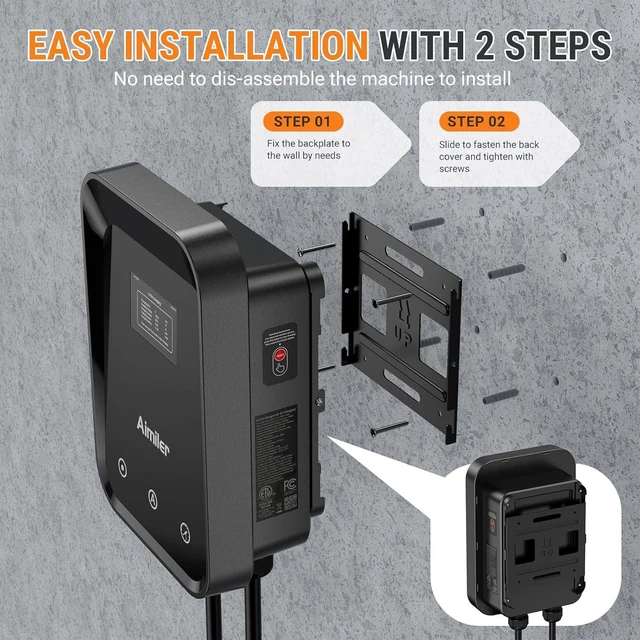
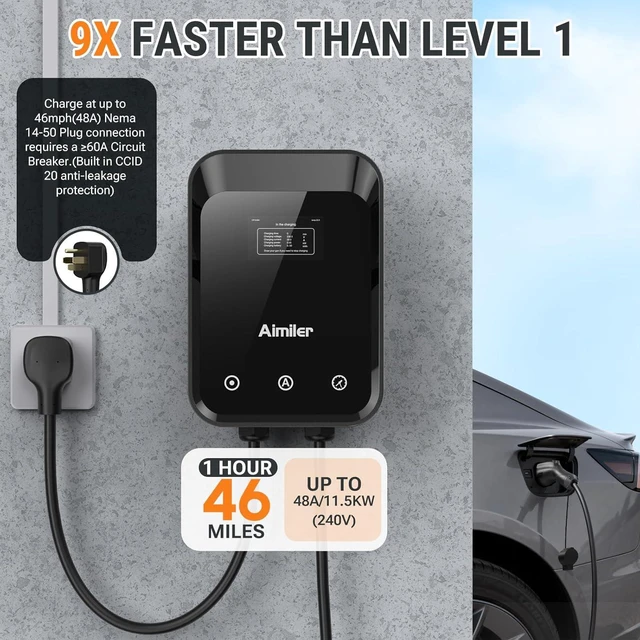
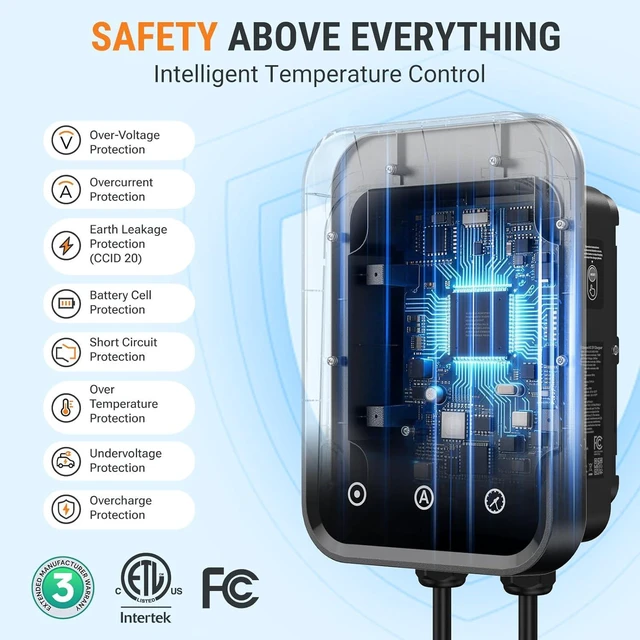
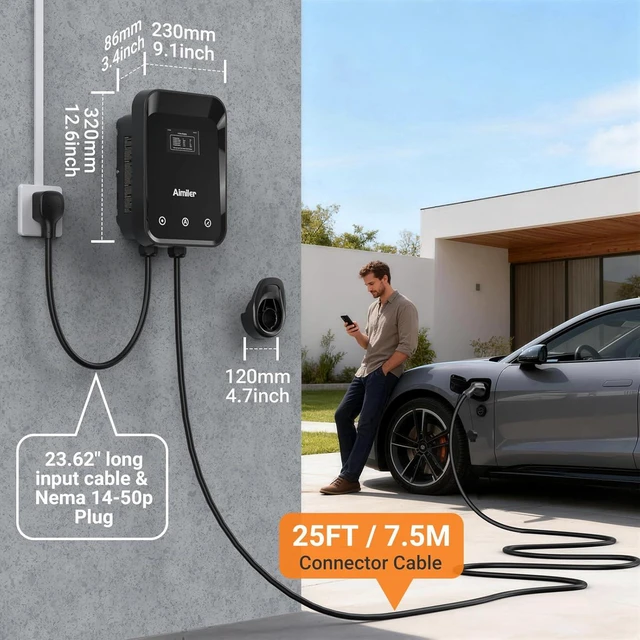
[Up to 11.5 kWh High Speed Charging, Adjustable Amperage from 24A to 48A & Requires 60A Circuit Breaker if
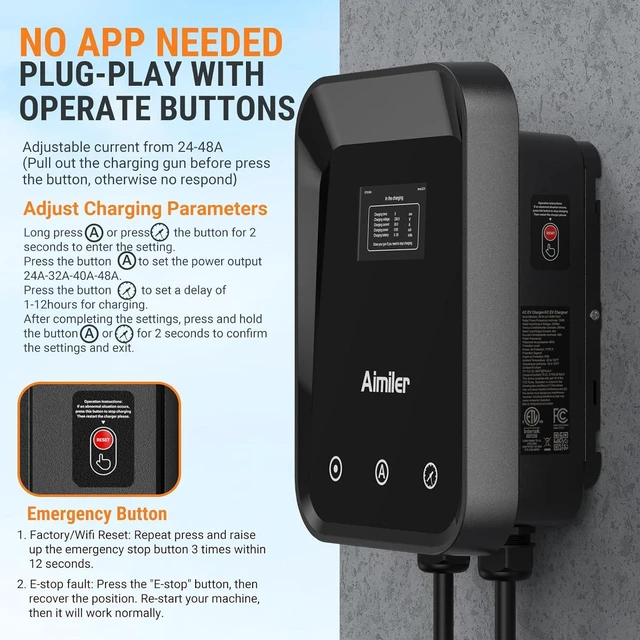
Charge 48A]: Maximum current output of 48 Amps for 60A circuit breaker, 40 Amps for 50A circuit breaker (Please pull out the charging gun, long press "A" button to change the current). You can also adjust the current/amperage by APP before the charging.
[2 Operating Modes: Plug-charge (The Default Setting) or APP Start Mode & Smart Touch Screen]: The LED Screen Clearly show the Amperage, charging speed, input voltage, delay time, etc.
For the touch buttons:
1. Pull out the charging gun before press the button, otherwise no respond;
2. Long press "" or "Time" button to adjust the amperage from 24A to 48A freely or Set the charging start time;
3. You can do "factory reset" if doesn't charging.
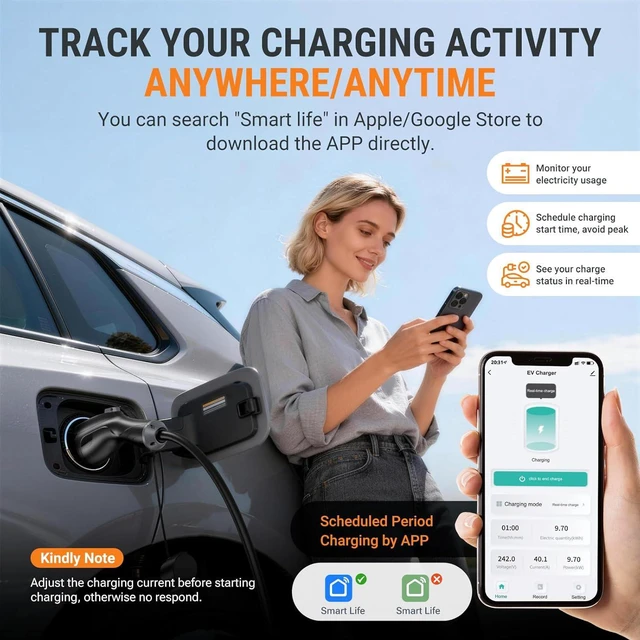
[Smart WIFI APP, You can Set the
Charging Period]: Check the charging cost, history, fully-charged notification, track the charging status, during off-peak period, etc. [Wi-Fi Reset/Factory Reset Function, Add
New Device Quickly]: If you can't find your device or you have replaced a new phone, just pull out the charging gun, simultaneously long press the button and time adjustment button on the product screen until it shows "Factory Reset", then re-start your device.
[Nema Type 4 Protection Degree & 25ft
Long Bold Cable]: Approved by NEMA Type 4, the ev charger has a certain extent of IP66 waterproof. (We don't suggest install in the direct sunlight or exposure rainy day. ) Equipped with 25 feet military grade charging cable, the drop-resistant plug endures over 10, 000 charges, super durable.
[Queon & Answer: Why can't find the device on app? or Can't find the device after changing phones]: Solutions:
1. Confirm your phone to connect with the 2.4G hz wifi, not connect the wifi whose name has 5G suffix;
2. Turn on the wifi and bluetooth of the phone;
3.
Factory Reset/Wifi reset: Pull out the charging gun, simultaneously long press the button and time button on the product screen until it shows "Factory Reset".
4. Re-start and add your device again.



 All Categories