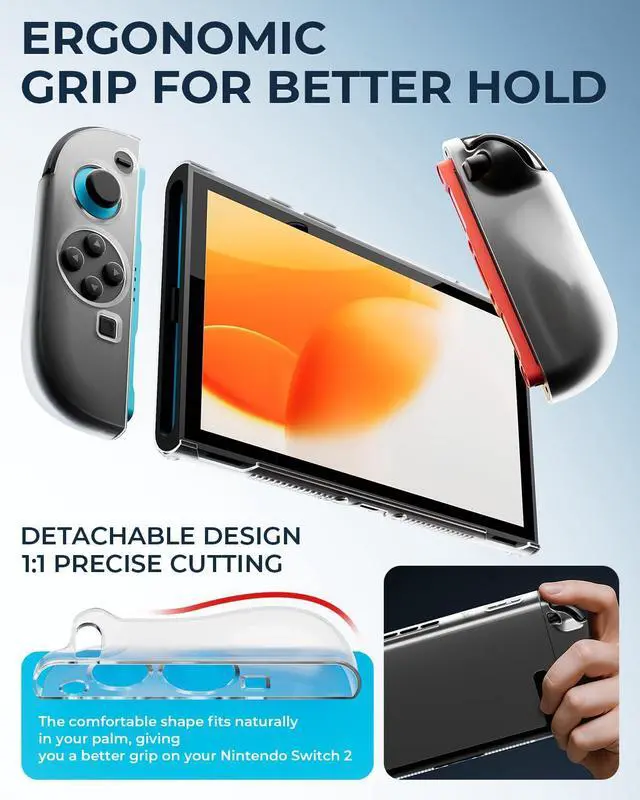
GUIDED SCREEN PROTECTION The alignment tray helps position the screen protector and is designed to lift loose dust during installation. The clear split cover helps guard against everyday scratches while keeping buttons and ports accessible; check dock clearance before use.
SET UP EACH ACCESSORY THE RIGHT WAY Wake the console before pairing the wireless controllers if needed. Remove clear Joy-Con 2 covers before using the grips or wheels. Charge only from a compatible 5V USB source and stop if a cable or connector becomes unusually hot. Console and games are not included.
The video showcases the product in use. The video guides you through product setup. The video compares multiple products. The video shows the product being unpacked.
17-in-1 Switch 2 Accessories Bundle
The video showcases the product in use. The video guides you through product setup. The video compares multiple products. The video shows the product being unpacked.
Screen Protectors 1
Is this bundle compatible with other consoles?
This bundle is designed specifically for Switch 2 and is not compatible with other gaming consoles. However, the included controller can also be used with Switch and Switch OLED
Is the protective case compatible with the original dock?
Yes. It works with the original dock, so theres no need to remove the case.
Does the controller support console wake-up?
Yes. For Switch 2, activate wake-up through the first wired connection, then press HOME to wake it. For Switch/Switch OLED, simply press HOMEno activation required.



 All Categories