• $137.98
  • Free 60-day Returns
  • Ships from China.
    Sold by VoltSync

    Shipped by VoltSync

    Meet Your Seller

    Dual NVMe SSD Docking Station External Dual M.2 NVMe SSD to USB-C Reader (Offline Clone)

    • Item #: 9SIVSDPM933464
    • Mfr. Part #: C10V-GS-TY-1020-62
    • UNSPSC: 43201409
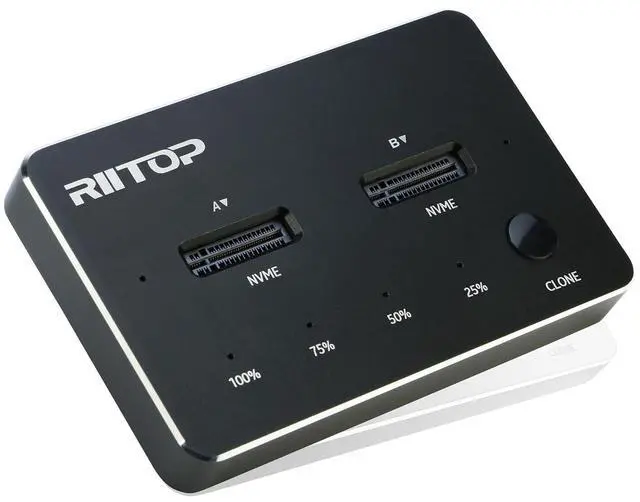
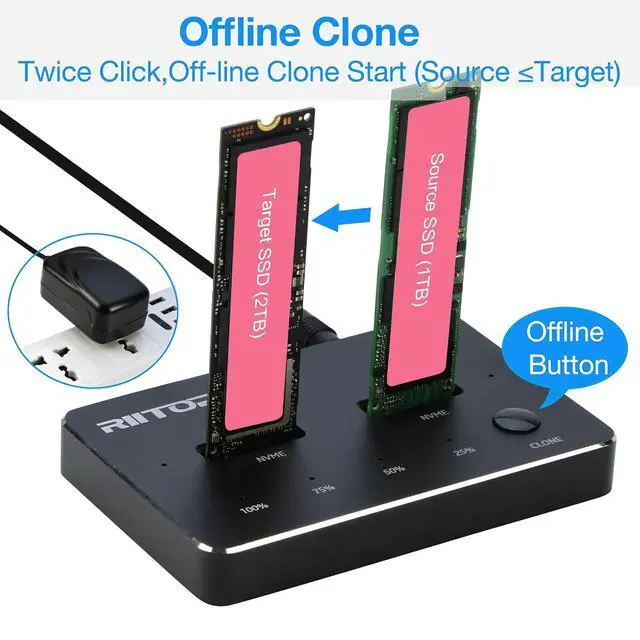
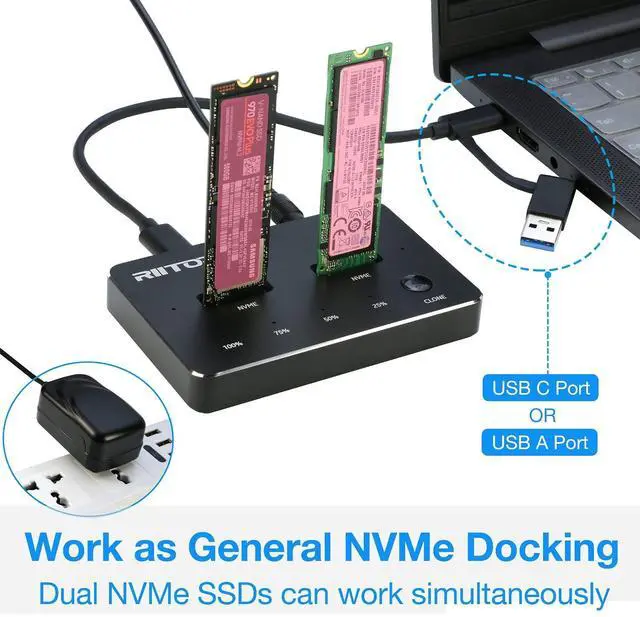
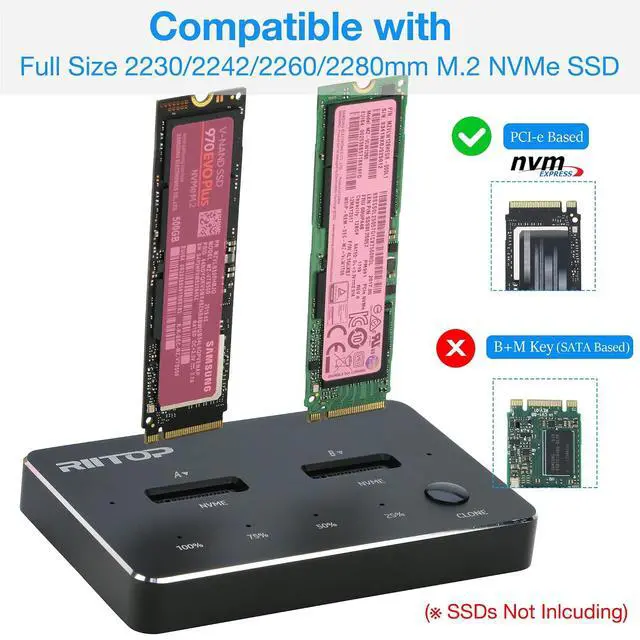
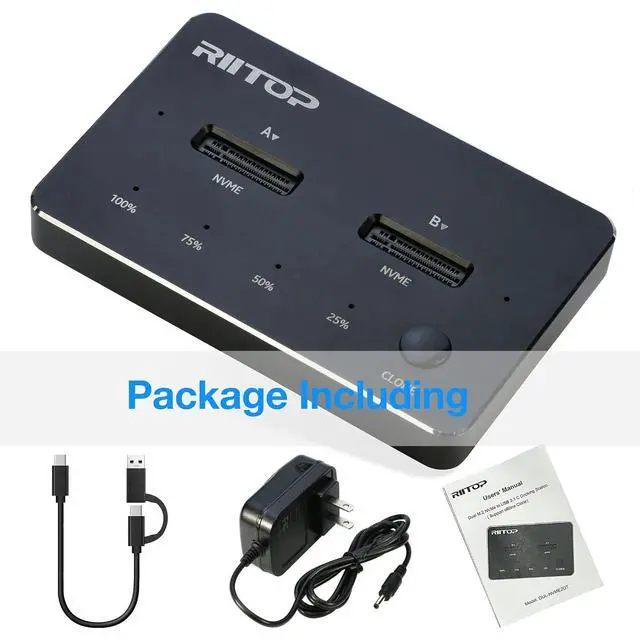
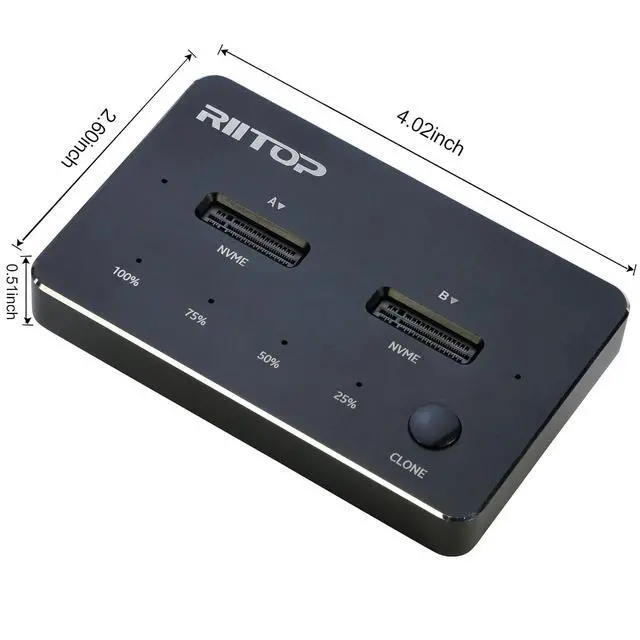
    • Not only NVMe Docking Station: RIITOP Dual NVMe Dock can not only does it act as a docking station for NVMe SSDs, enabling you to connect them to your computer via USB C or A port, Speed up to 10Gbps. But it also functions as an offline M.2 NVMe duplicator; Offline Cloning Capability: One of RIITOP NVMe Cloner standout features is the ability to clone data from one NVMe SSD to another without needing a computer. You can do this by simply inserting the source and target NVMe SSDs into right positions of the dock and using "CLONE" button to finish. This feature is especially useful for replacing a higher-capacity NVMe SSD for your computer; Steps of Cloning: 1. Insert Source SSD (into Right Slot) and Target SSD (into Left Slot) Inserted (Source SSD less than Target) 2. Connect the DC Power Adapter 3. Press "Clone" Button for about 3-5 seconds till all of the "Percent Progress Indicators" flash simultaneously, Release the Botton. 3. Then re-click the "Clone" Botton, the percent process indicators flash sequentially, Clone will start 4. After all four progress indicators on, Clone is completed (Please Note: The Clone operation need press "Clone" Button Twice, please note the status of the percent process indicators); Compatibility: RIITOP NVMe to USB Docking Station Supports most of M.2 PCI-e M key NVMe SSDs, Compatible with Samsung 970 EVO /950Pro/ 960Evo/ XP941/ PM951/ PM961/ SM951/ SM962, WD Black NVMe SSD and so on. Only Support M.2 PCI-e Based M Key NVMe M.2 SSD, Not suppor
    +
    +
    Overview
    Specs
    Reviews
    Not only
    NVMe Docking Station: RIITOP Dual NVMe Dock can not only does it act as a docking station for NVMe SSDs, enabling you to connect them to your computer via USB C or A port, Speed up to 10Gbps. But it also functions as an offline M. 2 NVMe duplicator;
    Offline Cloning Capability: One of RIITOP NVMe Cloner standout features is the ability to clone data from one NVMe SSD to another without needing a computer. You can do this by simply inserting the source and target NVMe SSDs into right positions of the dock and using "CLONE" button to finish. This feature is especially useful for replacing a higher-capacity NVMe SSD for your computer; Steps of
    Cloning: 1. Insert Source SSD (into Right Slot) and Target SSD (into Left Slot) Inserted (Source SSD less than Target) 2. Connect the DC Power Adapter 3. Press "Clone" Button for about 3-5 seconds till all of the "Percent Progress Indicators" flash simultaneously, Release the Botton. 3. Then re-click the "Clone" Botton, the percent process indicators flash sequentially, Clone will start 4. After all four progress indicators on, Clone is completed (Please
    Note: The Clone operation need press "Clone" Button Twice, please note the status of the percent process indicators);
    Compatibility: RIITOP NVMe to USB Docking Station Supports most of M. 2 PCI-e M key NVMe SSDs, Compatible with Samsung 970 EVO /950Pro/ 960Evo/ XP941/ PM951/ PM961/ SM951/ SM962, WD Black NVMe SSD and so on. Only Support M. 2 PCI-e Based M Key NVMe M. 2 SSD, Not suppor

    Warranty & Returns

    Warranty, Returns, And Additional Information

    Warranty

    • Please contact the Seller directly for warranty information. Warranty information may also be found on the Manufacturer's website.
    • CONTACT

    Return Policies

    • Return for refund within: 60 days
    • Return for replacement within: 60 days
    • This item is covered by VoltSync Return Policy

    Manufacturer Contact Info

    LOADING...