


- Free 30-day Returns
$126.99
Ships from United States.
Sold by XinjintongLimited
Shipped by XinjintongLimited
Meet Your Seller

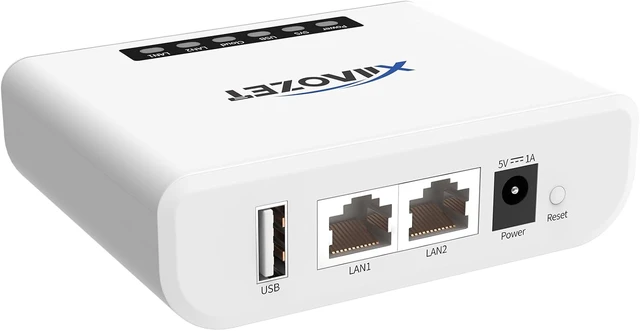


LK100EW Wireless USB Device Server, 1-Port USB2.0 Ethernet WiFi
- Item #: 9SIVTF4M9B3628
- Mfr. Part #: ENGXB0DJSPMMVC
- UNSPSC: 43222612
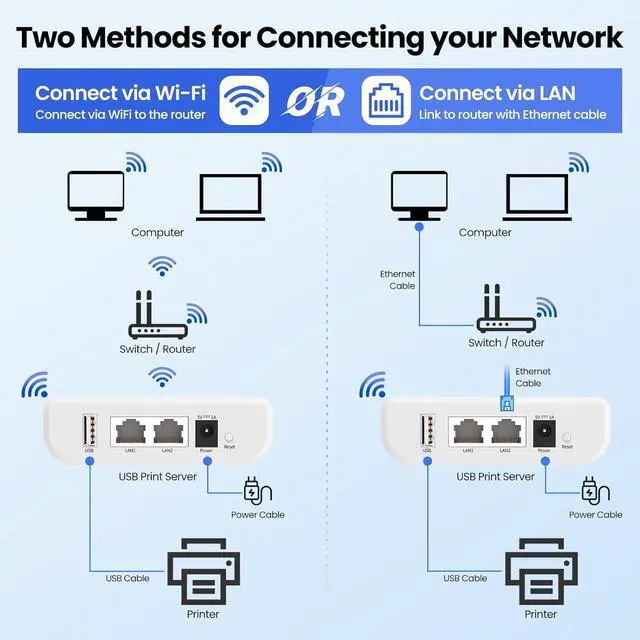
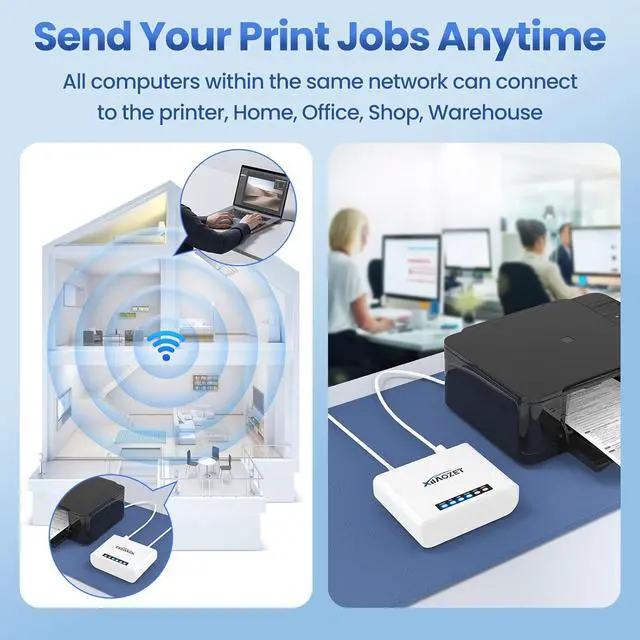
- Support USB printer and scanner over Local network; supports wired and wireless connections.
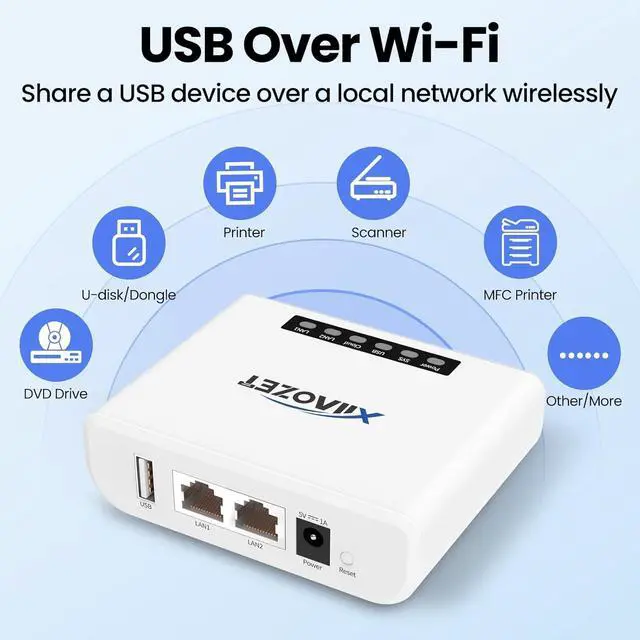
- Multi-Function Device: Serves as both a USB server and print server, enabling multiple computers on the same network to share USB devices, such as printers, scanners, or storage devices, eliminating the need for direct computer-to-device cabling.
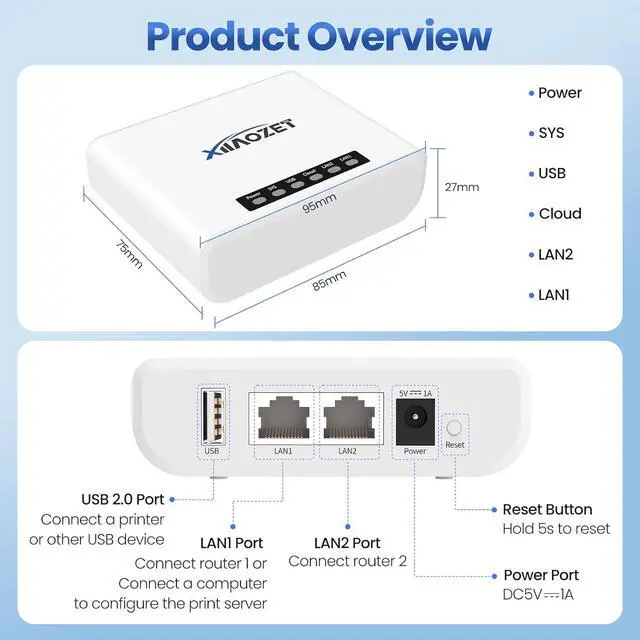
- Compatible with USB Devices: Integrates software and hardware to wirelessly connect a USB device like printer, scanner, and dongle over Wi-Fi; our virtual USB software simulates a direct USB connection, just like physically plugging the device into the computer.
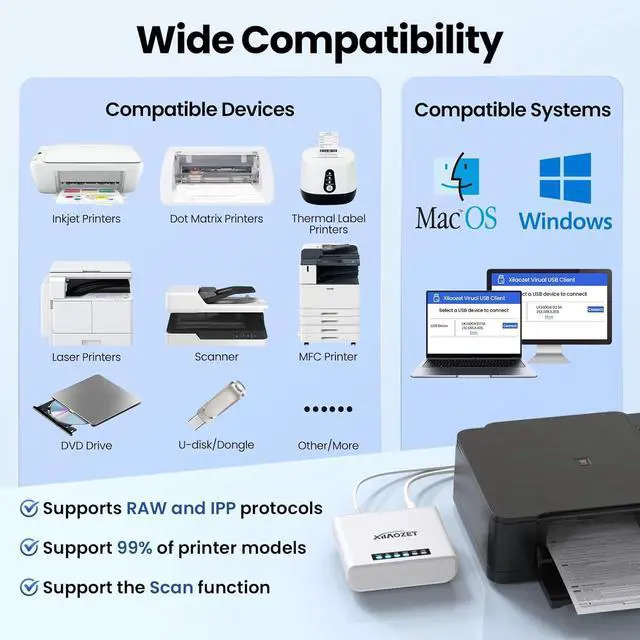
- Compatible with Printers: LK300EW wireless print server for usb printer convert usb printer to wireless. Add printers using IP address or hostname, support printers with RAW and IPP printing protocols, compatible with HP, Cannon, Epson and other brands' printers. Or using our virtual USB connect software to connect printers. NOTE: Mobile printing, and Airprint are not supported.
- Network Co
+
+
Overview
Specs
Reviews
Efficiency & Cost Savings: Share one usb devices such as printer, scanner and so on among multiple computers over your local network to enhance office productivity.
Flexible Connectivity: Support Wireless or Ethernet network connection, enabling convenient placement anywhere in your office or home.
Easy to use: equipped with detailed step-by-step wizard of network configuration and USB devices connection to the computer for WindowsOS and MacOS, allowing users to easily get started.
1USB Server2Printer Server
Instantly check your print server status for quick troubleshooting and smooth operation.
Built-in encryption technology and security protocols, ensuring that your information is protected for wireless transmissions.
Enjoy fast processing speeds that enhance all your printing tasks, ensuring efficient performance.
Utilize our proprietary tools designed to facilitate easy and rapid connections of USB devices and printers, improving your user experience.
Network Connection Supports wired or 2.4GHz WiFi connection, default IP address DHCP or static IP Wi-Fi Standard EEE802.11b/g/n, Max up to 150Mbps LAN Ethernet interface (RJ45, 10/100Mbps) Supported Systems Windows 7 and above, Mac OS Software USB Server-use virtual USB connect tool to wirelessly connect USB devices; Print Server - use Printer Quick Installation Tool (Wins) to add the printer USB Interface USB 2.0 (Full-speed/High-speed) Wireless Security Protocols WPA/WPA2, WEP Compatible Devices Compatible with a wide range of standard USB devices, including printers, scanners, USB flash drives, and dongles. Supports Canon LBP series printers using CAPT language, Ricoh models using DDST language, Dye-sublimation printers such as DNP printer. ! For high-power USB devices such as external hard drives, an independent power supply is required due to the devices low-power design. Only supports USB 2.0 devices. Not Compatible Device Doesn't support USB devices based on protocol conversion, such as USB-to-Serial (UART) adapters, USB CAN bus adapters, and wireless mouse/keyboard dongles. These devices are not true USB devicesthey convert other signals (e.g., serial, CAN, wireless) into USB and often require direct hardware access, which Virtual USB cannot provide. Devices needing isochronous transfer (e.g., USB cameras, mics, audio devices) are also unsupported due to real-time data limits. Is the USB server installation process complicated?
Our USB server uses a Virtual USB tool to simulate a USB connection. While its not plug-and-play and requires basic network and system configuration, setup is straightforward. We provide a step-by-step guide and downloadable software on our website.
Does the USB server need a software?
Yes, you need to ensure that your computer system has the appropriate drivers for your printer model or usb devices installed. Additionally, use Xiiaozet virtual USB connect tool to manage the connection and disconnection of Printer/ USB device.
Important! How to get product support? ( Including Installation support, Troubleshooting support)
Via website, email or phone.
Multiple Computers in the LAN Share a USB Device Installation Video for Windows USB Server- How to connect USB devices wirelessly LK100EW installation video for windows (Optional) Print Server- How to Add the printer aplus content video How to wirelessly use the printer via virtual USB How to use the printer wirelessly via virtual usb Smart Indicator Lights Data Security High-Performance Processor Self-developed Tools Is the USB server installation process complicated?
Does the USB server need a software?
Important! How to get product support? ( Including Installation support, Troubleshooting support)
Warranty & Returns
Warranty, Returns, And Additional Information
Warranty
- Please contact the Seller directly for warranty information. Warranty information may also be found on the Manufacturer's website.
- CONTACT
Return Policies
- Return for refund within: 30 days
- Return for replacement within: 60 days
- This item is covered by XinjintongLimited Return Policy
Manufacturer Contact Info
- For a directory of all our manufacturers, please click below.
- Manufacturers Directory
LOADING...