Product Description
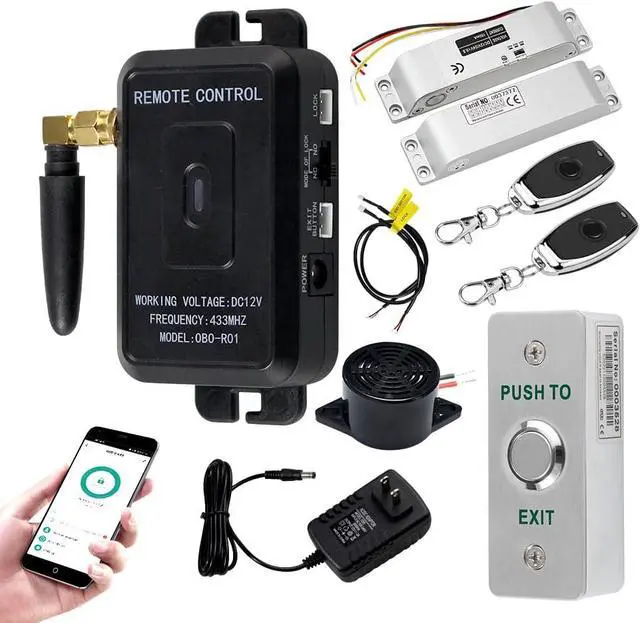
WiFi Tuya Access Control System Kit 433MHz Wireless Smart APP Remote Control Door Opener with NC Fail Safe Electric Strike LockMain feature1) You can open the door simply by Tuya APP, or pressing the wireless remote transmitters, instead of moving to the door physically when someone visits. The remote communicates with the receiver, which can program up to 40 remotes, and it has a range of 30 meter.
2) Don't need complicated wires connection. We will provide connecting wire, wiring diagram and English instruction, it's very easy to install. (for the longer cable, need to buy in your local store)
Multiple door opening methodsWhen you are not home, you can unlock the electric lock door remotely for your friends and family via mobile phone APP, no longer have to unlock it beside the door.
Exit Button Unlock: beside the door
Remote Control Unlock: 0 - 30 meter
Tuya APP Unlock: anywhere
Can add user and open the door with the mobile phone APP at anywhere. Also, you can click reminder information to view logs. It's very convenient! Tuya APP Setting InstructionScan QR code to download Tuya APP or Search "Tuya" on App store and download it.
Connect device to your Tuya APP by WiFi.
Supports language: Chinese, English.
You can open the door with Tuya APP unlocking icon.
You can click "Member management" to add members.
You can click reminder information to view logs.
The multifunctional remote control receiver device comes with a buzzer, can hear buzzer sounds when the door unlocked.
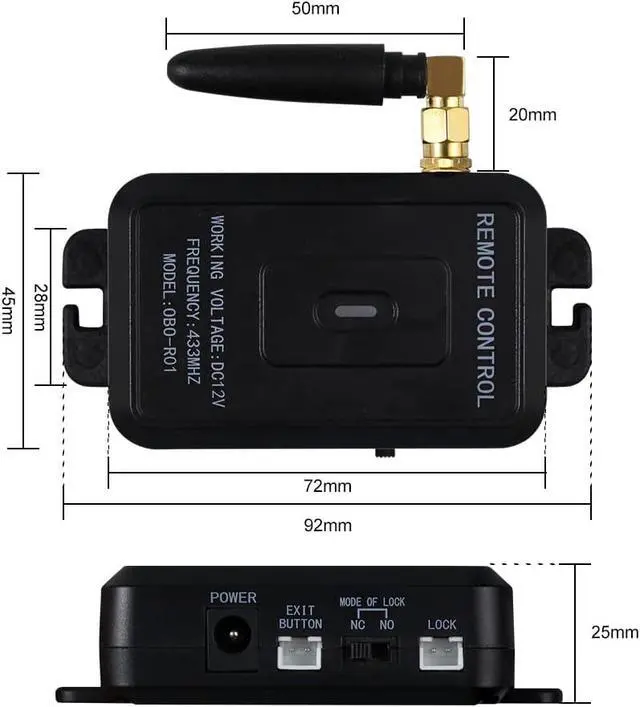
Multifunction Remote Control ReceiverWorking Voltage: DC12V
Working Frequency: 433MHz
Material: ABS Plastic
Locking Time Delay: 0/5/10 seconds adjustable
Working Mode: Momentary/ Latched / Toggle
Lock mode: NC / NO (Fail safe / fail secure)
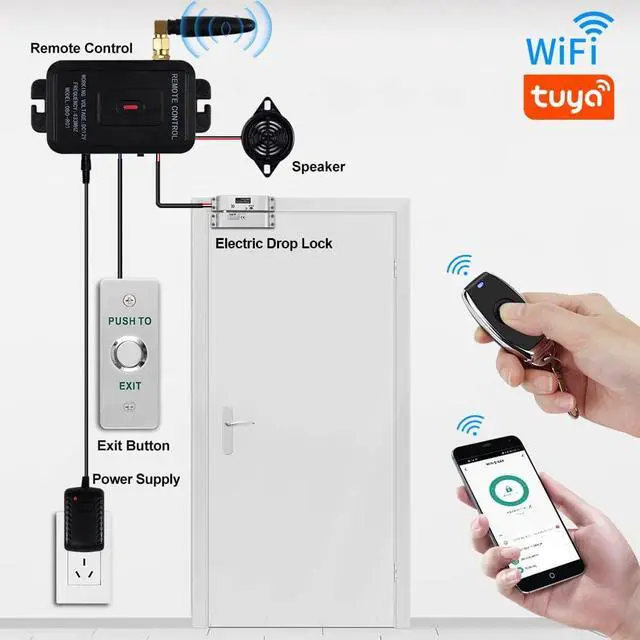
Can install access controller, electric lock, door exit button, buzzer
Build-in Tuya module, support wifi tuya app
Time delay: 0 / 5 / 10 seconds adjustable, 5 seconds by default
Use the RF-KEY, TIME key to pair the Remote Transmitter / WiFi Tuya app.
Lock Mode SelectIf your lock is NC type, please switch it to NC
If your lock is NO type, please switch it to NO
Electric Strike LockMaterial: stainless steel
Working Voltage: DC12V
Working Current: 110mA-250mA
Dimension: 150*28 mm
Secure Mode: NC / fail safe type ( The door will be locked when power on, open when power off )
Suitable for wooden door, metal door
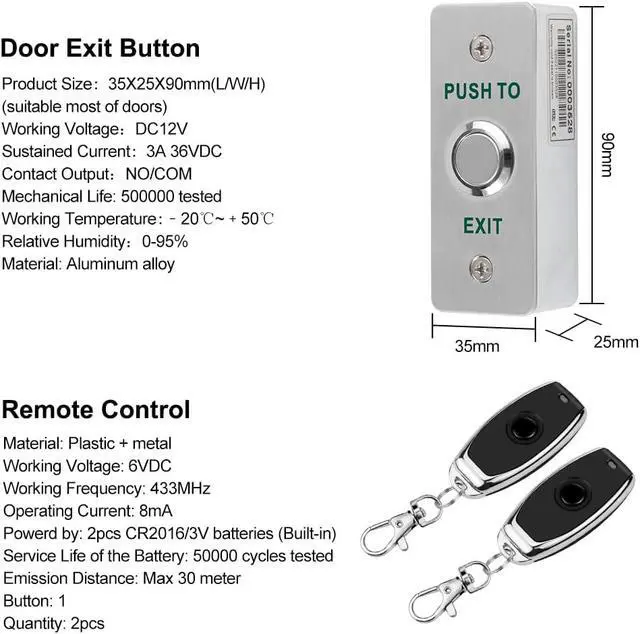
Remote TransmitterCase Material: metal
Working voltage: 6VDC
Working Frequency: 433MHz
Operating Current: 8mA
Powered by: 2pcs CR2016 batteries
Push to Exit buttonMaterial: Aluminum alloy
Working Voltage: DC12V
Sustained Current: 3A 36VDC
Contact Output: NO/COM
Product Size: 35X25X90mm(L/W/H)
Power AdapterInput: AC100V-240V 50/60Hz
Output: DC12V / 2A (2000mA)
Cable length: 1.5 meter
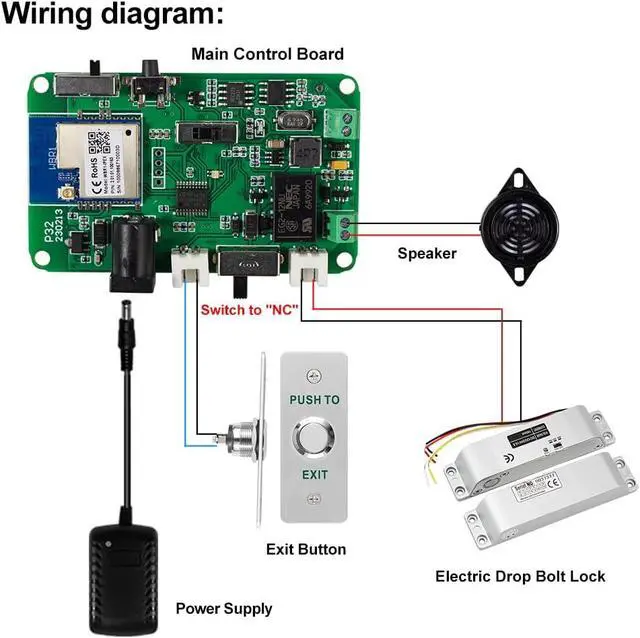
Wiring DiagramWiring is very easy. We provide the cables of door exit button, electric lock. (Access controller is not included, need to buy extra. )Step1: connect the cables of door exit button, electric lock to the remote control receiver,
Step2: Switch to "NC" on the remote control receiver.
Step3: Connect the remote control receiver to power adapter.
Operating Setting:
Remote control receiver and Remote Transmitter Pairing:
Step1: Adjust the remote control receiver TIME to the position of 0
Step2: Long press the RF-KEY key, the indicator will flash green.
Step3: Then press the remote transmitter button within 20 seconds, the green LED indicator light off, indicating that the pairing is successful.
Remote control receiver and WiFi Tuya app Pairing:
Step1: Adjust the remote control receiver TIME to the position of 10SEC,
Step2: Long press the RF-KEY key about 8 seconds, the indicator will flash red and green.
Step3: Release the RF-KEY key and wifi will enter the distribution state.
Step4: Add device (WIFI+433) to Tuya APP.