• $198.99
  • Free 30-day Returns
  • Ships from United States.

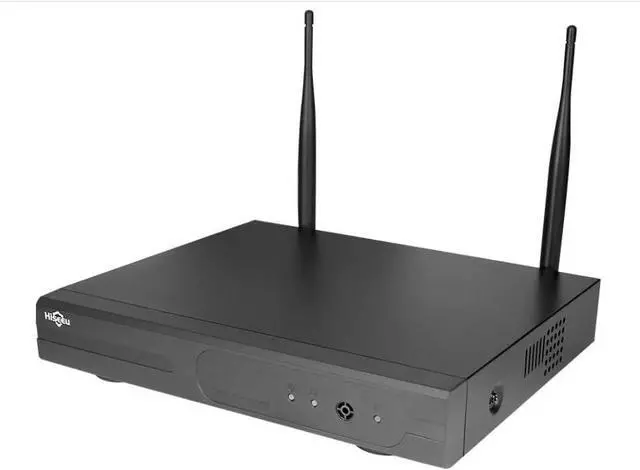
    Hiseeu 16CH Wireless NVR System, Full HD Network Video Recorder, Built-in WiFi Router, No HDD, Supports Up to 6TB, Works with Hiseeu Wireless Cameras, 2.4G/5G WiFi

    • Item #: 9SIVSNWKTB6859
    • Mfr. Part #: GENRB0F8QMT2RY
    • The NVR has no built-in audio output. To hear sound, please connect the NVR to an HD TV or monitor via HDMI and ensure the camera supports audio. Two-way audio is available through the mobile app only and requires the system to be connected to the network. The system supports both 2.4GHz and 5GHz WiFi connections.
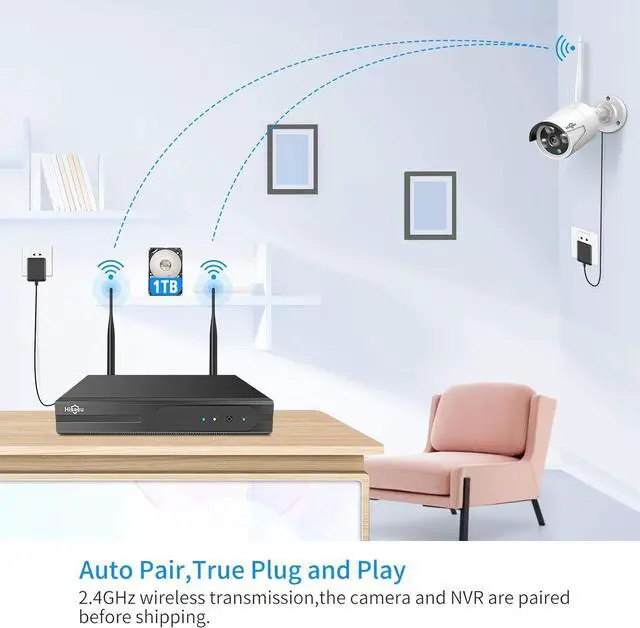
    • Dual WiFi System: The cameras connect directly to the NVR through its built-in WiFi, so pairing does not require an internet connection. The NVR is a network video recorder with an integrated WiFi router, designed to handle camera connections independently.
    • The wireless NVR requires a 12V 2A or 12V 3A power adapter. Using a 12V 1A camera power adapter with the NVR may result in insufficient power, which can prevent the hard drive from operating properly.
    • The Hiseeu wireless NVR supports up to 16 cameras. To check your NVR version, right-click using the NVR mouse, then go to System Setup General Setup.
    • How to Pair the Camera: 1.Right-click on the NVR screen using the mo
    +
    +
    Overview
    Specs
    Reviews
    The NVR has no built-in audio output. To hear sound, please connect the NVR to an HD TV or monitor via HDMI and ensure the camera supports audio. Two-way audio is available through the mobile app only and requires the system to be connected to the network. The system supports both 2.4GHz and 5GHz WiFi connections.
    Dual WiFi System: The cameras connect directly to the NVR through its built-in WiFi, so pairing does not require an internet connection. The NVR is a network video recorder with an integrated WiFi router, designed to handle camera connections independently.
    The wireless NVR requires a 12V 2A or 12V 3A power adapter. Using a 12V 1A camera power adapter with the NVR may result in insufficient power, which can prevent the hard drive from operating properly.
    The Hiseeu wireless NVR supports up to 16 cameras. To check your NVR version, right-click using the NVR mouse, then go to System Setup General Setup.
    How to Pair the Camera: 1.Right-click on the NVR screen using the mouse and select Camera. 2.Press and hold the camera reset button for about 6 seconds. 3.Click the + icon to add the camera. 4.Wait for the camera IP address 172.20.14.** to appear, which indicates the camera has been successfully added.

    Warranty & Returns

    Warranty, Returns, And Additional Information

    Warranty

    • Please contact the Seller directly for warranty information. Warranty information may also be found on the Manufacturer's website.
    • CONTACT

    Return Policies

    Manufacturer Contact Info

    LOADING...