• $103.99
  • Free 30-day Returns
  • Ships from United States.
    Sold by Cloud Sail

    Shipped by Cloud Sail

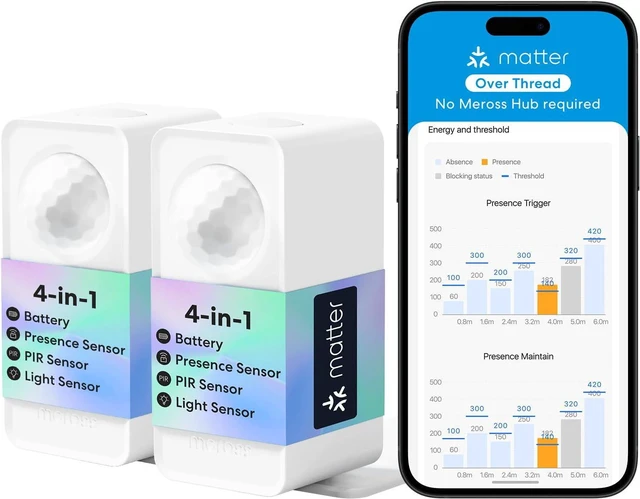
    meross Matter Presence Sensor MS605, Battery-Powered 4-in-1 Smart Motion Sensor with AI Learning, IP67 PIR & Light & mmWave Radar, Matter Over Thread, Supports Home Assistant, HomeKit, Alexa (2 Pack)

    • Item #: 9SIVU44M261369
    • Mfr. Part #: CLOXB0G8HN5THR
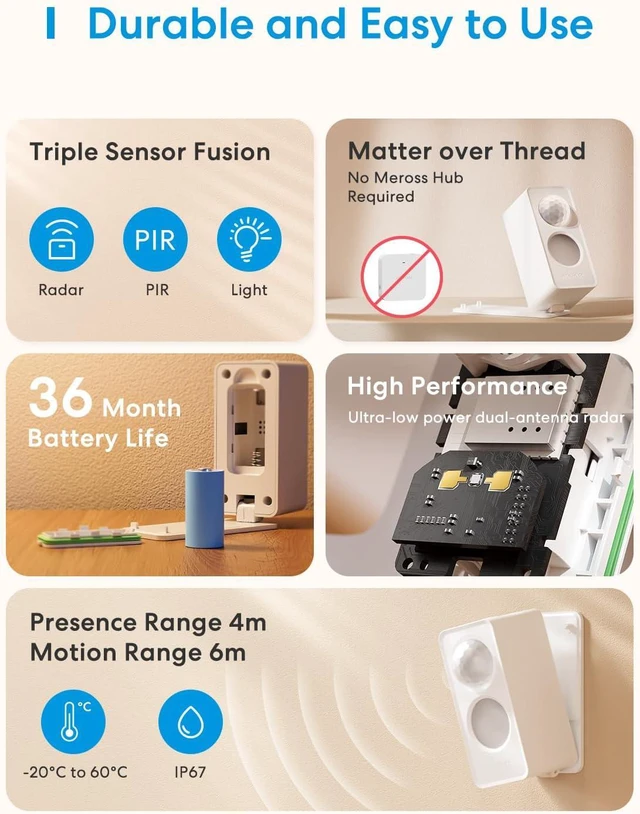
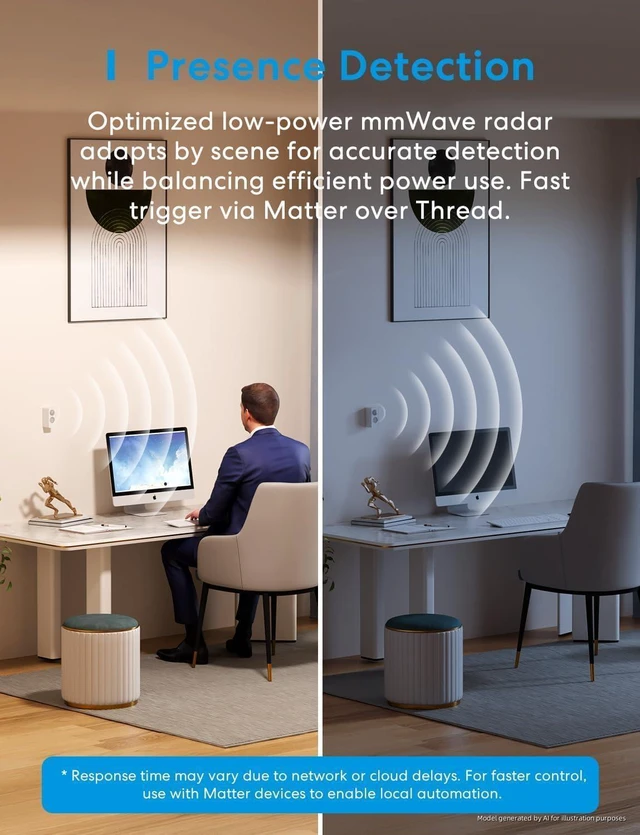
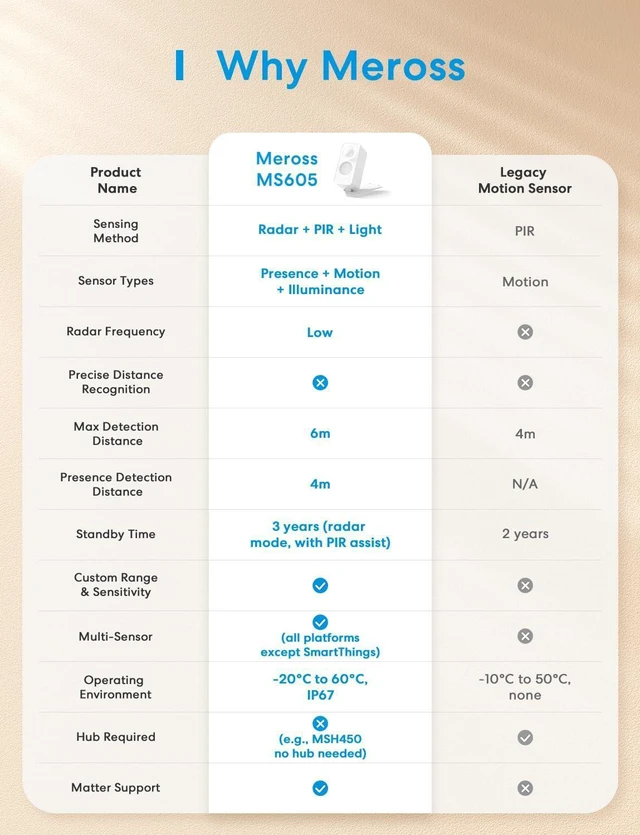
    • [High Precision AI-Driven Presence Sensor] The meross MS605 Human Presence Sensor uses static detection and adaptive AI to keep lights on while you're sitting still, solving the 'no motion = lights off' problem of traditional motion sensors. Built with 3-in-1 mmWave & PIR & light sensors, powered by continuous AI space learning to minimize false triggers. Note: Update firmware in Meross app for a stable Alexa direct control.
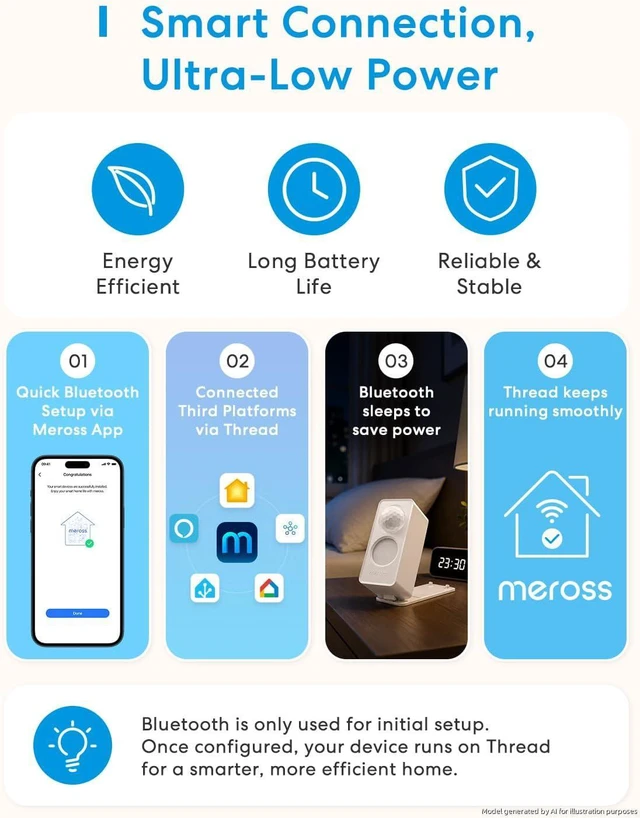
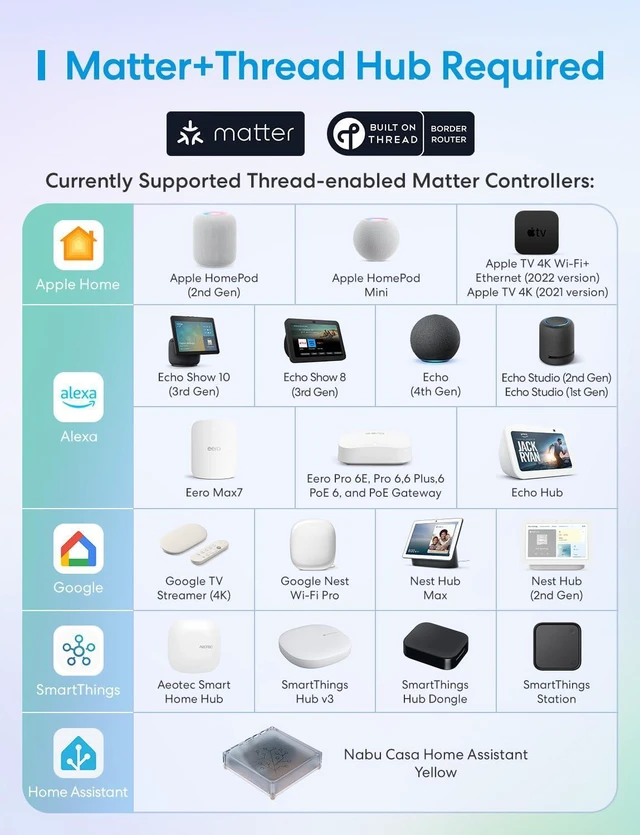
    • [Seamless Matter Integration] Discover the power of Matter! MS605 HomeKit motion sensor supports Matter over Thread for direct connection to Home Assistant, Alexa, SmartThings, and HomeKit. Note: To add the MS605 Wi-Fi presence sensor to a third platform Matter-enabled app, ensure you have a hub that supports both Matter and Thread. *Pair with the hub to enable remote access.
    • [Battery-powered and All-Scenario Flexible Mounting] This wireless presence sensor equipped with a 90° foldable + 360° rotatable stand, so the MS605 Matter motion sensor can be installed
    +
    +
    Overview
    Specs
    Reviews


    1Nordic Co-Engineered2Customizable Zoning1Matter LAN Control2Intrusion App Alerts3Pet Anti-False-Trigger


    Pairing with Apple Home (Matter) fails with the message "Device could not be found." What should I do?
    1.Long-press the button on the MS605 for 5 secondsuntil the LED starts flashing orange.
    2.The orange blinking confirms Matter pairing mode is active.
    3.Scan the Matter code again in Apple Home.
    4.The device should now be discoverable.

    Can I still use the Meross App after connecting the device to a Home Assistant via Matter?
    Yes. You can still connect via the Meross App using Bluetooth. Bluetooth is awakened by:
    *Pressing the physical button on the sensor.
    *A state change from "Vacant" to "Occupied"(e.g., someone walking past).

    Are all advanced settings only configurable in the Meross App?
    es. Advanced sensing features such as**Space Learning, sensitivity
    adjustments, zone setup, and custom automation logic**can**only**be configured in the Meross App. The Matter protocol does not expose these configuration options.

    Are the settings I configure in the Meross App saved to the device itself?
    Yes. All settings(zones, sensitivity, logic, etc) are permanently saved locally on the MS605 sensor. Once saved, these optimizations continue to work automatically when the device is connected to Apple Home, Google Home, Alexa, Home Assistant.

    Pairing with Apple Home (Matter) fails with the message "Device could not be found." What should I do?
    Can I still use the Meross App after connecting the device to a Home Assistant via Matter?
    Are all advanced settings only configurable in the Meross App?
    Are the settings I configure in the Meross App saved to the device itself?

    Warranty & Returns

    Warranty, Returns, And Additional Information

    Warranty

    • Please contact the Seller directly for warranty information. Warranty information may also be found on the Manufacturer's website.
    • CONTACT

    Return Policies

    • Return for refund within: 30 days
    • Return for replacement within: 60 days
    • This item is covered by Cloud Sail Return Policy

    Manufacturer Contact Info

    LOADING...