


Meet Your Seller

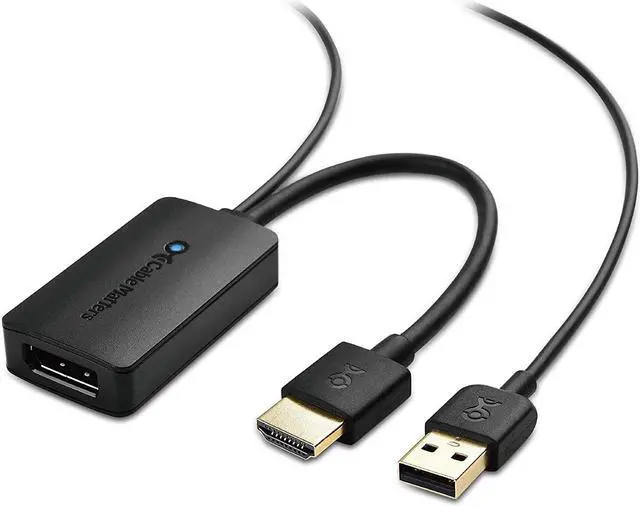


Cable Matters Unidirectional HDMI to DisplayPort Adapter-up to 4K@30Hz-(Active HDMI to DP Adapter, HDMI Source to DisplayPort Monitor only)
- Item #: 9SIVU6VM1B9282
- Mfr. Part #: TOLKB00JQORLCG
- UNSPSC: 26121604
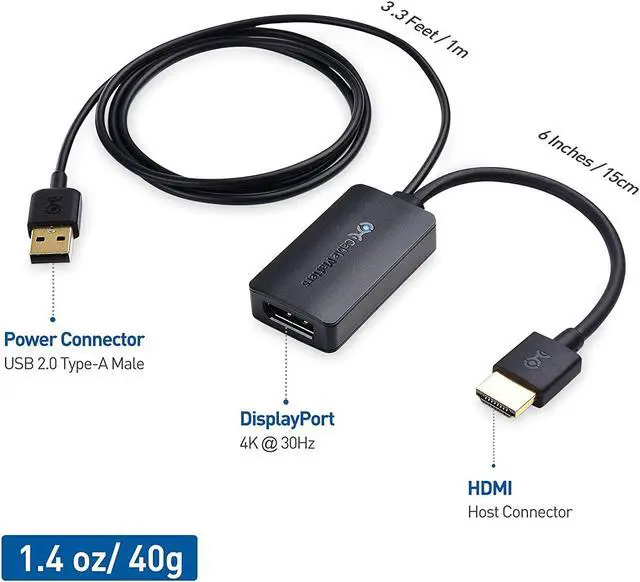
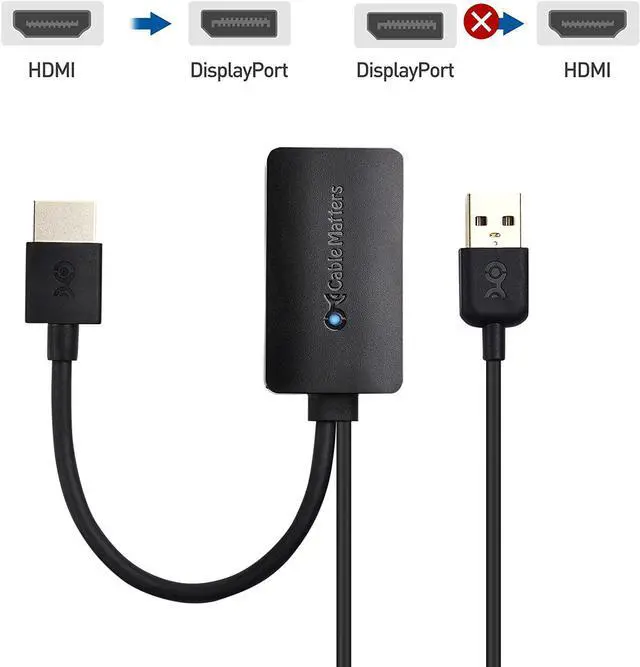
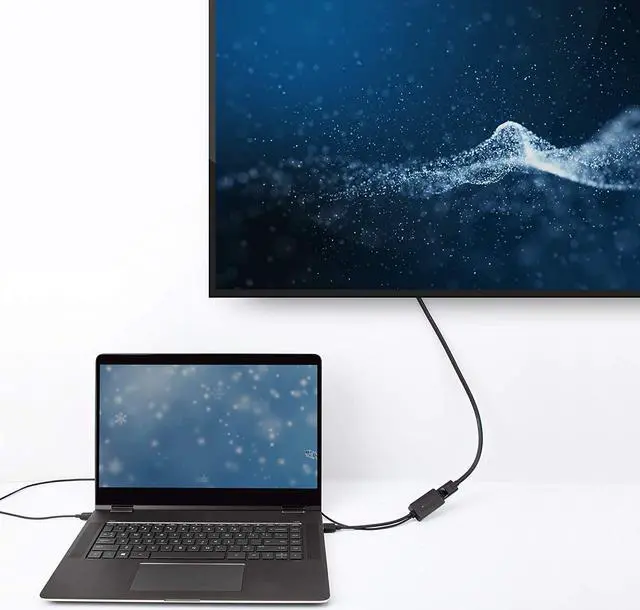
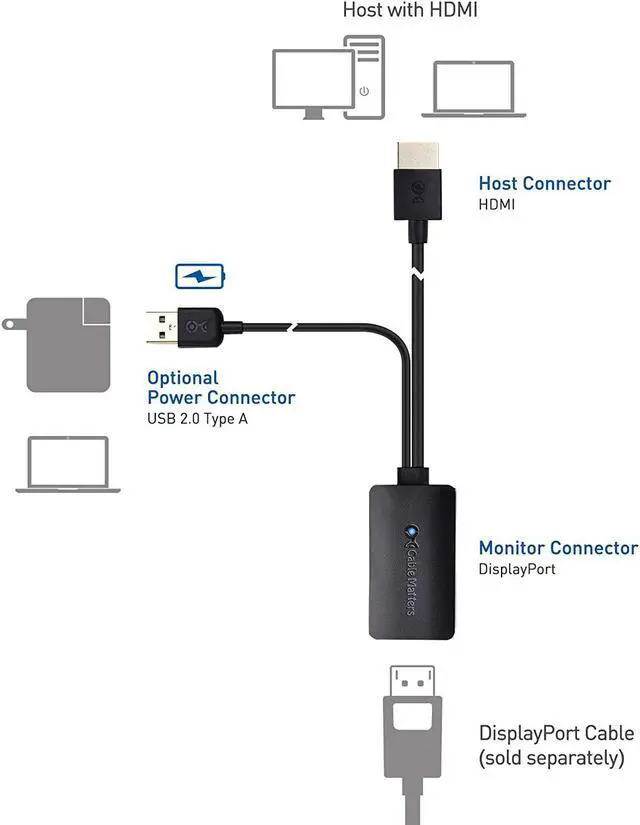
- Unidirectional HDMI to Display Port Adapter: This unidirectional HDMI to DisplayPort adapter only converts from HDMI source to DisplayPort monitor, such as a laptop or desktop with HDMI output to DisplayPort input on a monitor. It will not work from a DisplayPort computer to an HDMI monitor/TV. A separate DisplayPort cable is required for setup.
- Extend or Mirror Your Display: Use this active HDMI-to-DisplayPort adapter to add a second monitor, mirror your screen, or extend your desktop workspace. This HDMI to DP adapter works with HDMI-output laptops and desktops, including Dell Inspiron 14 Plus 7440, Inspiron 13 5330, Inspiron 14 5440, Latitude 3550, and HP 14" Laptop AMD.
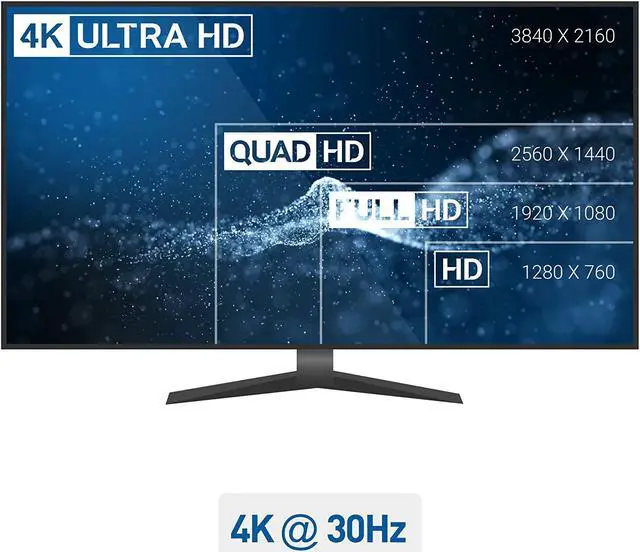
- 4K Video Resolution Support: Supports up to 3840x2160@30Hz, 2560x1440@60Hz, and 1920x1080@60Hz, depending on the HDMI source, DisplayPort monitor, cable, and video card used. This HDMI Displayport Adapter is NOT designed for 4K@60Hz, VRR, or high-refresh-rate gaming.
- Durable & High-Quality Build: Gold-plated con
+
+
Overview
Specs
Reviews
Certain 4K monitors may only support 1440p@60Hz instead of 4K@30Hz with this adapter
The optional USB power should be connected to power before connecting the adapter to a monitor
Enjoy the 4Kx2K (3840x2160 @ 30Hz) video
Supports 2560x1440 @ 60Hz and 1920x1080 @ 60Hz
Experience deep color depths and sharp images
DisplayPort audio support for a full range of audio
Connect a DisplayPort monitor for an expanded workspace
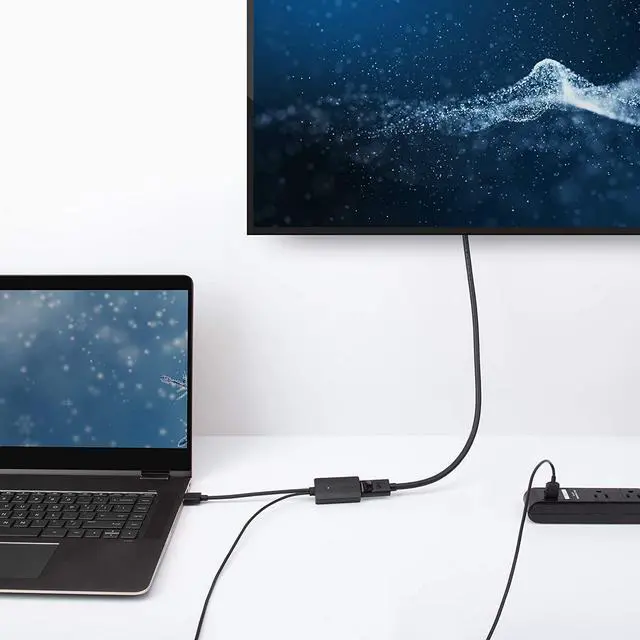
Connect the USB power cable to power the HDMI to DP conversion for low-power devices
Converter is NOT bi-directional
HDMI plugs into the computer
DisplayPort cable plugs into the monitor
Plug the USB cable to a computer USB port
A USB wall charger is also compatible
Plug in USB power before connecting the Adapte
Portable and lightweight adapter
Sturdy adapter is built for frequent use
DP monitor option when traveling
Why is there no signal after the connection?
Please connect the USB power cable first, select the DisplayPort input on the monitor, test at 1080p@60Hz, and avoid using KVM Switches, Docks, or extra Adapters during setup.
Does this HDMI to DisplayPort adapter support 4K@60Hz?
No. It supports up to 4K@30Hz, 1440p@60Hz, and 1080p@60Hz, depending on the source device, monitor, cable, and settings. Certain 4K monitors may only support 1440p@60Hz instead of 4K@30Hz with this adapter.
Can I use it with a DisplayPort KVM switch?
It is NOT recommended to use this adapter with a DisplayPort KVM switch due to possible compatibility issues.
Do I need to connect the USB power cable?
Yes, USB power is strongly recommended for stable conversion. Without USB power, the adapter may show no signal, flicker, or disconnect.
HDMI to DisplayPort
DisplayPort Cable
HDMI 2.0 to DisplayPort
Resolution
4K @ 30Hz
Resolution
4K @ 60Hz
Resolution
4K @ 60Hz
Model Number
103069
Model Number
102005
Model Number
103099
Active HDMI to DisplayPort Adapter Active HDMI to DisplayPort Adapter Vibrant 4K Definition Video Plug & Play Connection HDMI Source to DP Monitor USB Power Boost Travel Take-Along Why is there no signal after the connection?
Does this HDMI to DisplayPort adapter support 4K@60Hz?
Can I use it with a DisplayPort KVM switch?
Do I need to connect the USB power cable?
Comparison Products
Warranty & Returns
Warranty, Returns, And Additional Information
Warranty
- Please contact the Seller directly for warranty information. Warranty information may also be found on the Manufacturer's website.
- CONTACT
Return Policies
- Return for refund within: 30 days
- Return for replacement within: 60 days
- This item is covered by PrimeVolt’Shop Return Policy
Manufacturer Contact Info
- For a directory of all our manufacturers, please click below.
- Manufacturers Directory
LOADING...