Package Contents: Mouse × 1 USB Charging Cable × 1 USB Receiver × 1 Quick Setup Guide × 1
Specifications
: 5 buttons + scroll wheel 2.4G / Bluetooth 3.0 / 5.0 connectivity (Wireless range: approx. 10 meters) Plug and play
DPI: 800 / 1200 / 1600 Built-in 500mAh lithium battery
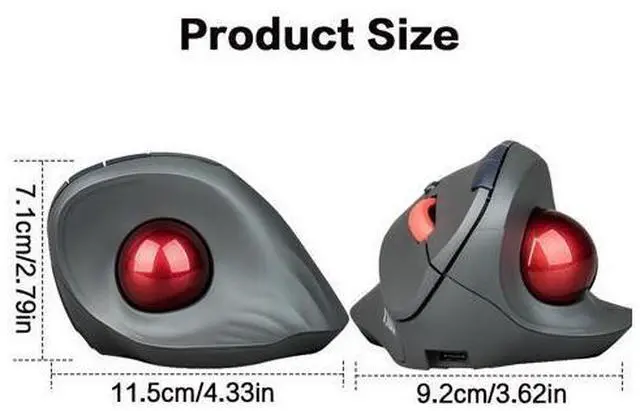
Product Dimensions: 11.5 × 9.2 × 7.1 cm
System Requirements: Device with an available USB port and built-in Bluetooth adapter Windows® 11, Windows® 10, MacOS
Charging the Mouse: Connect the included charging cable to the USB-C port on the mouse, and plug the other end into a USB port on your computer. The red indicator light turns on while charging and turns off when fully charged.
Mouse Connection: The mouse can be connected via 2.4G (wireless) or Bluetooth.
A: 2.4G (Wireless) Connection Remove the USB receiver from the compartment on the bottom of the mouse. Insert it into a USB port on your computer. Move the connection switch on the mouse to the 2.4G option the mouse will pair with your device automatically.
B: Bluetooth Connection Move the connection switch on the mouse to the Bluetooth option. Press and hold the Bluetooth button on the mouse for 3 to 5 seconds the mouse will enter pairing mode. Turn on Bluetooth on the device you want to pair, then select BT 3.0 Mouse or BT 5.0 Mouse from the device list. If both options are available, choose BT 5.0 Mouse for faster connection.