


- Free 30-day Returns
$13.89
Ships from China.
Meet Your Seller

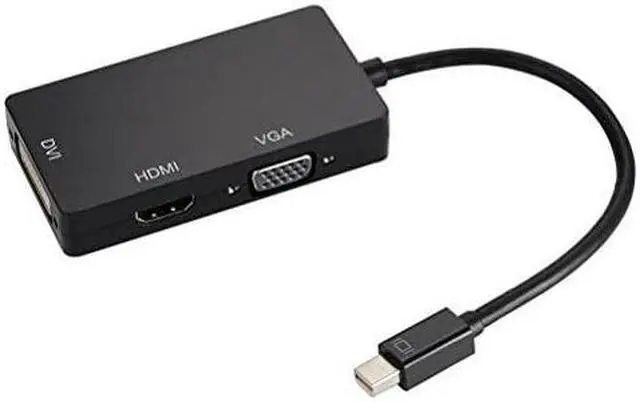

Mini Display Port DP to HDMI VGA DVI Converter For Microsoft surface pro 1 2 3 4
- Item #: 9SIV462K996457
- Mfr. Part #: B075R229C6HDMIcable
- UNSPSC: 26121604
- Mini Display Port DP to HDMI VGA DVI Converter For Microsoft surface pro 1 2 3 4
+
+
Overview
Specs
Reviews
Specification -
Input Signal: Mini Display Port 1.1 a.
- Output Video: HDMI/DVI/VGA.
- Input: Mini Display Port Male 20pin.
- Output: HDMI Female Type A 19pin.
- Connector: DVI Female (24+1) VGA Female 15Pin.
- Vertical Frequency Range: 50/60Hz.
- Video Amplifier Bandwidth: 2.25G bps/225MHz.
- HDMI/DVI/VGA: 480i/480p 576p 720p 1080i/1080p.
- External Power Supply: No external power needed.
- Power consumption (Max): 700mW. -
The Length of the cable: 28cm.
- Package weight: 1.9 oz/54g. How to use The product is easily and conveniently use with three output ports: DVI VGA HDMI and a Mini Display Port. And you can use one of them at a time as your demand when you want to use the DVI output you just need to connect the DVI devices using a DVI cable. And when you want to use the HDMI output you just need to connectthe HDMI devices using a HDMI cable. When you want to use the VGA output you just need yo connect the VGA devices using a VGA cable. The Mini Display Port meed to connect Mac Book Mac Book Pro or Mac Book Air.
Warranty & Returns
Warranty, Returns, And Additional Information
Warranty
- Please contact the Seller directly for warranty information. Warranty information may also be found on the Manufacturer's website.
- CONTACT
Return Policies
- Return for refund within: 30 days
- Return for replacement within: 30 days
- This item is covered by Electronic Supermarket Return Policy
Manufacturer Contact Info
- For a directory of all our manufacturers, please click below.
- Manufacturers Directory
LOADING...