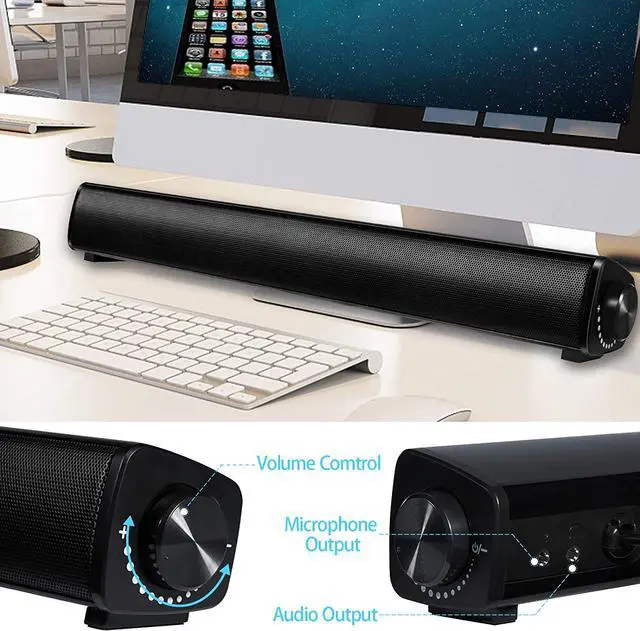
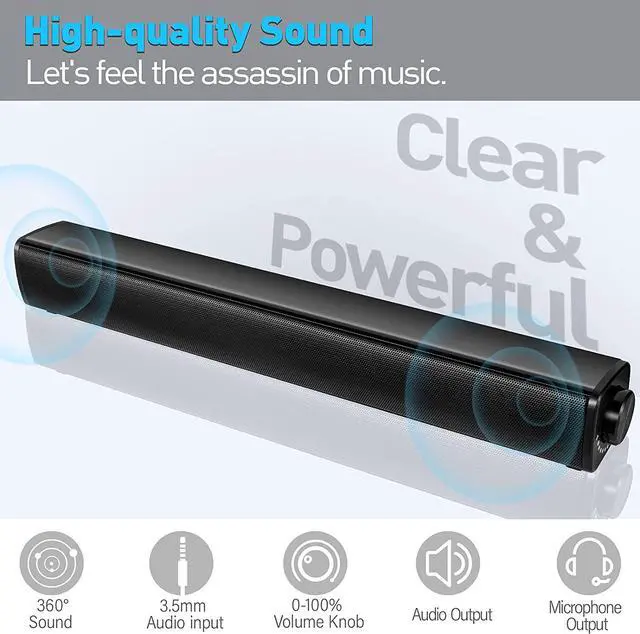
Audio output to plug your headohone
There is a 3.5mm audio port on the back of the usb speaker which is a good way to avoid disturbing others in your room.
Good for Zoom Meeting
Our speaker has mic output function which makes it easier to communicate with your friends.Attention please, the mic fucntion only works on desktop and you need to plug your headphone's mic to the speaker
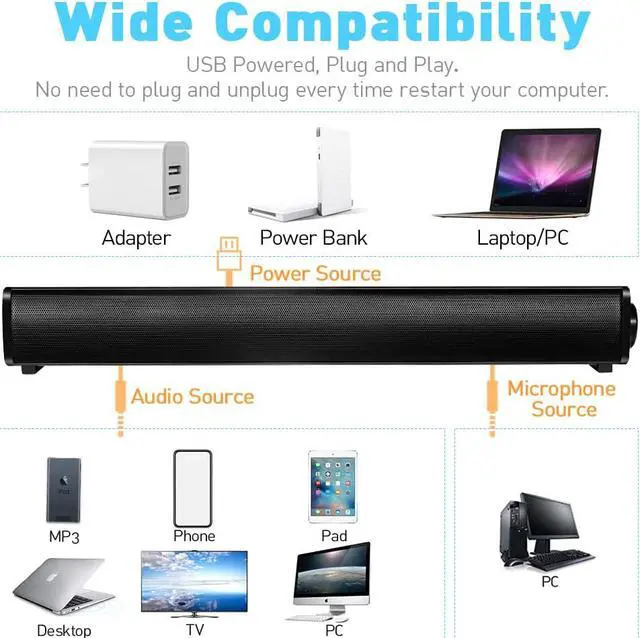
Plug and Play
Just plug the audio cable into your computer, then you can hear the sound.(plug the microphone canle into if you need to chat)
How To Use VOTNTUT Speaker?
1.For Desktop
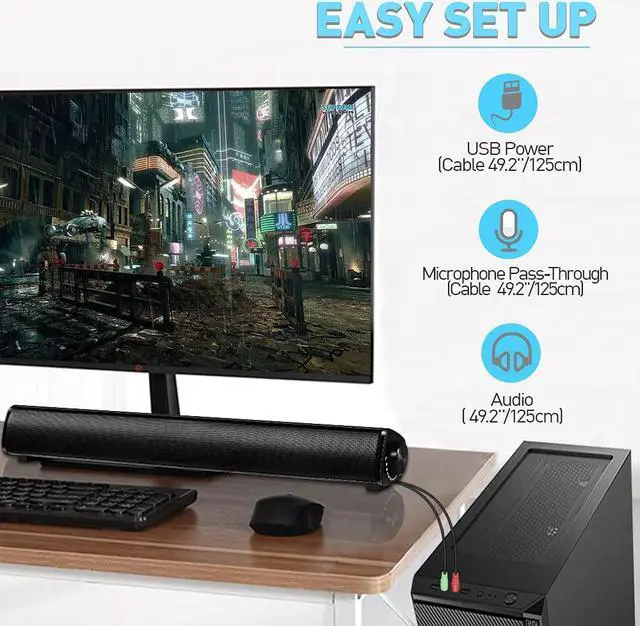
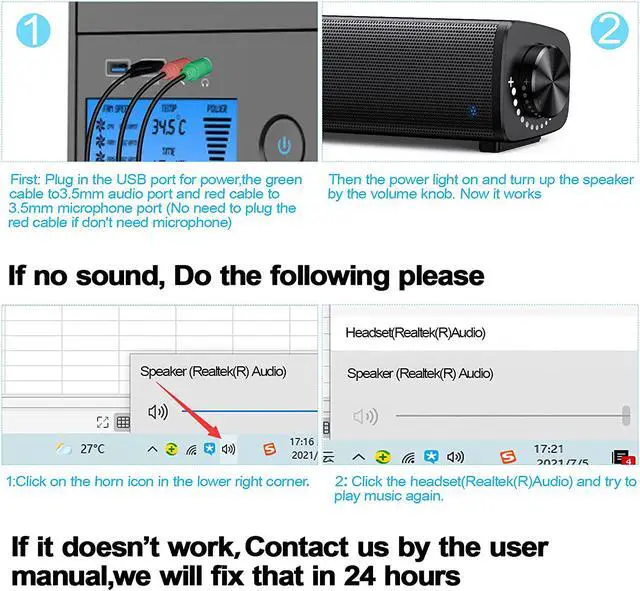
Connect the USB cable to desktop USB port for power supply
Connect the red mic cable and green audio cable to 3.5mm outputs of your desktop. Attention please. All desktop has audio and microphone ports. Plug the audio cable to the audio port and the mic cable to the mic port.Dont plug them conversely please or the speaker wont work
Now the speaker works and you can use the built-in microphone to chat with your friends. If you want to use the audio and microphone output,check the step 4 please
Plug your audio cable of your headphone to the audio port of the speaker for audio output and microphone cable of the headphone t to the mic port of the speaker for mic output. Now you can use your headphone to chat with your friends. Make sure you did step 2 already when you want to do the step 4 please
2.For Laptop
Connect the USB cable to laptop USB port for power supply
Connect the green audio port to the only-on 3.5mm output of your laptop.Attention please. All laptop only has one 3.5mm jack for audio output and has built-in microphone in the laptop. So you can chat with your friends when you only plug in the audio cable
Now the speaker works.If you want to use the audio output,just plug your headphone to the speaker. You will hear the sound in your headphone not the speaker. Now no microphone output function because you only plug the audio cable to your laptop.
If you want to plug both audio and mic cables to your laptop, you need to buy Headphone Splitter
3.For Mobile Phone and other devices
Connect the USB cable to your adapter,power bank or laptop etc for power supply
Plug the audio cable of the speaker to your phone or other device which has 3.5mm port. Now it works. If your phones are type-C or iPhone connection, you should buy type-C or iPhone to 3.5mm Audio Adapter