
Built for How Business Buys.

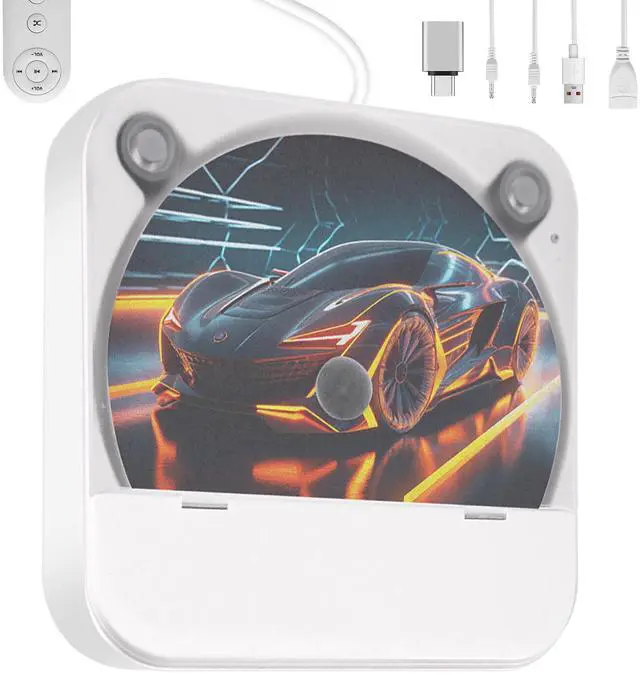


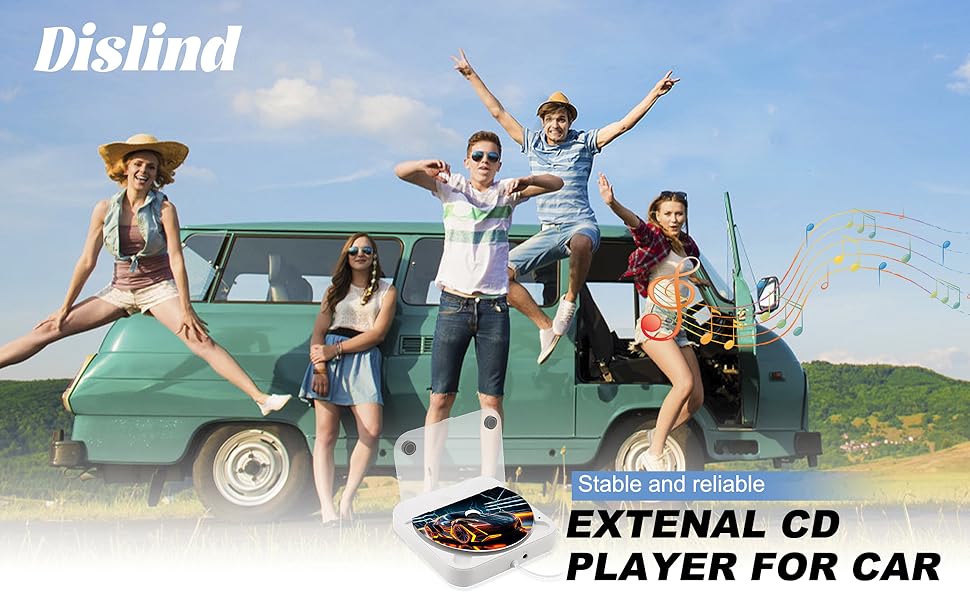
Newly Upgraded CD Player for Car with Extension Cable
Premium Sound Quality & Anti-skip Function
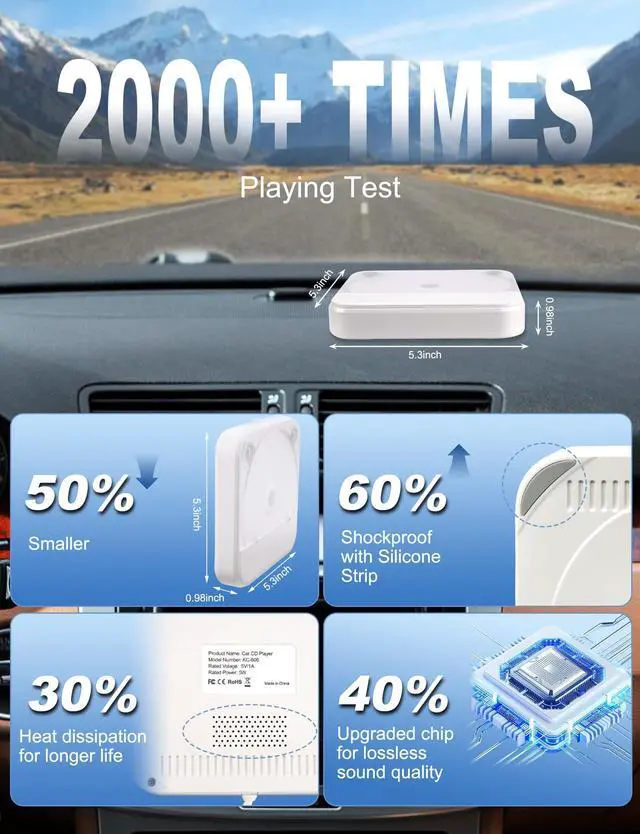
Dust-proof design & Shockproof with Silicone Strip
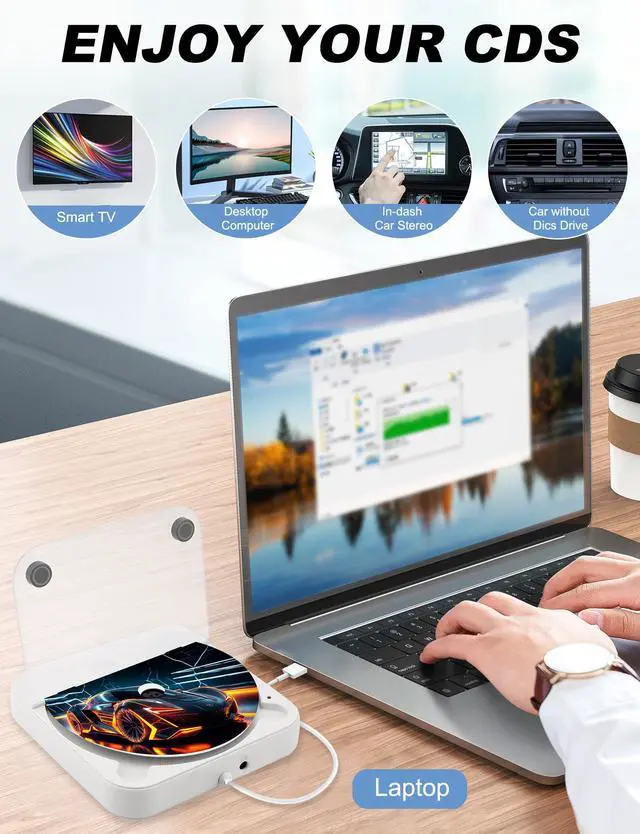
- For cars with Android car radio
- For cars with Non-Android radio (compatible with system Linux, Wince, etc.)
- For new cars with factory car radio
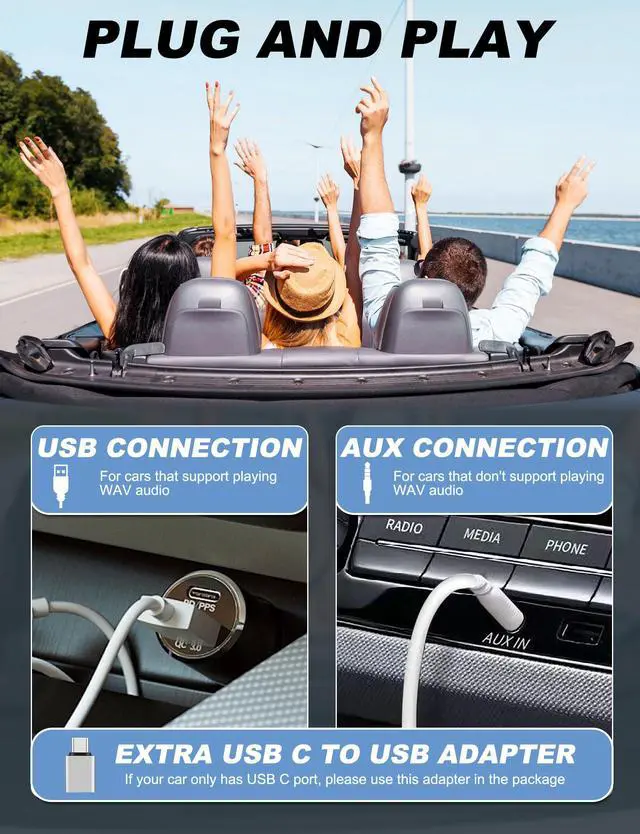
- For cars with USB input (make sure car radio supports playing WAV audio files when using this function)
- For cars with AUX input(the 3.5mm auxiliary port) -- For cars which don't support playing WAV audio files, audio from the CD player can be transferred to the car radio via AUX input. Compatible with all cars that have AUX port.
- For Laptop
- For Computer
- For Desktop
NOTE: It is NOT a blue ray CD player.
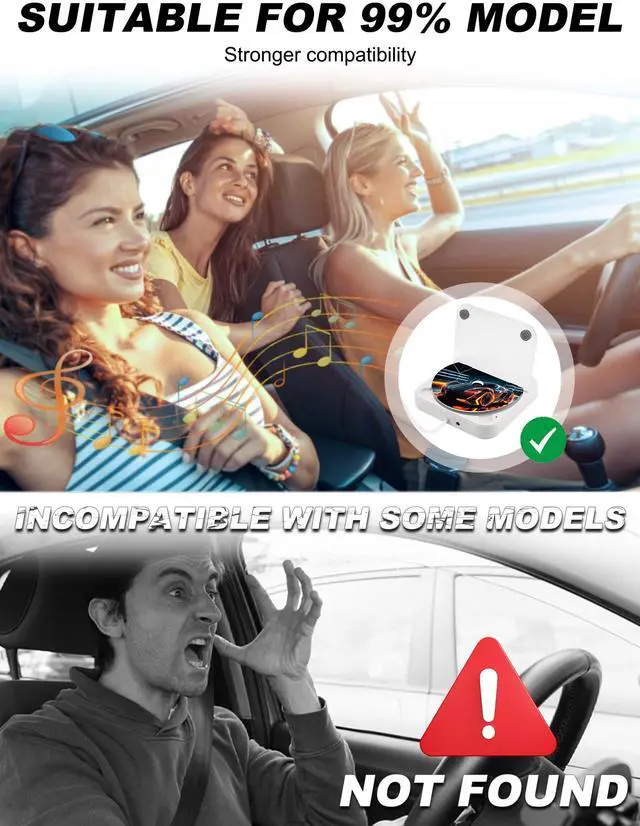
Please verify compatibility with your vehicle before purchase. Contact our support team if uncertain.
Disc Format: CD-MP3, CD-RW, CD-R, CD-WAW
CD Player for Car with USB C Adapter
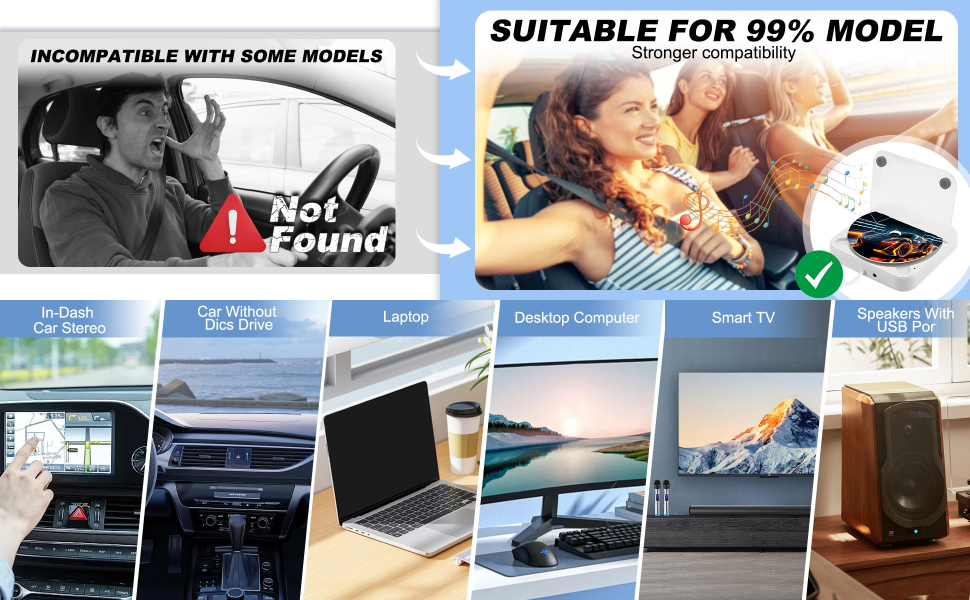
If you are not sure whether this external CD player is compatible with your car stereo, please con-tact us before purchase.
* Supports standard audio CDs only - DVD/recordable discs incompatible.
* Please check your CD format before use.
* Please note that certain car audio systems may disable external playback by default. If necessary, manually activate the "CD Playback" function in your device settings.
Remote Control Precautions Reminder:
- The plastic tab at the back of the remote must be removed before first use to activate the battery.
- If the remote becomes unresponsive, please reduce the distance between the remote and the product.
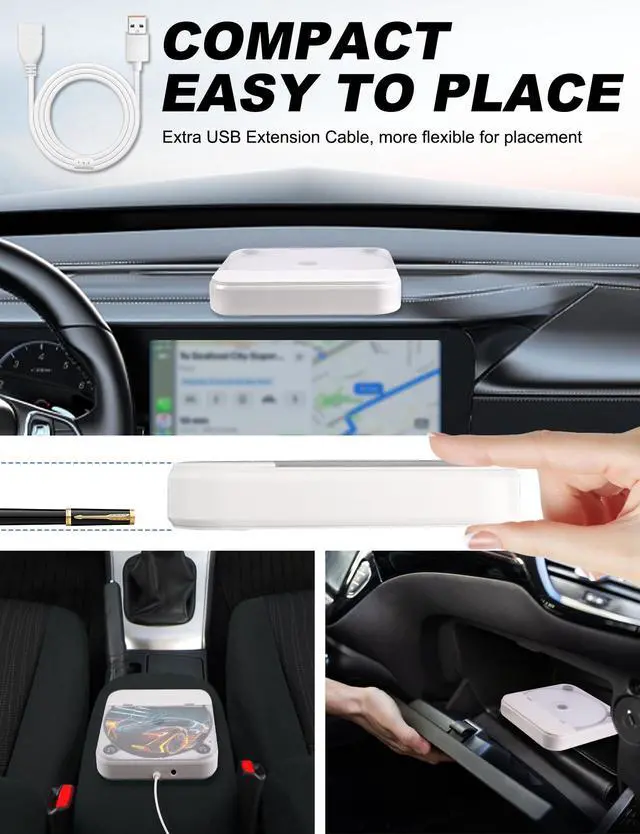
- Avoid placing the product in a glove compartment or enclosed space, as this may block the signal receiver and impair remote functionality.
- The remote control only operates the product when connected via AUX. It does not function when the product is connected via USB.
- If the remote is unresponsive, it may indicate low battery power. Please replace the battery promptly.
- When replacing the battery, ensure the correct orientation (positive/negative sides) of the coin-cell battery.
- Bumpy roads during driving may interfere with the remote control's signal transmission and reception, causing it to malfunction. Please try using the remote again on smooth roads.
- Avoid prolonged direct sunlight or exposure to high temperatures, as excessive heat and strong sunlight may damage the laser head, affecting the remote control's sensitivity.
Compatible with most models, more models to be updated
BMW: All models without CD player
Audi: All models without CD player
Porsche: All models without CD player
LEXUS: All models without CD player
Volvo: All models without CD player
VW: All models without CD player
Opel: All models without CD player
SKODA: All models without CD player
Hyundai/kia: All models without CD player
FIAT: All models without CD player
Mercedes-Benz: All models without CD player
Jaguar: All models without CD player
Tesla: Model Y 2021-2023, Model X 2014 - 2023, Model S 2016 - 2023, Cybertruck, Model 3 2019-2023, Roadster 2019-2023
TOYOTA: AVALON 2019 - 2023, 4RUNNER 2019 - 2023, COROLA 2017 - 2023, RAV4 2017 - 2023, HIGHLANDER 2017 - 2023, CAMARY 2018 - 2023
FORD: ECOSPORT 2015 - 2023, EDGE 2015 - 2023, ESCAPE 2015 - 2023, EXPEDITION 2015 - 2023, EXPLORER 2015 - 2023, F150/250/350/450 2015 - 2023, FLEX 2015 - 2023, FOCUS 2015 - 2023, FUSION 2015 - 2023, MUSTANG 2015 - 2023, RANGER 2015 - 2023
JEEP: CHEROKEE 2017 - 2023, COMPASS 2018 - 2023, RENEGADE 2018 - 2023, GRAN CHEROKEE 2017 - 2023, GLADIATOR 2019 - 2023, WRANGLER 2015 - 2023
*The device lacks Bluetooth functionality and cannot connect to car audio/external sound systems via Bluetooth.
CD Player for Car with USB and AUX Connection
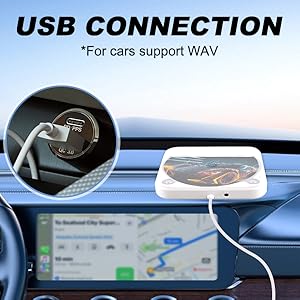
Portable USB CD Player for Car
For cars support WAV:
1.Connect the CD player to the USB port (USB 2.0) of your car stereo.
2.Insert the CD disc.
3.Go to Media. Change the source to USB (just select USB).
4.Then all the tracks in WAV format will be displayed on the screen of your car stereo after connecting the CD player to your car stereo via the USB port.
5.You can select one of the tracks to start playing the music.
Note: The remote control is not available when using a USB connection.
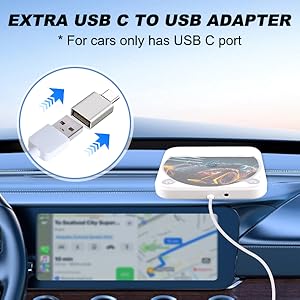
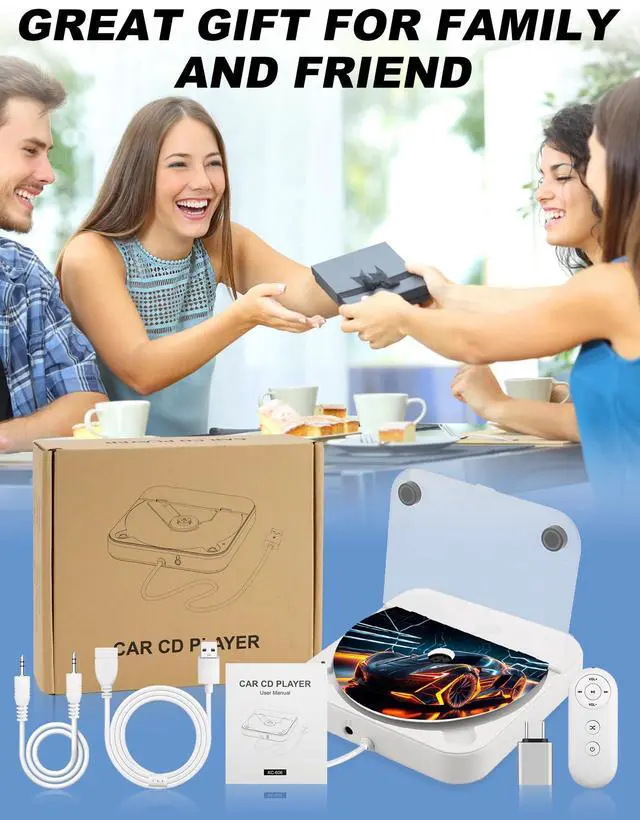
Extra USB C to USB Adapter
- Special gift for car only has Type-C port!
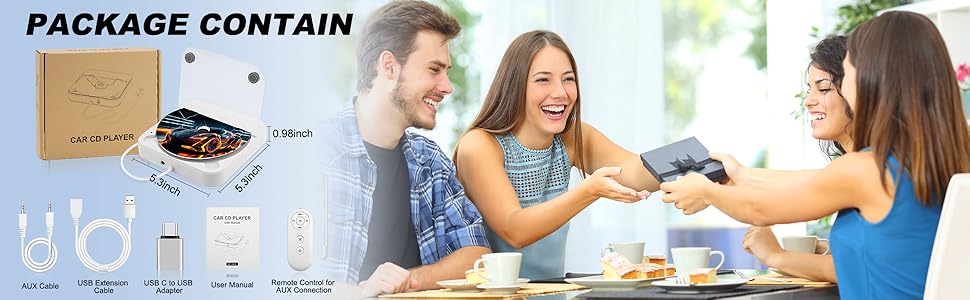
- We prepare an USB C to USB adapter in the package.
- Make this car CD player more compatible
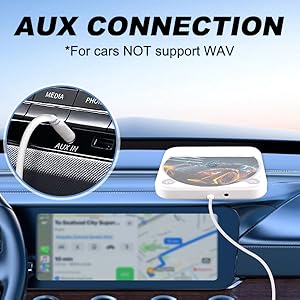
Portable CD Player for Car with Aux Port
For cars NOT support WAV:
This upgraded version is easier to connect, plug and play!
1. Connect the USB cable to any USB port in the car that can be charged.
2. Use the AUX cable to connect the CD player to the car.
3. Insert a CD disc.
4. The tracks will play automatically and can be controlled with the remote control.
Fault and Detection
1. To test the CD player:
- Use your computer or laptop to test the CD player. Insert the USB cable to see if it can read the CD well. If it works normally, the product is in good condition. If not, please request replacement.
- If you want to use USB input, please make sure your car stereo supports playing WAV audio files, you must change the source to USB while using it.
- If your car stereo doesn't support playing WAV audio files, please make sure your car has an aux input.
- Please check whether your CD format is CD-MP3, CD-RW, CD-R, CD-WAW.
- If the CD player still doesn't work, please ask for exchange or return, we are glad to help you.
2. If the CD cannot be read, it means that the car host is not compatible with the WAV music format, in which case you need to use an AUX audio cable to transfer the audio to your car stereo.
3. A user manual is included in the package, please check it and follow the instructions.
*Please avoid placing the product or remote control in direct sunlight to avoid affecting signal transmission and reception.
*Please noted that the device doesn't have built-in speakers.
Newly Upgraded CD Player for Car with Extension Cable
Premium Sound Quality & Anti-skip Function
Dust-proof design & Shockproof with Silicone Strip
- For cars with Android car radio
- For cars with Non-Android radio (compatible with system Linux, Wince, etc.)
- For new cars with factory car radio
- For cars with USB input (make sure car radio supports playing WAV audio files when using this function)
- For cars with AUX input(the 3.5mm auxiliary port) -- For cars which don't support playing WAV audio files, audio from the CD player can be transferred to the car radio via AUX input. Compatible with all cars that have AUX port.
- For Laptop
- For Computer
- For Desktop
NOTE: It is NOT a blue ray CD player.
Please verify compatibility with your vehicle before purchase. Contact our support team if uncertain.
Disc Format: CD-MP3, CD-RW, CD-R, CD-WAW
CD Player for Car with USB C Adapter
If you are not sure whether this external CD player is compatible with your car stereo, please con-tact us before purchase.
* Supports standard audio CDs only - DVD/recordable discs incompatible.
* Please check your CD format before use.
* Please note that certain car audio systems may disable external playback by default. If necessary, manually activate the "CD Playback" function in your device settings.
Remote Control Precautions Reminder:
- The plastic tab at the back of the remote must be removed before first use to activate the battery.
- If the remote becomes unresponsive, please reduce the distance between the remote and the product.
- Avoid placing the product in a glove compartment or enclosed space, as this may block the signal receiver and impair remote functionality.
- The remote control only operates the product when connected via AUX. It does not function when the product is connected via USB.
- If the remote is unresponsive, it may indicate low battery power. Please replace the battery promptly.
- When replacing the battery, ensure the correct orientation (positive/negative sides) of the coin-cell battery.
- Bumpy roads during driving may interfere with the remote control's signal transmission and reception, causing it to malfunction. Please try using the remote again on smooth roads.
- Avoid prolonged direct sunlight or exposure to high temperatures, as excessive heat and strong sunlight may damage the laser head, affecting the remote control's sensitivity.
Compatible with most models, more models to be updated
BMW: All models without CD player
Audi: All models without CD player
Porsche: All models without CD player
LEXUS: All models without CD player
Volvo: All models without CD player
VW: All models without CD player
Opel: All models without CD player
SKODA: All models without CD player
Hyundai/kia: All models without CD player
FIAT: All models without CD player
Mercedes-Benz: All models without CD player
Jaguar: All models without CD player
Tesla: Model Y 2021-2023, Model X 2014 - 2023, Model S 2016 - 2023, Cybertruck, Model 3 2019-2023, Roadster 2019-2023
TOYOTA: AVALON 2019 - 2023, 4RUNNER 2019 - 2023, COROLA 2017 - 2023, RAV4 2017 - 2023, HIGHLANDER 2017 - 2023, CAMARY 2018 - 2023
FORD: ECOSPORT 2015 - 2023, EDGE 2015 - 2023, ESCAPE 2015 - 2023, EXPEDITION 2015 - 2023, EXPLORER 2015 - 2023, F150/250/350/450 2015 - 2023, FLEX 2015 - 2023, FOCUS 2015 - 2023, FUSION 2015 - 2023, MUSTANG 2015 - 2023, RANGER 2015 - 2023
JEEP: CHEROKEE 2017 - 2023, COMPASS 2018 - 2023, RENEGADE 2018 - 2023, GRAN CHEROKEE 2017 - 2023, GLADIATOR 2019 - 2023, WRANGLER 2015 - 2023
*The device lacks Bluetooth functionality and cannot connect to car audio/external sound systems via Bluetooth.
CD Player for Car with USB and AUX Connection
Portable USB CD Player for Car
For cars support WAV:
1.Connect the CD player to the USB port (USB 2.0) of your car stereo.
2.Insert the CD disc.
3.Go to Media. Change the source to USB (just select USB).
4.Then all the tracks in WAV format will be displayed on the screen of your car stereo after connecting the CD player to your car stereo via the USB port.
5.You can select one of the tracks to start playing the music.
Note: The remote control is not available when using a USB connection.
Extra USB C to USB Adapter
- Special gift for car only has Type-C port!
- We prepare an USB C to USB adapter in the package.
- Make this car CD player more compatible
Portable CD Player for Car with Aux Port
For cars NOT support WAV:
This upgraded version is easier to connect, plug and play!
1. Connect the USB cable to any USB port in the car that can be charged.
2. Use the AUX cable to connect the CD player to the car.
3. Insert a CD disc.
4. The tracks will play automatically and can be controlled with the remote control.
Fault and Detection
1. To test the CD player:
- Use your computer or laptop to test the CD player. Insert the USB cable to see if it can read the CD well. If it works normally, the product is in good condition. If not, please request replacement.
- If you want to use USB input, please make sure your car stereo supports playing WAV audio files, you must change the source to USB while using it.
- If your car stereo doesn't support playing WAV audio files, please make sure your car has an aux input.
- Please check whether your CD format is CD-MP3, CD-RW, CD-R, CD-WAW.
- If the CD player still doesn't work, please ask for exchange or return, we are glad to help you.
2. If the CD cannot be read, it means that the car host is not compatible with the WAV music format, in which case you need to use an AUX audio cable to transfer the audio to your car stereo.
3. A user manual is included in the package, please check it and follow the instructions.
*Please avoid placing the product or remote control in direct sunlight to avoid affecting signal transmission and reception.
*Please noted that the device doesn't have built-in speakers.