EDID Management
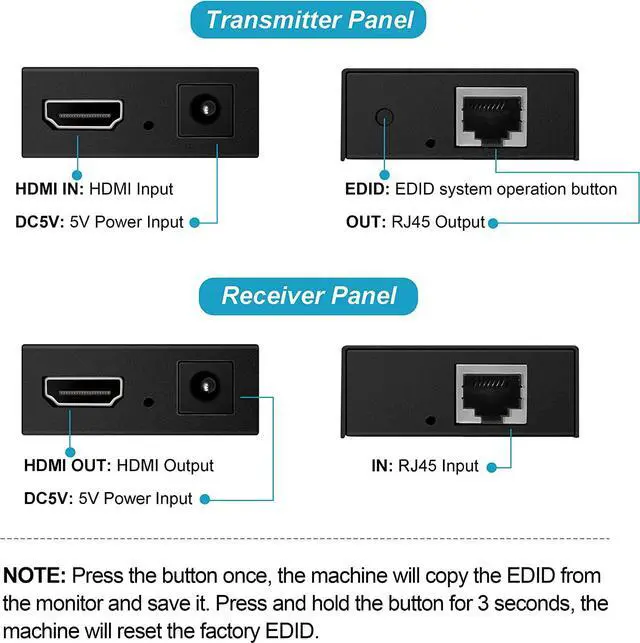
For better compatibility, it is recommended that you perform COPY EDID operation.
The steps are as follows:
1. Connect the TX to the power supply, and connect the TX to the monitor with an HDMI cable no longer than 3 meters.
2. Tap the EDID button once (no more than 0.5 seconds). At this time, the signal indicator will light up, and the green light will turn off to indicate the end of the copy. Only need to operate once, the machine will automatically store the EDID data of the display. Unless copying or resetting is performed again, the machine will overwrite the previously copied EDID data.
3. Press and hold the button for 3 seconds, the machine will reset the factory EDID.
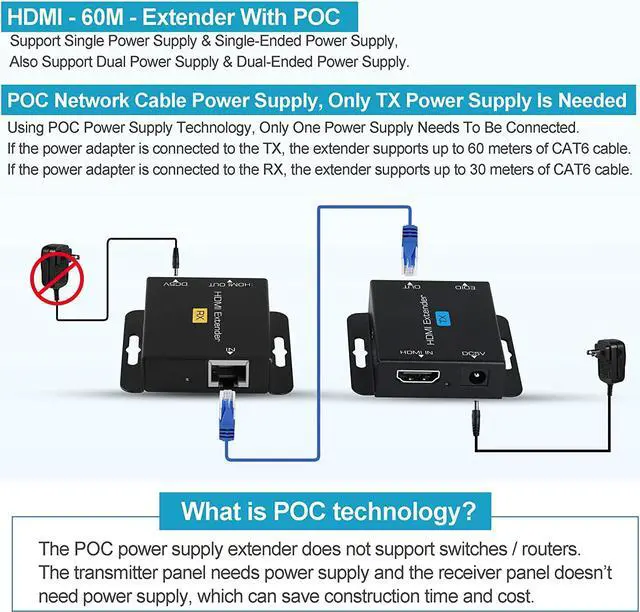
POC Network Cable Power Supply, Only TX Power Supply Is Needed.
What is POC technology?
The POC power supply extender does not support switches / routers.
The transmitter panel needs power supply and the receiver panel doesnt need power supply, which can save construction time and cost.
Using POC Power Supply Technology, Only One Power Supply Needs To Be Connected.
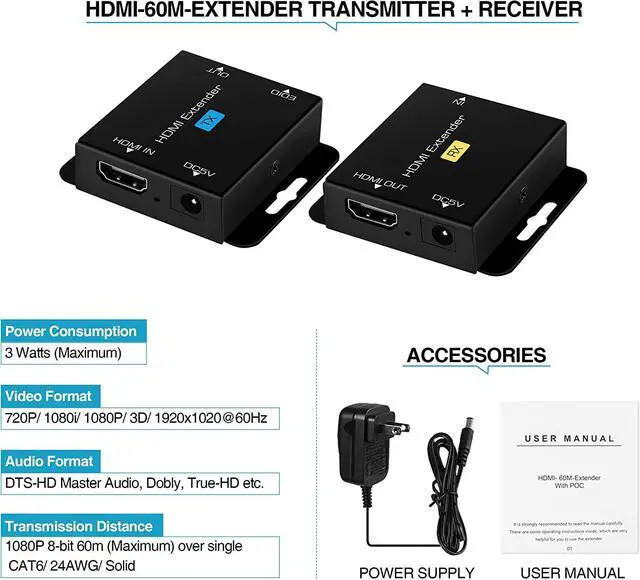
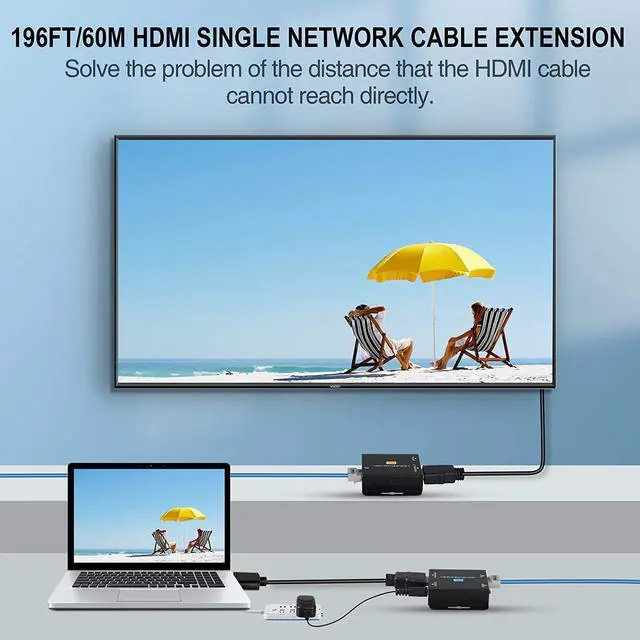
If the power adapter is connected to the TX, the extender supports up to 60 meters of CAT6 cable.
If the power adapter is connected to the RX, the extender supports up to 30 meters of CAT6 cable.
TIPS:
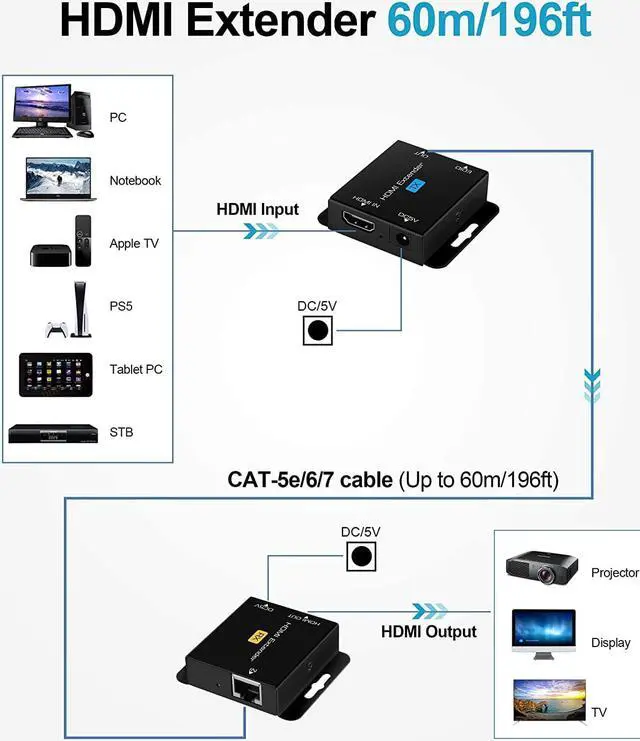
This 60M HDMI Extender support 3D and deep color up to 36 bits, lossless compressed digital audio, and data transmission speed of 6.75Gbps.
Which will bring you the best video/audio experience.
RECOMMEND using HDMI to HDMI connection directly, avoid using signal converters or adapters!
NOTE:
When the input source is 3D, the output display must also support 3D.
When in 36 Bits deep color mode, we suggest set the HDMI source device to output 1080i or 720p.
avedio links 196ft/60m HDMI Extender will bring you the best video and audio experience!



 All Categories