All About The Ports
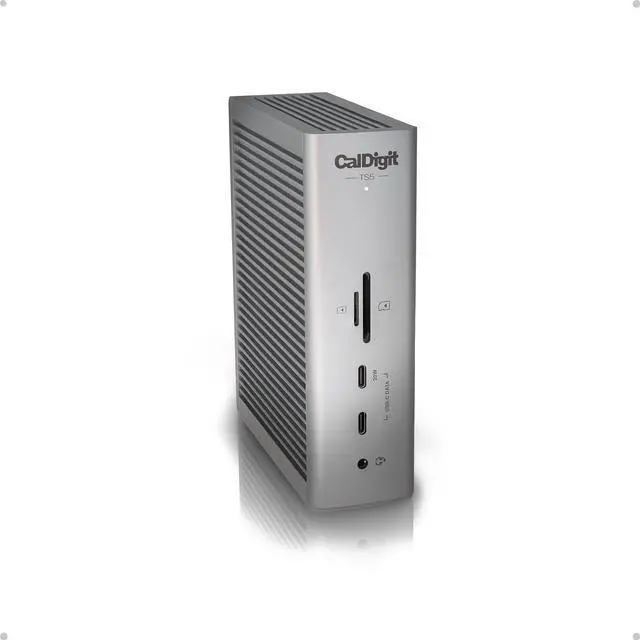
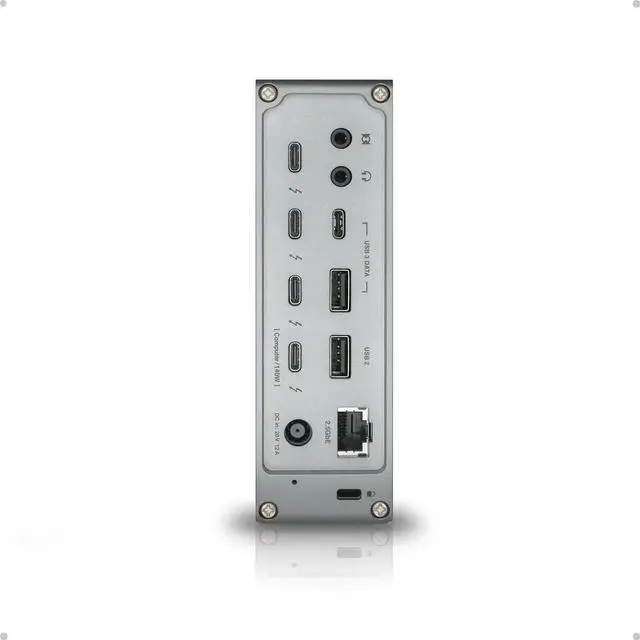
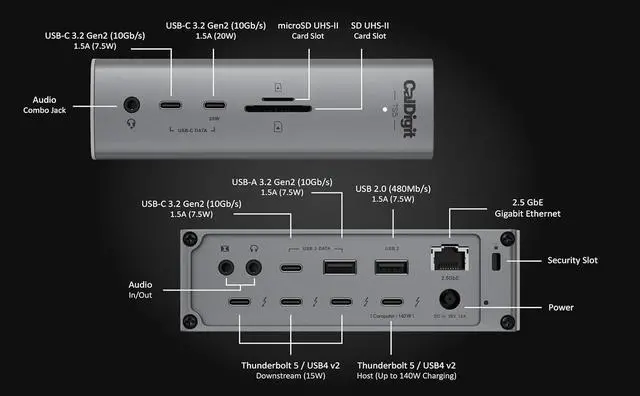
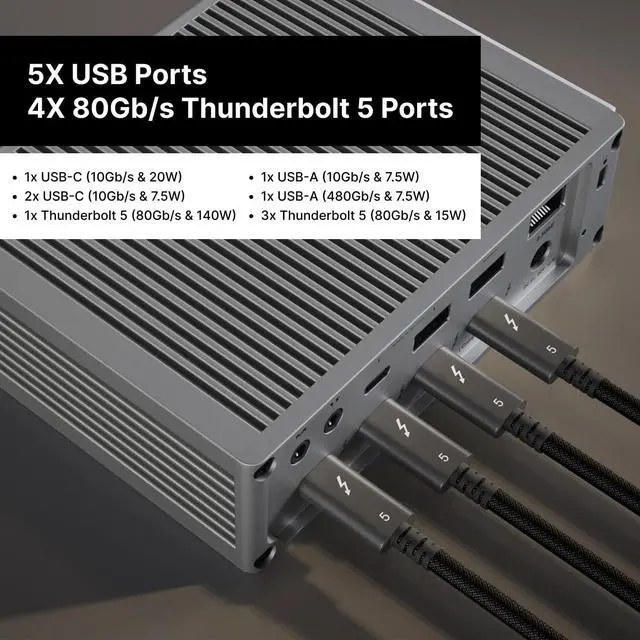
The TS5 is built from the ground up with connectivity in mind. It is packed full of essential ports ready to take your workflow to the next level. This dock features a combined total of 15 ports, including four Thunderbolt 5 80Gb/s ports. In addition to all of this connectivity the TS5 will charge your laptop up to 140W.
The TS5 is compatible with Thunderbolt 5, Thunderbolt 4, Thunderbolt 3, USB4, USB4 v2, and USB-C host computers.
M1/M2/M3/M4 Pro, M1/M2/M3/M4 Max & M1/M2/M3 Ultra Mac¹
M1/M2/M3/M4 Mac¹
Thunderbolt 5 PC
Thunderbolt 4 PC
Thunderbolt 3 Mac
USB4 & USB4 v2 PC
Intel Thunderbolt 3 Mac¹
USB-C Mac or PC
Thunderbolt iPad²
Thunderbolt Chromebook
¹ Requires macOS 15 or above. ² Functionality is dependent on host computer or tablets capabilities.
*To get the maximum performance & features from the TS5 an 80Gb/s Thunderbolt 5 or USB4 v2 host connection is required.
The TS5 features four 80Gb/s bi-directional Thunderbolt 5 ports, which are double the performance of Thunderbolt 4. The PCIe performance of the the Thunderbolt ports have been doubled from the previous generation to 64Gb/s PCIe 4.0. This is ideal for connecting high-performance SSDs or RAID devices, with transfer speeds up to 6,200MB/s.
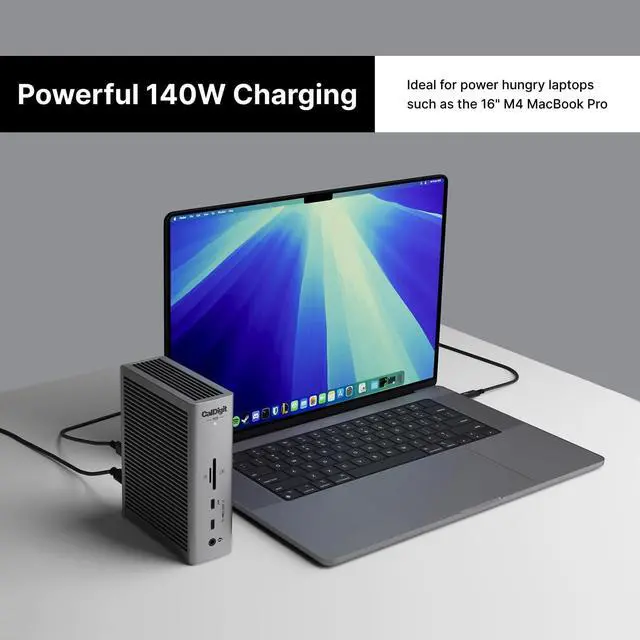
The TS5 delivers up to 140W power, supporting demanding laptops like the 16 MacBook Pro with M4 Pro or Max chips. The TS5's power supply will always provide the full 140W power delivery, and will never drop that performance even when new devices are connected to it. For devices needing less power, it adjusts to supply only whats required.
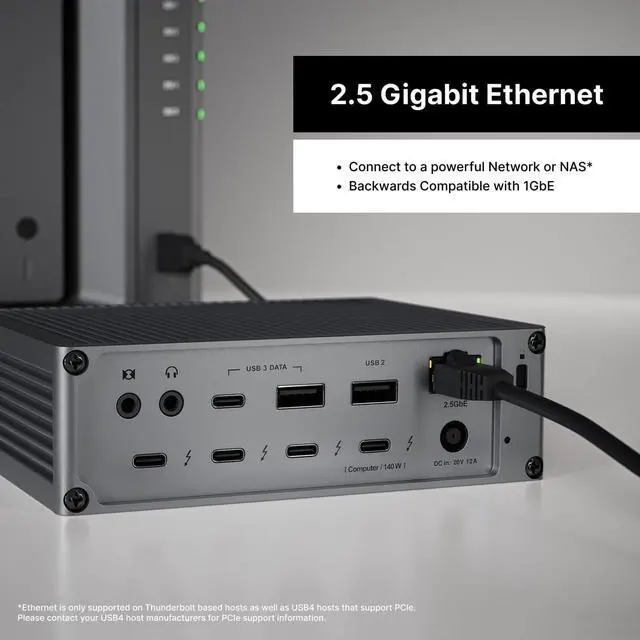
The TS5 features a 2.5 Gigabit Ethernet port for outstanding performance.* 2.5GbE is 2.5x faster than traditional Gigabit Ethernet, and is becoming the new standard for routers, switches, and NAS devices.*
*Ethernet is only supported on Thunderbolt based hosts as well as USB4 hosts that support PCIe. Please contact your USB4 host manufacturers for PCIe support information.
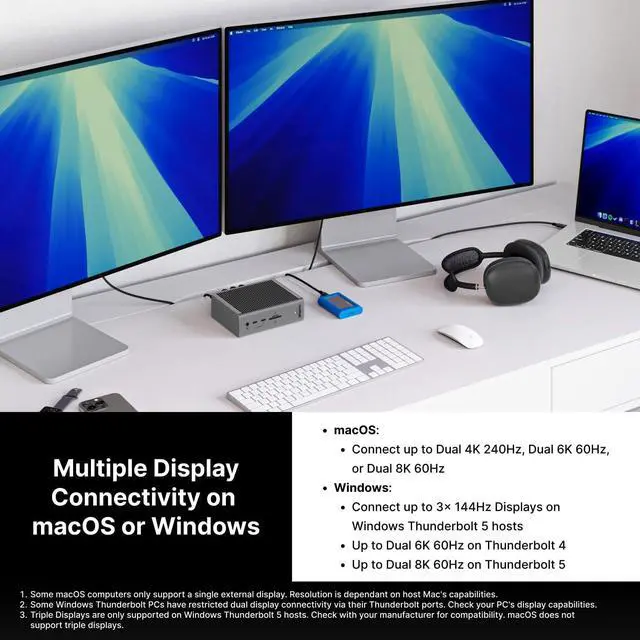
Whether you need a high-resolution display, a high-refresh rate display, or up to 3 external displays, the TS5 has you covered.
Single Monitor
If youre looking to add a single monitor to the TS5 you can connect it to one of the spare Thunderbolt 5 ports. If you wish to connect an HDMI monitor you can use a USB-C to HDMI Adapter ***.
Dual Monitors
macOS users on base M4, M1/M2/M3/M4 Pro, M1/M2/M3/M4 Max, M1/M2/M3 Ultra, or Intel based Macs can connect up to dual displays.
M1/M2/M3 based Macs are limited to 1 external monitor by design via their Thunderbolt ports.
Windows PC Thunderbolt 5 and Thunderbolt 4 users can connect up to dual displays.
Triple Monitors
macOS does not support Triple monitors via a Thunderbolt Dock or Hub.
Windows PC Thunderbolt 5 users can connect up to three displays on supported host computers.
Windows PC Thunderbolt 4 users cannot connect three displays natively.
Quad Monitors
macOS users on M5 Max can connect up to four displays.
* Dual 5K monitors must be Thunderbolt 4 or Apple Studio Displays. Dual LG UltraFine 5K monitors are not supported. 6K monitors can be a Thunderbolt 4 monitor or an Apple Pro Display XDR. DSC (Display Stream Compression) support is required for 6K and 8K resolutions.
** Higher refresh-rates (above 60Hz) may require DSC (Display Stream Compression) support on the monitors and host GPU. The bit/color depth may vary in order to support higher refresh-rates.
*** Some M3 MacBooks such as the MacBook Air can support dual external monitors up to 5K and 6K when the laptop lid is closed (clamshell mode).
**** Currently M1/2/3/4 Macs can only support up to HDMI 2.0b over its Thunderbolt ports. As such, resolutions will be limited to 4K 60Hz when using an HDMI adapter. If a higher refresh-rate is required, please use a USB-C to USB-C or USB-C to DisplayPort or DisplayPort to DisplayPort con