


Meet Your Seller

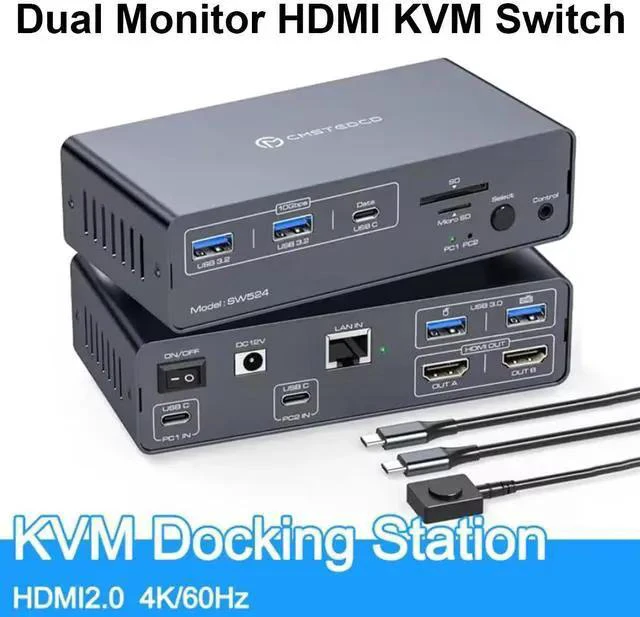
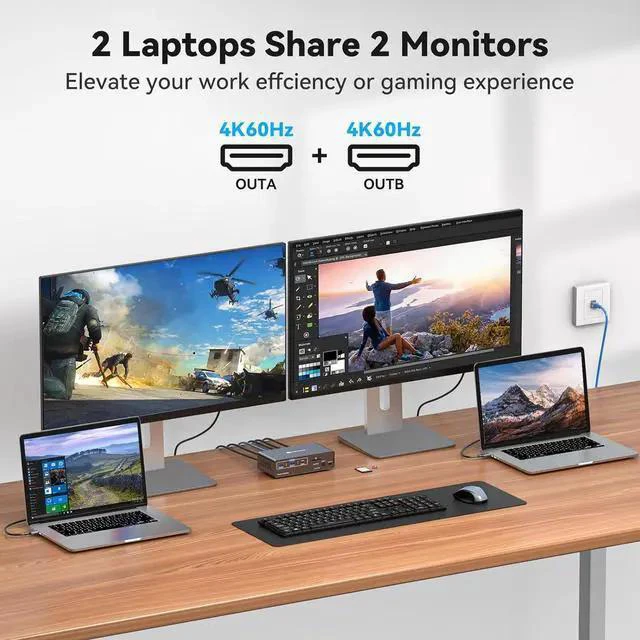
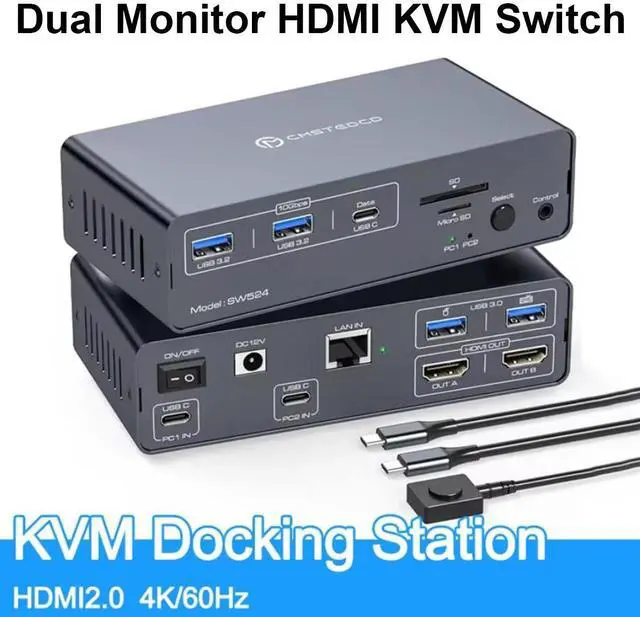


IHDAPP USB C Thunderbolt 3 KVM Switch for Laptop with Dual HDMI Monitor 4K@60Hz, 12 in 1 USB C HUB KVM Docking Station with 10Gbps USB 3.2 Ports 1000Mbps Ethernet Port for 2 Laptop Share 2 Monitors
- Item #: 9SIVTKKM9S4858
- Mfr. Part #: SW523KVM#Q2836_B
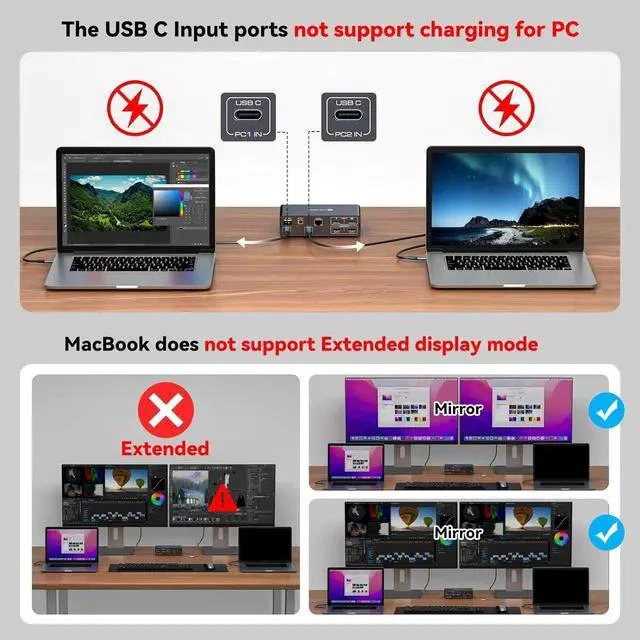
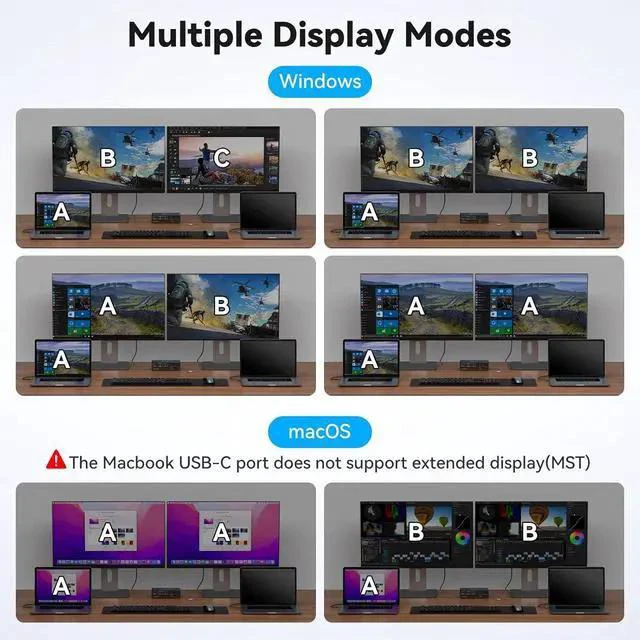
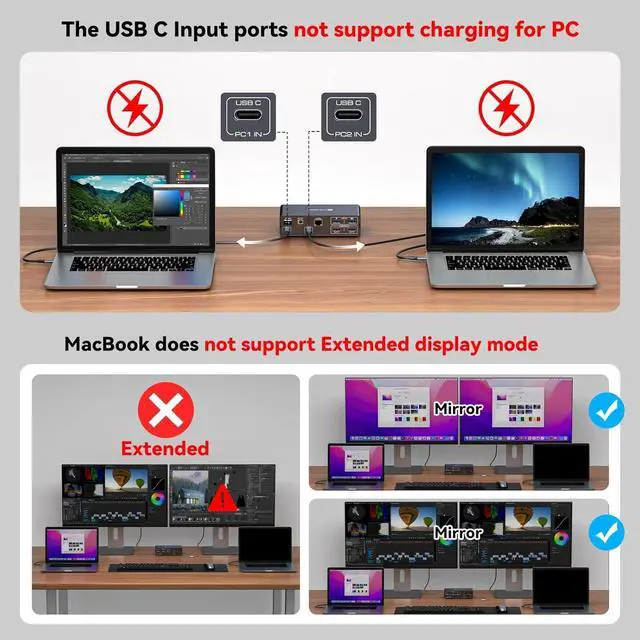
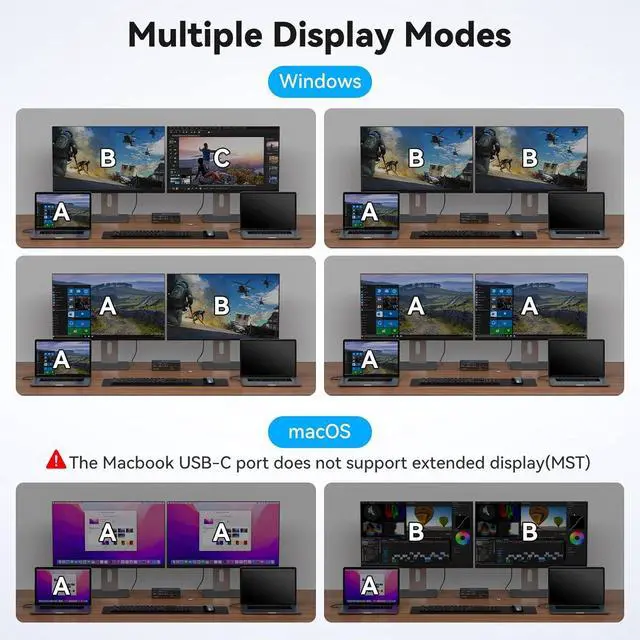
- Read before purchasing: 1.The USB C input of this kvm Switch cannot reverse charge a laptop (not PD capable) 2.Do not support the expansion function for Macbook or Mac OS. Only copy mode is supported.3. Pls make sure the USB C port of your laptop is Thund
+
+
Overview
Specs
Reviews
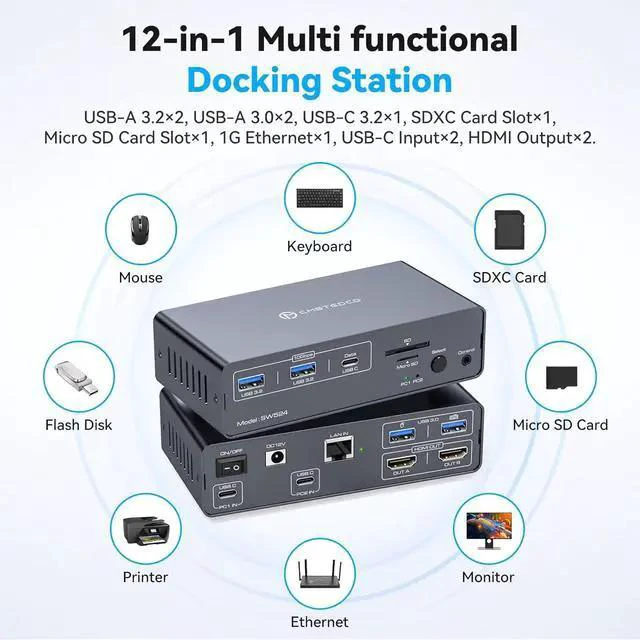
USB C 12-in-1 Laptop Docking Station Switch with Dual HDMI Monitor
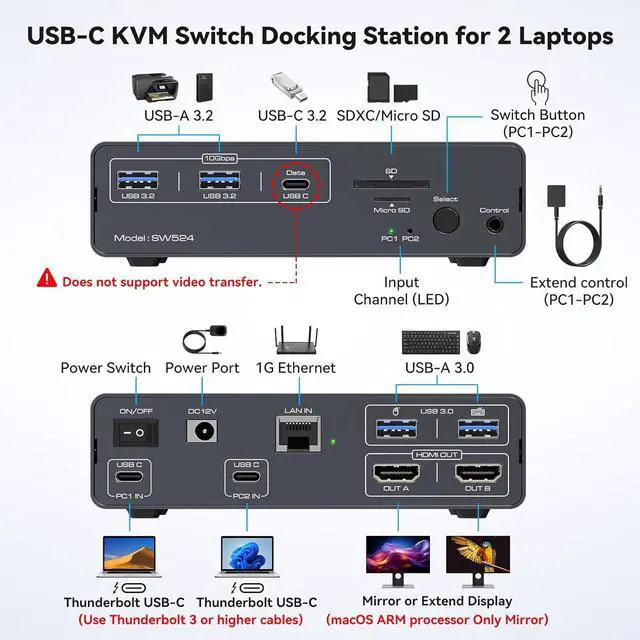
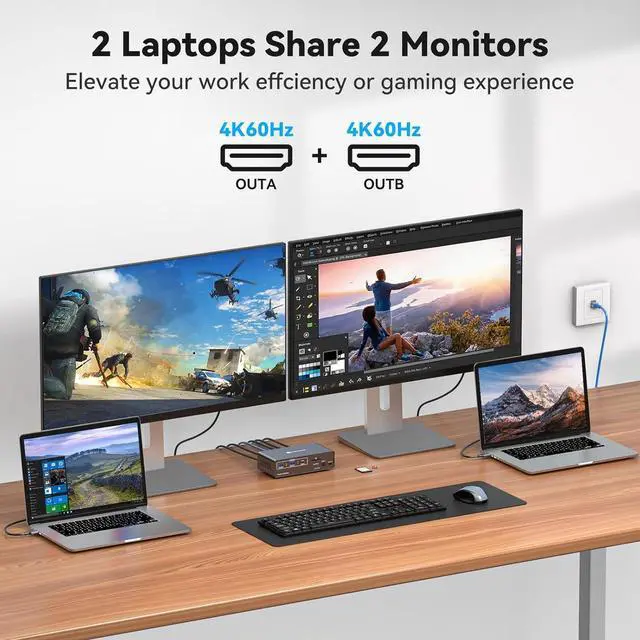
Supports controlling 2 computer devices and 2 monitors using only 1 set of keyboard and mouse.
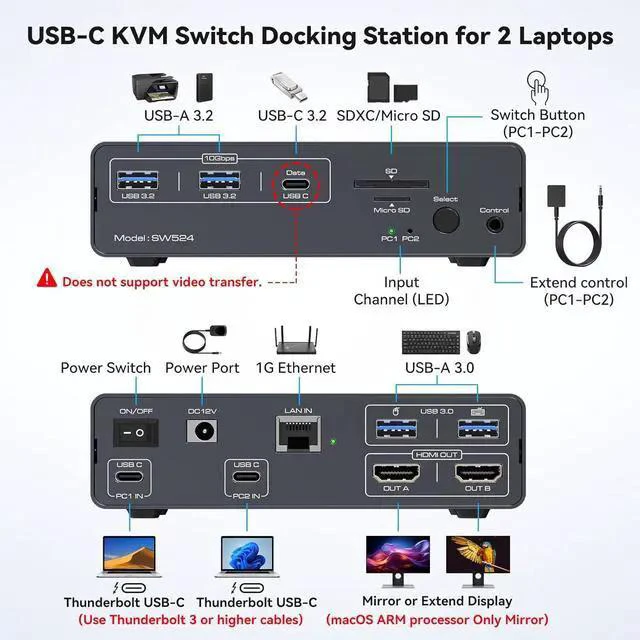
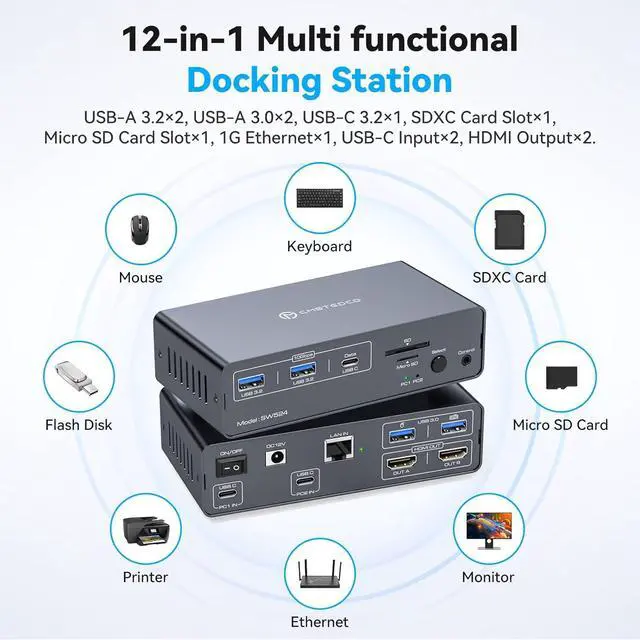
Supports mouse and keyboard connection to laptop docking stations via two USB 3.0 ports.
Supports connecting barcode scanners, USB storage, or other high-speed USB devices through two USB 3.2 Gen2 and one USB-C port.
Supports host USB 3.2 Gen2 transfer rate.
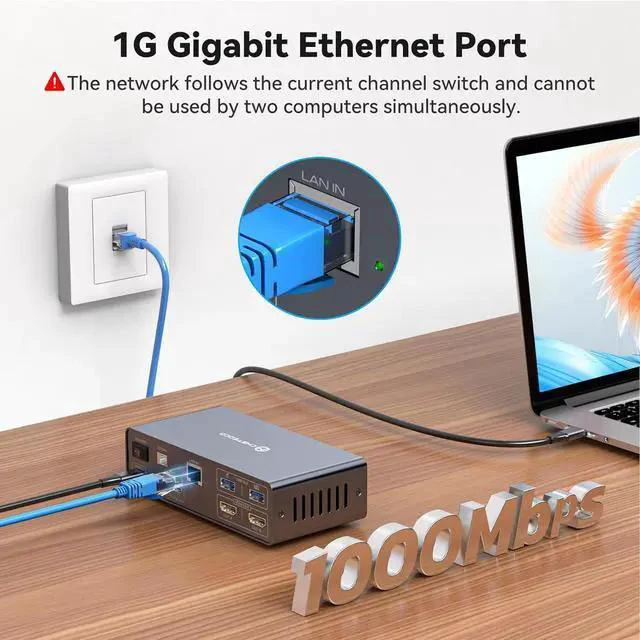
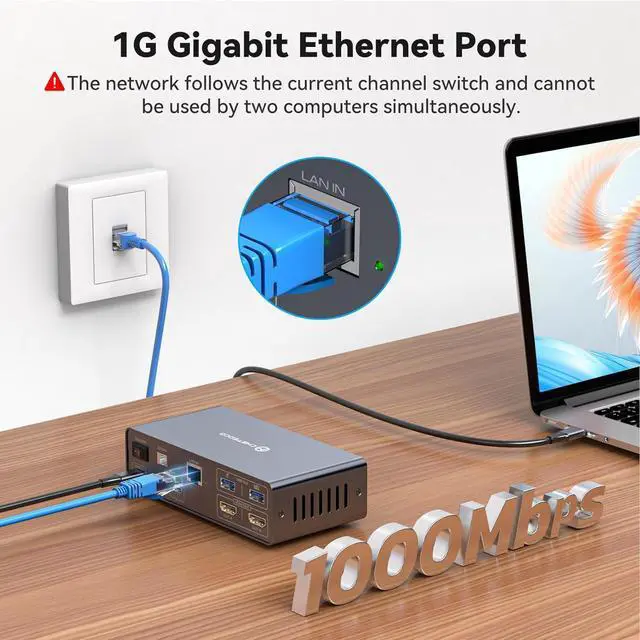
Supports Ethernet bandwidth up to 1000Mbps (The network follows the current channel switch and cannot be used by two computers simultaneously).
Support front panel buttons and external switch buttons to control laptop docking stations inputs.
The USB-C port supports dual screen mode for Windows and Mac OS
Supports USB 3.0 SD card and Micro SD card.
How to use
Two Laptops are respectively connected to the PC1 IN port and PC2 IN port of the docking station via the USB-C port. (supports video transmission, Thunderbolt 3 or higher);
Connect the HDMI output port on the back of the laptop docking stations to the monitor through an HDMI cable.
Connect the mouse and keyboard to the USB 3.0 port on the back.
Connect USB storage devices, printers, and other USB devices to the USB port on the front panel. (the USB-C port on the front panel only supports data transfer and does not support PD charging and video transfer)
Switch between Computer 1 and Computer 2 through the buttons on the panel or external control kit.
Attention:
Before inserting the connecting cable, please disconnect the power supply first.
Before power on, please check the connection line carefully. And make sure that all interfaces are normally connected.
Warranty & Returns
Warranty, Returns, And Additional Information
Warranty
- Please contact the Seller directly for warranty information. Warranty information may also be found on the Manufacturer's website.
- CONTACT
Return Policies
- Return for refund within: 30 days
- Return for replacement within: 60 days
- This item is covered by Glovibe Tech Return Policy
Manufacturer Contact Info
- For a directory of all our manufacturers, please click below.
- Manufacturers Directory
LOADING...