


Meet Your Seller

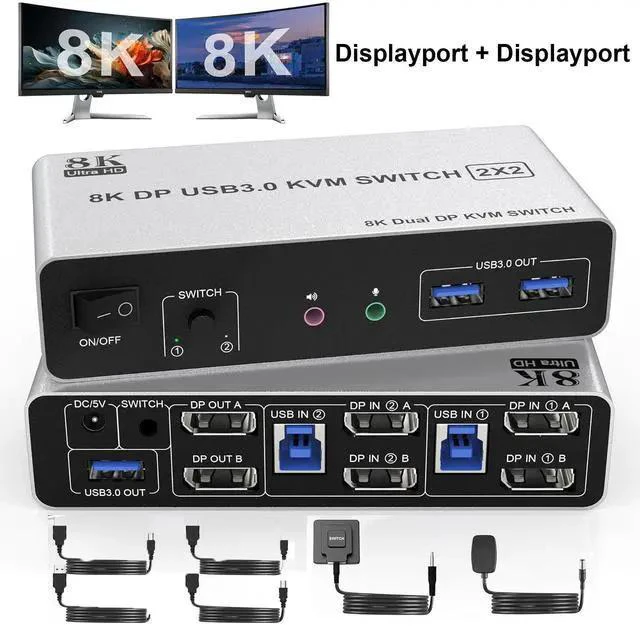



IHDAPP USB 3.0 DisplayPort KVM Switch 2 Computers 2 Monitors 8K@60Hz 4K@144Hz, Dual Monitor Displayport KVM Switches with Audio Microphone Output and 3 USB 3.0 Ports, Desktop Controller & 2 USB Cable
- Item #: 9SIVTKKM9R9148
- Mfr. Part #: 2x2DP#Q2855_GR_US
- [Dual Monitor DP1.4 KVM Switch} This Dual Monitor DP 1.4 KVM switch 2 computers 2 monitors allow 2 computers or other signal source to share two HD monitors, audio microphone output and 3 USB 3.0 ports, such as mouse, keyboard, printer U disk or gamepad,
+
+
Overview
Specs
Reviews
8K Displayport KVM Switch for 2 monitors 2 computers Share Mouse Keyboard Printer
Features:
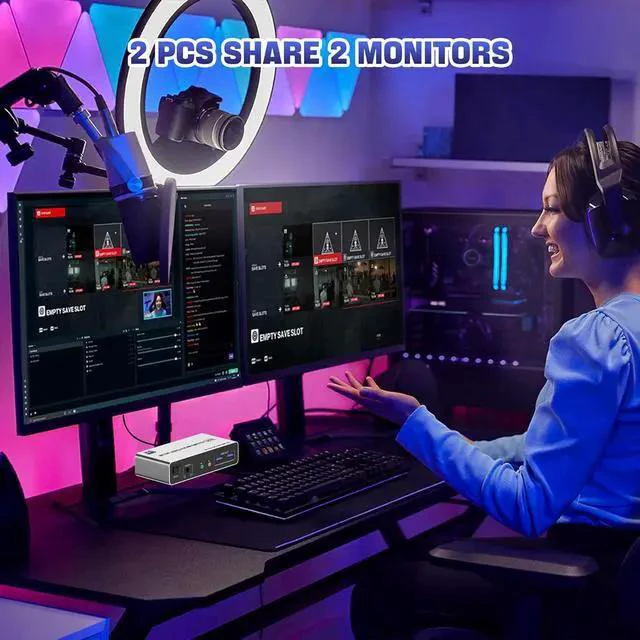
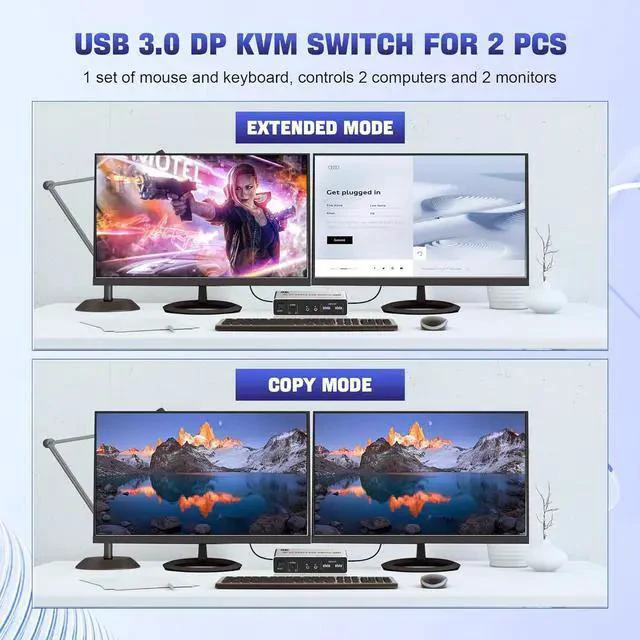
1. KVM Switch Displayport 2 port allows 2 computers/laptops share one set of keyboard, mouse, and 2 monitors (DisplayPort+ DisplayPort)
2. Dual monitors output support up to 8K@60Hz/4K@120Hz, Ultra HD, HDR 10, Dolby vision, 3D effect.
3. Support DP 1.4, transfer rates up to 32.4G bps, backwards compatible with DP 1.2
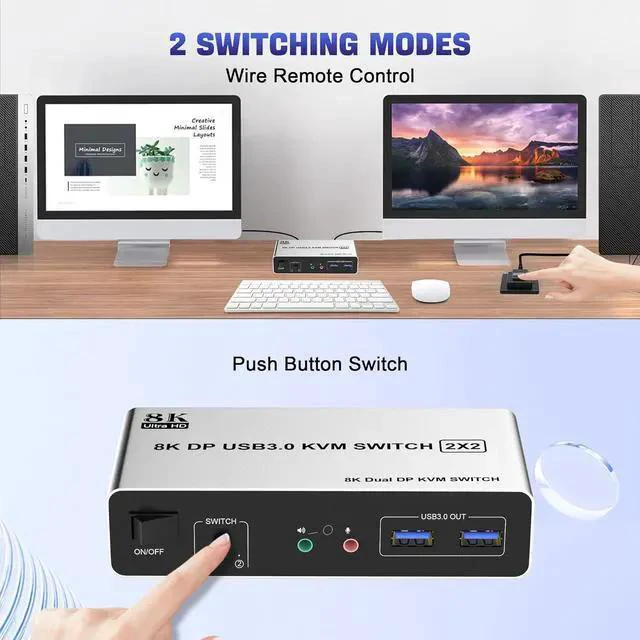
4. 2
Switching modes: Button switch and wired remote.
5. With extra 3 USB 3.0 ports and independent audio microphone output.
6. Plug and play, compatible with Windows/Vista/XP and Mac Os, Linux and Unix
7. The ports that need to plug in DisplayPort/USB cables are all hidden behind the 3 monitor kvm switch, so the desktop doesn't get cluttered, you can enjoy the clean work space.
Ultra HD 8K@60Hz Dual Monitor KVM Switch
Supports up to 8K@60Hz/4K@120Hz, Ultra HD, HDR 10, Dolby vision, 3D effect.
Support DP 1.4, transfer rates up to 32.4G bps, backwards compatible with DP 1.2
Note: Only when both your computer Graphics card and monitor support 8K@60Hz you can get the 8K@60Hz effect, so if you want the max resolution you have to check your devices first.
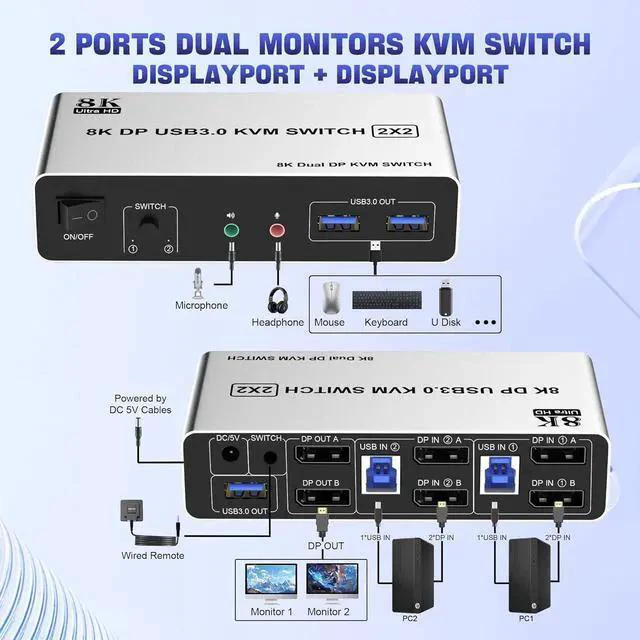
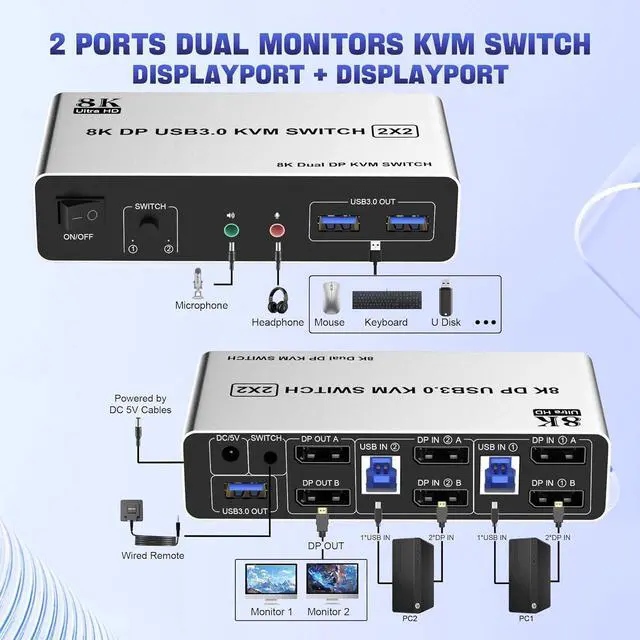
Installation steps:
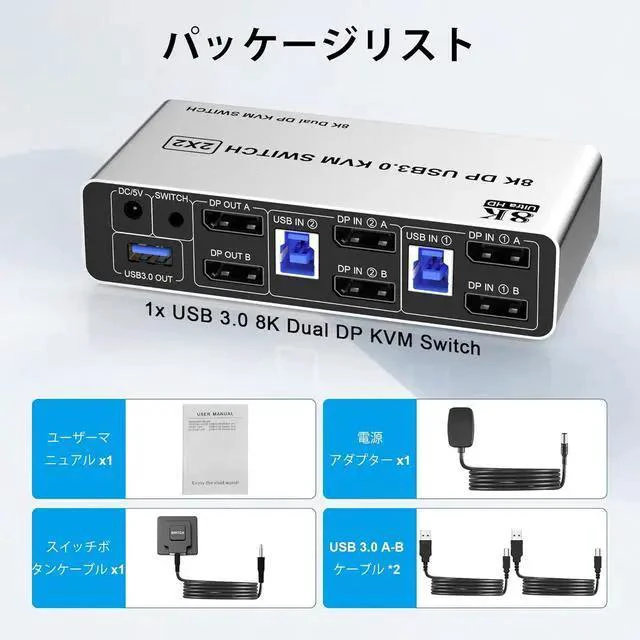
1. Insert the adapter into the KVM;
2. Plug the 2*Displayport cable into the KVM switch and monitor; (Output)
3. Plug the Displayport cable and USB cable into the KVM switch and your computer/laptop (DP cables are not included) (Input)
Please check whether HDMI IN 1A, HDMI IN 1B, DP IN 1C, and USB IN 1 corresponding, and whether HDMI IN 2A, HDMI IN 2B, DP IN 2C and USB IN 2 are corresponding. Mixed insertion is not supported.
DP IN 1A + DP IN 1B + USB IN 1=PC1
DP IN 2A + DP IN 2B + USB IN 2=PC2
4. Insert the mouse and keyboard into the KVM switch
5. If needed, you can connect a microphone and audio port
Note:
1. Most of the reasons why only one video output works is because of an incorrect connection. Please make sure each computer has 2 DP cables connected to the KVM.
2. If the KVM switch does not work, you can turn off the switch on the panel and turn it on again after 2-3 seconds, and it will return to normal.
Dual Monitor DP + DP KVM Switch with 3 USB 3.0 Ports
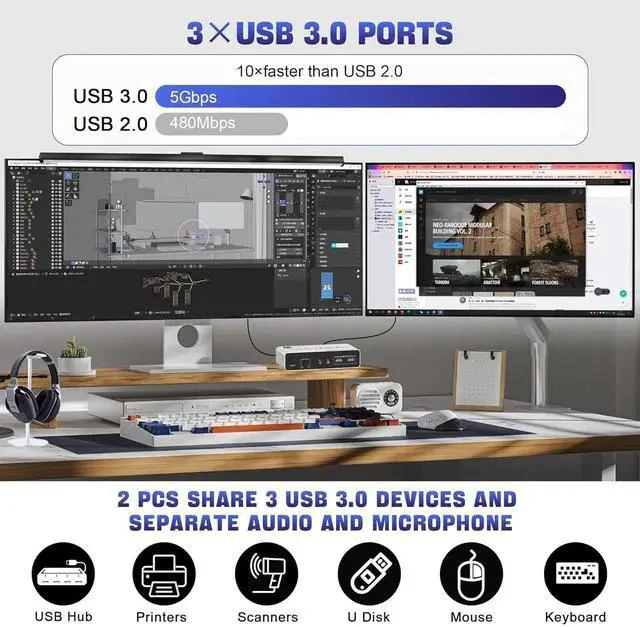
3 USB 3.0 ports, backward compatible with USB 2.0 and USB 1.1, share USB devices such as keyboard mouse scanner, printer, flash drive, etc.
USB 3.0 offers data transfer speeds of up to 5Gbps, while USB 2.0 offers data transfer speeds of only 480Mbps.
Switch by Panel button
Push-button design allows for one-touch switching using a button on the KVM Switch box, eliminating the need to plug and unplug cables frequently, saving space and time.
Wired Remote Control(Length: 1.50 m)
Supports wired remote switching for easy cable management, you can switch directly on the desktop, convenient for your life and work
LED Indicator
When switching to which PC, the LED will t
Warranty & Returns
Warranty, Returns, And Additional Information
Warranty
- Please contact the Seller directly for warranty information. Warranty information may also be found on the Manufacturer's website.
- CONTACT
Return Policies
- Return for refund within: 30 days
- Return for replacement within: 60 days
- This item is covered by Glovibe Tech Return Policy
Manufacturer Contact Info
- For a directory of all our manufacturers, please click below.
- Manufacturers Directory
LOADING...