


 All Categories
Built for How Business Buys.
All Categories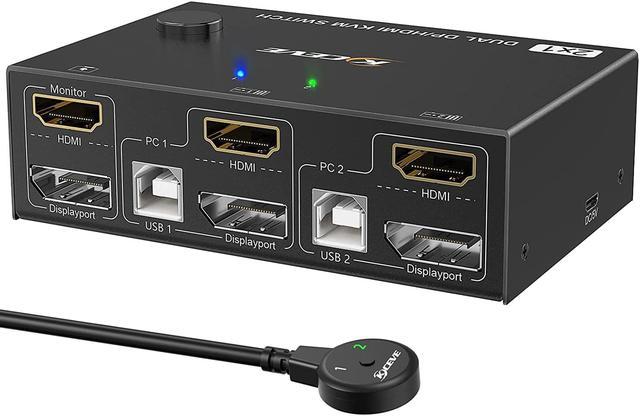
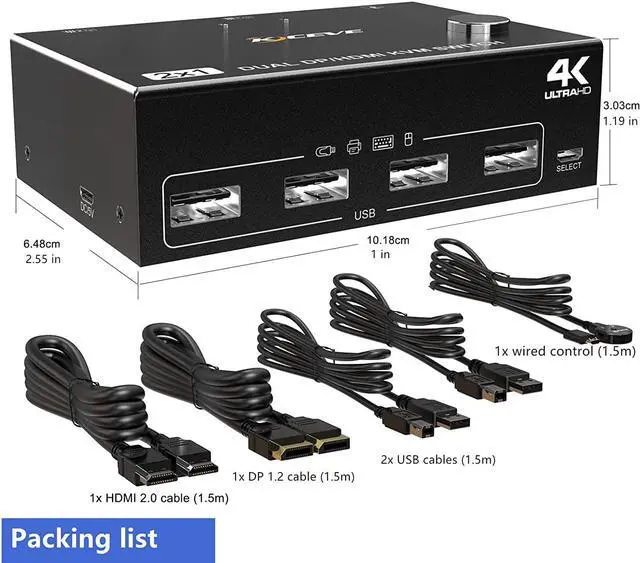



Specification:
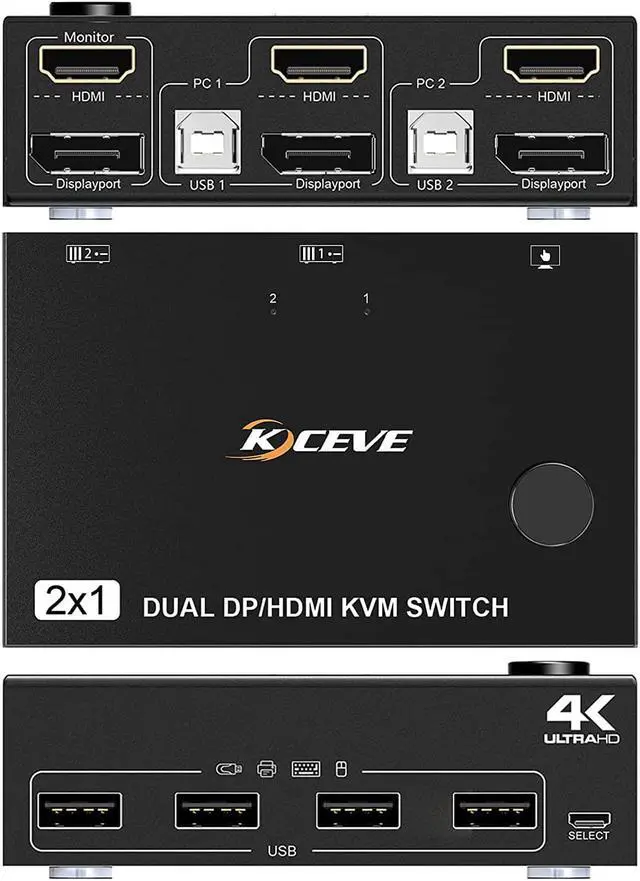
Name: Dual Monitor DP-HDMI Switcher
Material: Metal housing
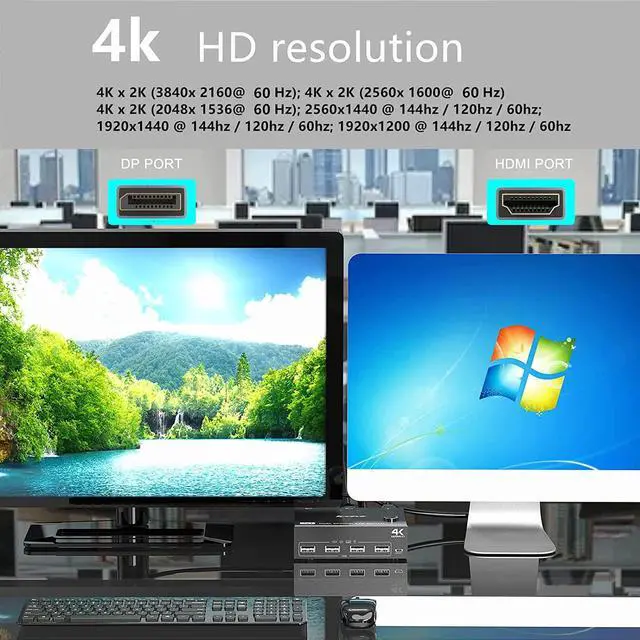
Resolution range: Up to 4Kx2K@60Hz
Supports wired or wireless keyboard and mouse
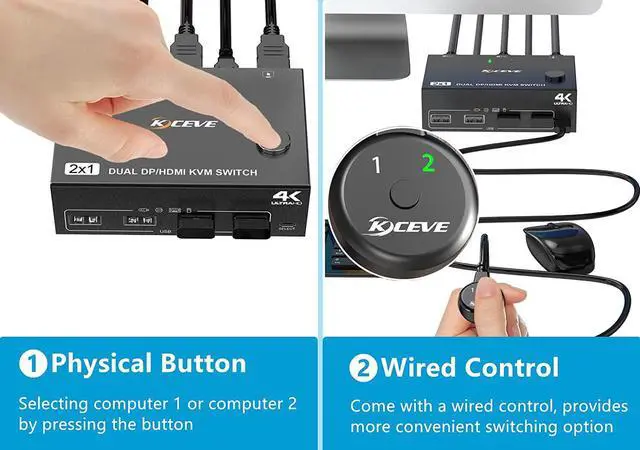
Control type: physical button control and wired control
Keyboard switching: Not supported
HD-MI cable range: <5M (resolution: 1920*1080@60Hz)

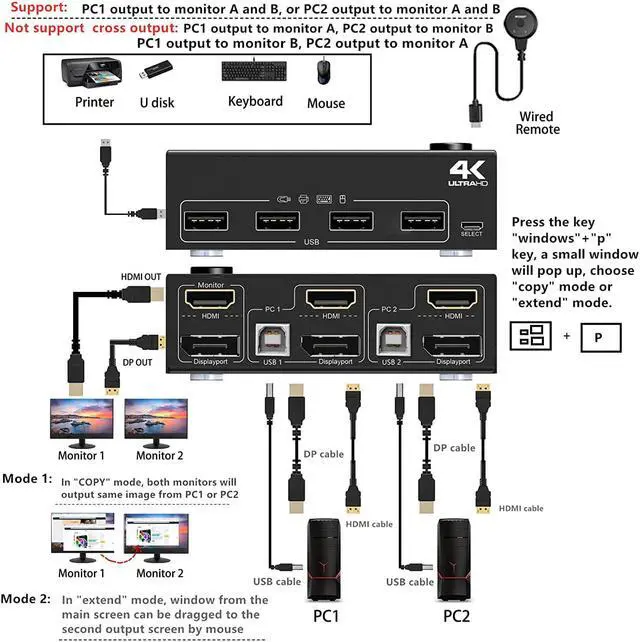
In copy mode, the main screen can be copied to the second screen. In expansion mode, the main screen window can be dragged to the second output screen.
HD-MI2.0 supports 4K (3840 x 2160 @ 60hz) resolution, backward compatible. If the monitor does not display correctly, try reducing the resolution.
This dual monitor HDMI KVM switch can control 2 computers to share 2 monitors through 1 set of USB keyboard and mouse. For it to work properly, please connect all USB cables to get enough power.
Supports physical button control and wired control. Please note that this model does not support keyboard hotkey switch way.
Allows you to quickly switch to the mode you need anytime, anywhere while working, improving your work efficiency.

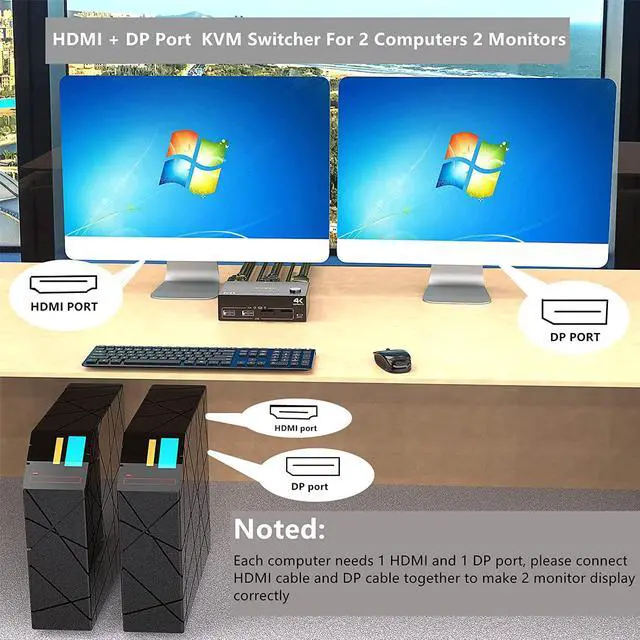
Suitable for computers with 1 HD-MI port and 1 DP port.
Please connect HDMI cable and DP cable together to display 2 monitors.
USB cable connected for power supply.

Please make sure your monitor has an HD-MI or DP port before purchasing.
Supports most monitors on the market.

USB ports for connected USB devices such as mouse, keyboard, USB printer, scanner, etc.
High-power USB devices are not recommended, such as mechanical illuminated keyboards.

Supports the following resolutions:
4K x 2K (3840x 2160@60Hz); 4K x 2K (2560x 1600@ 60Hz); 4K x 2K (2048x 1536@ 60Hz)
2560x1440 @ 144Hz / 120Hz / 60Hz; 1920x1440 @ 144Hz / 120Hz / 60Hz; 1920x1200 @ 144Hz / 120Hz / 60Hz

Supports: PC1 output to monitor A and B or PC2 output to monitor A and B.
Does not support cross-display: PC1 output on monitor A, PC2 output on monitor B, or PC1 output on monitor B, PC2 output on monitor A.
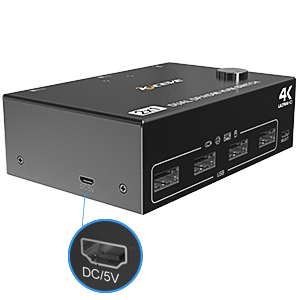
A DC5V power supply is usually not required.
DC5V power cable and power adapter not included. Please use your own Android USB cable to power if the status of the USB device is unstable.
