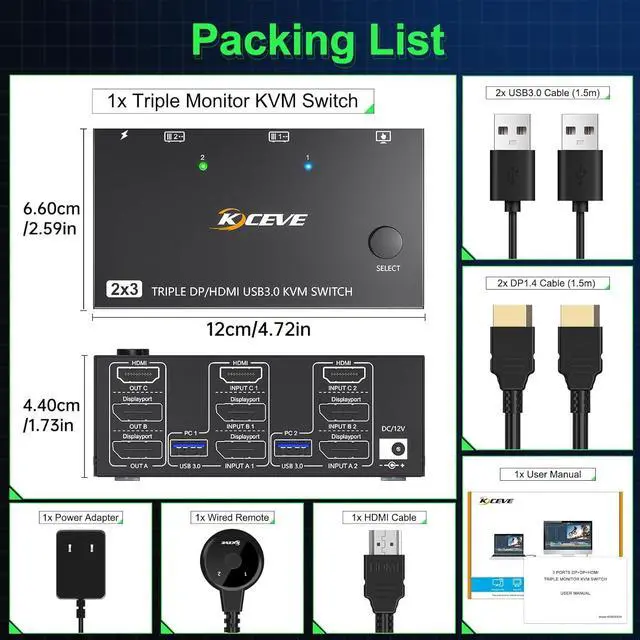
Package included:
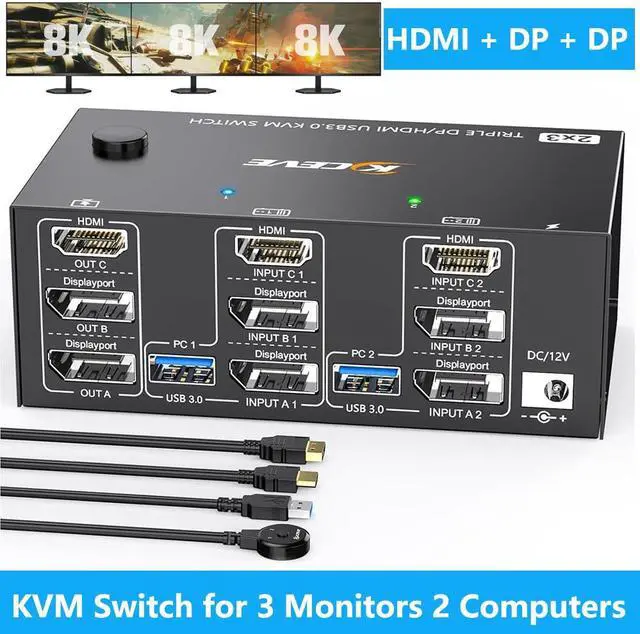
1x KVM Switch, 2x DP 1.4 Cable, 1x HDMI 2.1 Cable, 2x USB 3.0 Cable, 1x Power Adapter, 1x Wired remote, 1x User's manual.
Connection steps:
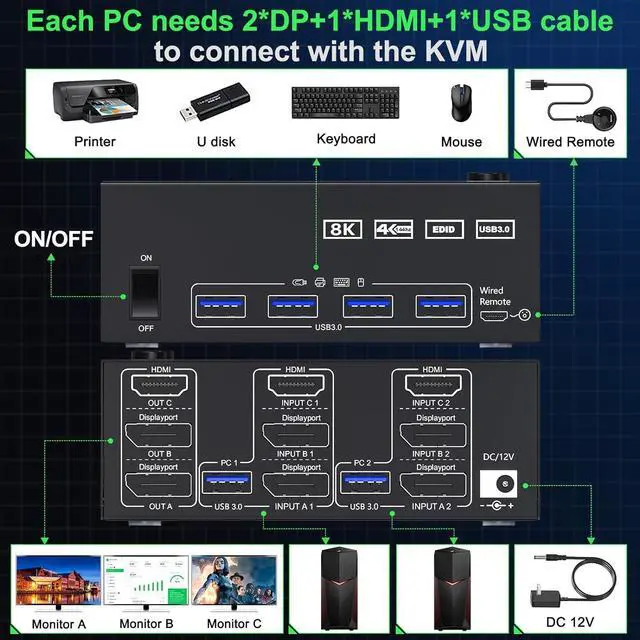
Triple monitor KVM switch, each computer requires 1 x HDMI+2 x DisplayPort + 1 x USB cable to connect the 3-monitor KVM switch, OUT A, OUT B, OUT C, with 3 monitors.
Adapters are required if your PC does not have 2 x DP + 1 x HDMI ports.
Step 1. Connect 1*HDMI+1*DP cable+1*DP cable+1*USB cable between INPUTA1 and KVM
Step 2. Connect 1*HDMI+1*DP cable+1*DP cable+1*USB cable between INPUTA2 and KVM
Step 3: Connect 1*HDMI+1*DP cable+1*DP cable+1*USB cable between OUT A monitors and KVM
Step 4. Connect your USB device (keyboard, mouse, printer, USB stick, etc. ) to the USB 3.0 port of the KVM.
Step 5: Connect the DC/12V adapter to the KVM switch
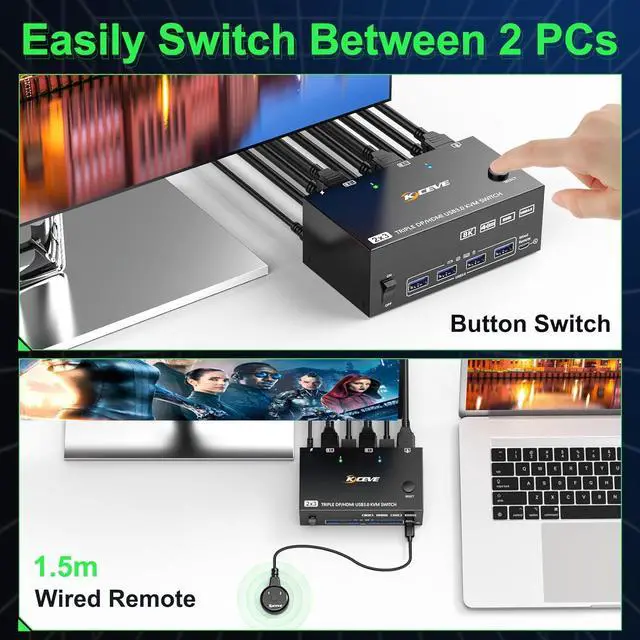
Step 6. Plug the wired remote control into the "SELECT" port to switch between PC1 and PC2 remotely.



 All Categories