


Meet Your Seller


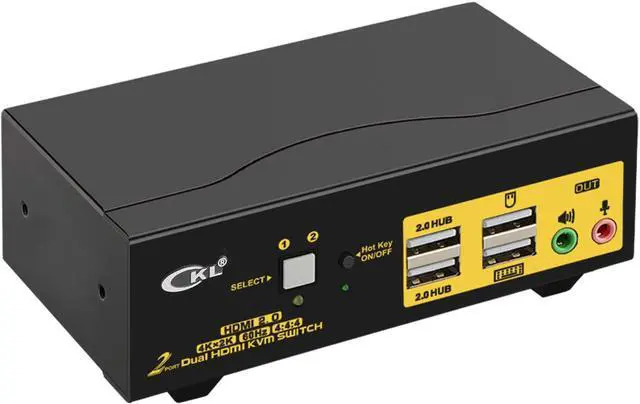


HDMI KVM Switch 2 Port Dual Monitor 4K 60Hz, 2x2 PC Monitor Keyboard Mouse Selector with Audio and 2 USB 2.0 HUB (922HUA-2)
- Item #: 9SIV36AKE32357
- Mfr. Part #: ID-QT889
- DUAL MONITOR HDMI KVM SWITCH 2 PORT: Controls 2 computers or laptops with one set of keyboard, mouse and 2 monitors which supports extended or mirrored display; Ideal for working from home, designing, editing and gaming purposes etc
- KVM SWITCH DUAL MONITOR HDMI 20 4K 60HZ: Conforms to HDMI 20 standard and supports 4096x2160@60Hz, 3840x2160@60Hz, 2560x1440@144Hz, 1920x1080@144Hz and downwards; Support HDCP and auto EDID
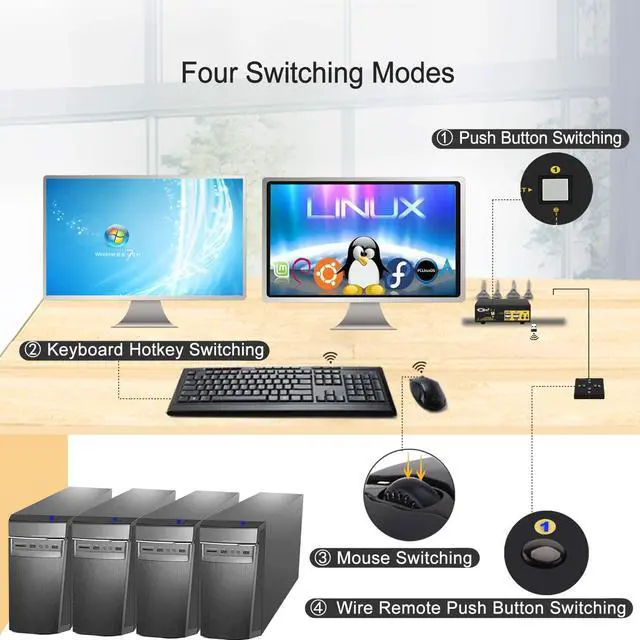
- 2x2 KVM SWITCH 2 MONITORS WITH EASY SWITCHING MODES: 1 Button switch on front Panel; 2 Keyboard hotkey switch; 3 Mouse click switch; 4 Wired remote switch; 5 Auto scan switch with adjustable interval for monitoring or testing purposes
- USB KVM WITH DUAL HDMI INPUT AND OUTPUTS: This dual monitor KVM is designed with 2 HDMI input for each computer and 2 HDMI output for monitors, reliable adapters will be needed for VGA / DVI / USB C / DP outputs, Please be aware of this before order
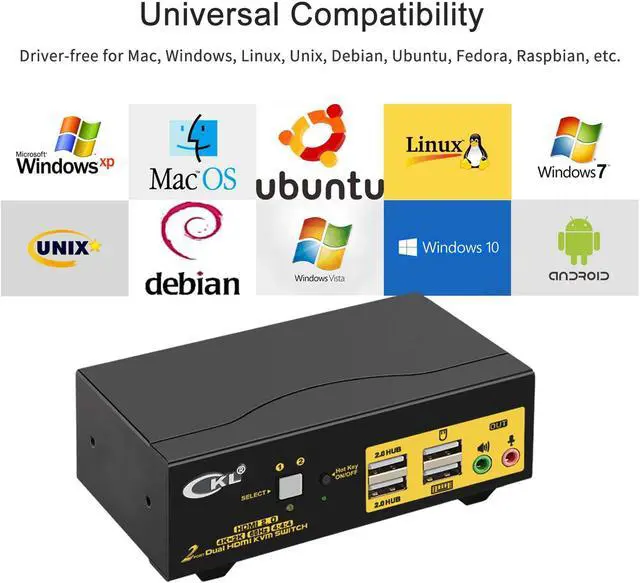
- WIDER OS & USB DEVICE COMPATIBLITY : Cross Support Windows 10/7/2000/XP, Linux.
+
+
Overview
Specs
Reviews
HDMI KVM Switch 2 Port Dual Monitor 4K 60Hz CKL-922HUA-2
Does Everything You Need!
Product Benefits You Might be Looking for:
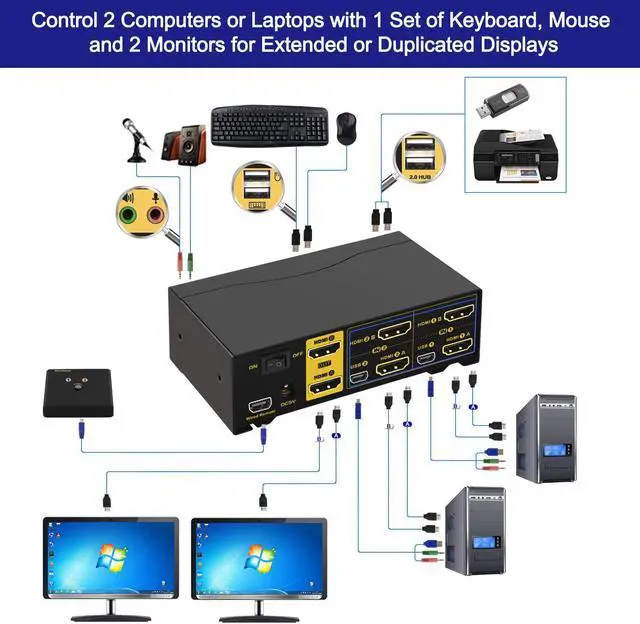
1. Control 2 computers or laptops with one set of keyboard, mouse and 2 monitors.
2. With 2 monitors output for extended, duplicated and spliced display purposes.
3. HDMI 2.0 support up to 4K@60Hz (4096*2160 or 3840*2160 4:4:4).
4. Multiple Switching Modes: 1. keyboard hotkey 2. mouse click 3. manual button 4. wired remote 5. auto scan.
5. Cross support multi platforms inlcuding Windows 10/7/2000/XP/Vista, Linux, Mac and More.
6. Support most wired and wireless keyboard and mouse with USB pass-through technology
7. WIth extra 2 USB 2.0 HUB ports and audio support
8. With all cables except cable for monitors
Easy Hookup, Plug and Play without any Software Needed
Switching Freely between Home, Work and Gaming PCs
Installation Guide (incorrect connection will cause malfunction):
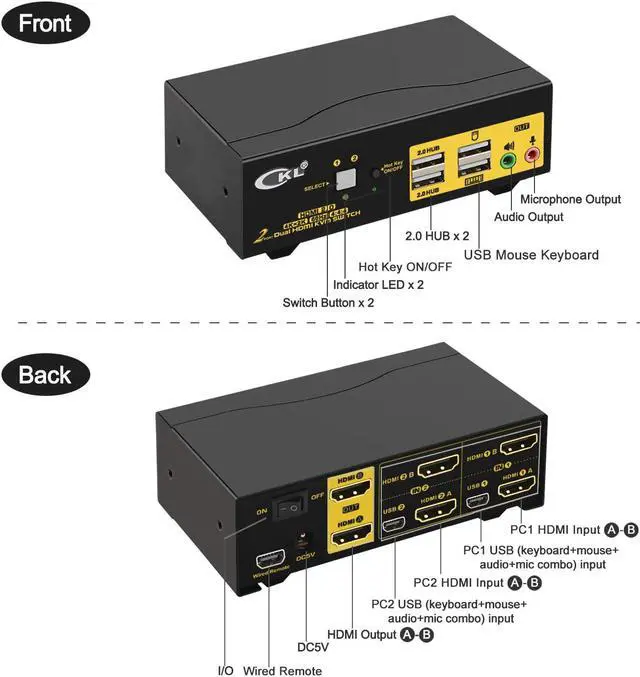
PC 1 : Connect 2 Video outputs on PC 1 to HDMI IN 1A & 1B on the kvm, and connect USB 2.0 port and audio on PC 1 to USB 1 using USB + Audio cable.
PC 2 : Connect 2 Video outputs on PC 2 to HDMI IN 2A & 2B on the kvm, and connect USB 2.0 port and audio on PC 2 to USB 2 using USB + Audio cable.
Monitors: Connect Monitor A to HDMI A Out, Monitor B to HDMI B Out.
Wired or Wireless Keyboard & Mouse: Connect keyboard and mouse to USB ports with Keyboard and mouse icon (hotkeys supported); or connect them to USB 2.0 HUB ports (hotkeys not supported).
Audio Devices: Connect speaker or microphone output on KVM (optional), make sure the audio jacks are also plugged into your computers if needed.
Power Adapter: connect the power adapter to DC input.
Power on the KVM and computers.
Special Notes:
USB connecion is to ensure keyboard and mouse work properly. Please use USB 2.0 port on your PC, USB 3.0 may not work.
What if my computer or laptop only has 1 HDMI output? You will need reliable adapters or docking station for non-HDMI outputs, VGA adapters need to be powered. Please be aware of this before ordering!
This KVM does not support matrix display, i.e. monitor 1 on PC 1 and monitor 2 on PC 2, it only supports extended or mirrored display on a same input source which is selected and switch between 2 computers.
Support 4096*2160@60Hz with HDMI2.0 Protocol
Box Content
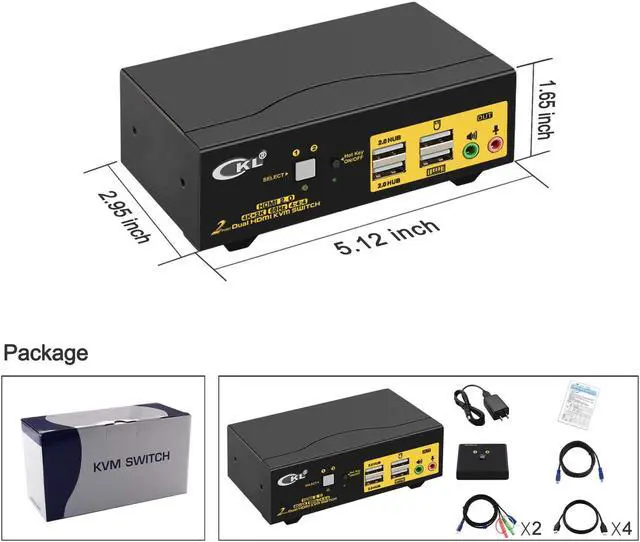
1x 2 Port Dual HDMI KVM switch + 4x HDMI cables (4.92 ft) + 2x USB + Audio Combo cables + 1x Wired Remoter with cable + 1x DC 5V 2A power adapter + 1x User manual
3 Display Modes
Extended Mode
Duplicated Mode (Mirroed)
Spliced Mode
5 Switching Modes
1. Keyboard Hotkey
2. Mouse Click
3. Manual Button
4. Wired Remote
5. Auto Scan with adjustable interval
Cross Support Multi Operation Systems
Cross support multi platforms inlcuding Windows 10/7/2000/XP/Vista, Linux, Mac and More.
Warranty & Returns
Warranty, Returns, And Additional Information
Warranty
- Please contact the Seller directly for warranty information. Warranty information may also be found on the Manufacturer's website.
- CONTACT
Return Policies
- Return for refund within: 30 days
- Return for replacement within: 30 days
- This item is covered by Electronics World Return Policy
Manufacturer Contact Info
- For a directory of all our manufacturers, please click below.
- Manufacturers Directory
LOADING...