• $69.99
  • Free 30-day Returns
  • Ships from China.
    Sold by fadaoe

    Shipped by fadaoe

    Meet Your Seller

    Dual Monitor HDMI 2.0 KVM Switch with 3.5mm Jack Audio Output, AUTYUE USB 3.0 HDMI KVM Switch 2x2 for 2 Computers and 2 Monitors 4K @60Hz with 3 Display Method,Hot Key Switching, IR Control

    • Item #: 9SIVTT5M1W8914
    • Mfr. Part #: FF5#Q1897_B
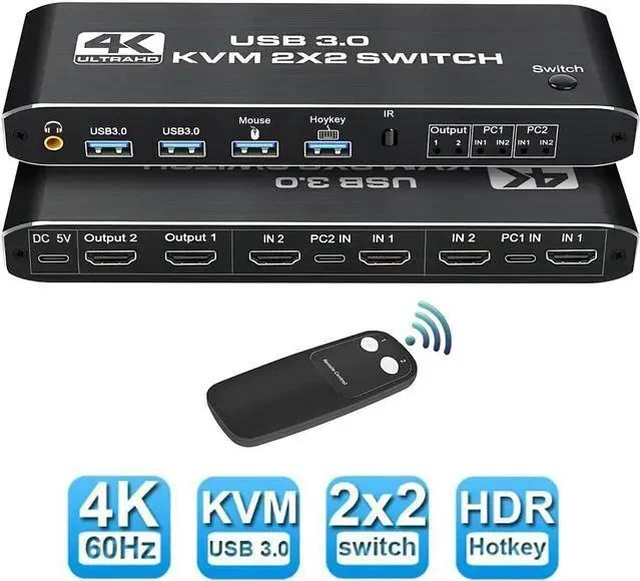
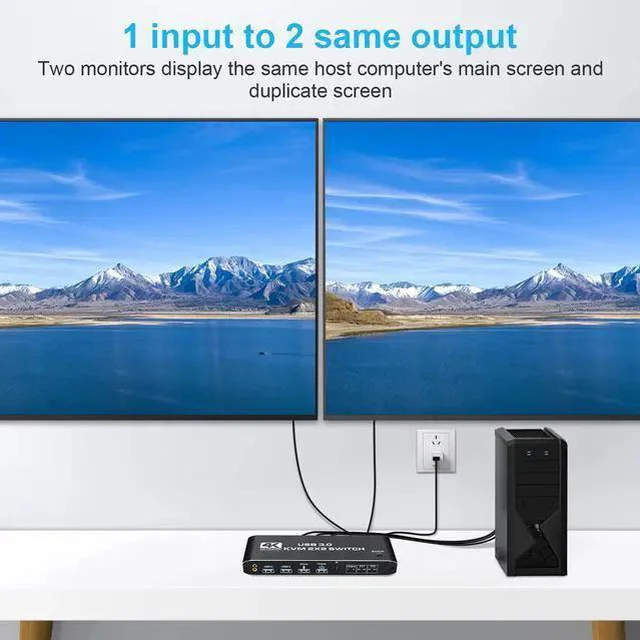
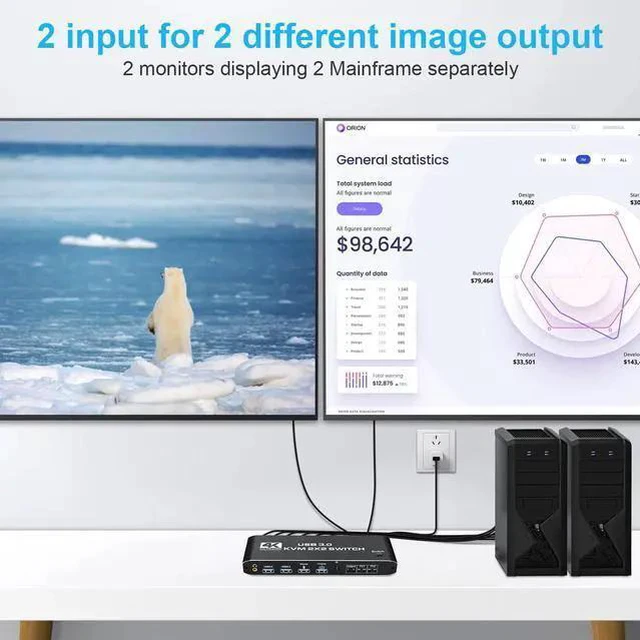
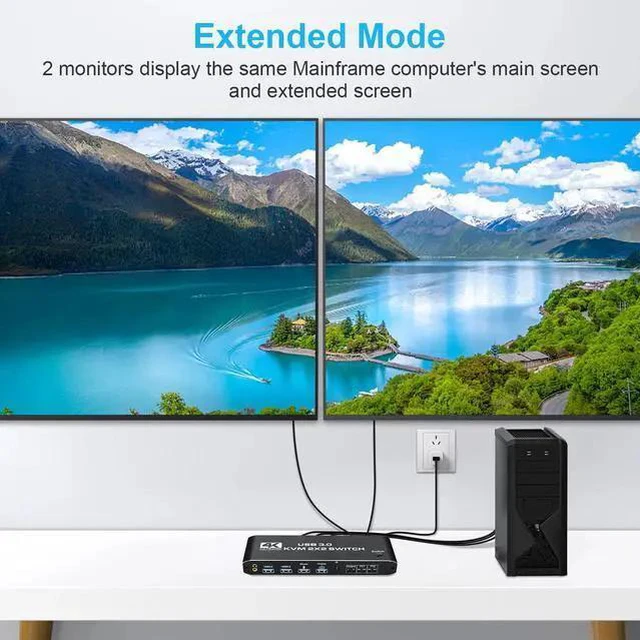
    • [2 Port KVM Switch HDMI for Dual Monitor] The KVM switch allow a one-click swap control up to 2 computers or laptops with 1 set of USB keyboard, mouse, and share dual monitors for extended or copy display without constantly changing cables or setting up complicated Tethering software.
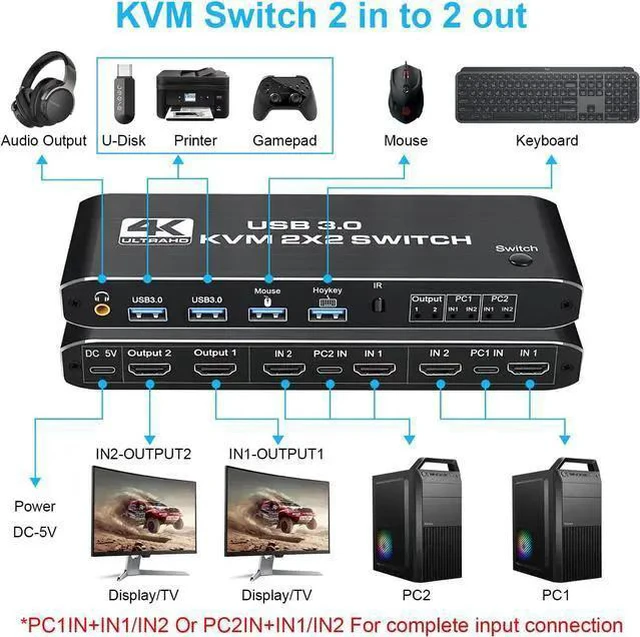
    • [Connection display mode notification] PC1 IN+PC2 IN connected at the same time, can realize a set of mouse and keyboard to control 2 PCs function PC1 IN+IN1+IN2+PC2 IN+IN1+IN2, connected at the same time, to achieve Extend Display function.
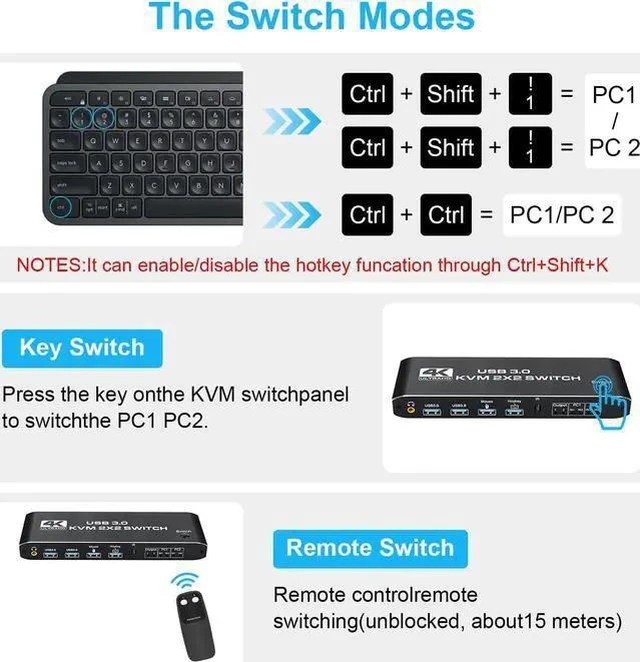
    • [with 3 Switch Modes] The KVM Switch is equipped with 3 switching modes.no need to install any driver to easily switch between 2 PCs without disconnecting any cables or any other operations
    • [Ultra HD 4K@60Hz Visual Enjoyment] Supports resolutions up to 4K@60Hz. It also comes with 2USB 2.0 ports and 2 USB3.0 ports, presenting ultra-fast data transfer and quick response to commands
    • [Widely Compatible] Compatible with Windows, macOS, Linux, UNIX and other OS.
    +
    +
    Overview
    Specs
    Reviews
    2 Port KVM Switch HDMI Dual Monitor -- Consoles control up to 2 computers or laptops with 1 set of USB keyboard, mouse, and share dual monitors for extended or copy display.

    UHD 4K@60Hz HDMI KVM Dual Monitor -- Support 3840*2160@60Hz/3D/1080P resolution, compliance with HDMI 2.0 standard, built-in Auto EDID make the image display more exquisite and realistic.

    The KVM provides 2 USB 2.0 ports and 2 USB 3.0 port (USB 3.0 *2+Mouse(USB 2.0 )+keyboard(USB 2.0 )), supporting various USB devices. The USB device can be used on any computer without repeated plug and unplug.

    Connection description

    · Step 1: Connect the USB TO TYPE-C Cable to power it.

    · Step 2: Connect PC1 and KVM with 1 USB TO TYPE-C cable and 2HDMI cables.

    · Step 3: Connect PC2 and KVM with 1 USB TO TYPE-C cable and 2HD-MI cables.

    · Step 4: Connect the keyboard and mouse to KVM SWITCH.

    · Step 5: Connect two monitors and KVM SWTCH with two HD-MI cables.

    Package included:
    1 x KVM Switch,
    1 x USB Power Cable,
    2 x USB Cable,
    1 x Remote Controller,
    1 x User Manual

    Warranty & Returns

    Warranty, Returns, And Additional Information

    Warranty

    • Please contact the Seller directly for warranty information. Warranty information may also be found on the Manufacturer's website.
    • CONTACT

    Return Policies

    • Return for refund within: 30 days
    • Return for replacement within: 30 days
    • This item is covered by fadaoe Return Policy

    Manufacturer Contact Info

    LOADING...