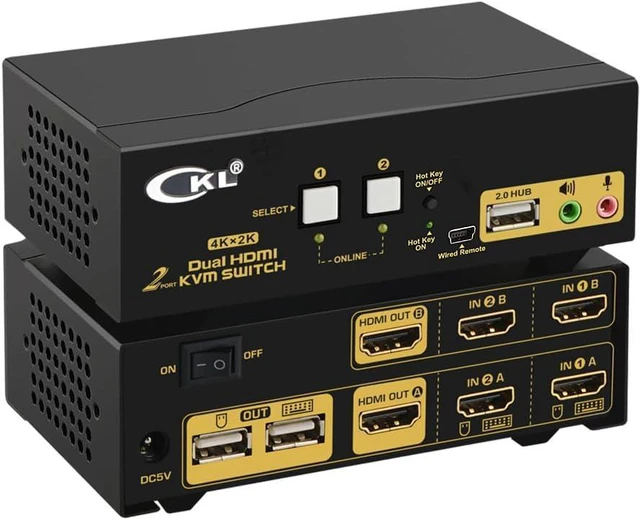
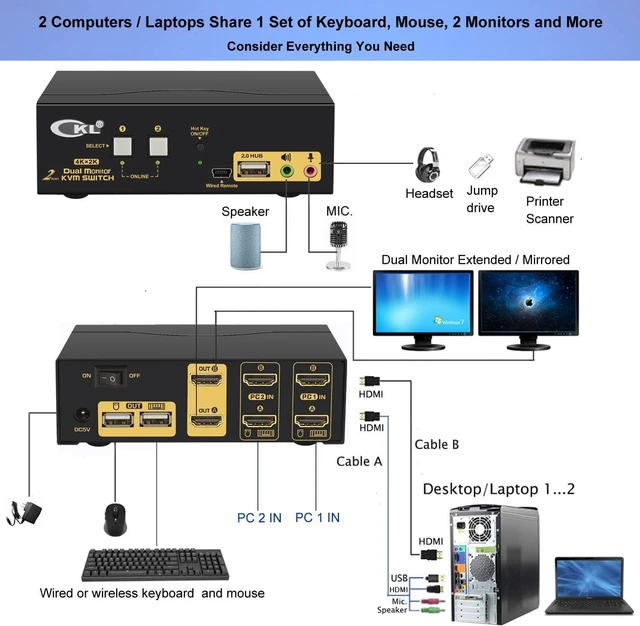
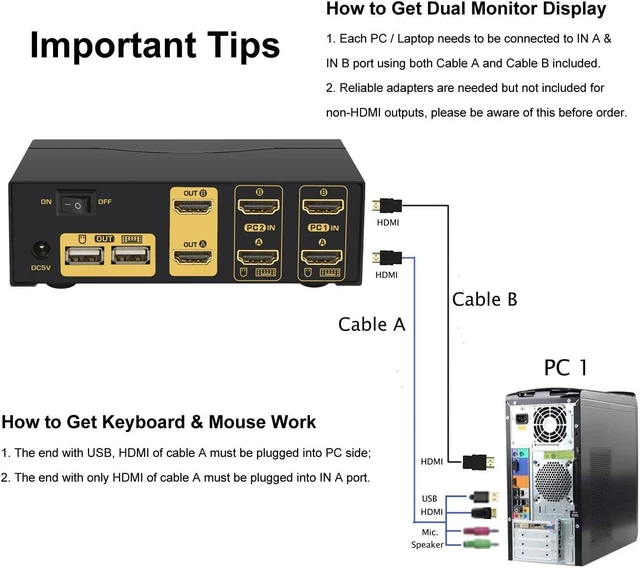
CKL-922HUA 2 Port USB KVM Switch HDMI Dual Monitor Extended Display requires 2 video connections from each computer and laptop with cable A and cable B included. Make sure your computers / laptops have 2 video interfaces and support duplicated display (verify this by connecting your device to 2 monitors directly), and be aware of adapters you might need for set-up before ordering.
Perfect Set-up:
Dual HDMI output devices + 2 HDMI monitors. No adapters needed
Good Set-up:
HDMI + VGA or DVI or DisplayPort devices + 2 MDMI monitors. Reliable adapters needed
Note: Do not use adapters simultaneously on both computer side and monitor side for a same video chain.
How to Install:
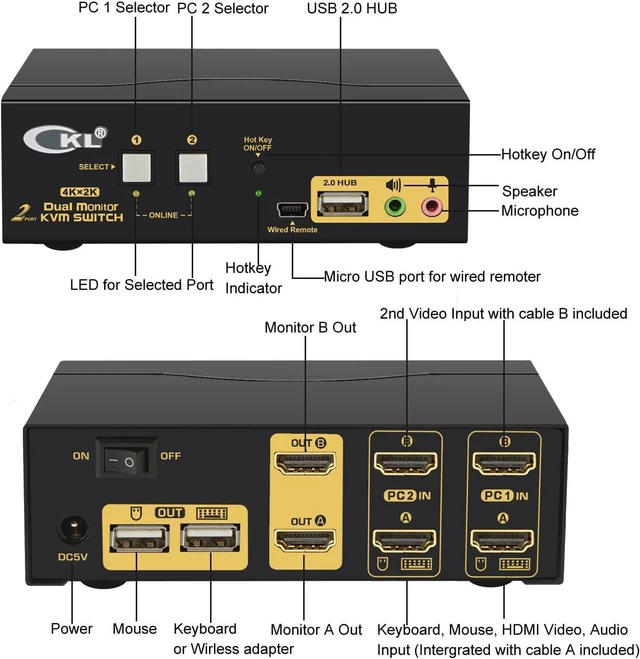
1. Connect the end with USB, audio and HDMI of Cable A to computer side, the other end to IN 1 A at KVM side.
2. Connect Cable B from your computer to IN 1 B of the Switch (use adapter here if needed);
3. Repeat step 1 & 2 to connect other devices to correspondent KVM ports;
4. Plug your mouse and keyboard to USB mouse and keyboard port on back panel;
5. Connect your Monitors to HDMI OUT A & B;
6. Plug in your speaker or microphone if needed;
7. Power on the switch and boot all devices;
8. Set computer display mode to Extended
How to Switch:
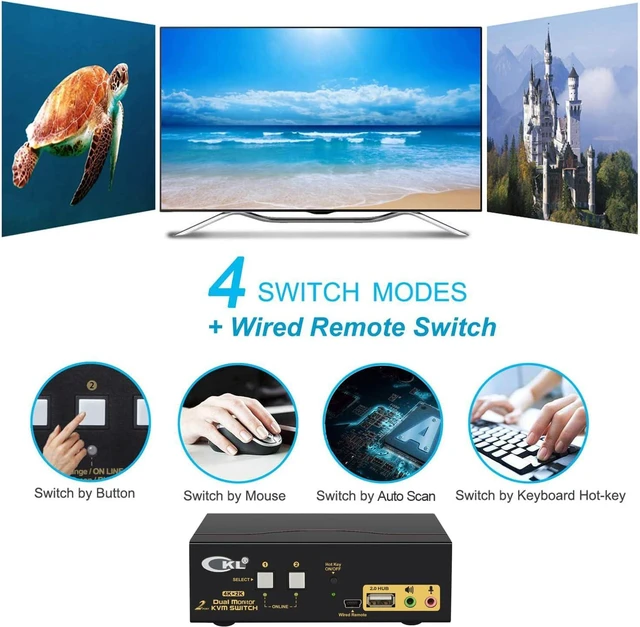
1. Keyboard Hotkey
2. Mouse click
3. Push button
4. Auto Scan
What's in the Box:
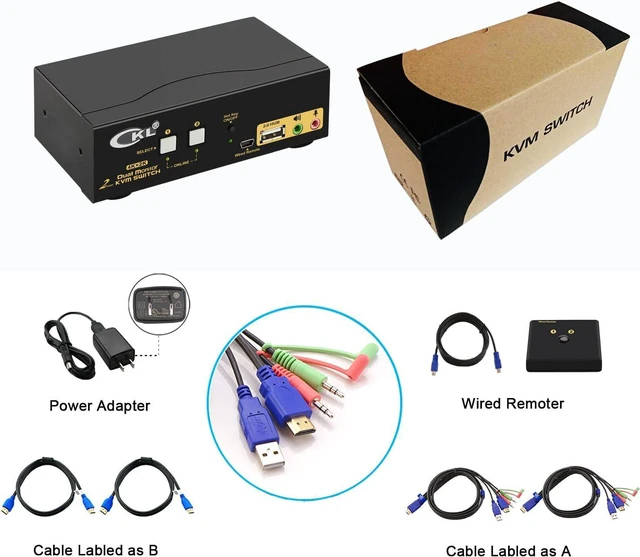
1* 2 Port HDMI KVM Switch
2* KVM cable 4.92 Ft (Cable A)
2* HDMI Cable 4.92 Ft (Cable B)
1* User Manual in English
1* DC 5V Power Adapter (US Plug)
Technical Tips:
1. For wireless keyboard and mouse, plug the wireless adapter into the USB keyboard Port on back panel;
2. For gaming, optical and mechanical keyboard and mouse, plug it into front USB 2.0 Port (hotkey and mouse click switching is not supported from this connection).
3. For any support needed, please reach out our customer care.