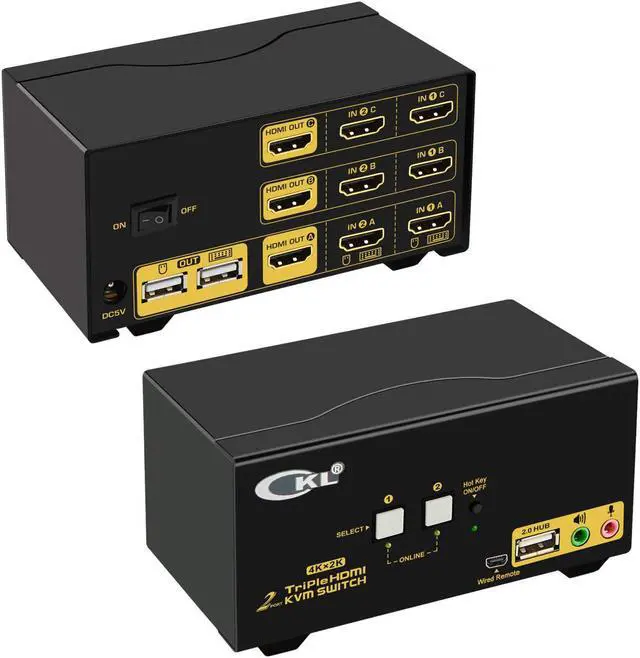
Does Everything You Need!
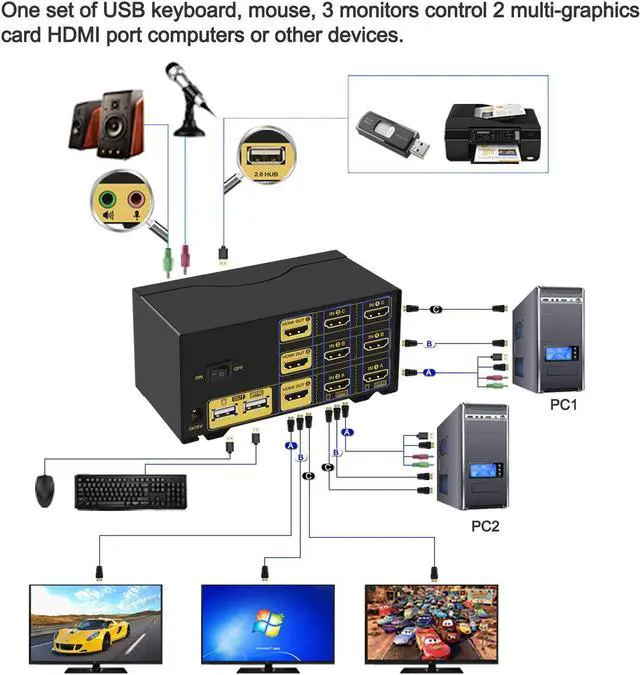
2 computers / laptops share one set of keyboard, mouse and 3 monitors
with 3 monitors output support up to 4K@30Hz for extended, mirrored or spliced display
Support wired or wireless keyboard and mouse
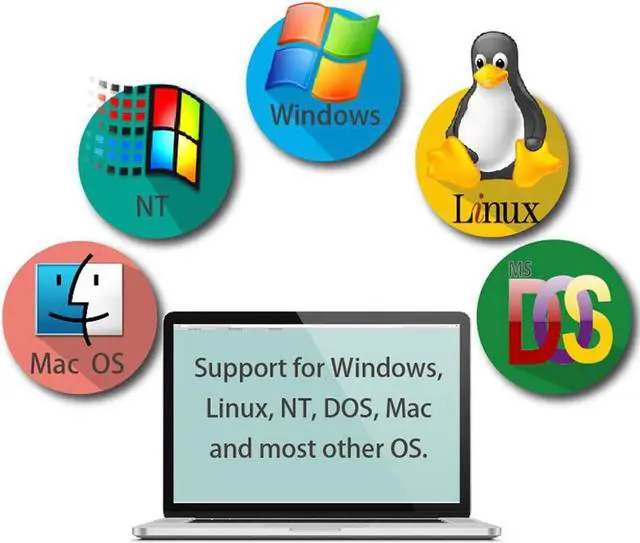
Cross support most major OS including Windows, Linux, Mac
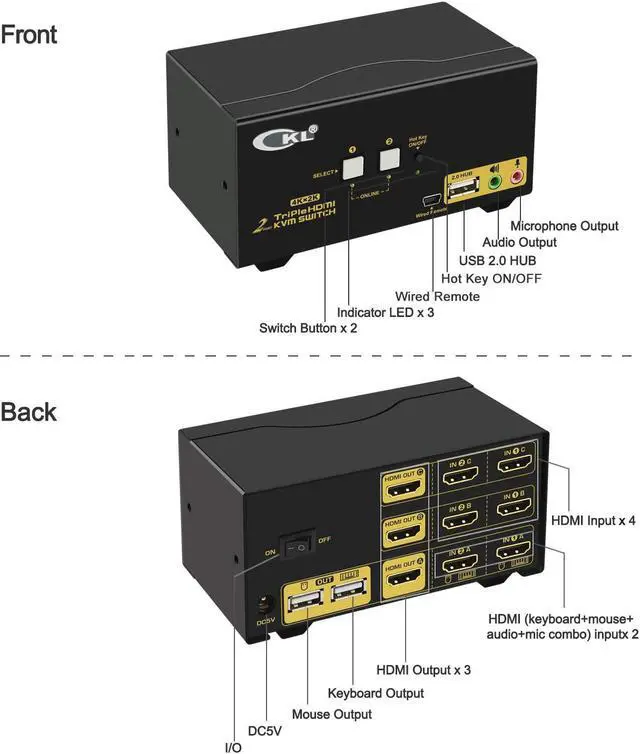
Advanced switching modes: Hotkey, mouse click, button switch, auto scan and wired remote
With extra USB 2.0 HUB and audio support
Include all cables except cable for monitor
Special Notes:
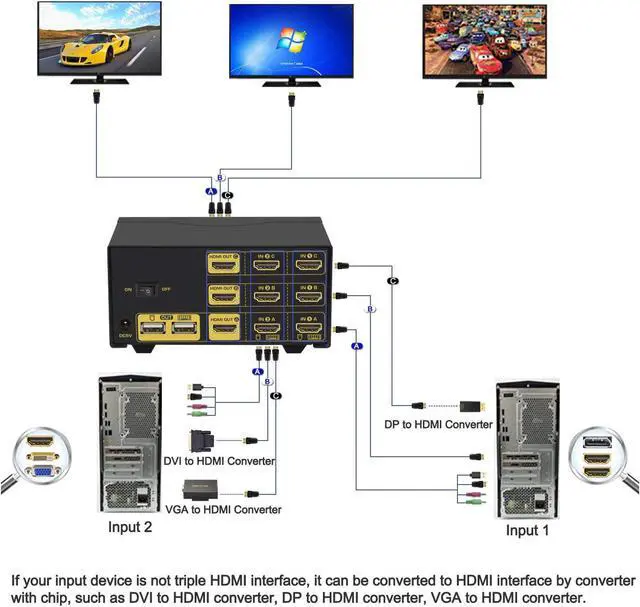
1.Cable A connecion is to ensure keyboard, mouse and monitor A to work correctly.
2.Cable B are for connecting 2nd and 3rd video output of the same computer for monitor B and C to display correctly.
3.Some gaming, programing or michanical keyboard and mouse may not work well from rear USB ports, if so, connect them to front USB. This connection does not support hotkeys.
Use reliable adapters for VGA / DVI / DP / USB C interfaces. Please be aware that adapters are not included.
Do not recommend to use 2 adapters on a same video chain (on both computer side and monitor side)
Configuration without Adapters Needed:
1.2 computers and / or laptops with 3 HDMI outputs
2.3 HDMI monitors
3.Standard wired or wireless keyboard and mouse
With indicator in amber under push button to show which computer is selected.
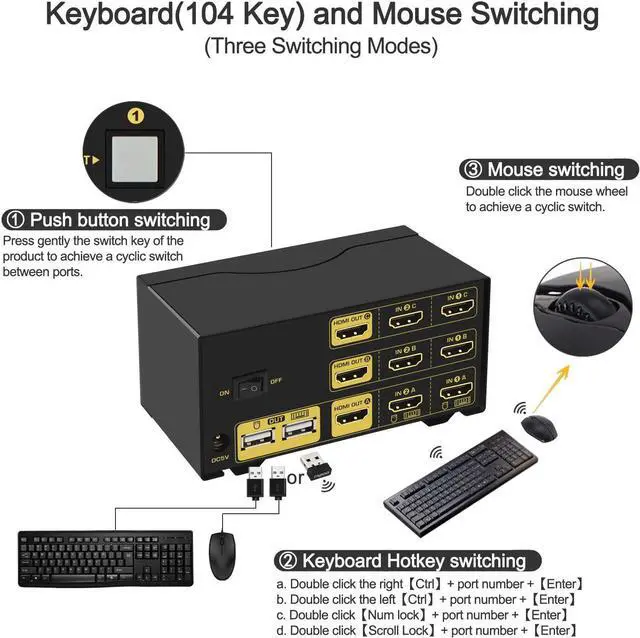
Switching beep sound can be turned on/off by double clicking the right Ctrl then b then Enter
Default Hotkey Rght Ctrl can be Changed to Num Lock or Scroll Lock, Support Mac keyboard
1.Keyboard Hotkey Switch: Double click the right Ctrl then Port Number then Enter
2. Mouse Click Switch: Double click the middle roller of mouse
3. Push Button Switch: Simply press teh white button on front panel
4. Auto Scan Switch: Interval time adjustable between 8 to 999 seconds (default is inactive).
5. Wired remote switch: optional when special keyboard and mouse do not work well on rear USB ports.
Cross support most major OS including
Windows, Linux, Mac and more.
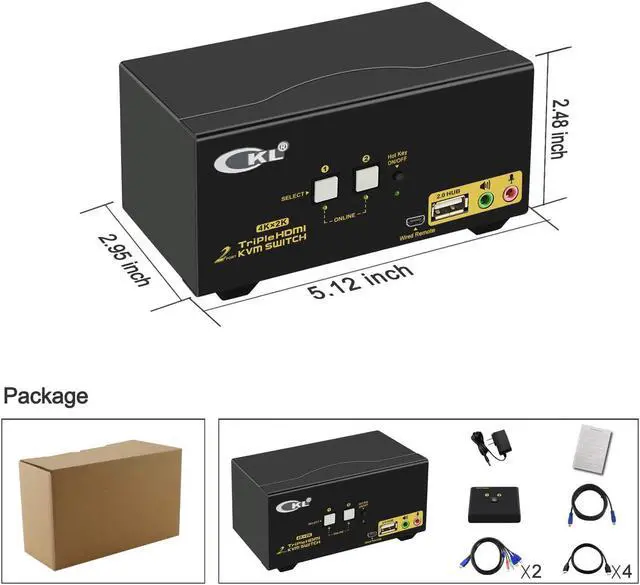
1* Triple KVM switch
1*Power adapter
1*User manual in English
4*HDMI Cables (4.92ft)
2*HDMI+USB+Audio Cables (4.92ft)
Triple Monitor HDMI KVM Switch 2 Port 4K@30Hz, 2x3 Keyboard Video Mouse Switcher 923HUA Other Scenarios: Remarks 4 Switch Modes Universal Compatibility Whats in the box