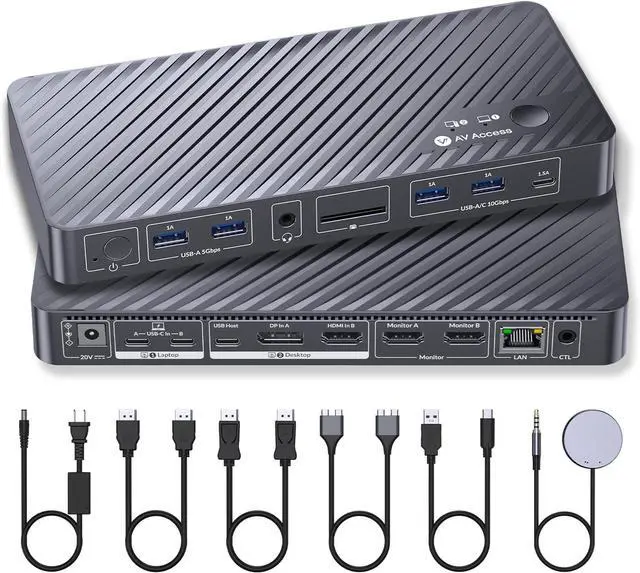
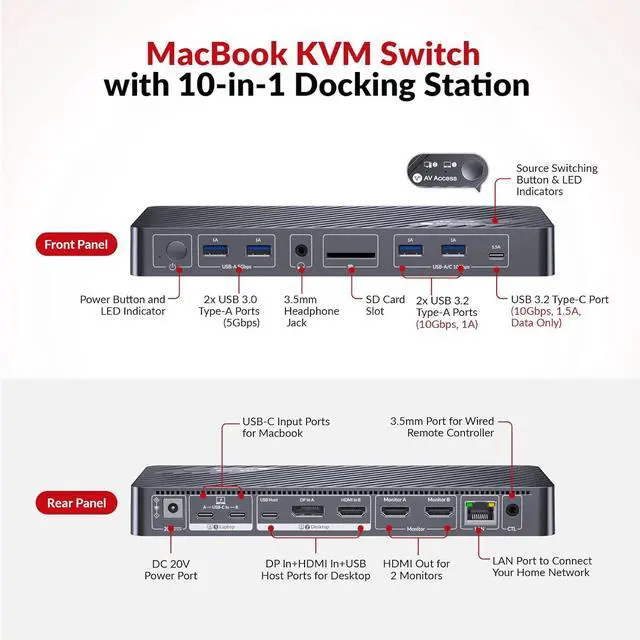
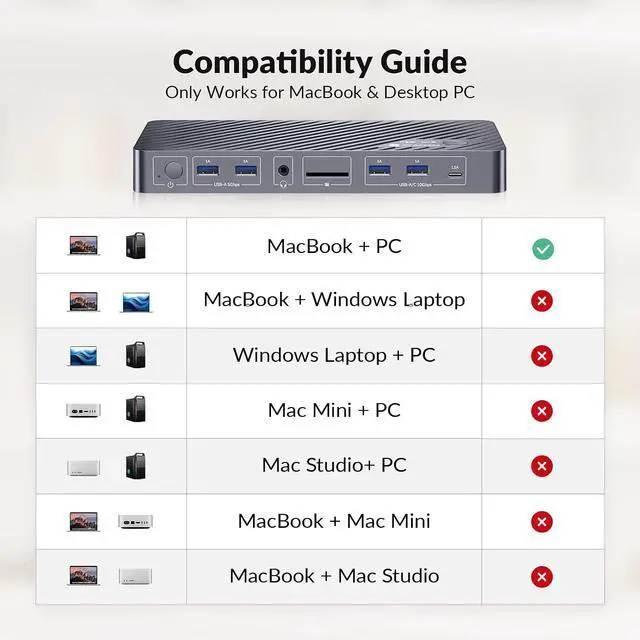
1Plug & Play for Mac Users2Dual Screen Mac Setup310Gbps Faster Transfer410-in-1 Docking Station1EDID Emulation2Two Ways Switching Way1Universal Compatibility2Compact Design3Check Before Purchase How do I know if my MacBook is compatible with this product?
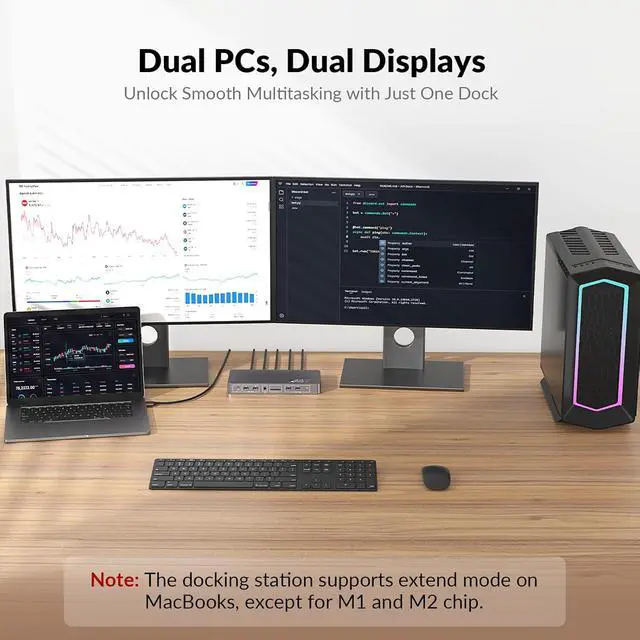
Intel / M1 or M2 (non-Pro/Max): iDock M10 can extend to only one external display.
M3 (non-Pro): up to two extended displays when the lid is closed; lid open supports mirroring only.
M4 or any Pro/Max chip: supports two extended displays.
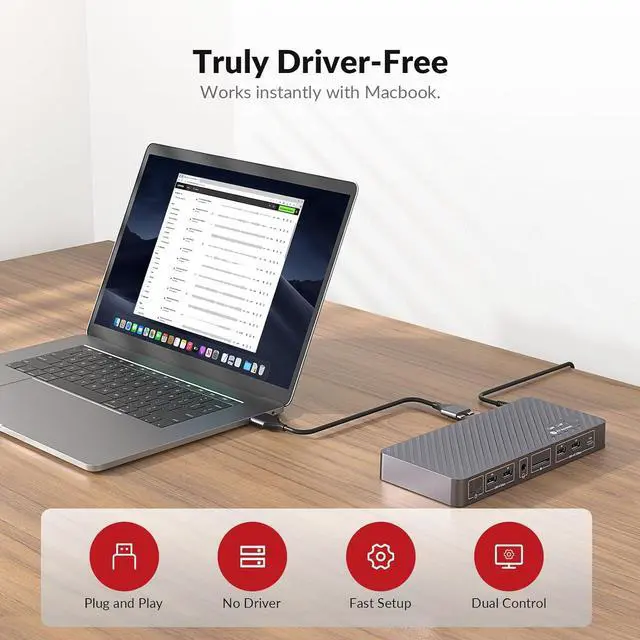
Do I need to install any drivers or software to use this KVM docking?
No. It is fully plug and play, and does not require drivers, or software installation. Just connect your devices and start using it immediately.
Can I use longer USB-C cables?
Yes. Required USB-C cables are included. If you need a longer connection, use two longer certified Thunderbolt 4, Thunderbolt 5, or USB4 cables for reliable video, data, and charging performance.
Will my screens flicker or rearrange when switching?
No. Built-in EDID emulation keeps monitor resolution and layout consistent, preventing flicker or window rearrangement during switching.
What are the advantages of iDock M10 over a DisplayLink solution?
1. iDock M10 is fully plug-and-play with no software needed, so it works freely and poses no security risk.
2. iDock M10 sends DP Alt video signals directly over USB-C without compression, ensuring stable and reliable video quality.
How do I know if my MacBook is compatible with this product?
Do I need to install any drivers or software to use this KVM docking?
Can I use longer USB-C cables?
Will my screens flicker or rearrange when switching?
What are the advantages of iDock M10 over a DisplayLink solution?



 All Categories