110Gbps Data Transfer2100W Laptop Charging1Button & Remote Switch2Auto Wake1Multiple Use Cases2Whats in the Box Why does my desktop support dual monitors, but my laptop doesnt detect any external display?
Please use the included USB-C to USB-C cable and make sure your laptops USB-C port supports video output (Thunderbolt 5/4/3, USB4, or full-featured USB-C with DisplayPort Alt Mode). If you are not sure, please contact TobenONE.
Does this KVM switch support dual extended displays on MacBook?
No. MacBook's USB-C ports only support SST (Single Stream Transport), not MST. You can only use one extended monitor, or run two monitors in mirror mode.
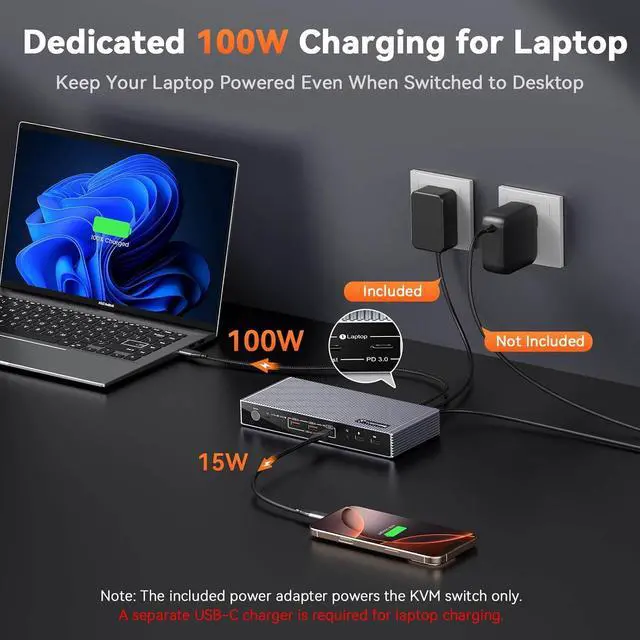
Can this KVM docking station charge my laptop and external devices?
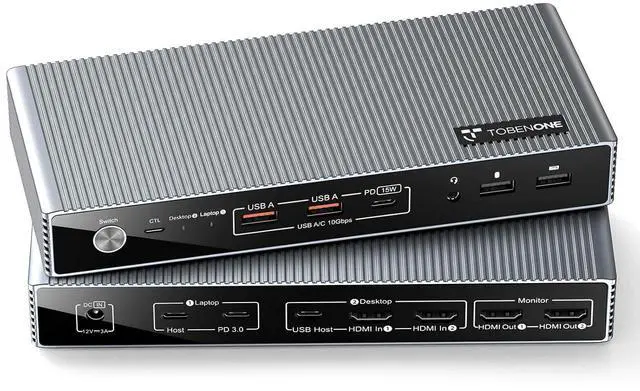
Yes. It supports up to 100W laptop charging (connect your laptop's USB-C charger to the PD 3.0 port) and 15W for external devices. Laptops requiring over 100W (e.g., 240W) should use their original power adapter connected directly to the laptop.
Can I use this KVM switch with a single display setup?
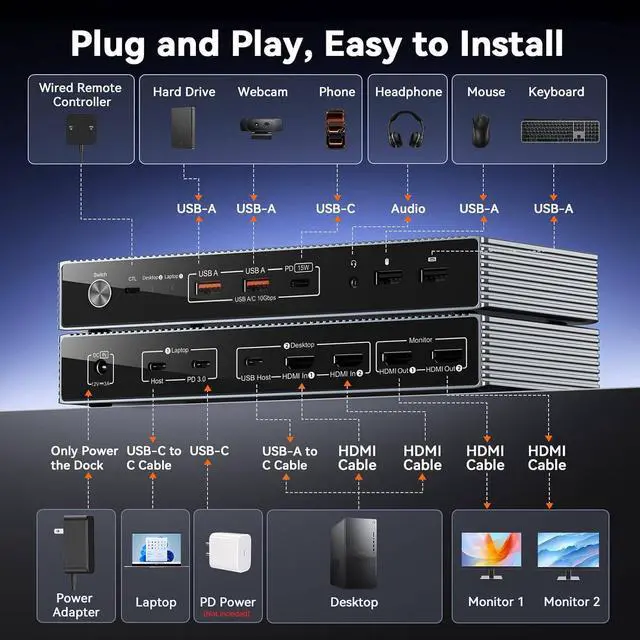
Yes, it works with a single monitor. HDMI In 1 corresponds to HDMI Out 1, and HDMI In 2 corresponds to HDMI Out 2. For single monitor setups, simply connect your monitor and desktop to the matching HDMI input/output ports.
Does this USB-C KVM switch support 4K@60Hz?
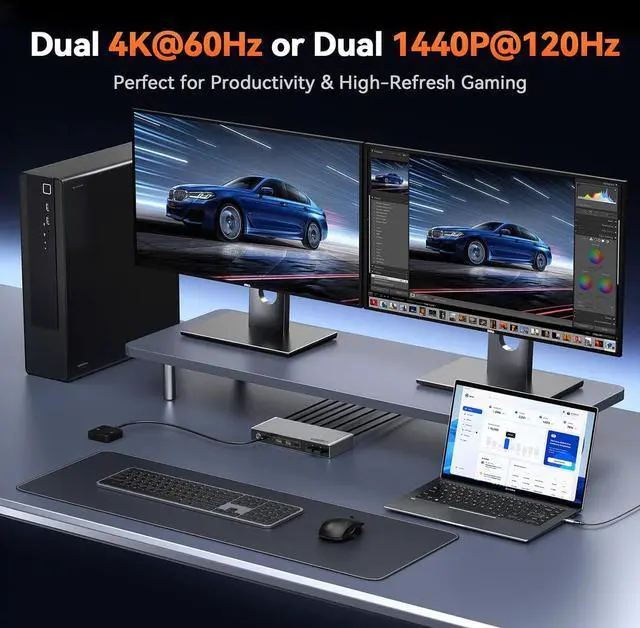
Yes, it does. Please note that the final resolution and refresh rate depend on your host device, video cables, and monitor. All components need to support 4K@60Hz to get this performance.
Why does my desktop support dual monitors, but my laptop doesnt detect any external display?
Does this KVM switch support dual extended displays on MacBook?
Can this KVM docking station charge my laptop and external devices?
Can I use this KVM switch with a single display setup?
Does this USB-C KVM switch support 4K@60Hz?