


Meet Your Seller

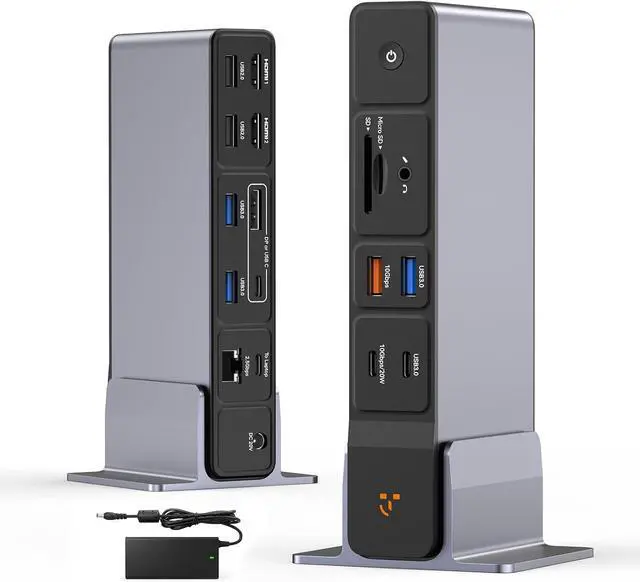
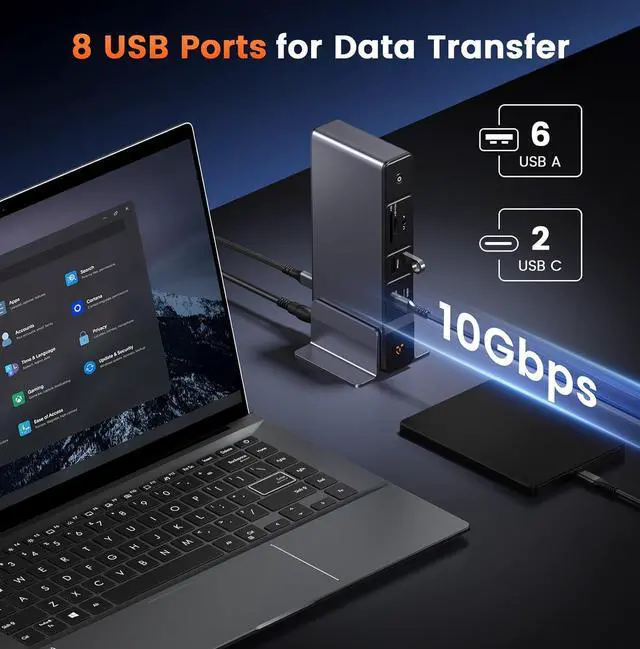
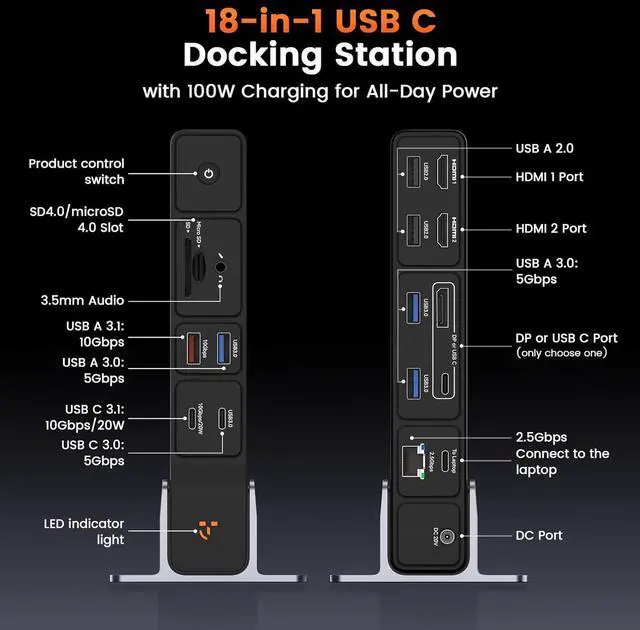


TobenONE USB C Docking Station 3 Monitors, 18-in-1 Triple 4K Display, 150W Power Adapter with 20W Fast Charging, 8 USB Ports up to 10Gbps, 2 HDMI/DP/USB C, for Windows/Chrome OS
- Item #: 9SIVU6VM1C2005
- Mfr. Part #: TOLJB0F9NQGRR3
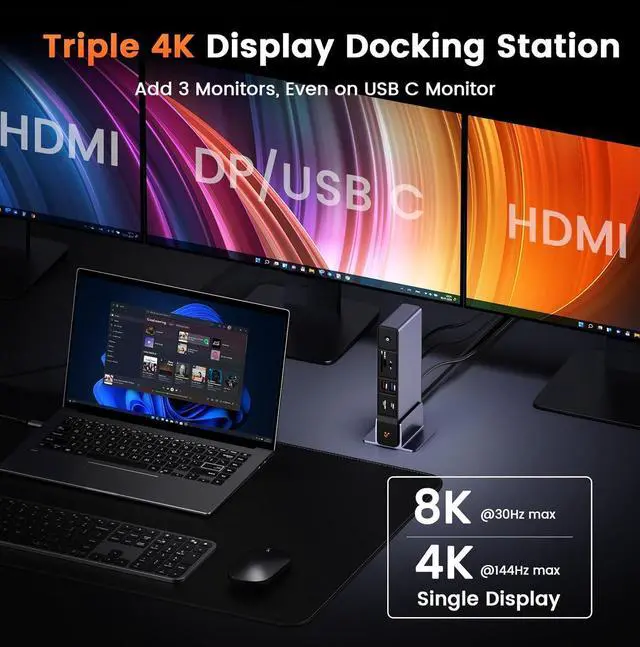
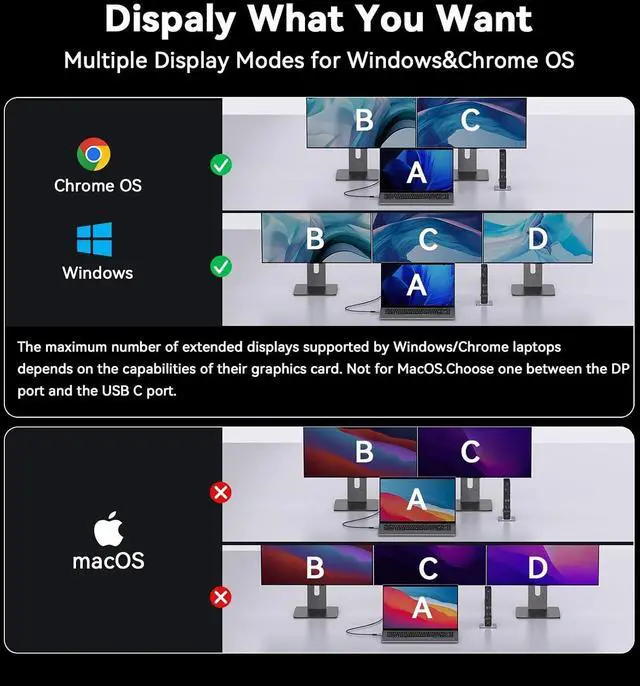
- 3 MONITOR LAPTOP DOCKING STATION TRIPLE 4K DISPLAY WITH HDMI, DP & USB-C: Extend your laptop to three external screens through 2×HDMI, DisplayPort, and USB-C video ports most docking stations only give you HDMI and DP, but this dock adds a USB-C monitor output so you have three interface choices for broader display compatibility. Single screen reaches 8K@30Hz for ultra-sharp design work or 4K@144Hz for smooth gaming and animation; 4K across all three displays. Whether you're developer, designer editing, or trader tracking livetriple monitors eliminate window-switching fatigue and let you see every detail at once. (Note: macOS does not support multi-monitor extend)
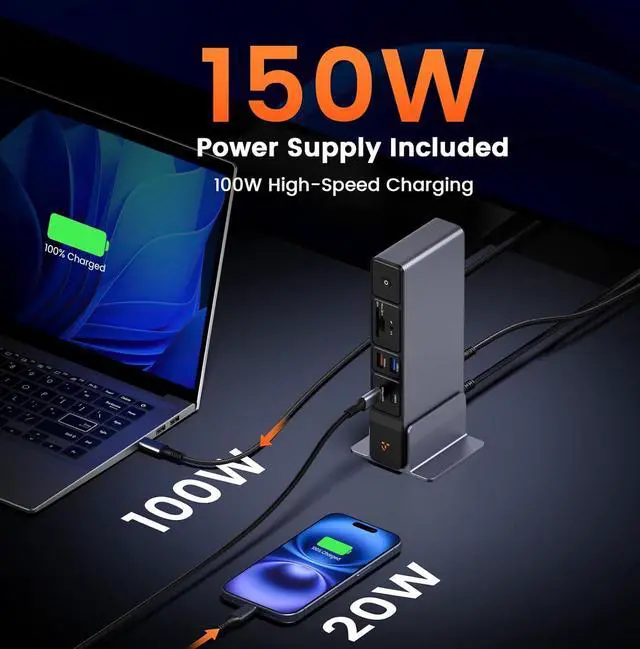
- POWERED DOCKING STATION WITH 150W POWER SUPPLY 100W PD LAPTOP CHARGING + 20W FOR DEVICES: One dock powers your entire setup. The 150W adapter intelligently delivers 100W to charge your laptop even high-refresh gaming laptops running at 144Hz under heavy workloads and 20W for connected USB peripherals . Replace mu
+
+
Overview
Specs
Reviews
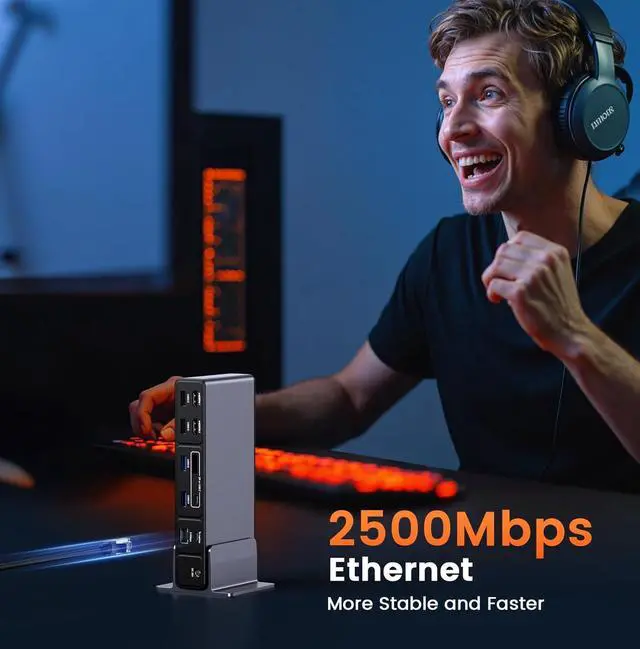
1Single Display Max 144Hz23 Monitor Output 4K 3Single Output 8K1150W-DC-IN22.5 Gbps Ethernet Port3Data Transfer4SD/Micro SD 4.0518-in-11Extended Form2Compatibility Table3Included Items Do I need to install software or drivers in order to use the docking station 3 monitors
No. This USB C dock is driverless. For best results, keep your laptops graphics and USB-C firmware up to date.
Will this dock work with any laptop?
A laptop that has a full featured USB-C / USB4 / Thunderbolt 4 or 3 port that is running Windows 10 or 11, ChromeOS version 100+ should be compatible with the TobenONE dock. Laptops that do not meet these requirements are not supported
Is my Apple Mac laptops compatible with this docking station?
MacOS does not support MST. When using this product, you can only expand to one screen and cannot expand to two screens. For dual displays on Mac, choose one of our DisplayLink-based docks or a dock with dual USB-C cables instead.
Are my monitors compatible with the UDS045 docking station?
Any monitor with HDMI/DP/USB C input works. Note: Our docking station cannot charge the monitor.
Do I need to install software or drivers in order to use the docking station 3 monitors
Will this dock work with any laptop?
Is my Apple Mac laptops compatible with this docking station?
Are my monitors compatible with the UDS045 docking station?
Warranty & Returns
Warranty, Returns, And Additional Information
Warranty
- Please contact the Seller directly for warranty information. Warranty information may also be found on the Manufacturer's website.
- CONTACT
Return Policies
- Return for refund within: 30 days
- Return for replacement within: 60 days
- This item is covered by PrimeVolt’Shop Return Policy
Manufacturer Contact Info
- For a directory of all our manufacturers, please click below.
- Manufacturers Directory
LOADING...