• $171.99
  • Free 30-day Returns
  • Ships from United States.

    MacBook Pro Docking Station Dual Monitor with 2 4k HDMI Display,15 in 2 USB C Docking Station for MacBook with 2 HDMI, VGA, PD3.0, 7 USB Ports, RJ45 Ethernet & 3.5mm Audio (No Power Adapter)

    • Item #: 9SIVU6VM1C2023
    • Mfr. Part #: TOLJB088D5436G
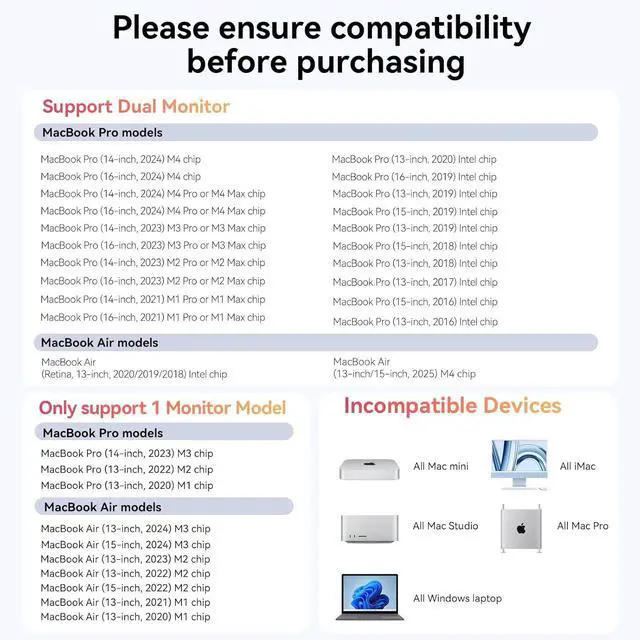
    • Designed for Your MacBook Pro:The TobenONE MacBook docking station can extend dual monitors for 2021 MacBook Pro M1 Pro/M1 Max, 2023 MacBook Pro M2 Pro/M2 Max/M3 Pro/M3 Max, 2024 MacBook Pro M4/M4 Pro/M4 Max, 2025 MacBook Air M4, 2016-2020 MacBook Pro Intel chip, 2018/2019/2020 MacBook Air Intel chip. MUST NOTE: 13'' 2020 MacBook Pro/Air M1 chip, 13'' 2021 MacBook Air M1 chip, 13'' 2022 MacBook Pro/Air M2 chip, 13" 2023 M2 Macbook Air M2 chip, 14'' 2023 MacBook Pro M3 chip,15'' 2023 MacBook Air M2 chip, 15" 2024 Macbook Air M3 chip only can extend 1 monitor. Only for MacBook, NOT for windows/PC Laptop
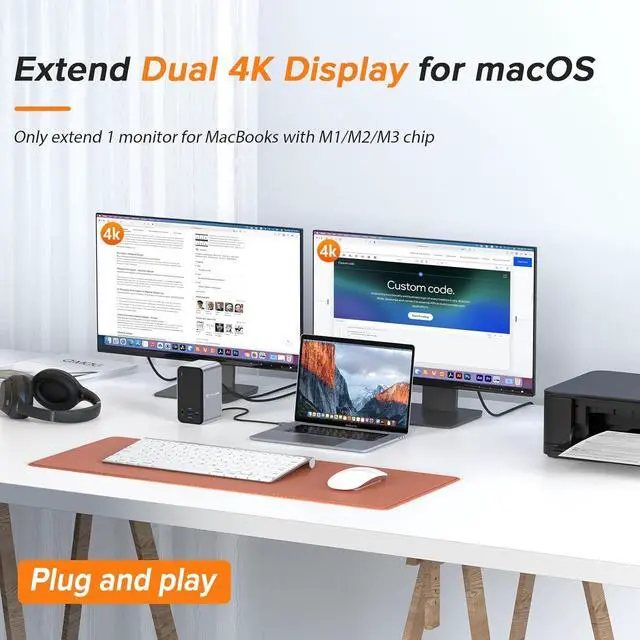
    • Docking Station Dual 4K Monitor for MacBookThis MacBook Pro docking station can support connecting 2 external displays via the HDMI port, Resolution up to 4K@60Hz(Single HDMI USED),if Dual HDMI used simultaneously(support 2 different monitors),Resolution up to 4K@30Hz. Perfect for multitasking, gaming, or streaming. An ideal Gadget for Video Editor, Photography, Programmer
    • Multi-Funct
    +
    +
    Overview
    Specs
    Reviews
    1M1/M2/M3 Users Must Know2Specific Compatibility1Connect Up To 7 USB Ports2Gigabit Ethernet33.5mm Audio & Mic4Compact Design5Package List 1. How to set up dual monitors with Your MacBook?
    1> Please ensure your Mac is MacBook Pro 2016-2025 or MacBook Air 2018-2020, 2025(NOT with an Apple M1/M2/M3 chip)
    2> Attach the power supply to the PD port of our dock
    3> Attach the dual USB C cable to the dock and MacBook
    4> Attach other devices

    2. Can MacBook with M1 M2 M3 chip extend dual monitor?
    MacBook with M1 M2 M3 chip cannot extend dual monitor, Due to the limitations of M1/M2/M3 chip.

    3. Does the MacBook docking station comes with a power adapter?
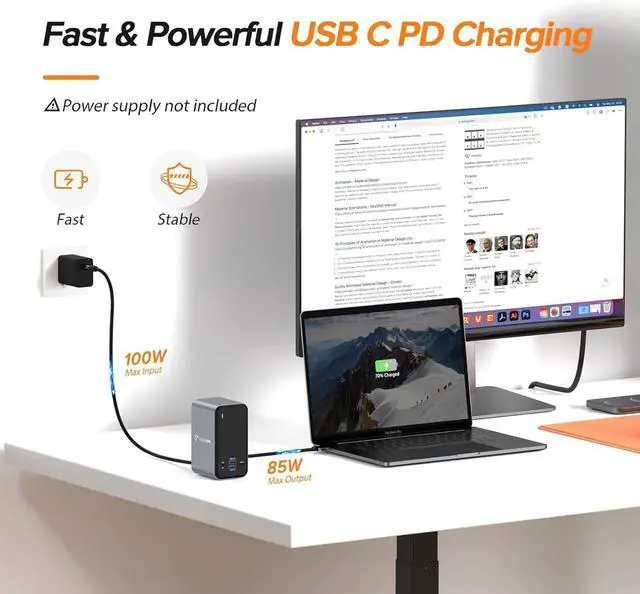
    1> NO, this docking station does not include a power adapter.
    2> You could connect your USB C power adapter(more than 65W) to the dock's PD port or directly connect your MacBook's power adapter to your Mac for stable usage.

    4. What ports does this docking station have?
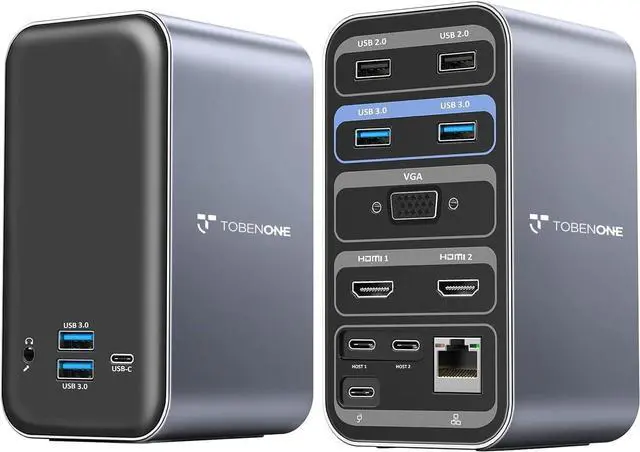
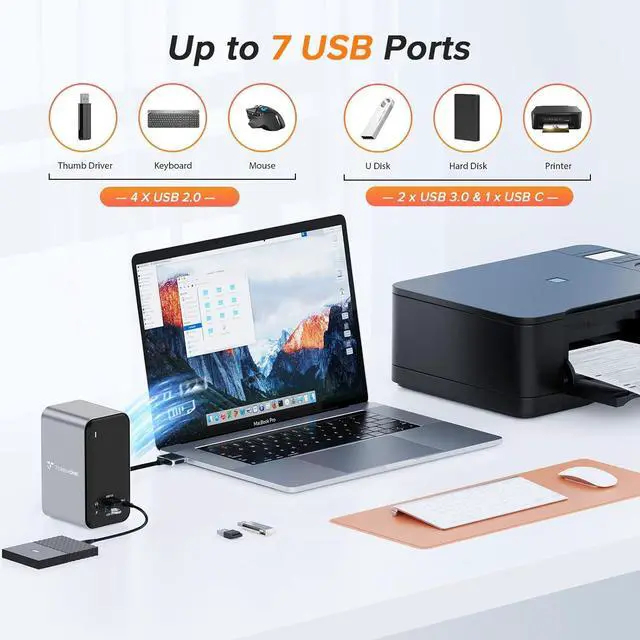
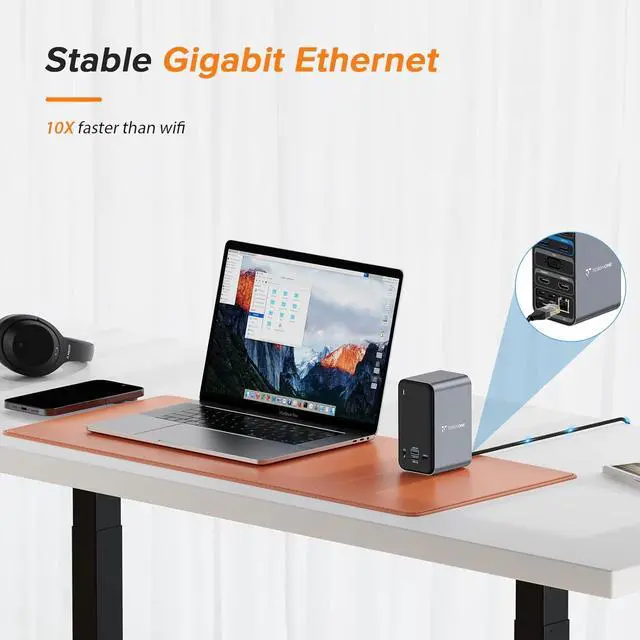
    2 4K HDMI, 1x VGA, 4 x USB 3.0 and 1 x USB C (up to 5Gbps), 2 x USB 2.0 (for wireless devices), USB C PD 3.0 port (support max 85w output ), 3.5 mm Audio/Mic, Gigabit Ethernet, and dual HOST port (connect to the MacBook and dock). NO displayport

    5. Can this dock work with windows laptop/ PC?
    NO! This dock only for MacBook and not for windows laptop/ PC

    Compact and Powerful USB C Macbook Pro/Air Docking Station Dual 4K Monitor aplus content video Multiple Display Mode For MacBook 1. How to set up dual monitors with Your MacBook?
    2. Can MacBook with M1 M2 M3 chip extend dual monitor?
    3. Does the MacBook docking station comes with a power adapter?
    4. What ports does this docking station have?
    5. Can this dock work with windows laptop/ PC?

    Warranty & Returns

    Warranty, Returns, And Additional Information

    Warranty

    • Please contact the Seller directly for warranty information. Warranty information may also be found on the Manufacturer's website.
    • CONTACT

    Return Policies

    Manufacturer Contact Info

    LOADING...