


Meet Your Seller
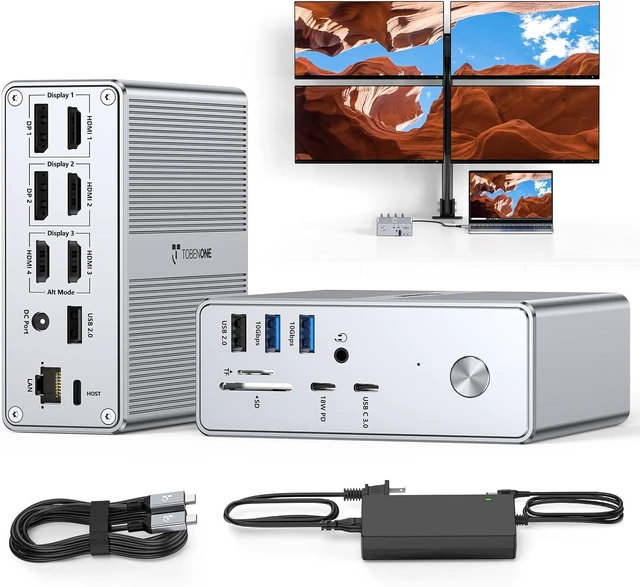


TobenONE DisplayLink Docking Station 4 Monitors, 4 HDMI&2DP, 120W Charger | 120W Adapter, Gigabit Ethernet, 18W Phone Charge, 10Gbps USB, Wide Compatibility, for Multi-Monitor Workspace&Multitasking
- Item #: 9SIVU6VM1C2330
- Mfr. Part #: TOLJB0CSFVR97V
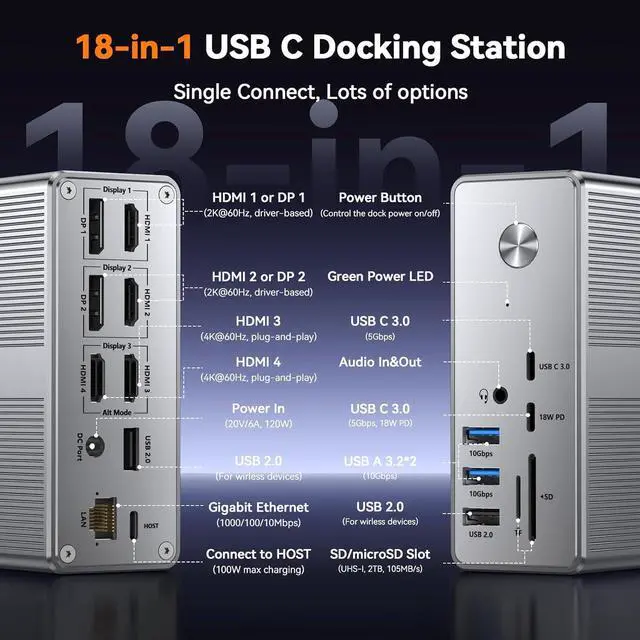
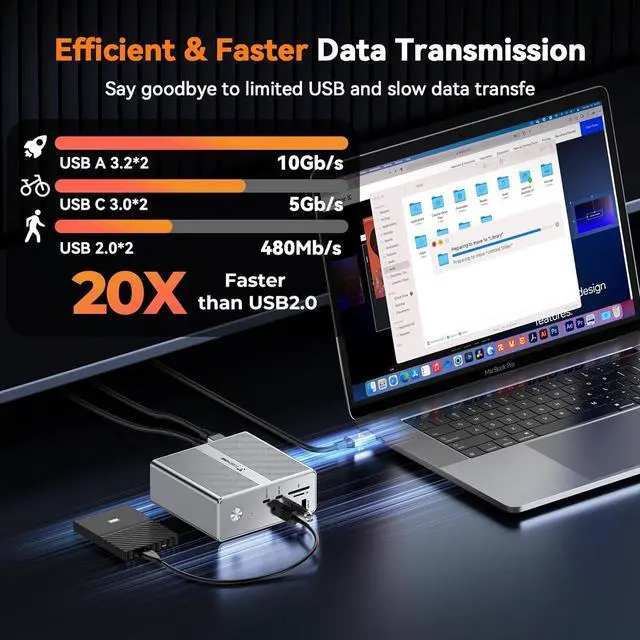
- Pro Ports Combination:This 4 monitor docking station features 18 all-in-one ports: 4* HDMI and 2* DP for up to 4 displays, 2*USB 3.2, 2*USB 2.0, 2*USB-C for fast peripherals, SD/Micro SD card slots, Gigabit Ethernet and Audio. One cable connects all, eliminating messy desk wires. Perfect for multi-tasking, video editing and office work. Dedicated dock for Thunderbolt 4/3 laptops
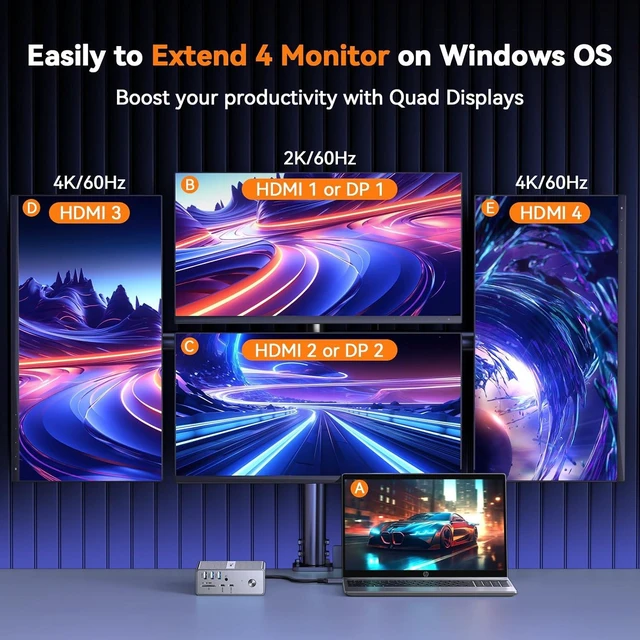
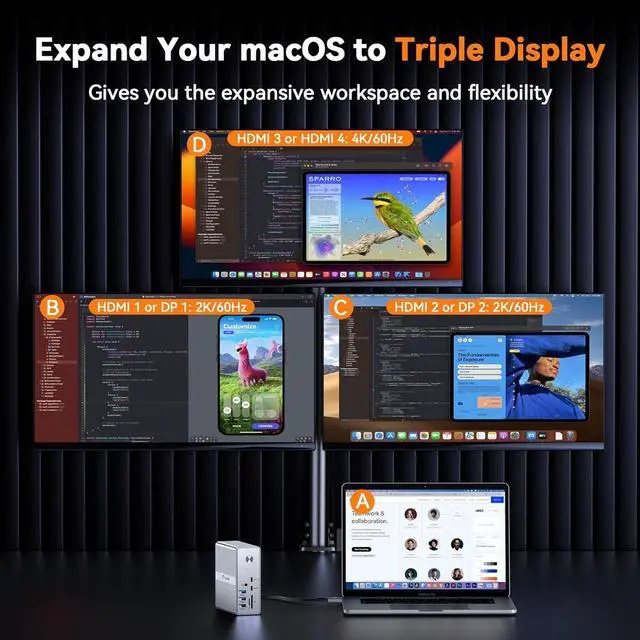
- Drive Multi External Displays: Powered by DisplayLink technology, connect up to 4 monitors on Windows or 3 monitors on MacBook //( , ). Expand your screen real estate to view spreadsheets, code, design tools, and video calls side by side no more alt-tabbing or overlapping windows. Perfect for traders, programmers, and video editors who need every pixel.
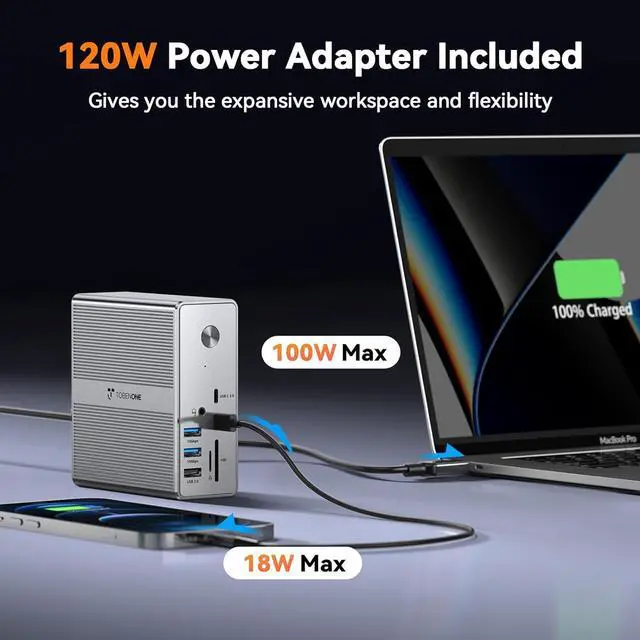
- Experience Fast, Secure, and Convenient Charging: With a powerful 120W power adapter, this docking station 4 monitors provides up to 100W charging (96W certified) for your Windows laptop or MacBoo
+
+
Overview
Specs
Reviews
1Powerful 120W Charger2Multiple USB Ports3Triple Display for MacOS4Resolution Specification5Exact Ports Information1Multiple Usage Scenarios2Must Know Before Purchase3Set-Up Mode4Considerate Details5What will You Get Do I need to install driver in order to use the docking station?
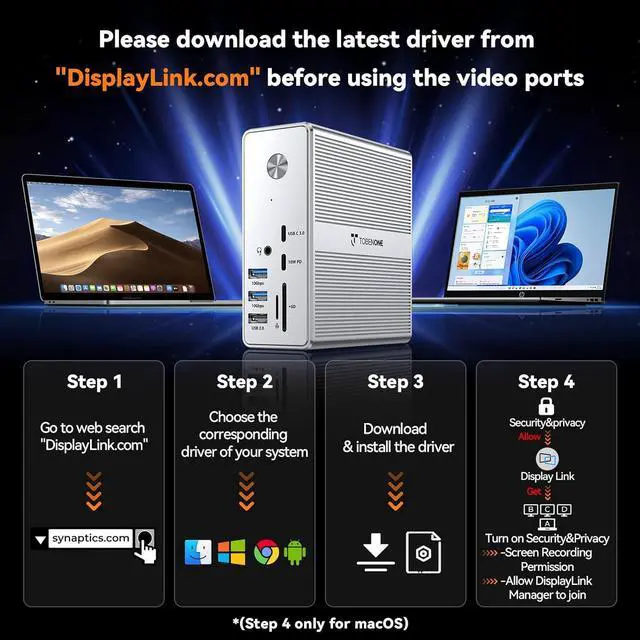
Yes, DisplayLink software is required for the UDS033B for full functionality.
When installing DisplayLink software on my Mac, why is it necessary to grant Screen Recording permission?
For macOS, the DisplayLink technology requires screen recording permission to display the screen. No data, images, or pixels are being stored or recorded. It only uses screen recording functionality to enable seamless extended display support
For macOS, does this docking station not play any streaming platforms(Netflix, Udemy, etc)? The screen will be black?
Yes, for macOS, the DisplayLink technology requires screen recording permission to display the screen. Since the screen is recording, you cannot watch any HDCP content(Netflix/Prime/ iTunes/Hulu...), the screen will be black.
Why arent all 4 displays connecting to my dock?
You can connect up to 4 external displays with Windows laptop, and up to 3 displays with MacBook Pro/Air.
Do all video ports of the computer hub docking station support landscape and rotation modes?
Not, all video ports support landscape mode. The driver-based video ports cannot change the monitor orientation from landscape to portrait. That means you only can use the HDMI 3 and HDMI 4 to change the monitor orientation from landscape to portrait
Upgrade your MacBook with the TobenONE Docking Station UDS033B how to install driver Do I need to install driver in order to use the docking station?
When installing DisplayLink software on my Mac, why is it necessary to grant Screen Recording permission?
For macOS, does this docking station not play any streaming platforms(Netflix, Udemy, etc)? The screen will be black?
Why arent all 4 displays connecting to my dock?
Do all video ports of the computer hub docking station support landscape and rotation modes?
Warranty & Returns
Warranty, Returns, And Additional Information
Warranty
- Please contact the Seller directly for warranty information. Warranty information may also be found on the Manufacturer's website.
- CONTACT
Return Policies
- Return for refund within: 30 days
- Return for replacement within: 60 days
- This item is covered by PrimeVolt’Shop Return Policy
Manufacturer Contact Info
- For a directory of all our manufacturers, please click below.
- Manufacturers Directory
LOADING...