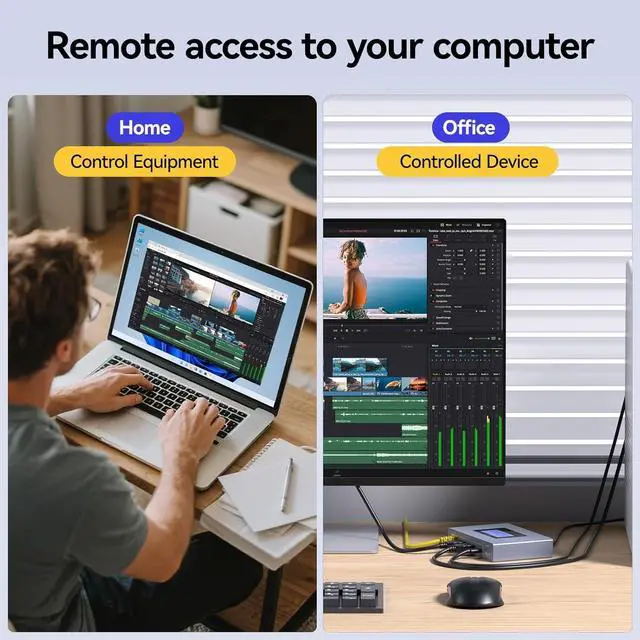
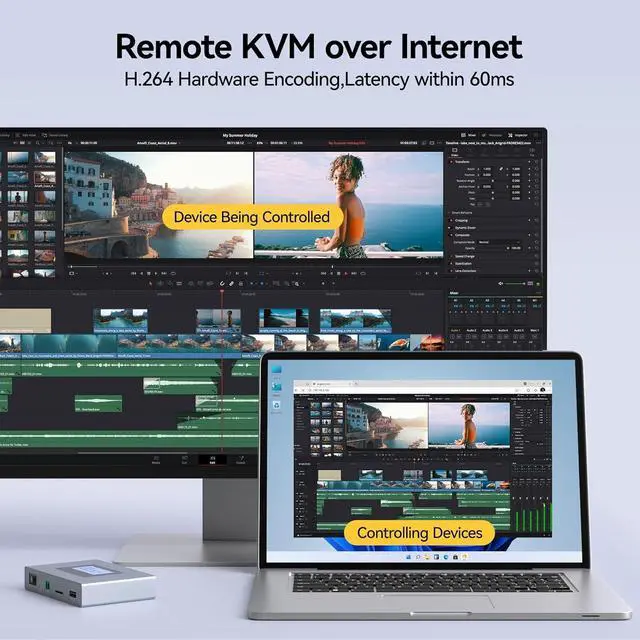
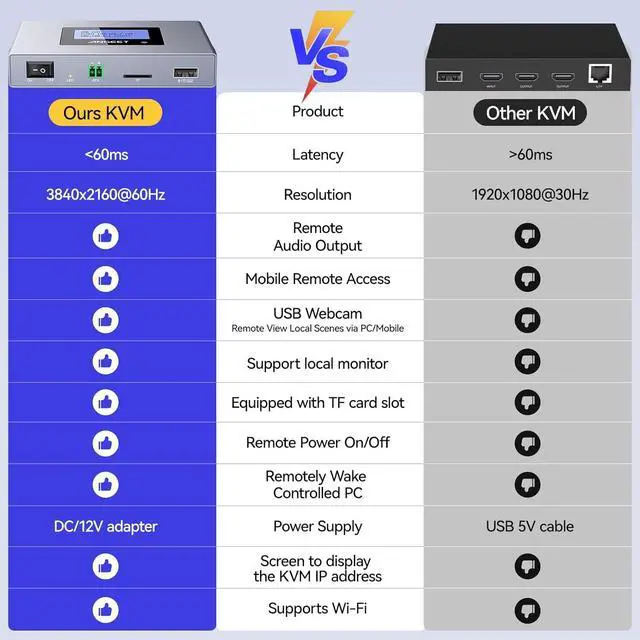
Need to remotely access your home/office computer while away? This remote IP KVM solves the hassle perfectlyyour ideal choice.
With ANGEET Remote KVM, control your devices via virtual desktop interface at home or on the gojust like being there in person.
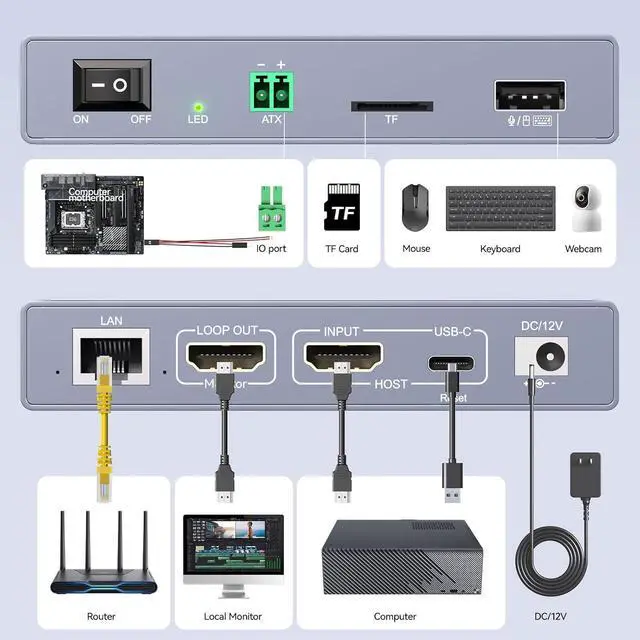
Ultra-easy setup, package includes HDMI/USB/Ethernet cables, power adapter & all essential accessories
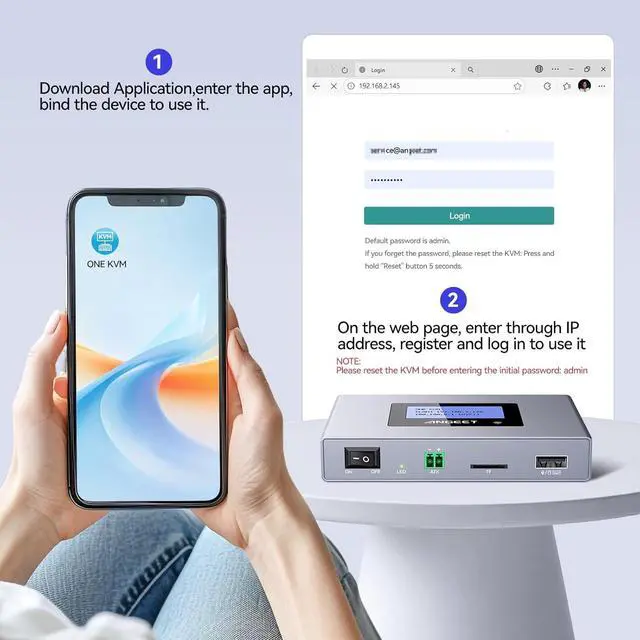
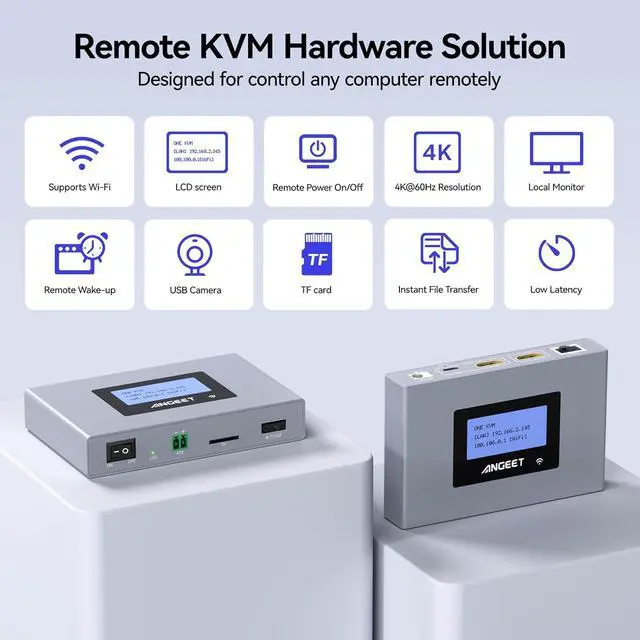
Remote control via web or exclusive ONE KVM APP, supports Ethernet & WiFi, ultra-convenient to use
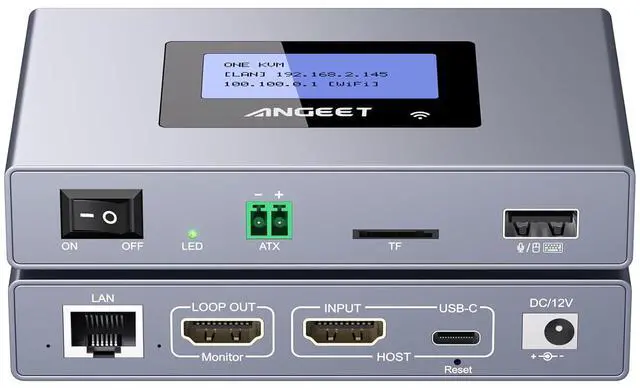
Featuring an LED display, this Remote KVM over IP automatically identifies and displays the IP address. It also supports fixed IP configuration, online upgrades, and can be replaced with your own cloud server.
One-year warr anty (including replacement). Please contact te-ch support if you encounter any issues.
What is this?
ONE KVM is a little tiny box that connects to you PC and take the place of the keyboard, mouse and monitor. You can then connect remotely to it and control your computer as if your were right next to it.
What is the difference between this remote KVM and RDP(remote desktop protocol)?
RDP: You had to enter a code to allow remote access at the host meaning someone had to be at the host; Remote KVM over ip: Simply connect the IP KVM to the controlled device in advance and access it at any time.
Can the ip KVM access it remotely when my computer is sleeping?
This ip KVM supports one-click waking up your sleeping computer and accessing it remotely.
Can I set up an IP address and manage the cloud server?
Yes, you can set a fixed IP address, and you can also replace the cloud server (ONE KVM) with your own cloud server.
What is this?
What is the difference between this remote KVM and RDP(remote desktop protocol)?
Can the ip KVM access it remotely when my computer is sleeping?
Can I set up an IP address and manage the cloud server?