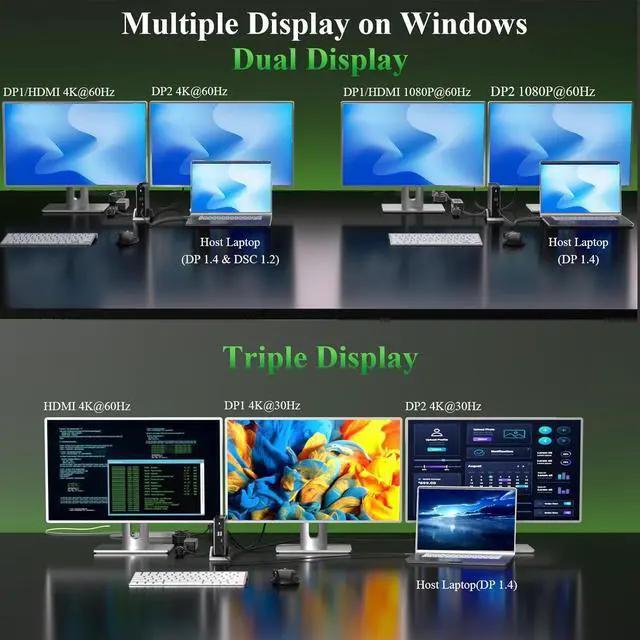
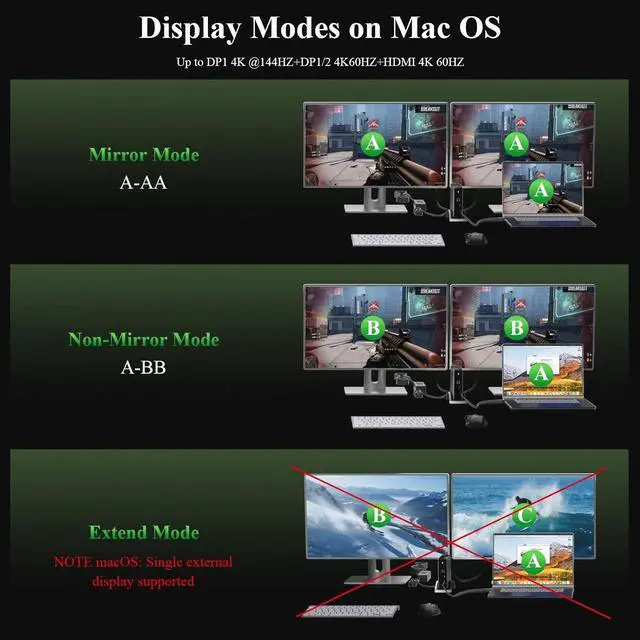
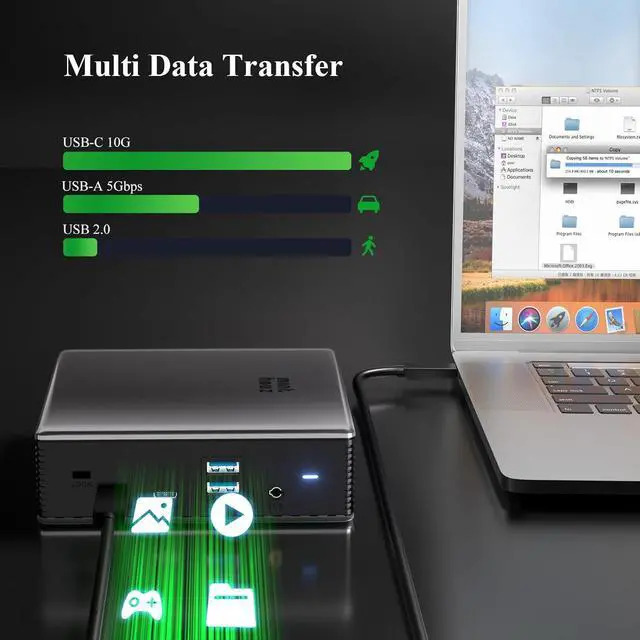
18K Ultra HD2Windows MST Mode3 MacOS Mode4Points to Note1Fast PD Charging Port2Fast Data Transfer31000Gbps Ethernet What should I do if the monitors connected tothe docking station do not work?
Please make sure that the USB-C port on yourlaptop supports video output. Not all USB-C portshave this capability.
Why do my external monitors show the samecontent when I connect the docking to my MacBook?
This is expected behavior due to a limitation inmacOS. macOS does not fully support MST, so theexternal monitors may mirror each other insteadof extending independently.
Why isn't my laptop charging when I connectthe power adapter to the hub?
Please make sure that the USB-C port on yourlaptop supports charging. Not all USB-C portssupport this function.
When I connect three monitors to the dockingstation, one monitor does not turn on. WhatShould I do?
Make sure your graphics card can support four displays at once (this includes your laptop's built-in screen), because not all GPUs can run four monitors simultaneously.
The device gets hot in usage,is that as expected?
It should be as expected the device will get hot in usage.If it does not affect usage,please do not worry about that.If you meet any problem,please be free to contact our support team.
What should I do if the monitors connected tothe docking station do not work?
Why do my external monitors show the samecontent when I connect the docking to my MacBook?
Why isn't my laptop charging when I connectthe power adapter to the hub?
When I connect three monitors to the dockingstation, one monitor does not turn on. WhatShould I do?
The device gets hot in usage,is that as expected?