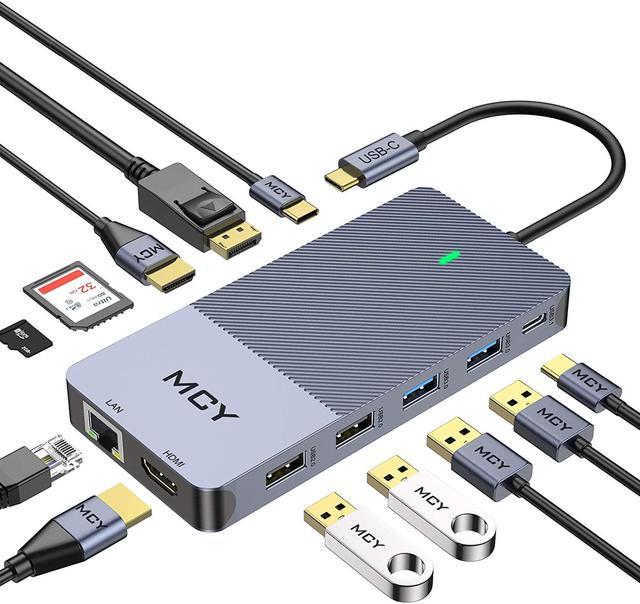
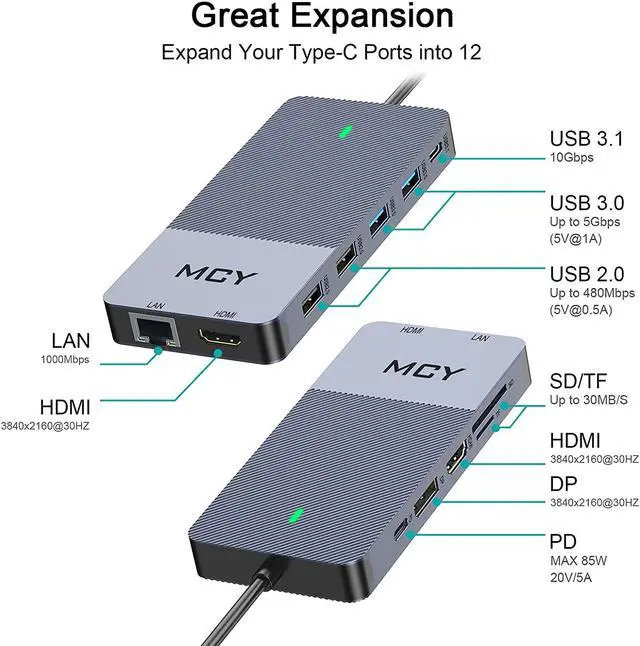
12-in-1 Triple Display Docking Station
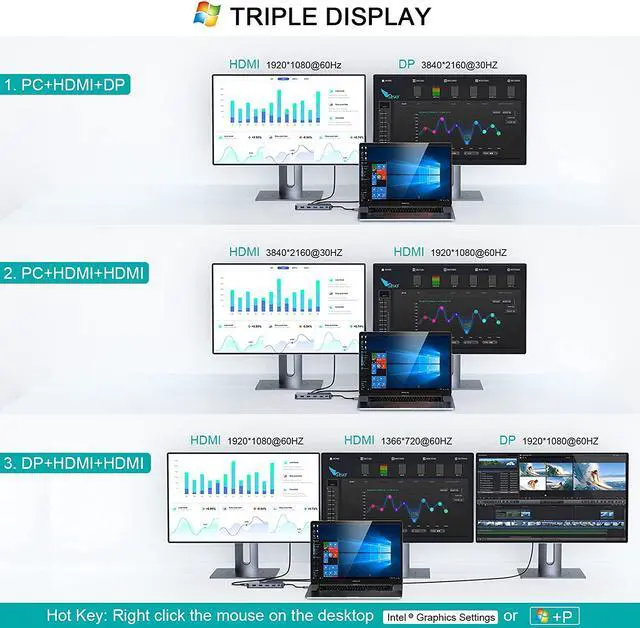
Triple display with Windows system
Setting:Please click Intel Graphics Settings for multi-display setting or hotkey: Windows P
Note1:When connecting three displays at the same time, the resolution can only reach up to (1920*1080@60Hz) +
(1920*1080@60Hz)+(1366*720@60Hz)
Note2:Once your laptop shuts down or goes to sleep, you need to re-plug the product to get extend mode again.
Triple display with MAC OS system
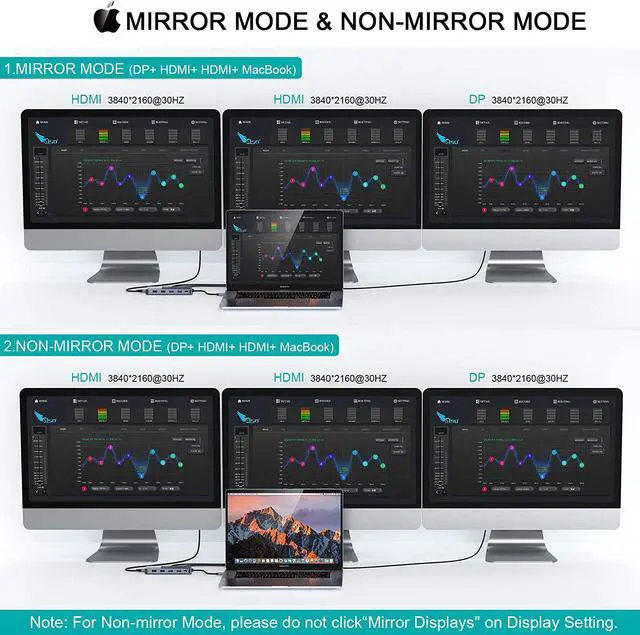
Setting: About This Mac>Display>Arrangement>Mirror Displays
Note1: When MAC OS needs to extend the display, you need to click on "Display" in Preferences, select the Arrangement, and then click Cancel "Mirror displays".
Note2:For Mac system, it only support mirror mode and non-mirror mode. Non-mirror mode means that the three external monitors are same but different from laptop. you can get one display of HDMI1+HDMI2+DP, one display of your laptop. Totally two different contents for Mac OS.
4K Resolution
Included 3*4K port 1*DP port 2*HDMI port.MCY USB C hub provides crystal clear video streaming with 3*4K@60Hz ports(Single video output).
Only Mirror and Non-Mirror Modes are available for Mac OS System. This means, all connected external monitors can only be mirrored your MacBook screen or, all of the external monitors show only one identical display which is different from your MacBook screen.
Charge & Use Simultaneously
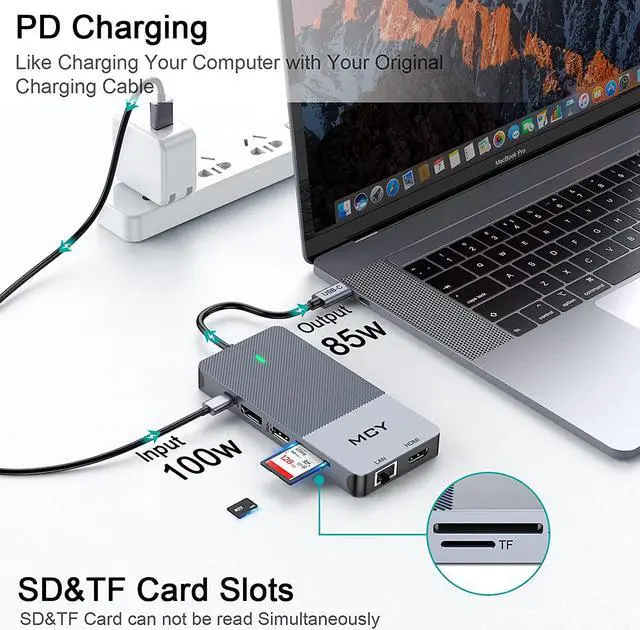
Allows maximum to 100W pass-through charging while using. The real output is based on the adapter used,(for Type-C laptop or Type-C smart phone charging) maximum to 85W.
Enables to power up your device,even when multiple peripherals are attached and working.Power is shared by hub and devices connected.
Superior Data-storing Versatility
The Card reader of MCY USB C hub works with SD,SDHC,SDXC ,Micro SD,MMC (SDXC :with high storage capacity up to 2TB).
The maximum read speed is 104MB/S.Support SD card and TF card can not be used in the same time.
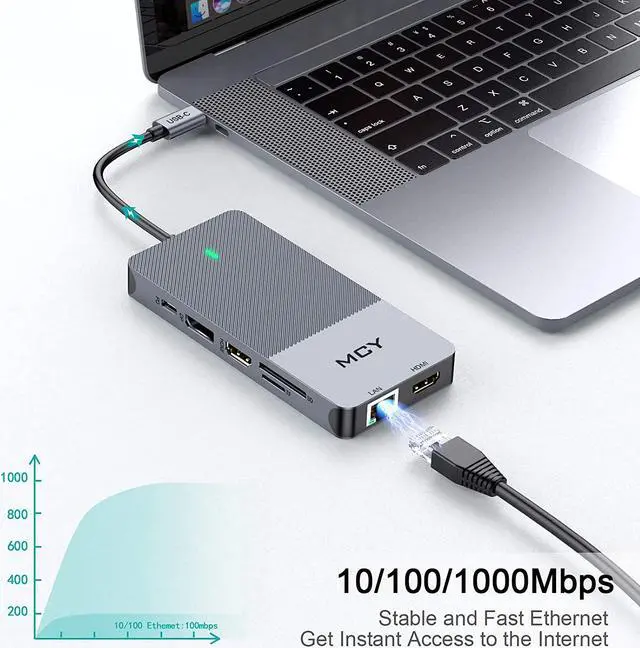
Max 1000 Mbps Speedy Ethernet
MCY USB C docking station get a high-speed network connection on your USB-C device.
Offering full 10/100/1000 Mbps Gigabit Ethernet performance over the RJ45 Ethernet port ensures you a stable, wired Internet connection.