TOTU USB-C Triple Display Docking Station with Power Delivery Charging for USB-C Systems
The TOTU Docking Station with two of USB 3.1(USB 3.1 Gen2 Type-C)'s most exciting new features: support for Alternate Modes and Power Delivery. Alternate Modes allow certain non-USB data and protocols (such as host video) to be sent over a USB-C cable, while Power Delivery enables you to power the supported system without the need for a traditional proprietary OEM charger.
Features:
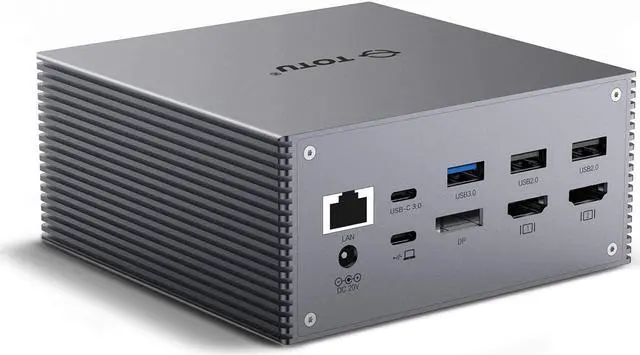
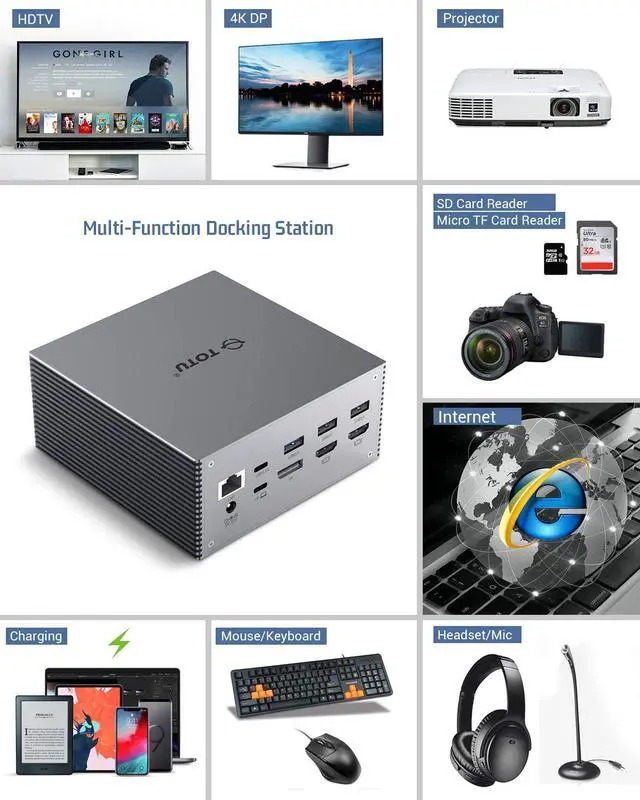
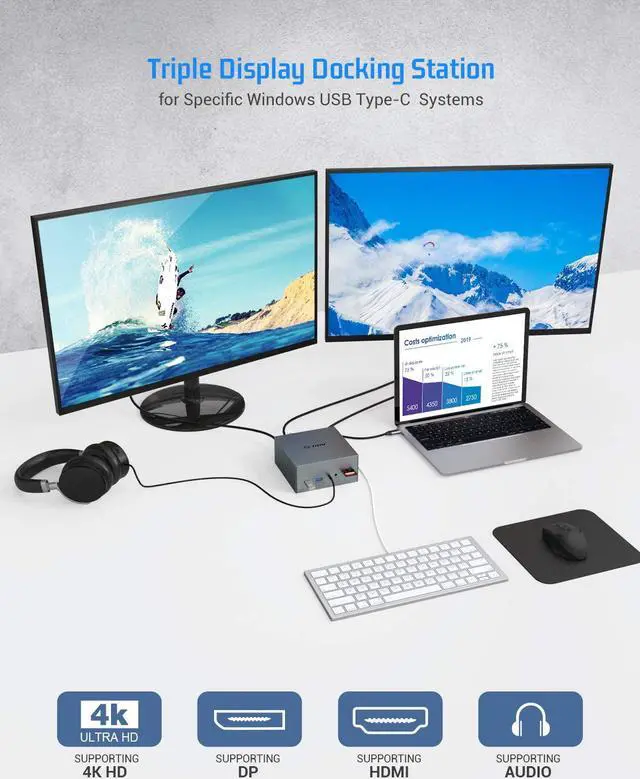
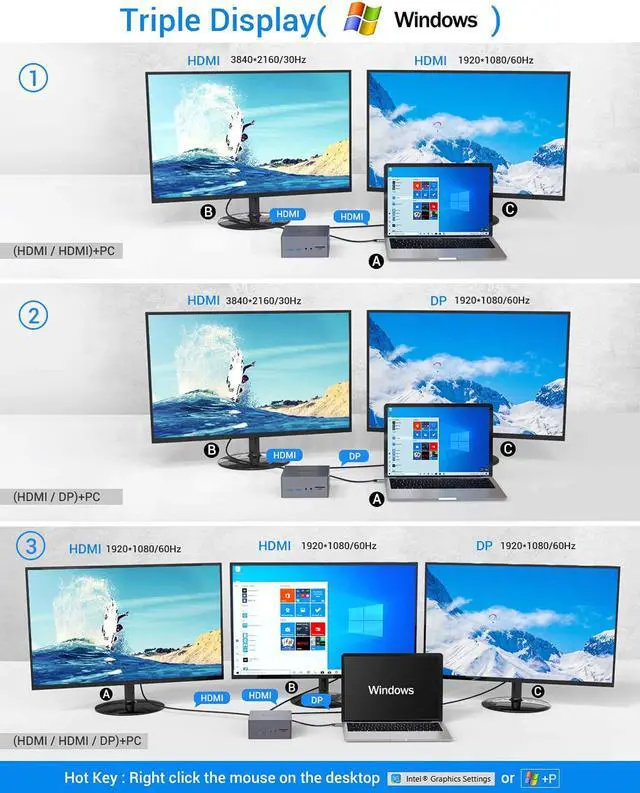
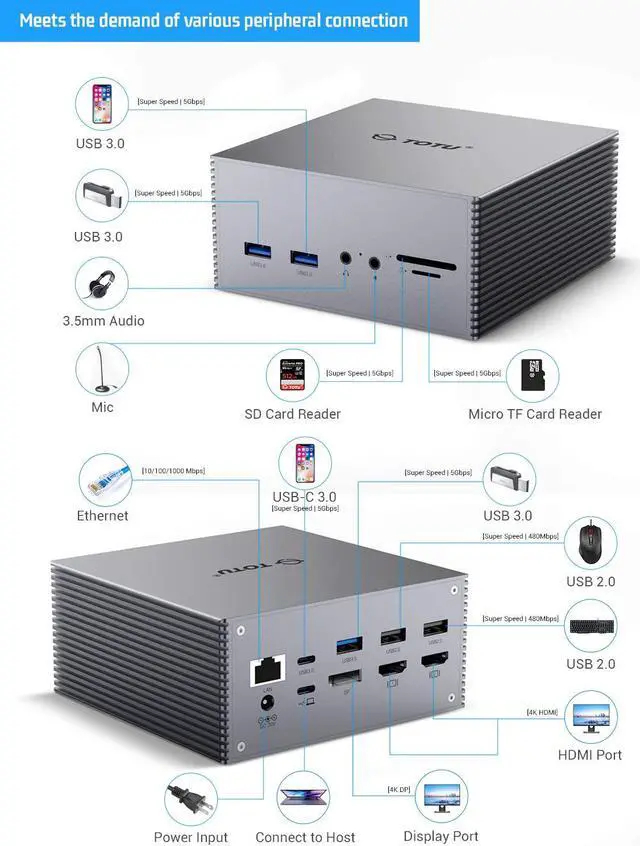
Two HDMI and a DP port for connecting three external monitors and support for resolutions up to 4K 30Hz.For better user experience, Please use HDMI2.0 or above.
An RJ-45 Gigabit Ethernet network port (also supports 10/100/1000 Ethernet)
External headphone output jack and a microphone line-in.
Three USB 3.0 ports for accessories (such as an external hard drive etc)
Two USB 2.0 ports (great for legacy devices such as keyboards, mouse and printers)
60W DC adapter (20V, 3A) which powers both docking station and the connected host.
One USB-C port to connect the host system with the equipped USB-C to USB-C cable.
One USB-C 3.0 port on the docking station for USB-C peripheral connectivity and power delivery, does not support the Alt mode video.
SD and Micro TF card slot can be used on the hub simultaneously.
Multi Display Modes&Resolution
Use HDMI2.0 or above cables for optimum performance.
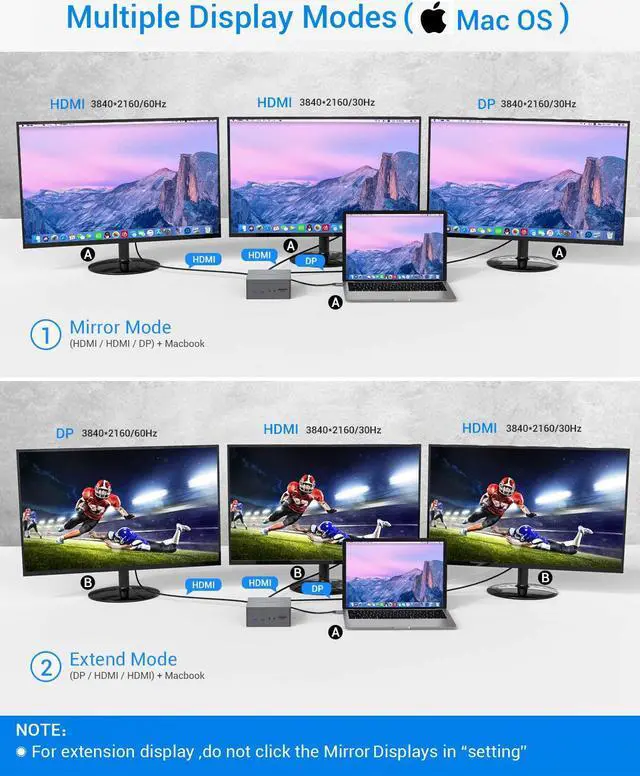
The Display outputs on the dock can each support a single display up to 3840x2160@30Hz. But only when using a single Display output .
Supported Display Modes and Resolution for Windows
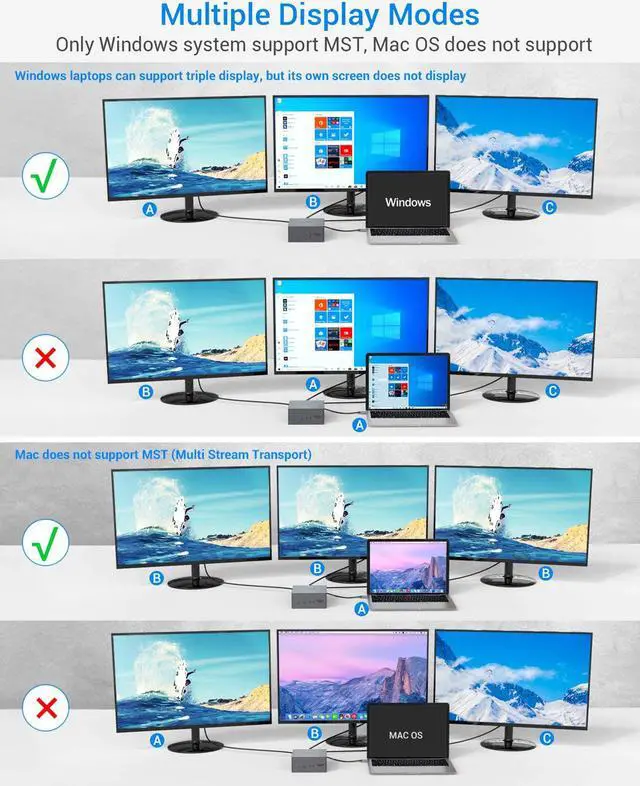
Only Windows system support the Multi Stream Transport,There will be only 3 screen output because of the chip bandwidth limit including the host display.
Mirror Mode Supported Resolution: Each display Maximum resolution is 3840x2160@30Hz. 2560x1600, 1920x1080 (1080P) and lower resolutions will display at 60Hz.
Extend Mode Supported Resolution: Each display will be limited to a maximum resolution of 1080P. And one of the displays cannot be displayed full screen.
Supported Display Modes and Resolution for macOS
macOS currently only support Mirror Display.All the external display will only mirror instead of extend
When using three video output ports simultaneously, connecting or disconnecting any one of the video output will disconnect the remaining two video connections and reconnect for 5 seconds.
Mirror Mode Supported Resolutions:
Maximum resolution is 3840x2160@30Hz. 2560x1600, 1920x1080 (1080P) and lower resolutions will display at 60Hz.
USB 3.1 Gen2 Type-C Compatibility
USB-C compatibility information is more complicated due to its versatility. USB 3.1 Gen2 Type-C generally support Alt Mode output functionality, but support for Power Delivery/charging on these ports is system-specific.
Specific compatibility list will be updated online as we test more systems internally, and we welcome compatibility reports from all the users as well.When attached to a fully compatible USB-C, the TOTU Docking Station supports Windows, macOS, ChromeOS
Compatible Systems (Alt Mode, PD): Some of the systems which currently support Alt Mode, PD : Dell XPS 13" 9350/9360/9370, Dell XPS 15 9550/9560, Dell Precision 5520, HP Spectre x360 13" ("Kaby Lake" version ), Lenovo Yoga 720 13" & Yoga 920, Microsoft Surface Book 2.
Compatible Devices(Not a full list) :
MacBook(2015/2016/ 2017/2018/2019) MacBook Pro( 2016 / 2017/2018/2019) iMac/iMac Pro(21. 5 in & 27 in)
HP Elitebook 840 G5 HP Zbook,Dell 8930
Partially Compatible Devices (Supporting Alt Mode or PD, but not all):
Many current USB-C systems which do support Alt Mode video output do not support charging via USB-C. Systems such as this will output video from the dock, but will still need their proprietary OEM chargers.